
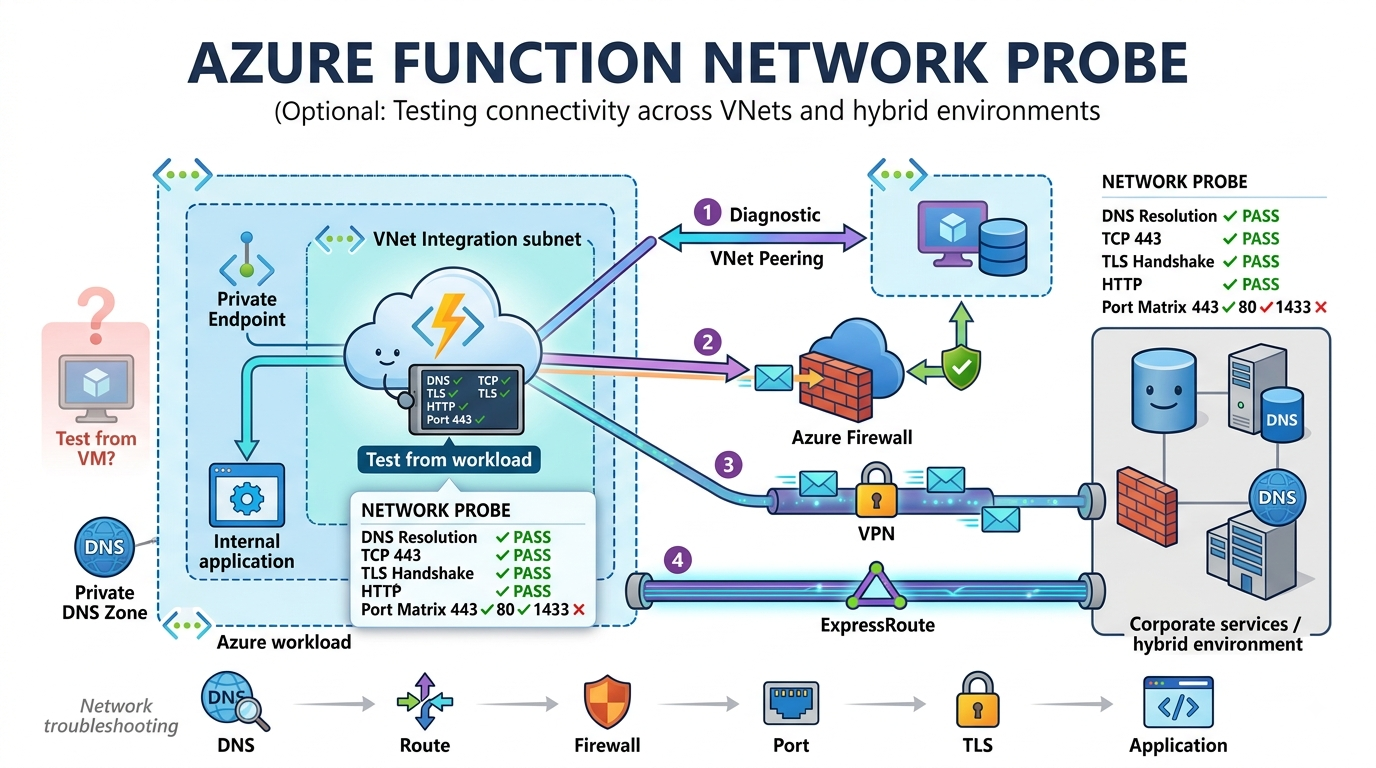
Network connectivity testing is one of the challenges I repeatedly encounter when supporting Azure networking environments, particularly when validating connectivity from subnets delegated to Azure PaaS services. In non-delegated subnets, troubleshooting is usually straightforward. A virtual machine can be deployed into the same subnet as the workload, allowing administrators to RDP or SSH into it and test DNS resolution, network connectivity, effective routes, firewall access, and application ports directly from the source location.
Delegated subnets are different. Many Azure PaaS services require exclusive use of their subnet, preventing other resource types from being deployed alongside them. While this isolation is necessary for the service to operate, it creates a significant challenge when network troubleshooting is required.
Azure Application Gateway is a good example. The subnet hosting the gateway is dedicated to the service and does not permit virtual machines to be deployed within it. If the Application Gateway cannot communicate with a backend service, there is no simple way to validate connectivity from the gateway’s network perspective, making troubleshooting more difficult.
The same limitation exists with Azure App Service and Function App VNet Integration. Although applications can use an integration subnet to access resources within a virtual network, the subnet is reserved exclusively for the App Service platform. Administrators cannot deploy a VM into the integration subnet to perform the same connectivity tests that would normally be available in a traditional infrastructure environment.
As a result, troubleshooting delegated subnets often requires alternative approaches that can simulate connectivity from the perspective of the PaaS service itself, rather than relying on a temporary test virtual machine deployed into the affected subnet.
This becomes particularly frustrating when troubleshooting scenarios involving:
- Azure Firewall
- User Defined Routes (UDRs)
- Network Security Groups (NSGs)
- Private Endpoints
- Private DNS Zones
- VPN connections
- ExpressRoute circuits
- Hybrid networking
When an application cannot connect to a backend database or internal service, the first question is often:
Is the problem DNS, routing, firewall policies, or the application itself?
The answer is not always easy to determine because there is often no or limited ways to test connectivity from the exact network context of the service.
API Management deployments integrated into a virtual network are somewhat easier to troubleshoot because there are often opportunities to deploy additional resources such as a virtual machine into the same virtual network. Application Gateway subnets and App Service VNet Integration subnets do not offer the same flexibility.
After running into this challenge repeatedly across customer environments, I wanted a lightweight tool that could be deployed directly into an Azure Function App and perform network diagnostics from the Function App’s own execution environment.
That led me to create the Azure Function Network Probe project.
The Challenge
When troubleshooting connectivity issues, there are usually multiple networking components involved:
- Network Security Groups
- Azure Firewall
- User Defined Routes
- Private DNS Zones
- VNet Peering
- VPN Gateways
- ExpressRoute
- Endpoint firewalls
The problem is that a successful test from an virtual machine doesn’t necessarily prove that a Function App in a different VNet can connect:
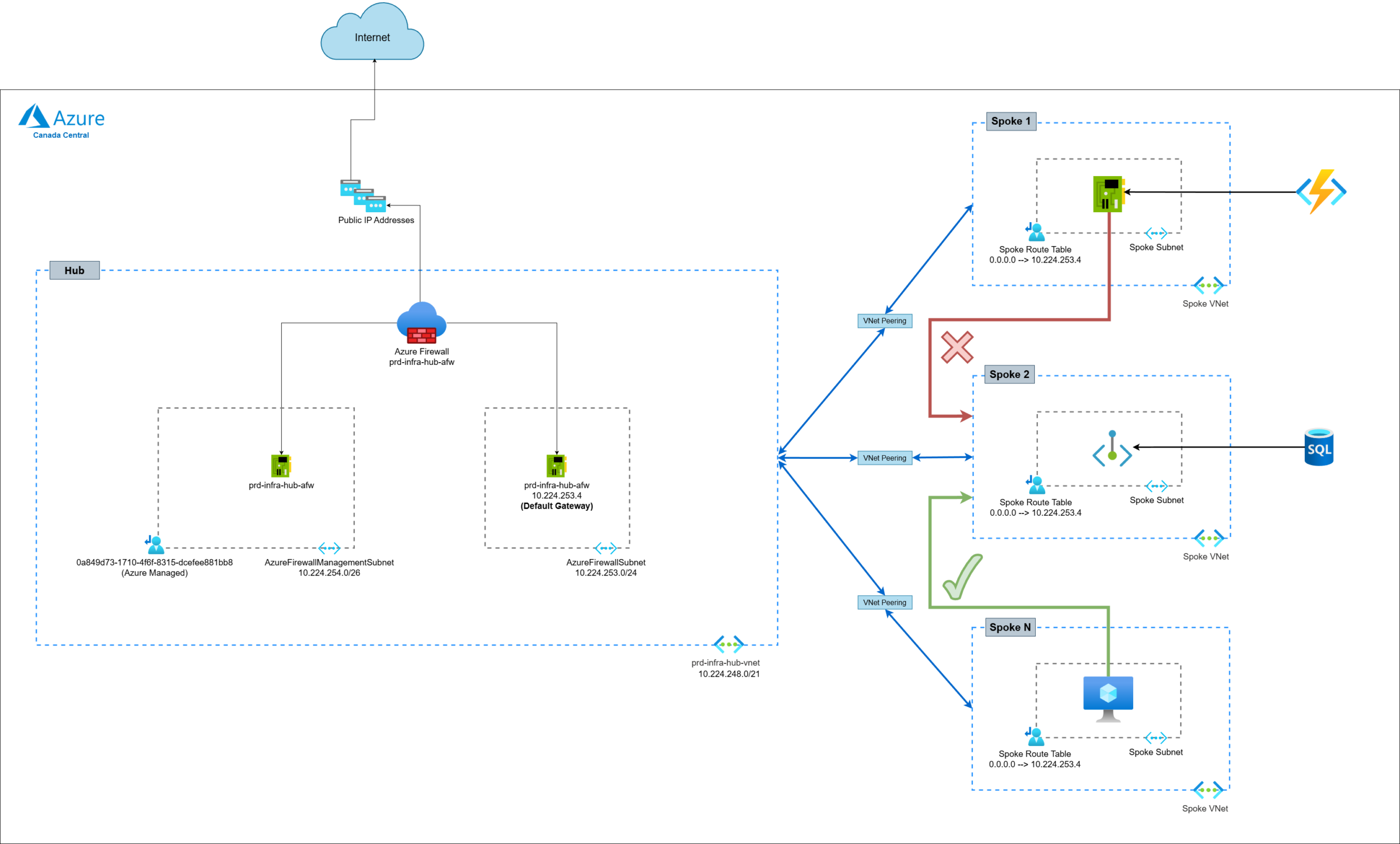
The question becomes:
What can the Function App actually see?
The Solution
Since I encountered such an issue recently, the idea I had was to deploy an additional function in an existing Azure Function App with functions experiencing network connectivity issues, so we can perform from within the same VNet and Subnet while returning the results through a simple interface.
Instead of making assumptions about routes, firewall policies, or DNS resolution, the Function App performs the test directly from the workload.
This allows you to answer questions such as:
- Can the Function App resolve the target hostname?
- Which IP address is being returned?
- Can the Function App reach the destination on a specific port?
- Is the connection timing out?
- Is the destination actively refusing the connection?
- Does VNet Integration appear to be working?
Rather than spending hours reviewing configurations, this kind of network connectivity testing lets you quickly determine whether connectivity exists before continuing your investigation.
The full source code for this Function is available on my GitHub: https://github.com/terenceluk/azure-function-network-probe
Here are sample URLs to call the function (don’t worry about the keys as I’ve rotated them already):
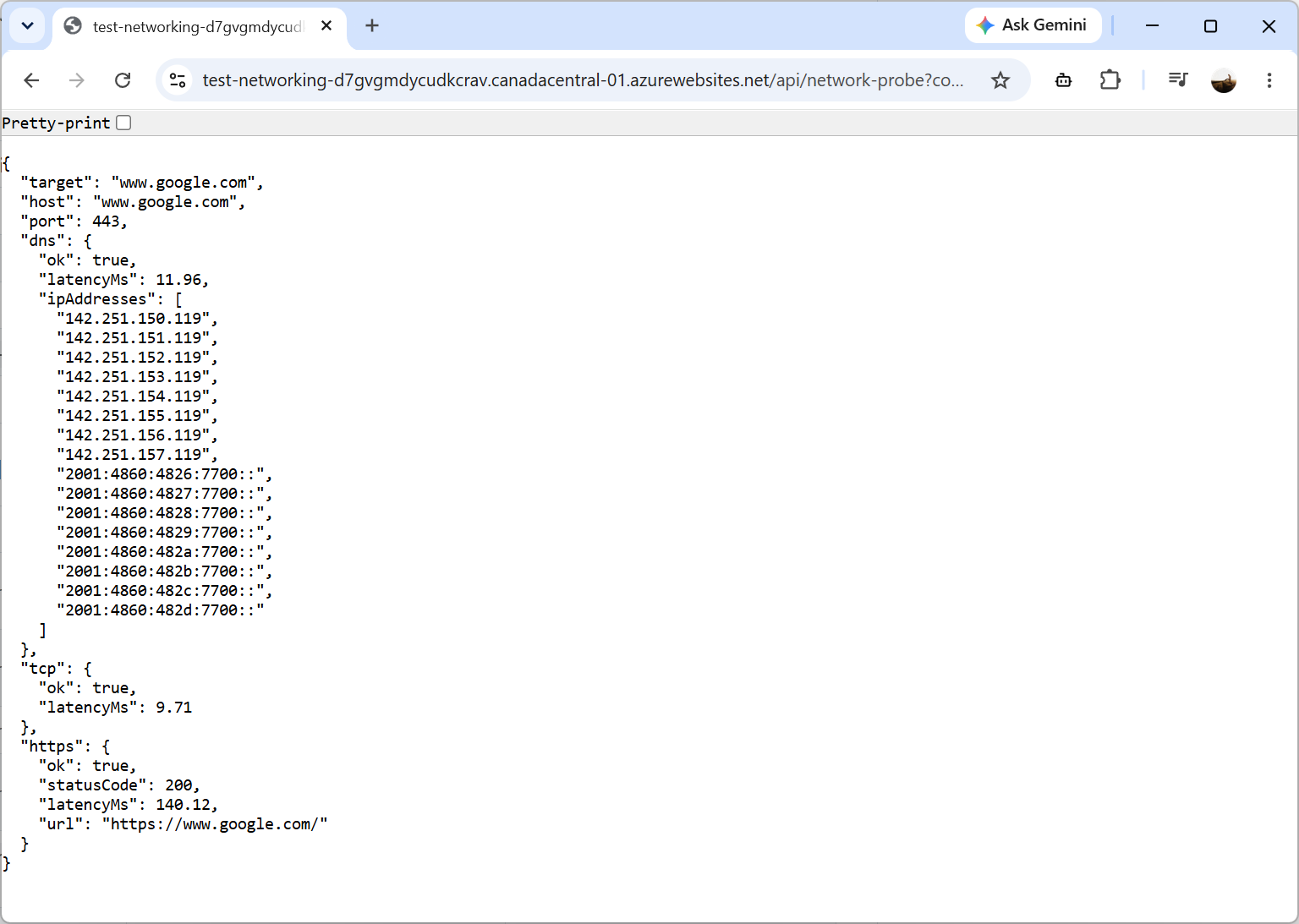
network-probe
https://test-networking-d7gvgmdycudkcrav.canadacentral-01.azurewebsites.net/api/network-probe?code=p6sPtJWsSEOi8tfhBZ_y2KUSWKsyUl0OYcq3tzuBVXEEAzFucOa2Rw==&target=www.google.com&port=443&https=true
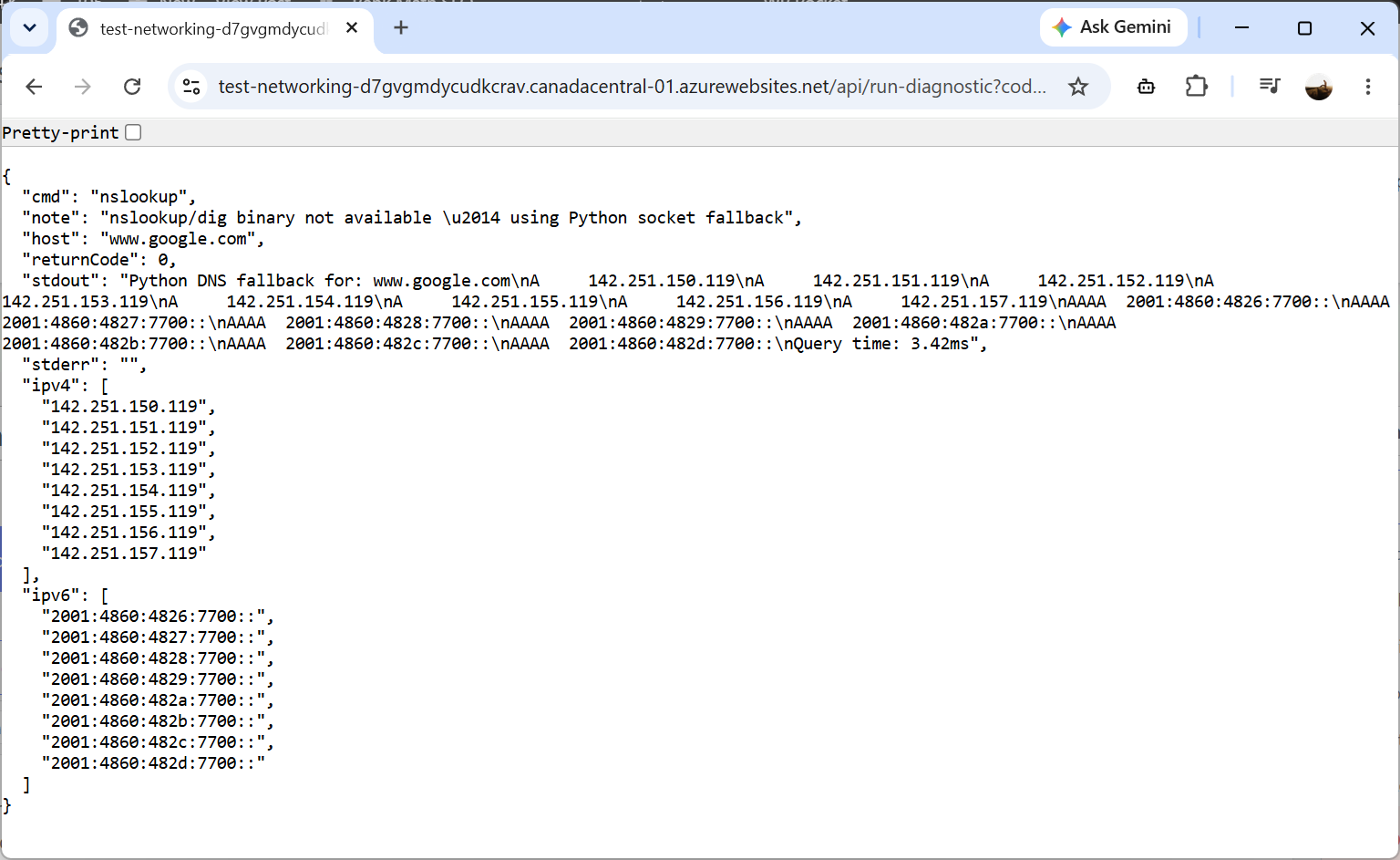
nslookup
https://test-networking-d7gvgmdycudkcrav.canadacentral-01.azurewebsites.net/api/run-diagnostic?code=p6sPtJWsSEOi8tfhBZ_y2KUSWKsyUl0OYcq3tzuBVXEEAzFucOa2Rw==&cmd=nslookup&arg=www.google.com
dig
https://test-networking-d7gvgmdycudkcrav.canadacentral-01.azurewebsites.net/api/run-diagnostic?code=p6sPtJWsSEOi8tfhBZ_y2KUSWKsyUl0OYcq3tzuBVXEEAzFucOa2Rw==&cmd=dig&arg=www.google.com
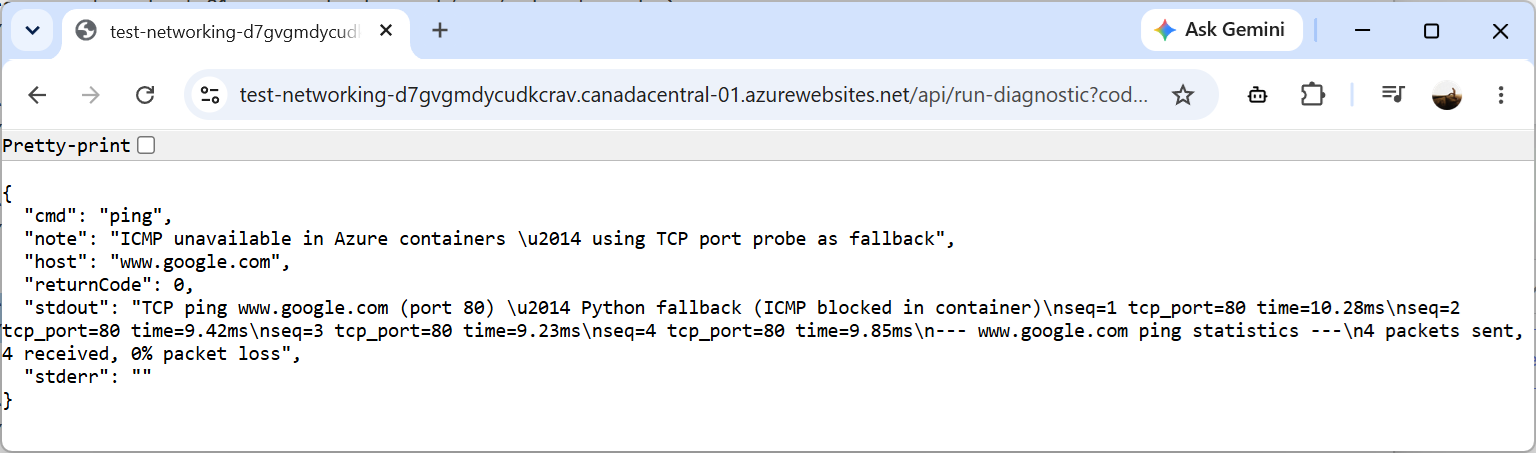
ping
https://test-networking-d7gvgmdycudkcrav.canadacentral-01.azurewebsites.net/api/run-diagnostic?code=p6sPtJWsSEOi8tfhBZ_y2KUSWKsyUl0OYcq3tzuBVXEEAzFucOa2Rw==&cmd=ping&arg=www.google.com
traceroute
https://test-networking-d7gvgmdycudkcrav.canadacentral-01.azurewebsites.net/api/run-diagnostic?code=p6sPtJWsSEOi8tfhBZ_y2KUSWKsyUl0OYcq3tzuBVXEEAzFucOa2Rw==&cmd=traceroute&arg=www.google.com
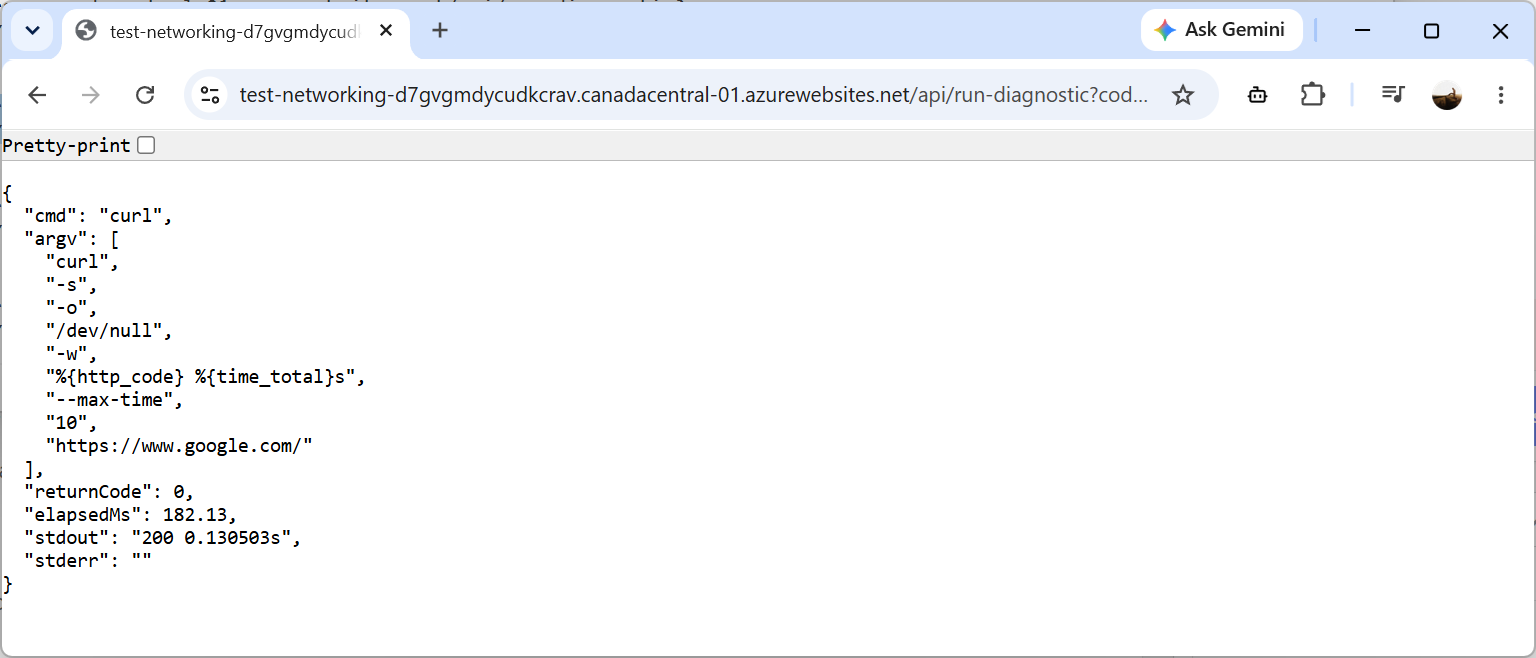
curl
https://test-networking-d7gvgmdycudkcrav.canadacentral-01.azurewebsites.net/api/run-diagnostic?code=p6sPtJWsSEOi8tfhBZ_y2KUSWKsyUl0OYcq3tzuBVXEEAzFucOa2Rw==&cmd=curl&arg=https%3A%2F%2Fwww.google.com%2F
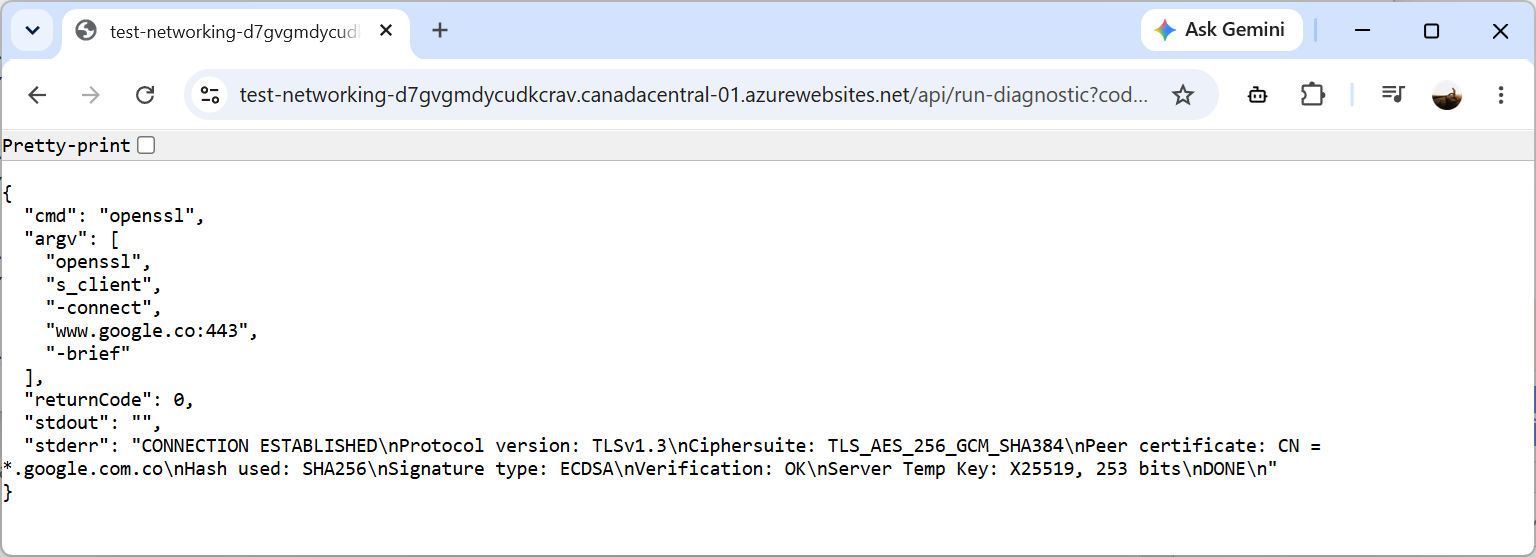
openssl
https://test-networking-d7gvgmdycudkcrav.canadacentral-01.azurewebsites.net/api/run-diagnostic?code=p6sPtJWsSEOi8tfhBZ_y2KUSWKsyUl0OYcq3tzuBVXEEAzFucOa2Rw==&cmd=openssl&arg=www.google.com
ifconfig
https://test-networking-d7gvgmdycudkcrav.canadacentral-01.azurewebsites.net/api/run-diagnostic?code=p6sPtJWsSEOi8tfhBZ_y2KUSWKsyUl0OYcq3tzuBVXEEAzFucOa2Rw==&cmd=ifconfig
ip
https://test-networking-d7gvgmdycudkcrav.canadacentral-01.azurewebsites.net/api/run-diagnostic?code=p6sPtJWsSEOi8tfhBZ_y2KUSWKsyUl0OYcq3tzuBVXEEAzFucOa2Rw==&cmd=ip
nc
https://test-networking-d7gvgmdycudkcrav.canadacentral-01.azurewebsites.net/api/run-diagnostic?code=p6sPtJWsSEOi8tfhBZ_y2KUSWKsyUl0OYcq3tzuBVXEEAzFucOa2Rw==&cmd=nc&arg=www.google.com
tcp-connect
https://test-networking-d7gvgmdycudkcrav.canadacentral-01.azurewebsites.net/api/run-diagnostic?code=p6sPtJWsSEOi8tfhBZ_y2KUSWKsyUl0OYcq3tzuBVXEEAzFucOa2Rw==&cmd=tcp-connect&arg=www.google.com&port=443&timeout=5
tls-handshake
https://test-networking-d7gvgmdycudkcrav.canadacentral-01.azurewebsites.net/api/run-diagnostic?code=p6sPtJWsSEOi8tfhBZ_y2KUSWKsyUl0OYcq3tzuBVXEEAzFucOa2Rw==&cmd=tls-handshake&arg=www.google.com&port=443&timeout=8
port-matrix
https://test-networking-d7gvgmdycudkcrav.canadacentral-01.azurewebsites.net/api/run-diagnostic?code=p6sPtJWsSEOi8tfhBZ_y2KUSWKsyUl0OYcq3tzuBVXEEAzFucOa2Rw==&cmd=port-matrix&arg=www.google.com&ports=80,443,1433,5671&timeout=3
Here are a few screenshots of the results:
Final Thoughts on Network Connectivity Testing
Controlling and protecting ingress and egress traffic in Azure networking is a standard practice in enterprise organizations. Private Endpoints, Azure Firewall, VNet Integration, Hybrid Connectivity, and Zero Trust architectures all provide significant security benefits, but they also introduce additional layers that must be validated when something stops working.
When a connectivity issue arises, the fastest path to resolution is often to immediately test from the workload itself.
I hope others find it useful for troubleshooting Azure networking issues as much as I do.

