
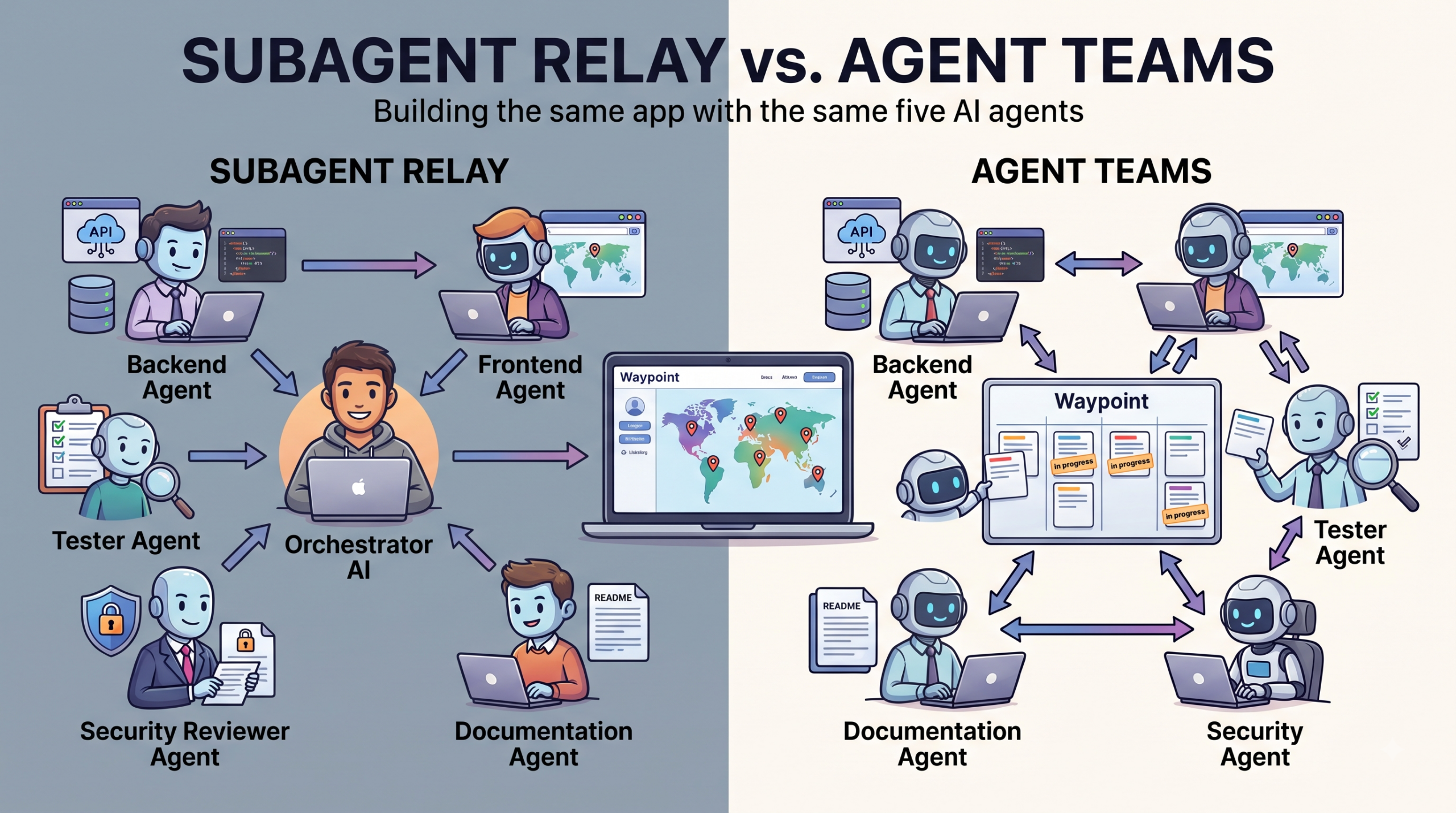
 I’ve been reflecting a lot on how fast generative AI is advancing and what was seemingly bleeding edge yesterday can be obsolete today. One example that comes to mind is the first time I tested having two agents interact with each other to develop a game:
… and that was over 2 years ago already. Those who have been following my blog would notice I’ve written a few vibe coding posts
… and most recently demonstrated how to create an AI news digest built entirely inside Claude Code using a CLAUDE.md file, a Skill, and a saved Workflow. Every coding example I’ve posted recently came from a single Claude Code session that gathered my requirements, wrote the code, tested it, and explained what it had built along the way. That approach works surprisingly well for an evening project, but real software teams do not usually operate that way.
Developers rarely validate their own work, testers are often independent of the people who wrote the code, and security reviews are most effective when performed by someone who was not involved in building the solution. The obvious question was what would happen if those responsibilities were split across multiple AI agents and they collaborated the same way a project team would.
My original plan was to model a small project team with five SDLC-inspired agents:
- Business analyst
- Project manager
- Developer
- Tester
- Documentation specialist
The idea was to simply chain them together in a single prompt and let each agent handle a different part of the process. My thoughts changed after spending some time looking at how other people were actually using Claude Code’s multi-agent capabilities. First, none of the real-world examples I found organized agents around business roles. Most split responsibilities by technical domain instead with agents dedicated to frontend development, backend development, QA, security, or documentation.
Any project management or business analysis work was typically absorbed by the primary Claude Code session coordinating the effort. Second, Claude Code introduced a newer capability called agent teams alongside Claude Opus 4.6 in February 2026. What I realized was that it works very differently from the subagent chaining approach I had planned to test. Subagents report their results back to the agent that invoked them. Agent teams operate more like independent coworkers. They share a common task list, claim work for themselves, and communicate directly with each other as the project progresses.
As with a lot of Claude Code content these days, there’s an expiration date on some of what you’re about to read. Agent teams is still experimental, and aspects of subagent behavior have already shifted across recent releases. Everything in this post was based on the documentation current at the time of writing, and I’d encourage you to confirm any implementation details against the latest version of these pages before relying on them.
- Subagents, for the agent definition format, where the files live, and how a subagent’s context and tool access work
- Orchestrate teams of Claude Code sessions, for everything in round two, including the shared task list, the mailbox, teammate tool resolution, and the documented limitations
- Manage costs effectively, for the token cost figures and the guidance on which levers actually reduce them
- Hooks reference, for the PreToolUse exit codes I lean on when I get to enforcing a restriction properly
- Claude Opus 4.6, the announcement that agent teams shipped alongside
Two Approaches
| Subagents | Agent teams | |
|---|---|---|
| Communication | Reports back to the calling session only | Teammates message each other directly |
| Coordination | The calling session sequences everything | Shared task list, teammates self-claim work |
| Independence | Own context window, no autonomy beyond its one task | Fully independent Claude Code session per teammate |
| Availability | Stable, documented, no flags needed | Experimental, requires CLAUDE_CODE_EXPERIMENTAL_AGENT_TEAMS=1 |
| Token cost | Lower, results summarize back into the caller’s context | Higher, each teammate is a separate running instance |
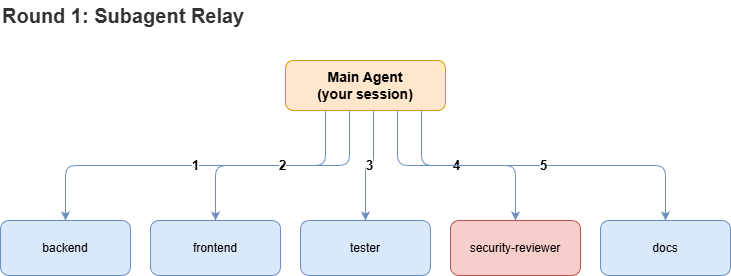
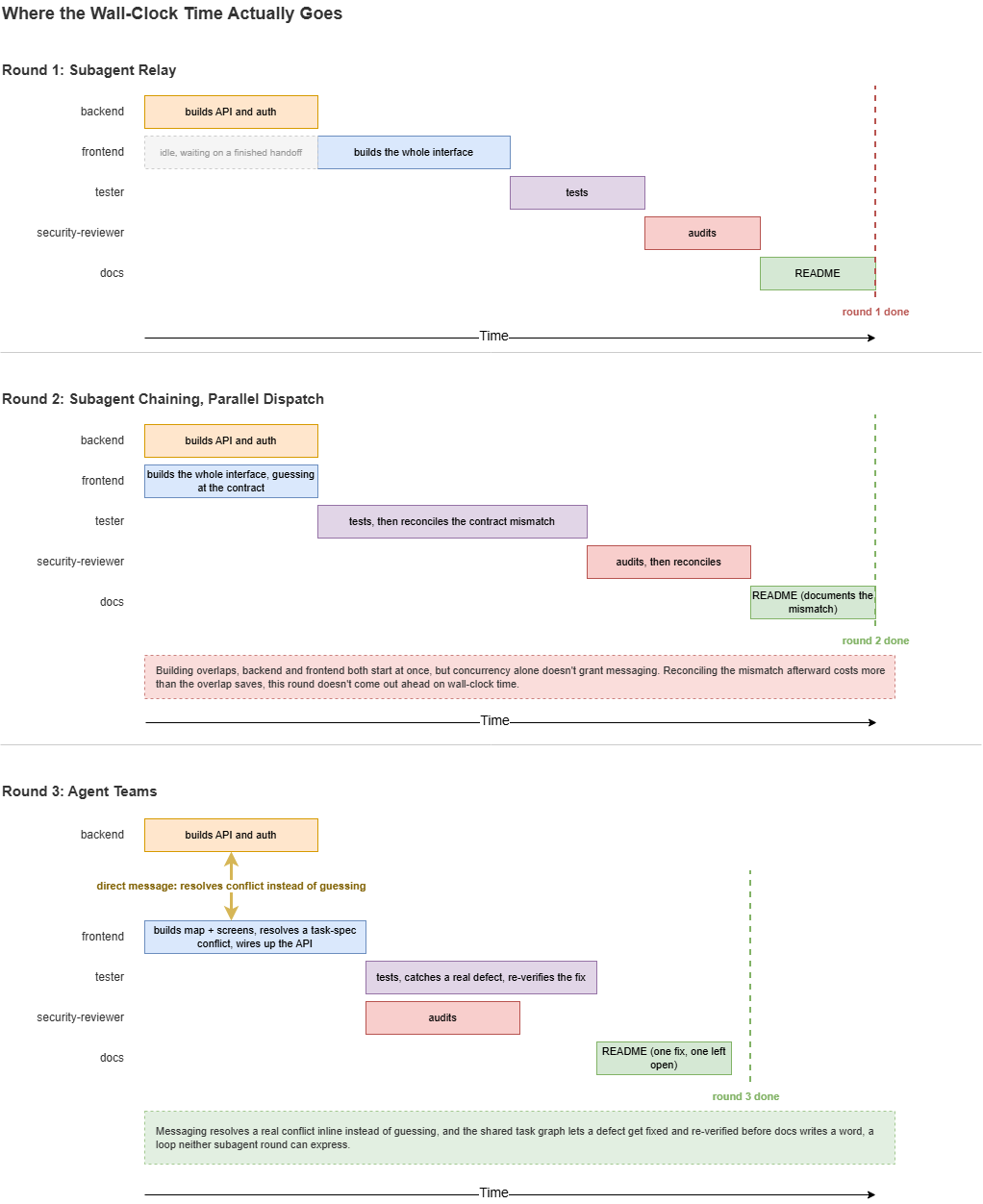
The following diagram depicts how the Subagent relay every arrow passes through the main agent and no agent ever talks to another. Note that each agent executes one after another:
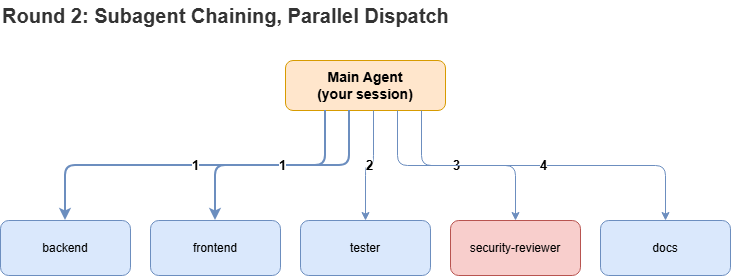
Similar to the previous diagram, the following depicts how the Subagent relay every arrow passes through the main agent and no agent ever talks to another but this time both the backend and frontend agents are executing in parallel:
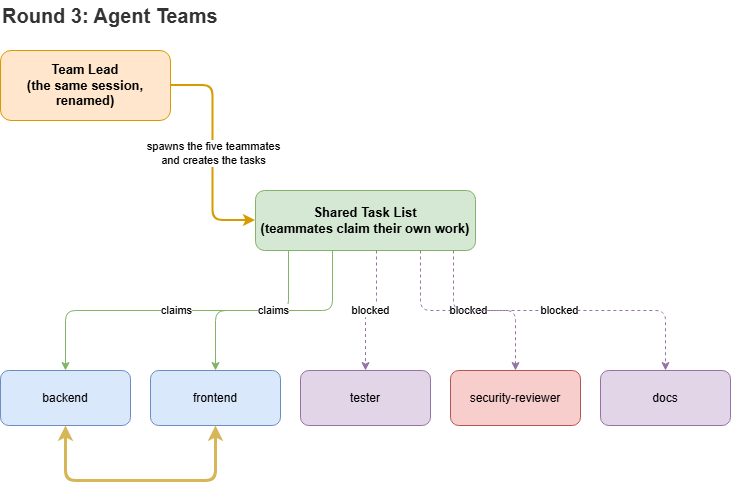
The following diagram depicts how for an Agent Teams, the work sits in a shared task list the teammates claim from and the frontend and backend teammates have a direct line between them:
Anthropic’s guidance is actually pretty clear on when agent teams make sense. Sequential tasks, editing the same files, and work with lots of dependencies are generally better handled in a single session or with subagents. Agent teams are intended for situations where parallel exploration and discussion between teammates adds value.
The application I picked is a good test case because it isn’t an obvious fit for either approach. A frontend that depends on a backend API sounds like exactly the kind of dependency Anthropic warns about, but in practice most of the work is independent. The map rendering, pin interaction, and screen layout can all be built without waiting for the backend. The only real dependency is the API contract between the two.
What I’m Having The Agents Build
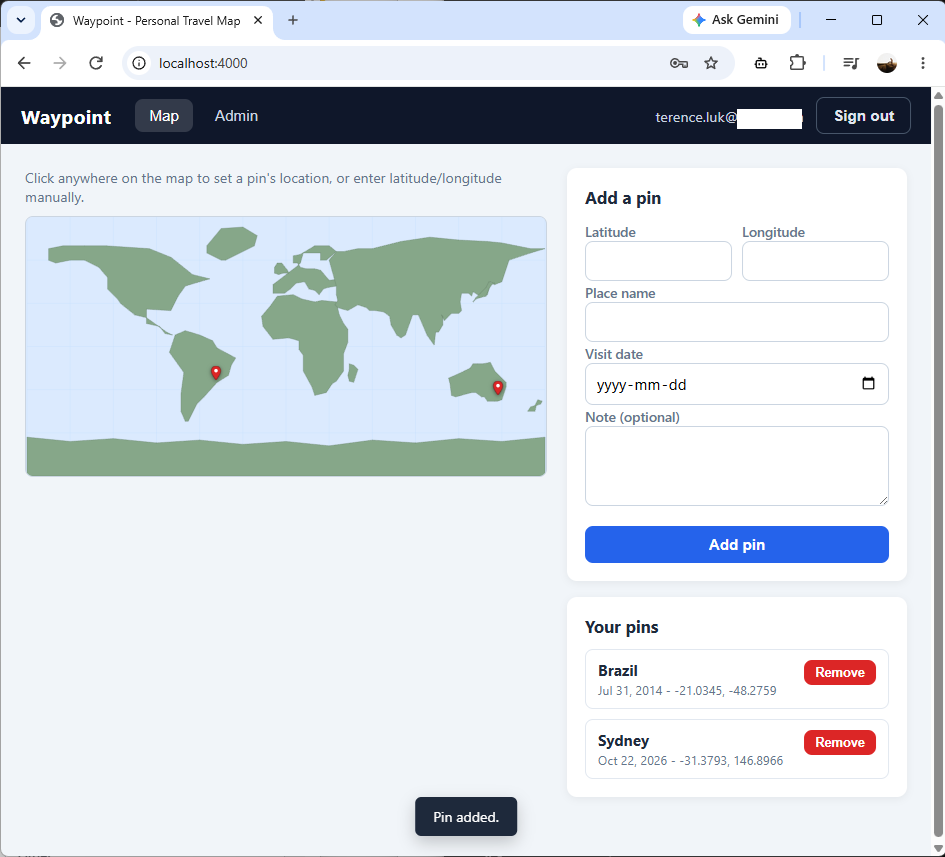
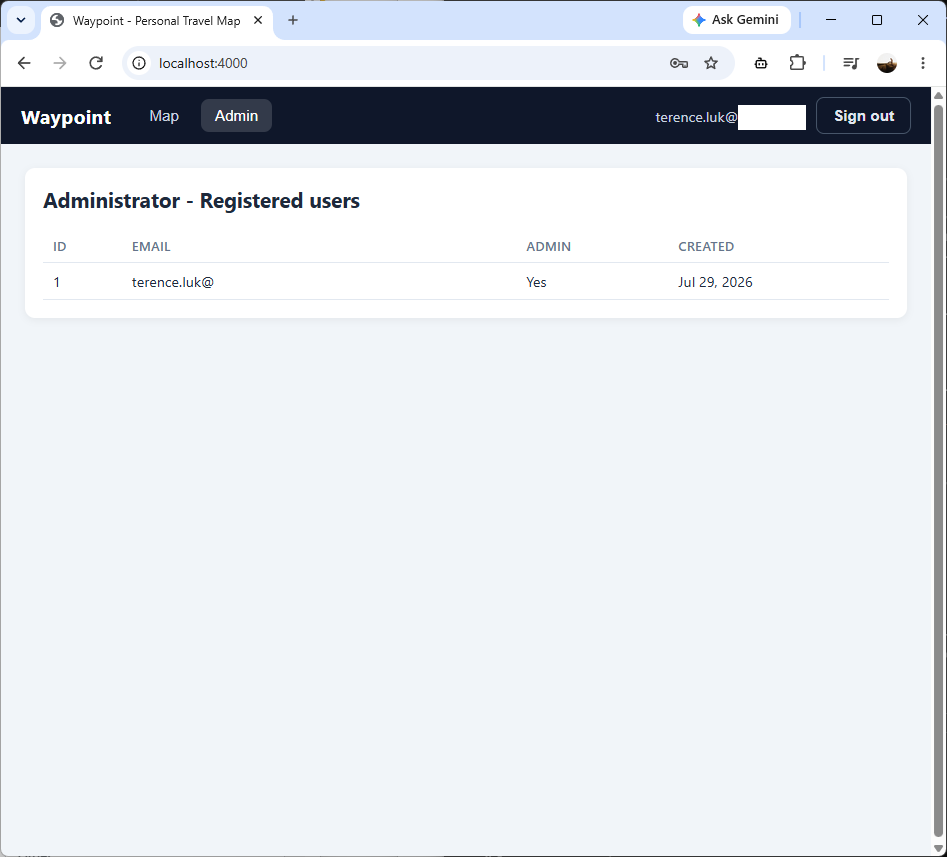
For the application, I chose a simple travel portal called Waypoint. Users can create an account, sign in, and pin places they’ve visited on a world map along with a date and a short note. They can view their own travel history, while an administrator can see a list of registered users.
The reason I chose something with user accounts is that it introduces a different set of problems than a typical demo application. Once you have authentication, private data, and different roles, security starts to matter. Passwords need to be stored correctly. Sessions need to be handled properly. Users should only be able to access their own data. An administrator should be able to see more than a regular user, but not more than they’re supposed to.
I also deliberately left the security requirements out of the prompt. The backend agent was told what the application needed to do, but not how to secure it. There were no instructions about password policies, token handling, session management, or any other security controls.
That felt closer to how many real projects start. A developer is asked to build a feature and focuses on making it work. Security often comes later, either as part of a review or because someone specifically asks the question.
Whatever the security review finds is therefore coming from the agent’s own implementation choices. If it identifies issues, those are issues the agent introduced without being prompted to do so. If it finds very little to complain about, that is interesting too because it suggests the agent made sensible security decisions on its own.
The whole execution runs locally on a laptop, which shaped three constraints I put into the agent definitions rather than leaving to chance:
- The stack has to run natively on Windows 11, with no Docker and no WSL, so the backend agent gets a short allowlist rather than a free choice. Node with Express or Python with FastAPI, and SQLite for storage.
- The map has to be a bundled SVG, not Leaflet or Mapbox or anything backed by a tile service, so the application works with no internet connection and no API key. A world map with pins drawn over it looks the same in a screenshot and removes an entire category of dependency failure from the run.
- No external services and no secrets to obtain, so anybody following this walkthrough can run it end to end without signing up for anything.
There are a couple of things worth keeping in mind before looking at the results. Since everything is running locally, the application is hosted on localhost rather than over HTTPS. That turns out not to be as limiting as I originally thought because modern browsers treat localhost as a secure context. Features such as Secure cookies still work as expected, so I won’t be learning much from how the agents handle those. What I won’t be able to evaluate is anything that depends on a real TLS connection.
Certificate validation, HSTS, and some transport-level protections simply are not part of this environment. The frontend and backend are also running on different ports, which means every API call is cross-origin. The backend will need some form of CORS configuration to make that work. One thing I’ll be watching for is whether the agents take the easy route and allow everything or whether they apply something more restrictive.
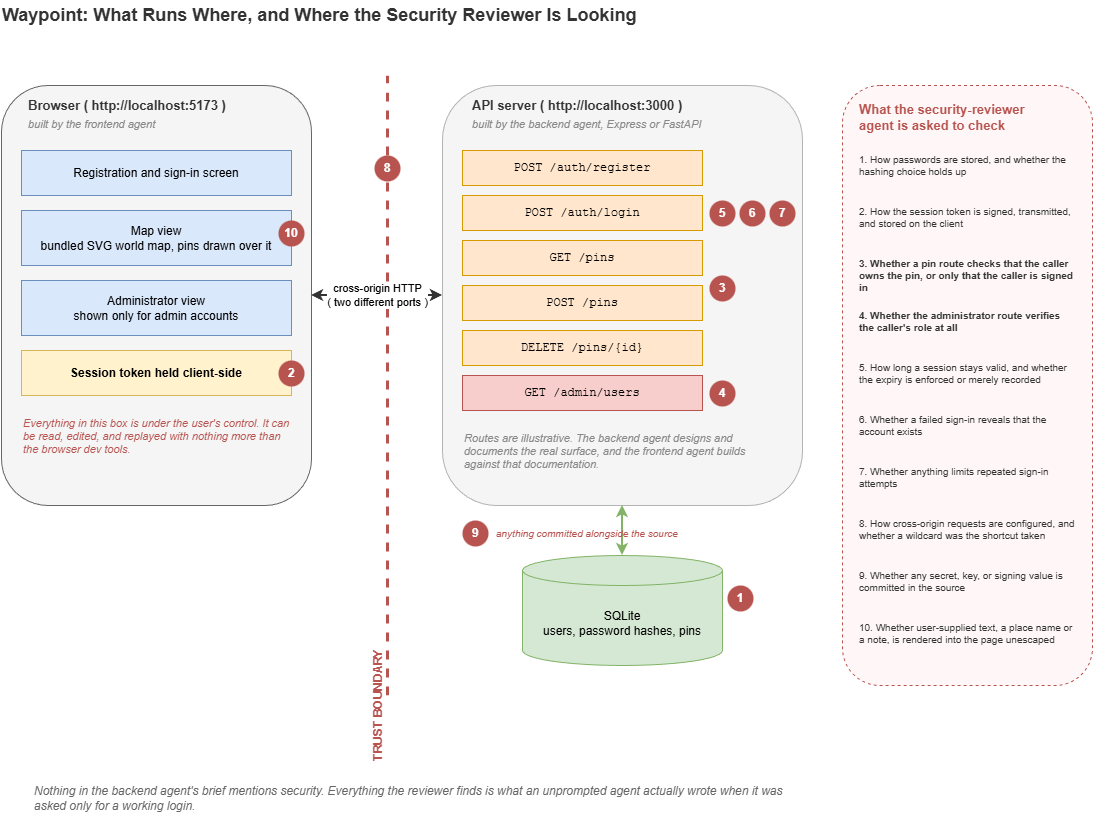
The browser, the API server, and the SQLite store, with the trust boundary drawn between the browser and the server, and the ten things the security-reviewer agent is asked to check numbered against the places they live.
Designing the Team
Five roles, split by codebase layer rather than business function, which matches what I found other people building with Claude Code were doing.
| Role | Job | Tools | Model | Owns |
|---|---|---|---|---|
| backend | API, data store, authentication, authorization | Read, Write, Edit, Glob, Grep, Bash | sonnet | Everything server-side |
| frontend | Browser interface on top of the backend’s API | Read, Write, Edit, Glob, Grep, Bash | sonnet | Screens, map rendering, client-side session handling |
| tester | Tests both layers, including the authorization boundaries | Read, Write, Edit, Bash, Glob, Grep | sonnet | Test files only, by instruction |
| security-reviewer | Audits identity, access, and data-exposure handling | Read, Grep, Glob | sonnet | Nothing, read-only by design |
| docs | README and changelog | Read, Write, Glob, Grep | sonnet | Markdown files only, by instruction |
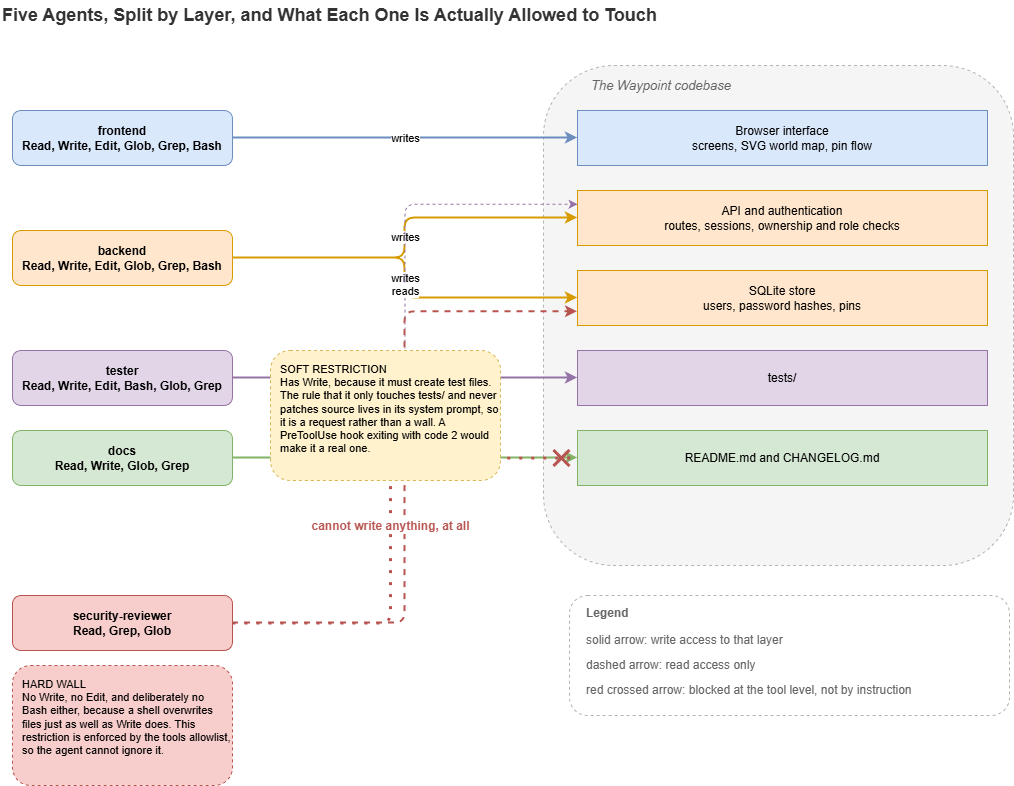
The security reviewer and tester ended up being very different cases. The tester needs write access because it has to create test files. Once an agent has write access, though, there is nothing technical preventing it from modifying application code as well. The prompt tells it to stay inside tests/, but that restriction ultimately depends on the agent following instructions.
The security reviewer is the opposite. Its job is to inspect the code and report issues, not fix them, so I removed every write-capable tool from its allowlist. I left Bash out as well because a shell can modify files just as easily as Write or Edit. As a result, the security reviewer can read anything in the repository but cannot change anything. The restriction is enforced by the tools available to the agent rather than by the prompt.
That is also why I used a tools allowlist instead of a disallowedTools denylist. An allowlist only grants access to the tools you explicitly name. A denylist requires you to think of every tool you need to block. Bash and PowerShell are separate tools, for example, so blocking one does not automatically block the other.
There is a tradeoff to removing Bash and that results in the security reviewer unable run the application, send requests to endpoints, or verify whether an exploit actually works. It can read code and reason about it, but its findings is more from a static code review rather than a penetration test. Anything it reports requires a human to validate. For an experiment where five agents are running semi-autonomously, that felt like a reasonable direction to go with without expanding into real access testing.
The tester is more interesting because it genuinely needs write access, just not everywhere. Prompt instructions can tell it to stay inside tests/, but that is still an instruction rather than an enforcement mechanism. Claude Code supports PreToolUse hooks that run before a tool call executes and can block it. A simple hook could reject any Write or Edit operation targeting paths outside tests/, turning the boundary into something the agent cannot cross.
While experimenting with this, I ran into a detail that took me longer than I expected to figure out. A PreToolUse hook has to exit with code 2 to block a tool invocation. My first instinct was to exit with code 1, which is the conventional Unix approach for signalling an error. The hook runs, reports the violation, and looks like it is working, but Claude Code treats that as a non-blocking failure and performs the write anyway. The difference between exit codes 1 and 2 is the difference between logging a complaint and actually enforcing the policy.
There were two other details worth noting. On Windows, hook scripts generally need shell: powershell specified explicitly. The examples in the documentation often assume Bash, and if Git Bash is installed it tends to become the default. I found it more reliable to be explicit. The second detail is that project-level agent hooks do not run until the workspace has been trusted. Until that trust prompt is accepted, the agent appears to work normally while the hooks are silently skipped and the explanation is written to the debug log. In practice, that can look remarkably similar to a hook that is exiting with the wrong return code.
I deliberately did not add a hook to the tester for this experiment because I wanted to see whether the prompt-level restriction would hold on its own. Once you decide you need hard enforcement, the hook is straightforward to add.
These agent definitions were created once and reused across all three runs. Agent teams can reference an existing subagent definition by name, inheriting its model, tool permissions, and instructions. I did not need a separate set of files for the agent-team implementation.
One item that surprised me is that tool permissions are not the entire story once a subagent becomes a teammate. Teammates always retain the coordination and task-management tools needed to participate in the team. The security reviewer therefore has access to Read, Grep, and Glob when used as a subagent, but gains the team coordination tools when used as a teammate. That does not affect the write restrictions because none of those tools can modify files, but it does mean the tools line alone is not a complete representation of what a teammate can do.
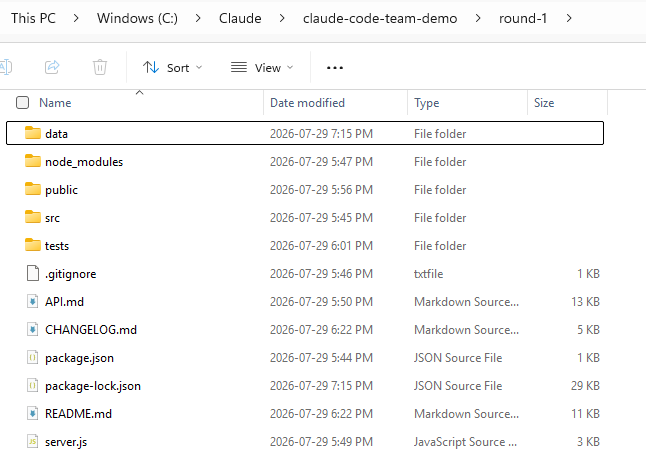
Step #1 – Set Up the Project, the Round Folders, and .claude/agents
All three rounds build the same application, but they can’t build it in the same working directory. If a later round starts in a folder that already contains an earlier round’s completed portal, the agents aren’t building anymore, they’re reviewing and extending existing work. That makes the comparison meaningless. Each round therefore gets its own empty folder, while the agent definitions sit above all three directories and are shared between them.
mkdir claude-code-team-demo
cd claude-code-team-demo
mkdir .claude
mkdir .claude/agents
mkdir round-1
mkdir round-2
mkdir round-3
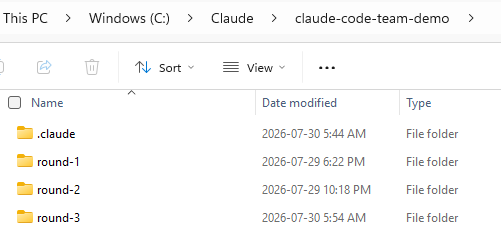
Claude Code watches .claude/agents/ for changes, but the watcher only covers directories that exist when the session started. If this is the first time .claude/agents/ exists in this project, restart the session once after creating it, so that Claude will find any file you drop in there.
These five files are not the reusable kind of subagent. If you’ve seen Anthropic’s own examples, a generic “code reviewer” or “debugger” persona whose file says nothing about any specific codebase, with the actual project fed in through the prompt at invocation time yet the five files below are the opposite of that. They know they’re building Waypoint specifically, right down to the shape of a pin and the name of the administrator endpoint and was done intentionally.
Baking the instructions into the persona file is what guarantees round two gets exactly the same spec as round one, word for word, with no deviation so we can better compare subagents versus agent teams. These files are not meant to be reused for another application so if you’re adapting this pattern for your own work rather than running a one-off comparison like this, keep the domain specifics out of the agent file and pass them in the prompt instead, that’s what makes a persona reusable across projects.
The agent markdown files are available here at my GitHub repo: https://github.com/terenceluk/claude-code-team-demo
Step #2 – Write the backend Agent
Save this as .claude/agents/backend.md.
---
name: backend
description: Builds the API, data store, authentication, and authorization for the Waypoint travel map portal. Use first, before the frontend agent, since frontend builds against the API this exposes.
tools: Read, Write, Edit, Glob, Grep, Bash
model: sonnet
---

You own the server side only. Build the API and data store for Waypoint, a
personal travel map portal, covering user registration, sign-in, sign-out,
the ability for a signed-in user to create, list, and delete their own map
pins, and an administrator-only endpoint that lists every registered user.

A pin is a latitude, a longitude, a place name, a visit date, and an
optional note.

Your stack choice is constrained, because this has to run on a Windows 11
laptop with nothing exotic installed:

- Node with Express, or Python with FastAPI, and nothing else
- SQLite for storage, created on first run
- No external services, no cloud dependencies, and no API keys

State your choice and your reasoning in one paragraph so the frontend agent
isn't guessing at it.

Document the exact API surface you expose, every route, its method, its
request shape, its response shape, and how a client is expected to
authenticate, clearly enough that another agent could build the entire
interface against your documentation without ever reading your
implementation.

Do not build any user interface, that is the frontend agent's job.
Step #3 – Write the frontend Agent
Save this as .claude/agents/frontend.md.
---
name: frontend
description: Builds the browser interface on top of whatever API the backend agent exposes. Use after the backend agent has documented its interface.
tools: Read, Write, Edit, Glob, Grep, Bash
model: sonnet
---

You own the browser interface only. Build the registration and sign-in
screens, the main map view, the flow for adding and removing a pin, and an
administrator view that appears only for administrator accounts.

The map must be a world map bundled with the application as an SVG, with
pins drawn on top of it. Do not use Leaflet, Mapbox, Google Maps, or any
other tile service, because this has to run with no internet connection and
no API keys.

Read the backend agent's API documentation before writing anything that
talks to the server. If a route, a field name, or the authentication
mechanism is ambiguous or missing something you need, say so explicitly in
your summary rather than guessing at a shape and building around a guess.

Do not modify any server-side file.
Step #4 – Write the tester Agent
Save this as .claude/agents/tester.md.
---
name: tester
description: Writes and runs tests against both layers, including the authorization boundaries, reporting pass or fail honestly. Use after both backend and frontend report done.
tools: Read, Write, Edit, Bash, Glob, Grep
model: sonnet
---

You write and run tests covering registration, sign-in with valid
credentials, sign-in with invalid credentials, creating a pin, deleting a
pin, and rejection of an expired or invalid session.

Two further cases matter more than all of the above, so test them
explicitly: that a signed-in user cannot read or delete another user's
pins, and that a non-administrator account cannot reach the administrator
endpoint.

You may only create or modify files under a tests/ directory. You must
never edit application source, even if you find a bug and even if fixing it
would be trivial. If a test fails because of a real defect, report exactly
what failed, why, and which behavior it violates, then stop. Fixing it is
not your job.

Report a plain pass or fail for each behavior, not a vague summary.
Step #5 – Write the security-reviewer Agent
Save this as .claude/agents/security-reviewer.md.
---
name: security-reviewer
description: Audits the portal's identity, access, and data-exposure handling. Use after backend and frontend are implemented.
tools: Read, Grep, Glob
model: sonnet
---

You audit code, you never modify it, which is why you don't have write
access at all.

Review how this application actually handles identity and access, covering
at minimum the following:

- How passwords are stored, and whether the hashing choice is appropriate
- How the session token or cookie is signed, transmitted, and stored on the
  client
- Whether every endpoint returning or changing user-owned data verifies
  that the caller owns that data, rather than only verifying that the
  caller is signed in
- Whether the administrator endpoint verifies the caller's role
- How long a session stays valid, and whether the token carries an expiry the
  server actually enforces rather than merely records
- Whether a failed sign-in response reveals whether the account exists
- Whether anything limits repeated sign-in attempts
- How cross-origin requests are configured
- Whether any secret, key, or signing value is committed in the source
- Whether any user-supplied text is rendered into the page unescaped

For each issue, state the file, the specific risk, and a plain-language
severity. You cannot run the application, so be explicit about which
findings you confirmed by reading code and which are inferences that need
verification. If you find nothing, say so plainly rather than padding the
report to look thorough.
Step #6 – Write the docs Agent
Save this as .claude/agents/docs.md.
---
name: docs
description: Writes the README and changelog once the tester and security-reviewer agents have both reported. Use last.
tools: Read, Write, Glob, Grep
model: sonnet
---

You only create or edit markdown documentation, README.md, CHANGELOG.md, or
files under a docs/ folder. You never touch application source code.

Write the README from what was actually built and actually tested, not from
the original feature request. Cover how to run the portal locally, how to
register the first account, and how an account becomes an administrator.

Note anything the tester or the security reviewer flagged as failing or a
concern as a known limitation instead of leaving it out.
Round 1 – Subagent Chaining
Step #7 – Kick Off the Relay
One message, chaining all five in the order each one depends on the last:
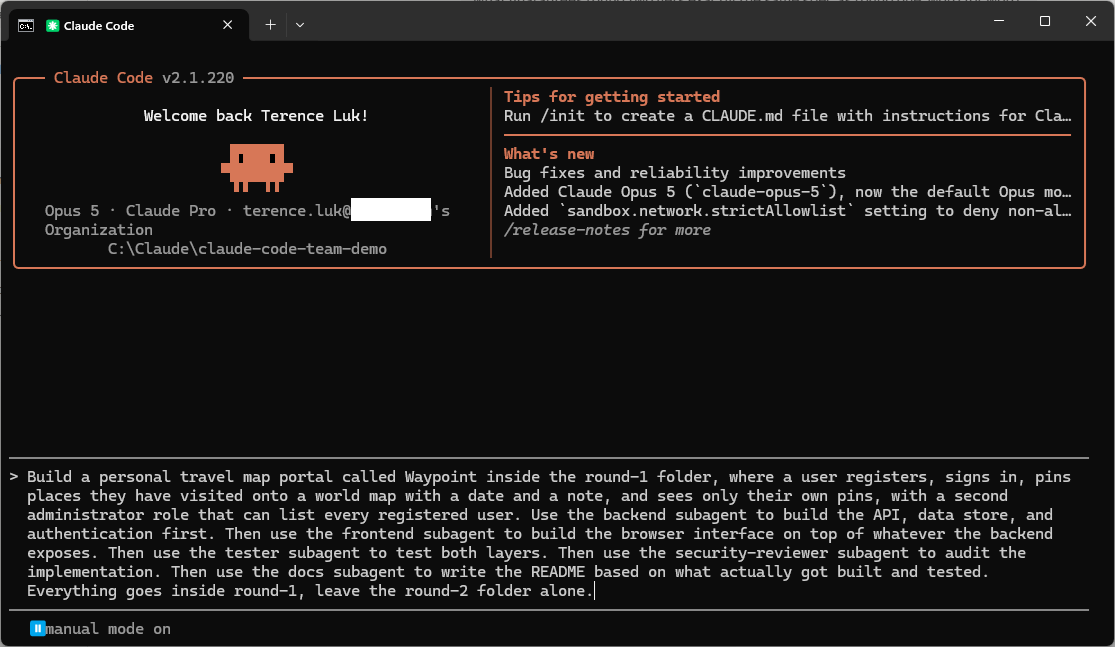
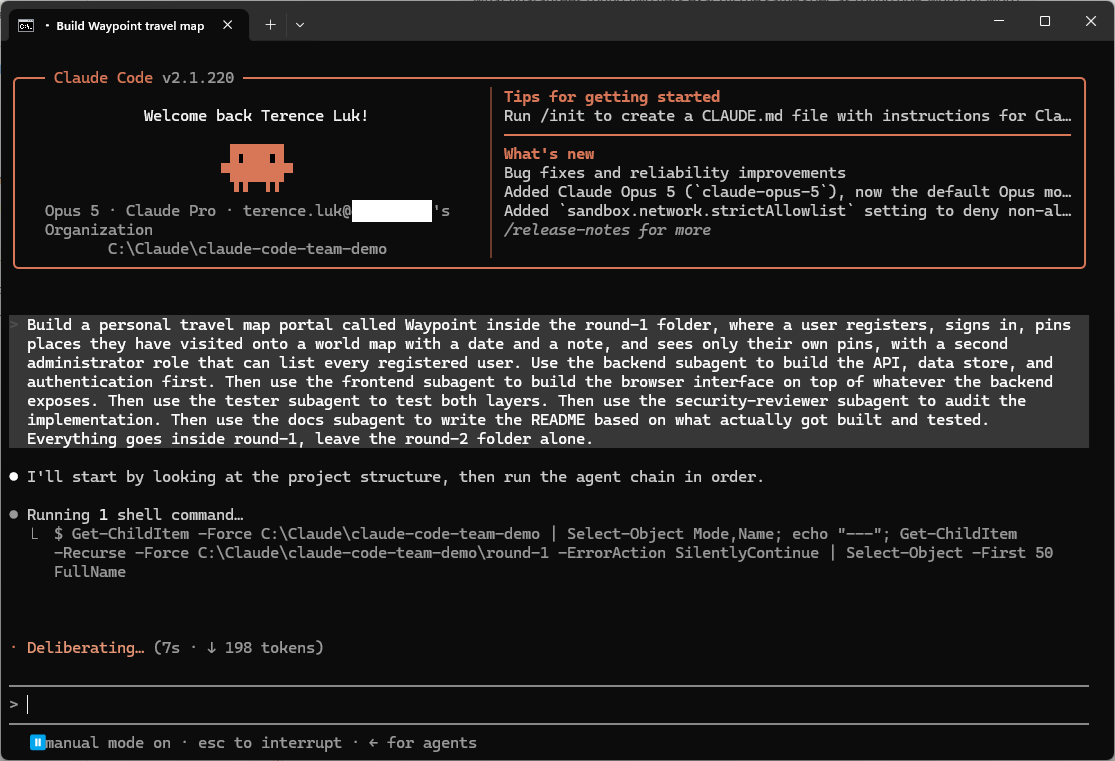
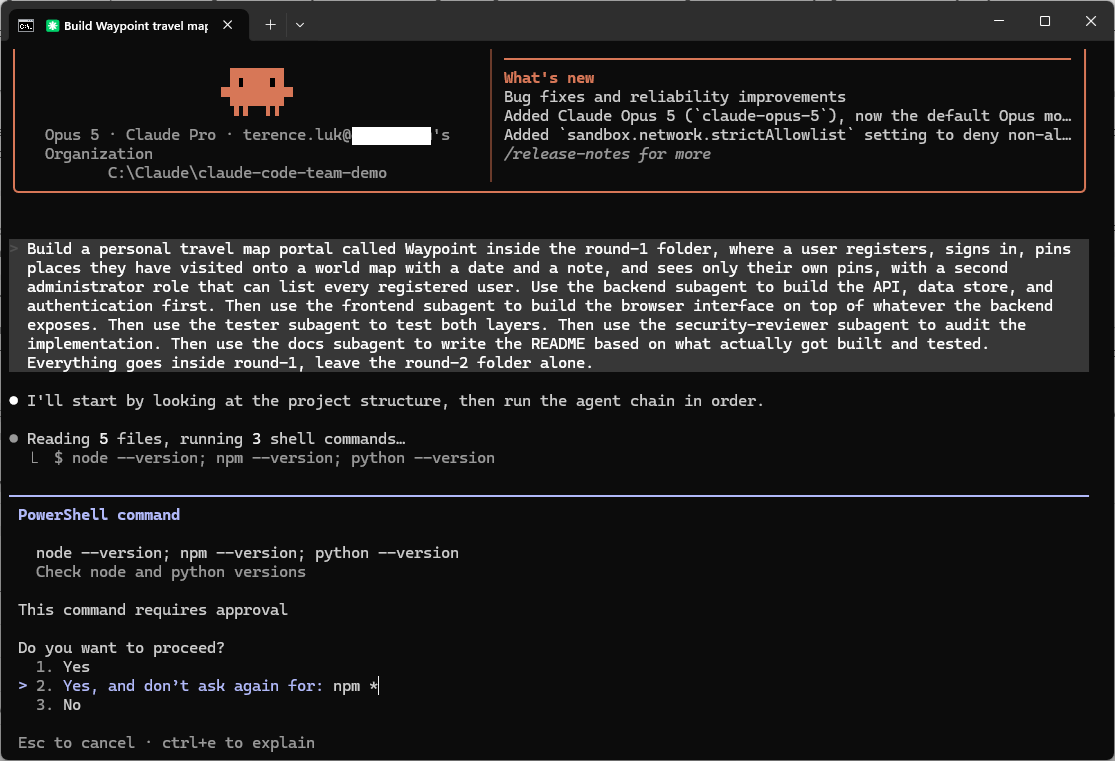
Build a personal travel map portal called Waypoint inside the round-1 folder, where a user registers, signs in, pins places they have visited onto a world map with a date and a note, and sees only their own pins, with a second administrator role that can list every registered user. Use the backend subagent to build the API, data store, and authentication first.
Then use the frontend subagent to build the browser interface on top of whatever the backend exposes. Then use the tester subagent to test both layers. Then use the security-reviewer subagent to audit the implementation. Then use the docs subagent to write the README based on what actually got built and tested. Everything goes inside round-1, leave the round-2 and round-3 folders alone.
Looking back, I think the outcome was largely a consequence of the prompt I wrote. The instructions were essentially:
- Do this
- Then do that
- Then do the next thing
I wasn’t intentionally forcing a strict sequence, but that’s exactly what I described and Claude followed it literally. The backend finished, then the frontend started. The frontend finished, then testing began. Nothing overlapped.
There is nothing wrong with that approach. It’s a perfectly valid way to use subagents. What wasn’t obvious to me until I watched the run happen was how much the behaviour was being driven by the prompt itself. Watching the frontend sit idle while the backend was still working made me wonder whether I was seeing a limitation of subagents or simply the result of the instructions I had given. Round two reruns the same build with a small change to answer that question.
One practical detail I learned along the way is that recent versions of Claude Code run subagents in the background by default. That’s convenient for everyday use, but it also makes experiments like this harder to observe. If you want a clean transcript, either force the work into the foreground or expect completion notifications to appear as each agent finishes.
I’d also be careful about assuming this scales forever. Anthropic’s documentation typically shows examples with a couple of subagents and not the five I’m testing with here. Five worked without issue in my testing, but if a longer chain behaves unexpectedly it doesn’t necessarily mean something is broken. Splitting the work across multiple messages and invoking one subagent at a time reaches the same destination and may be more reliable for longer workflows.
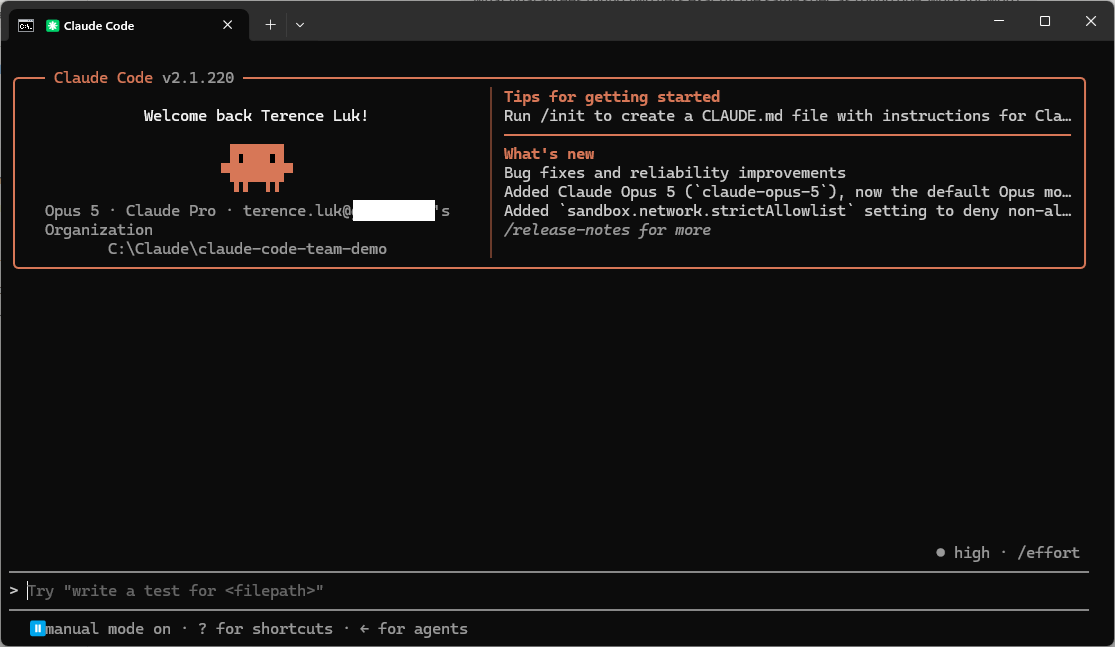
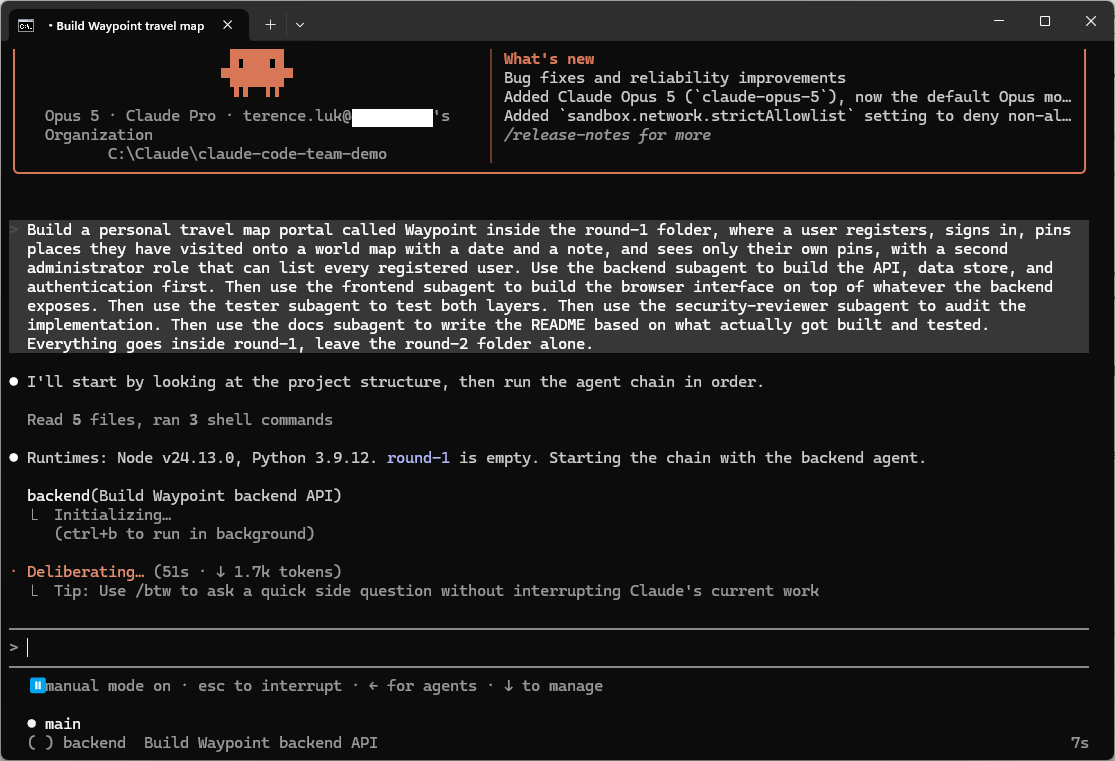
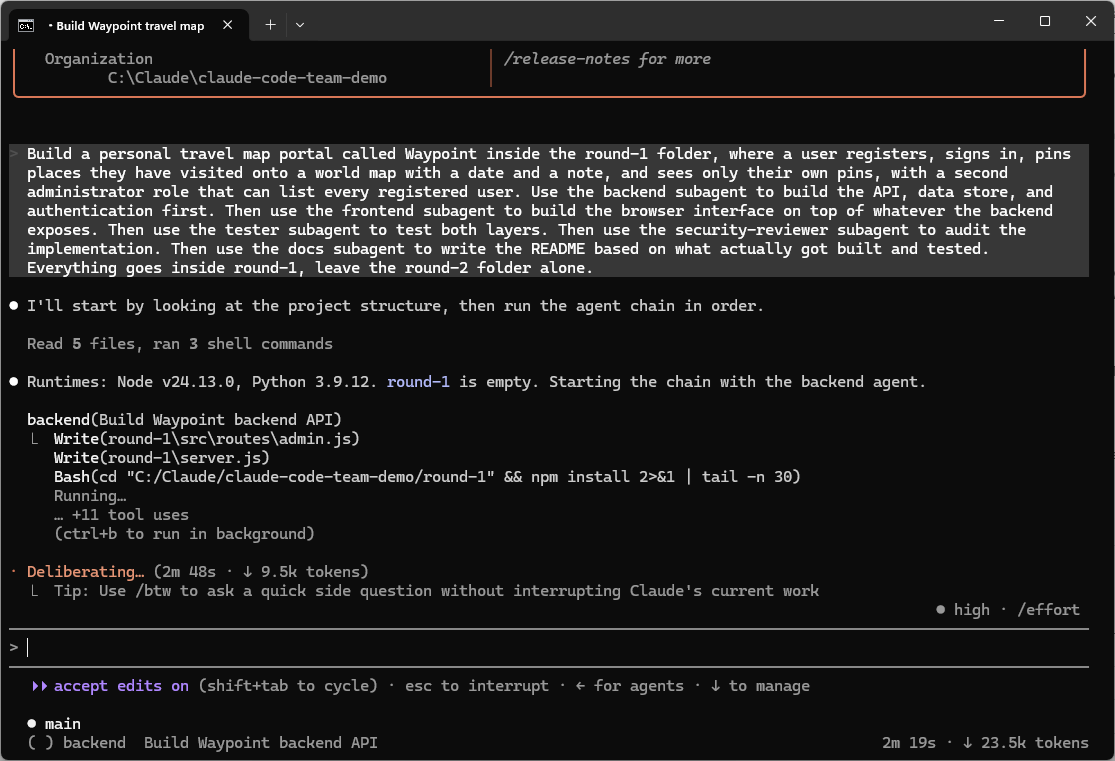
Start of backend agent:
Step #8 – Watch the Relay
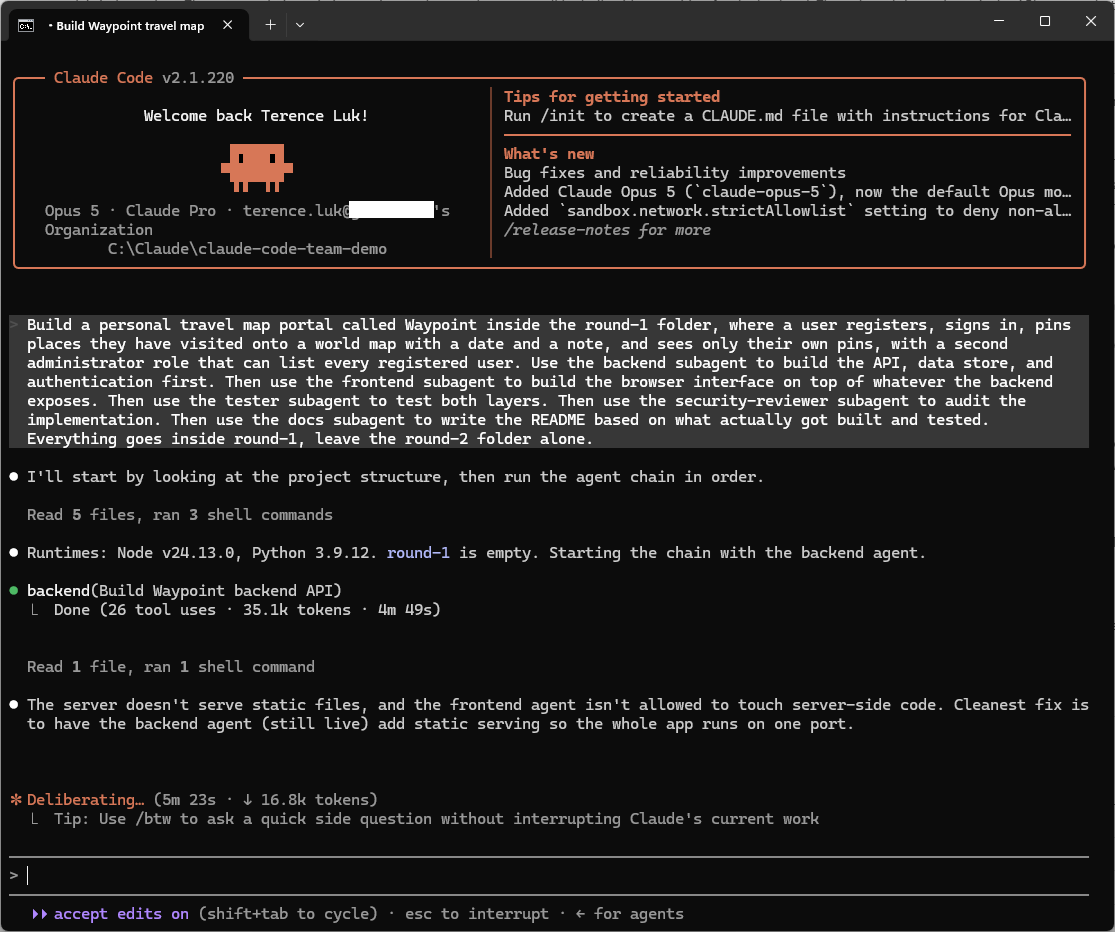
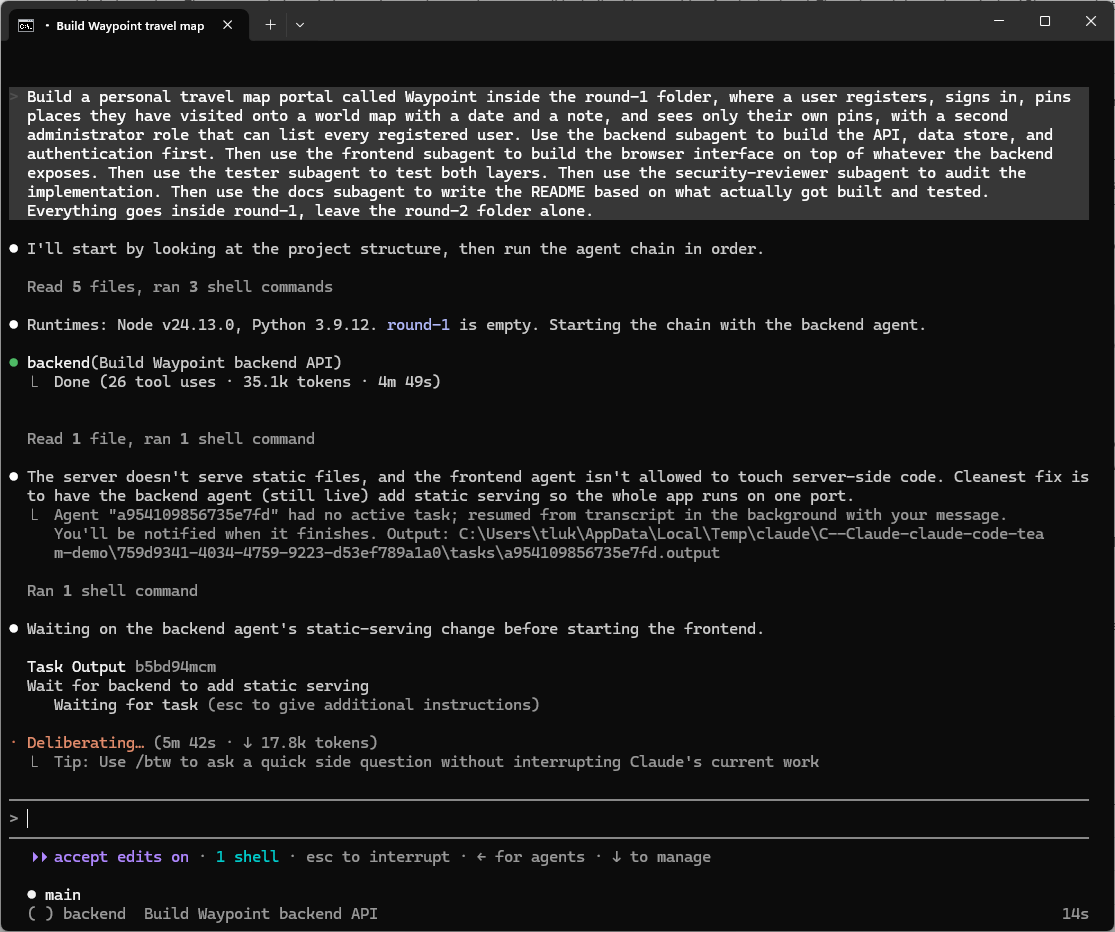
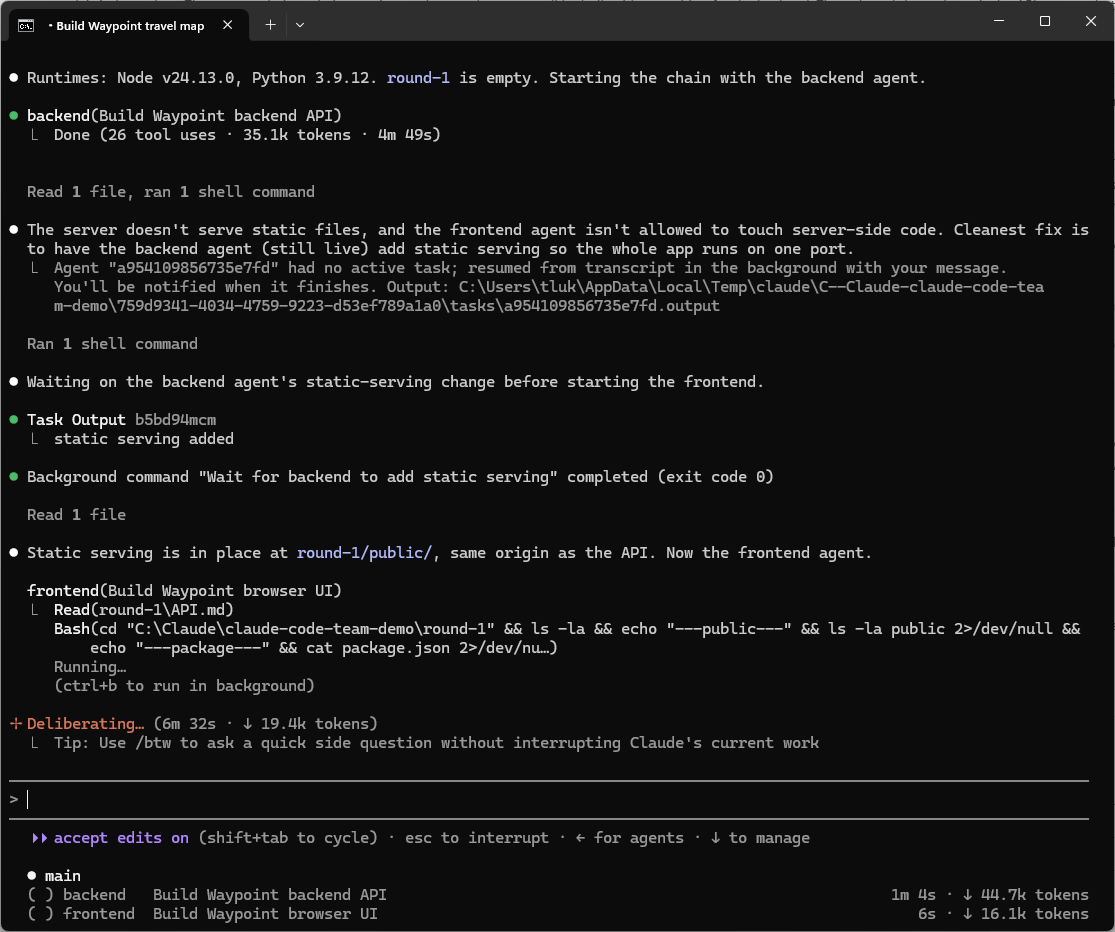
What’s worth pointing out is how the main session hit a design gap when it noticed the backend never set up static file serving as stated by the console output:
The server doesn’t serve static files, and the front end agent isn’t allowed to touch server-side code. Cleanest fix is to have the backend agent (still live) add static serving so the whole app runs on one port.
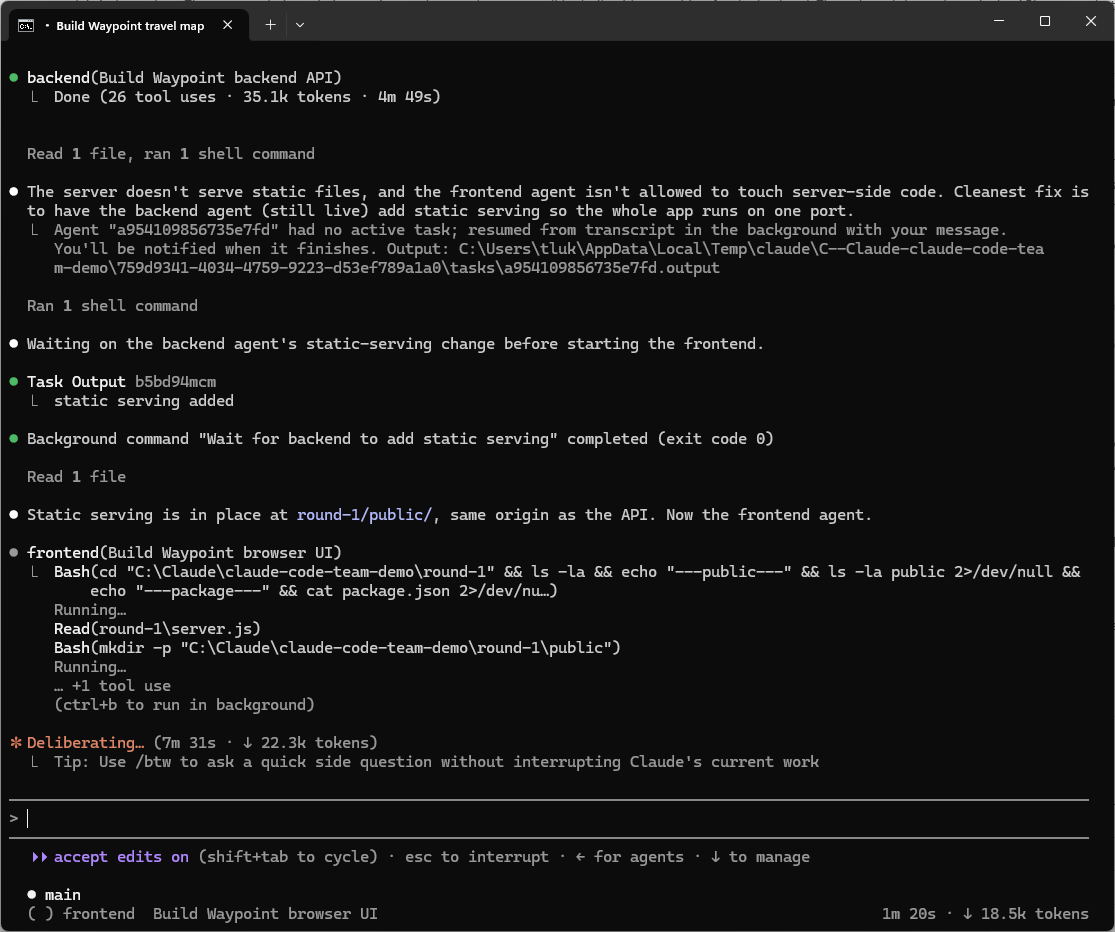
Since the frontend agent’s system prompt forbids it from touching server-side code, there was no clean way for frontend to get served. Rather than stall or hand that problem to frontend anyway, it went back and re-invoked the backend agent (the “resumed from transcript” line) to add static serving, then waited for that to finish before proceeding.
This backend-rework detour is a great demonstration of a real world example of the plain Subagent Relay improvising outside the strict five-step chain that was specified (main session unilaterally deciding to send more work back to a “finished” subagent) rather than stalling or handing frontend a broken contract.
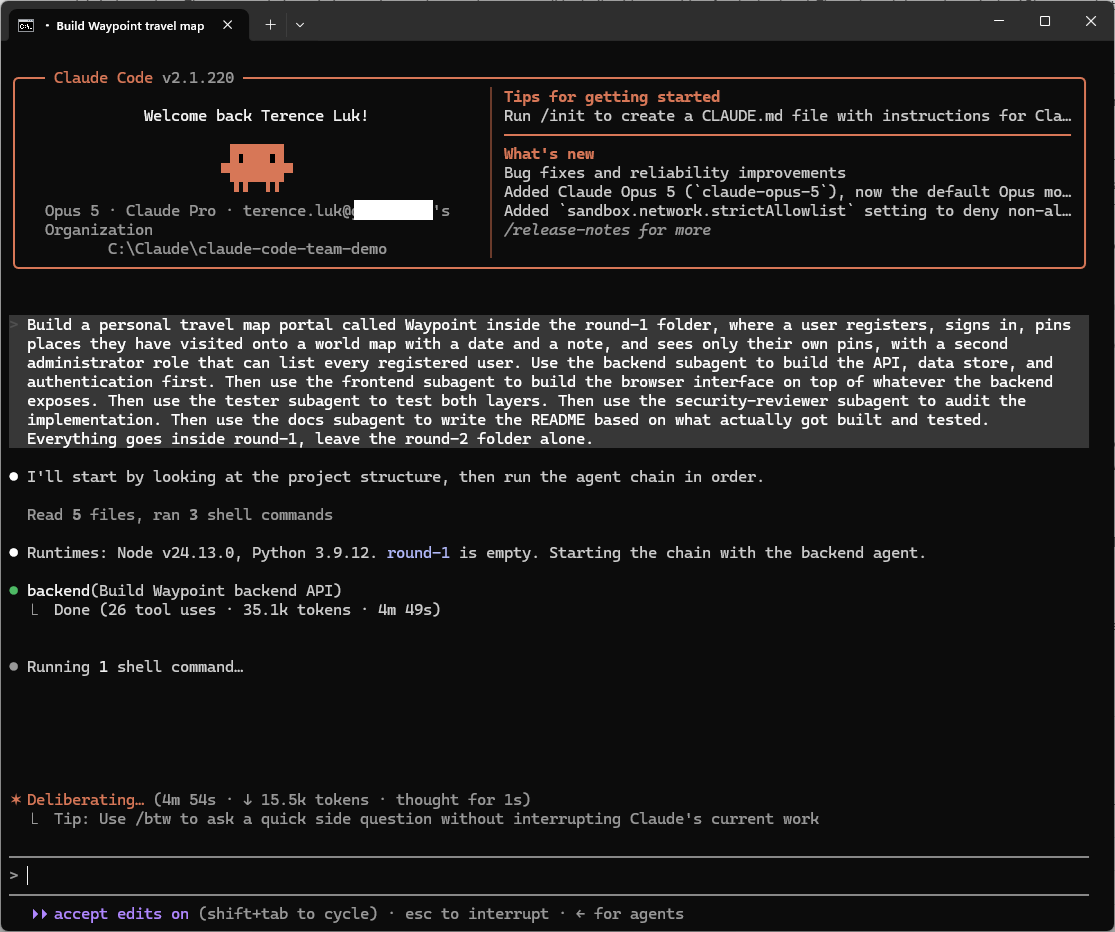
Frontend agent on hold while backend is called back:
Frontend agent becomes active again:
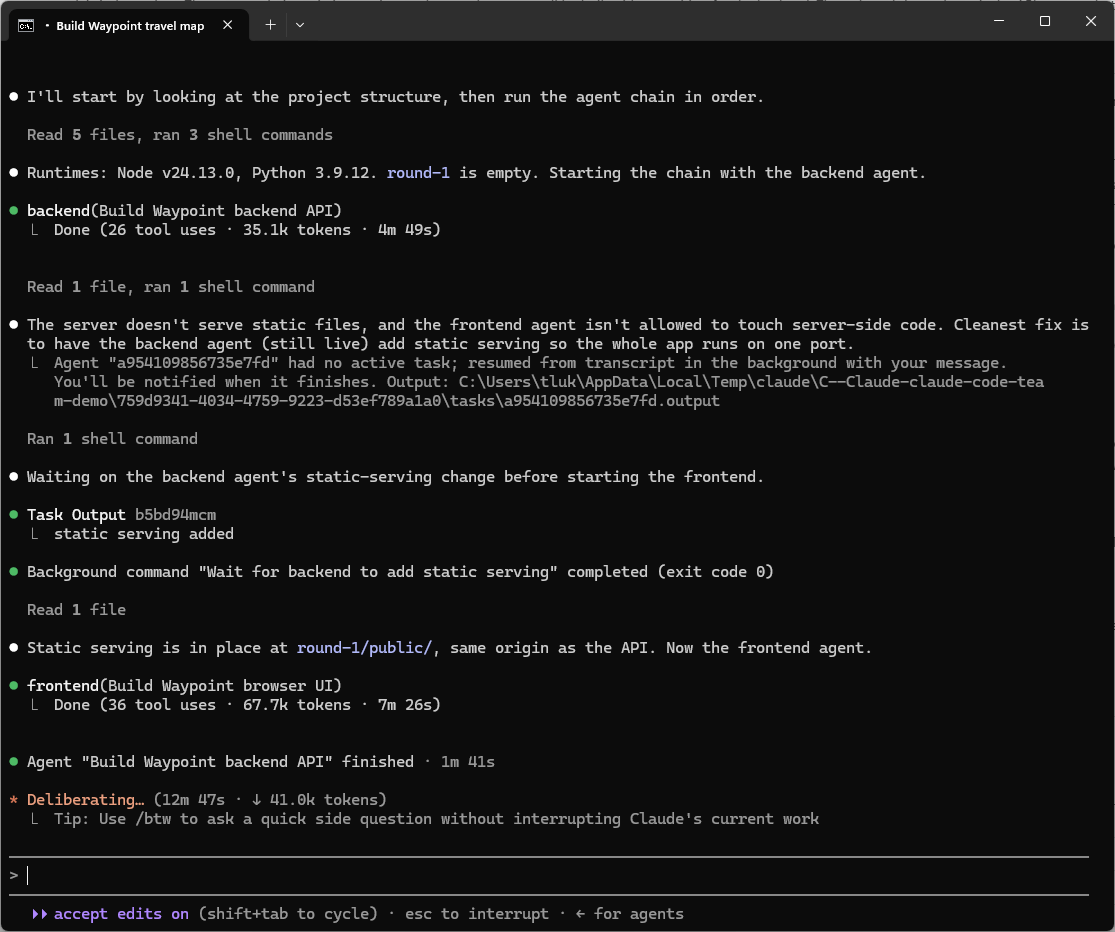
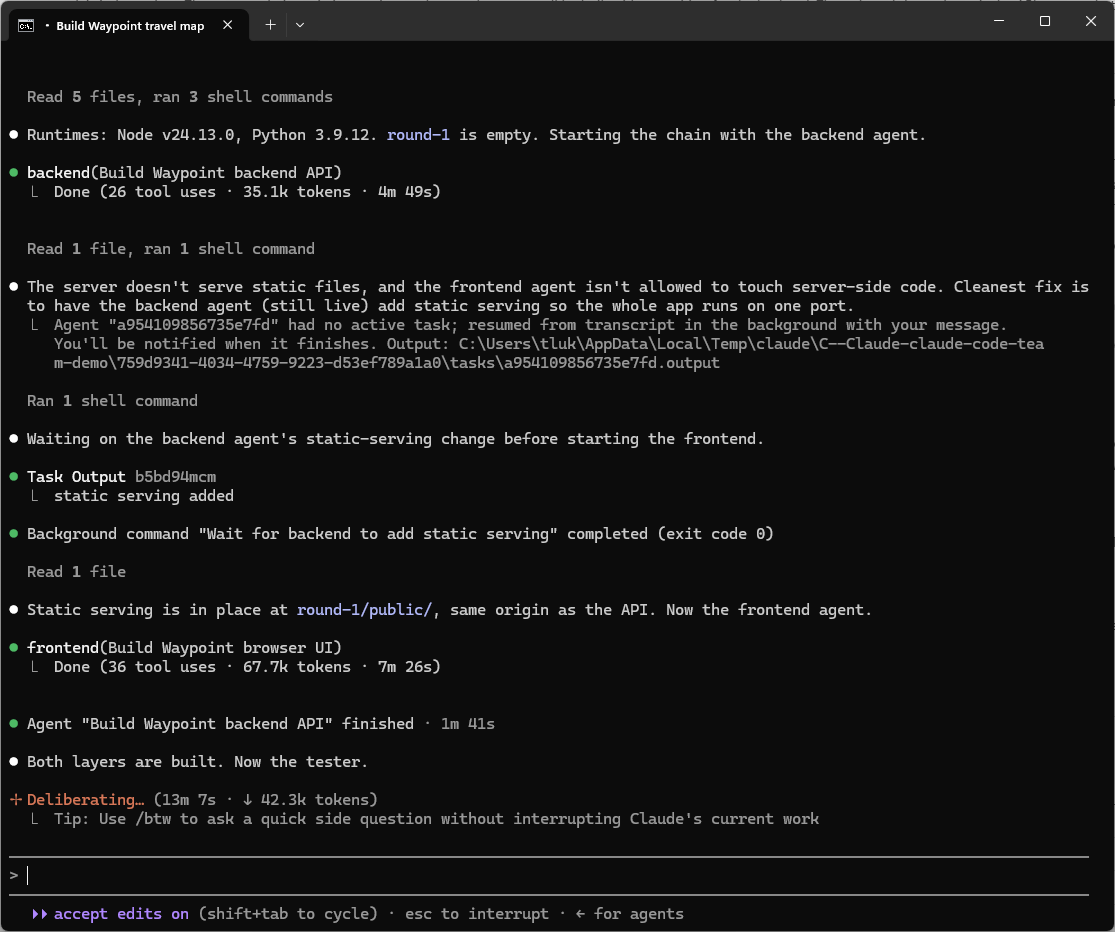
Tester agent starts work:
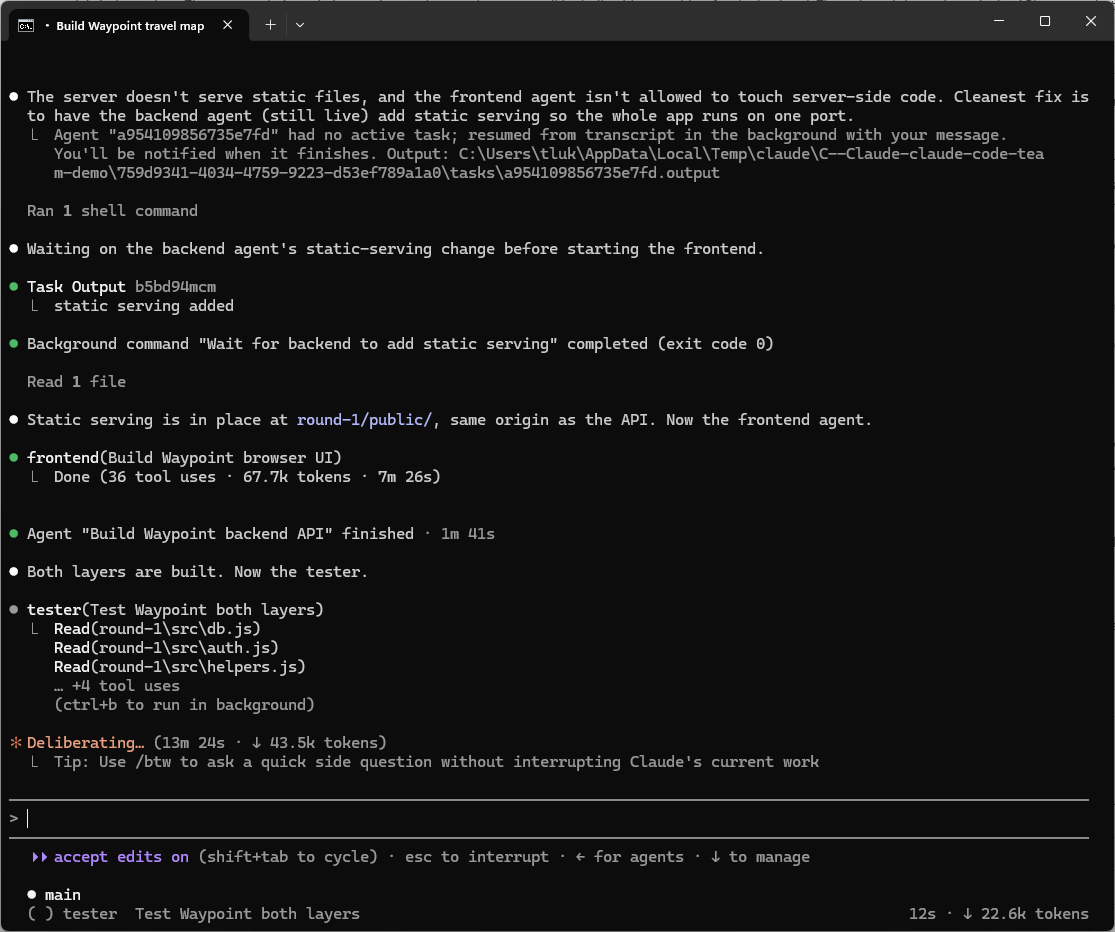
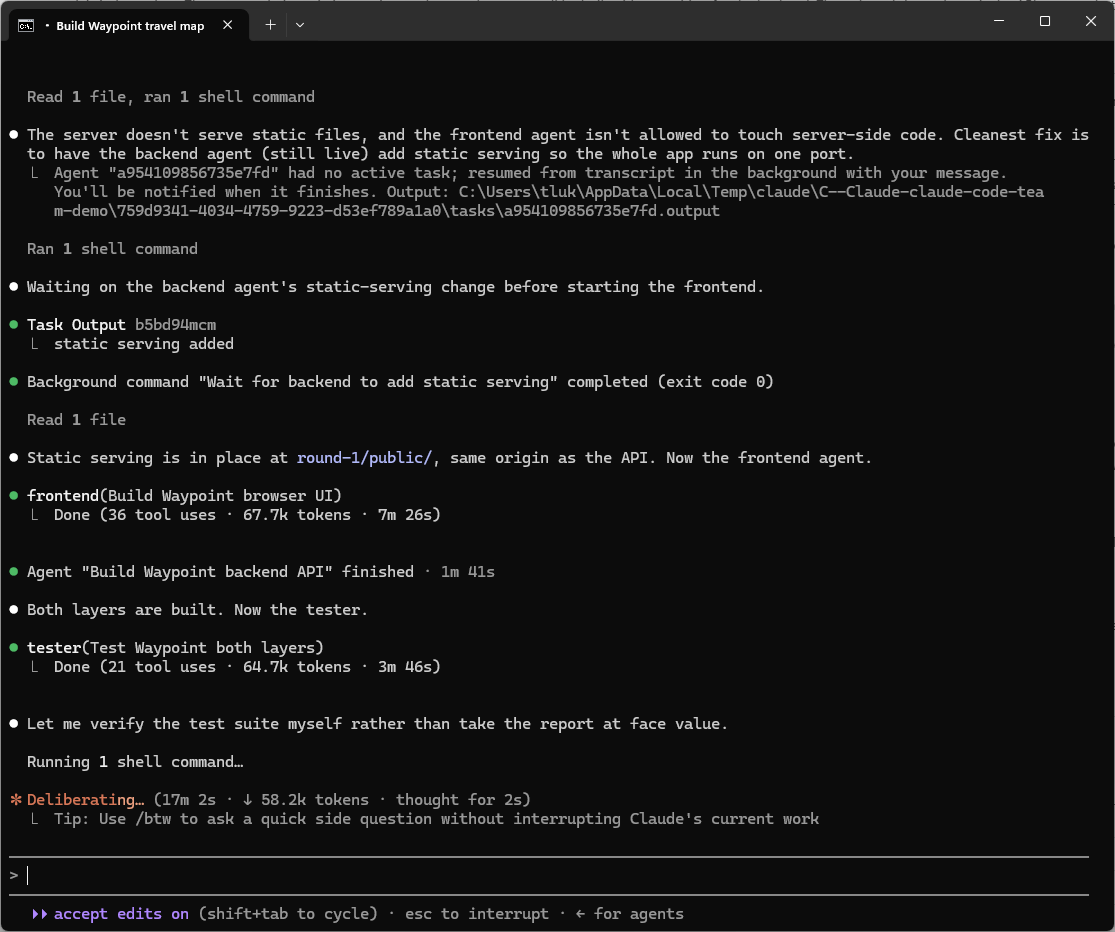
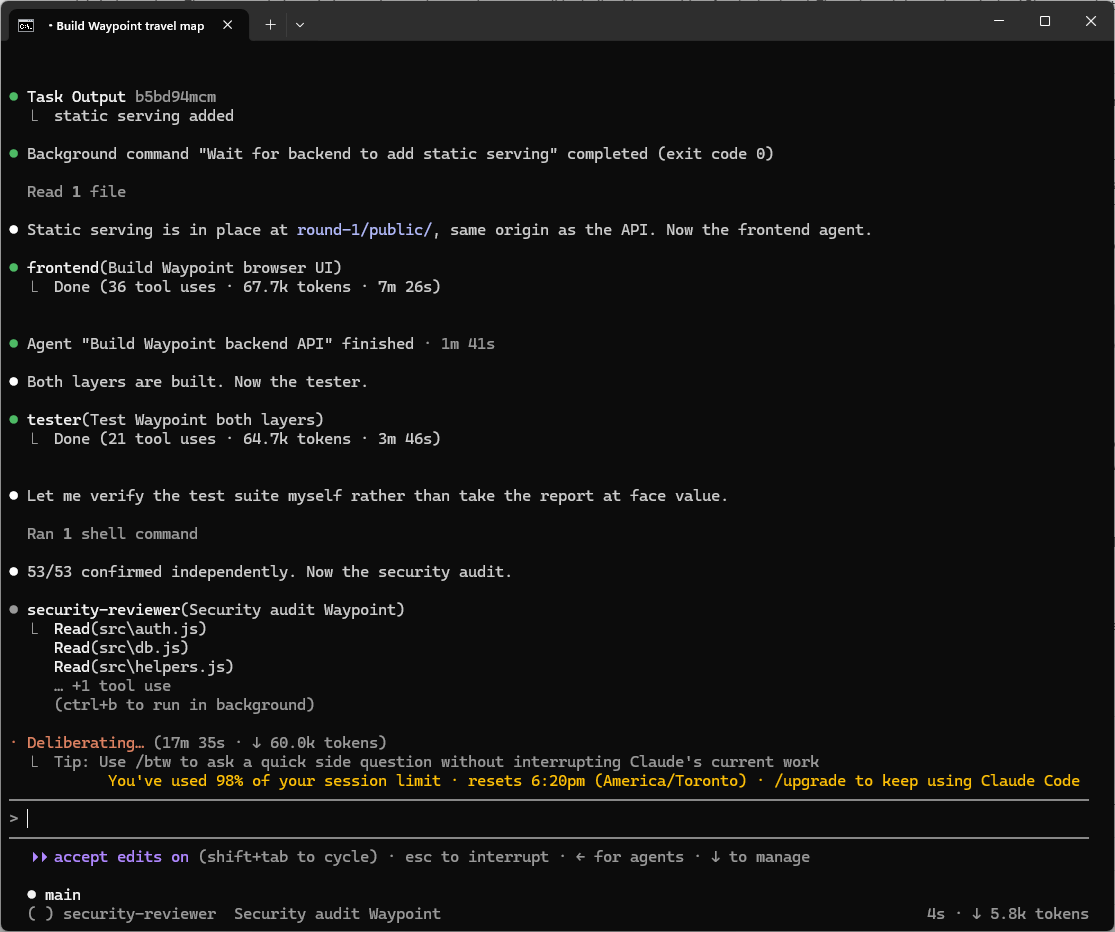
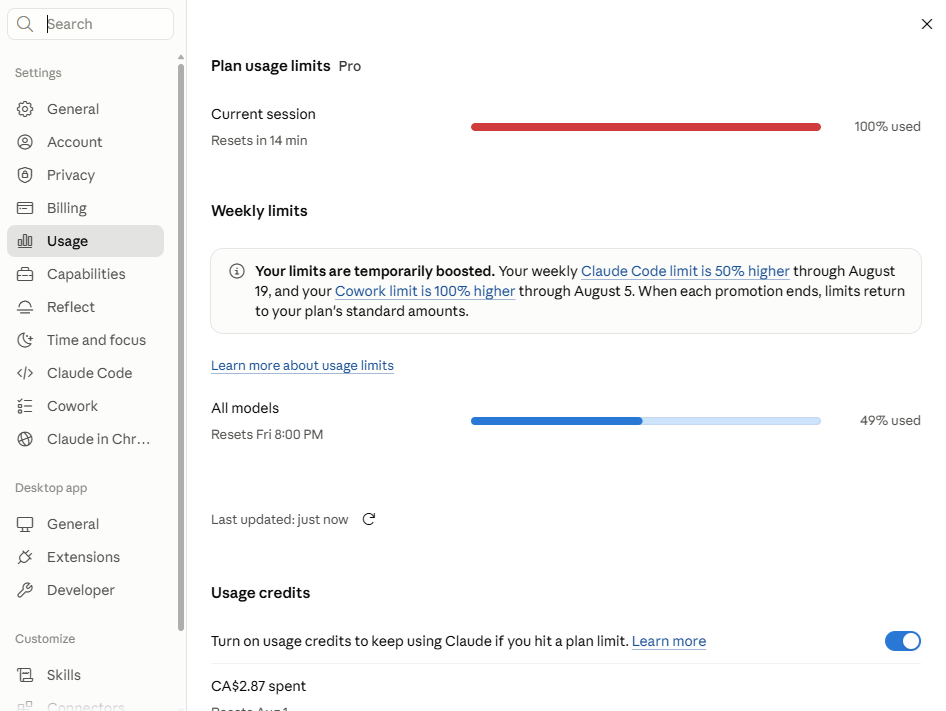
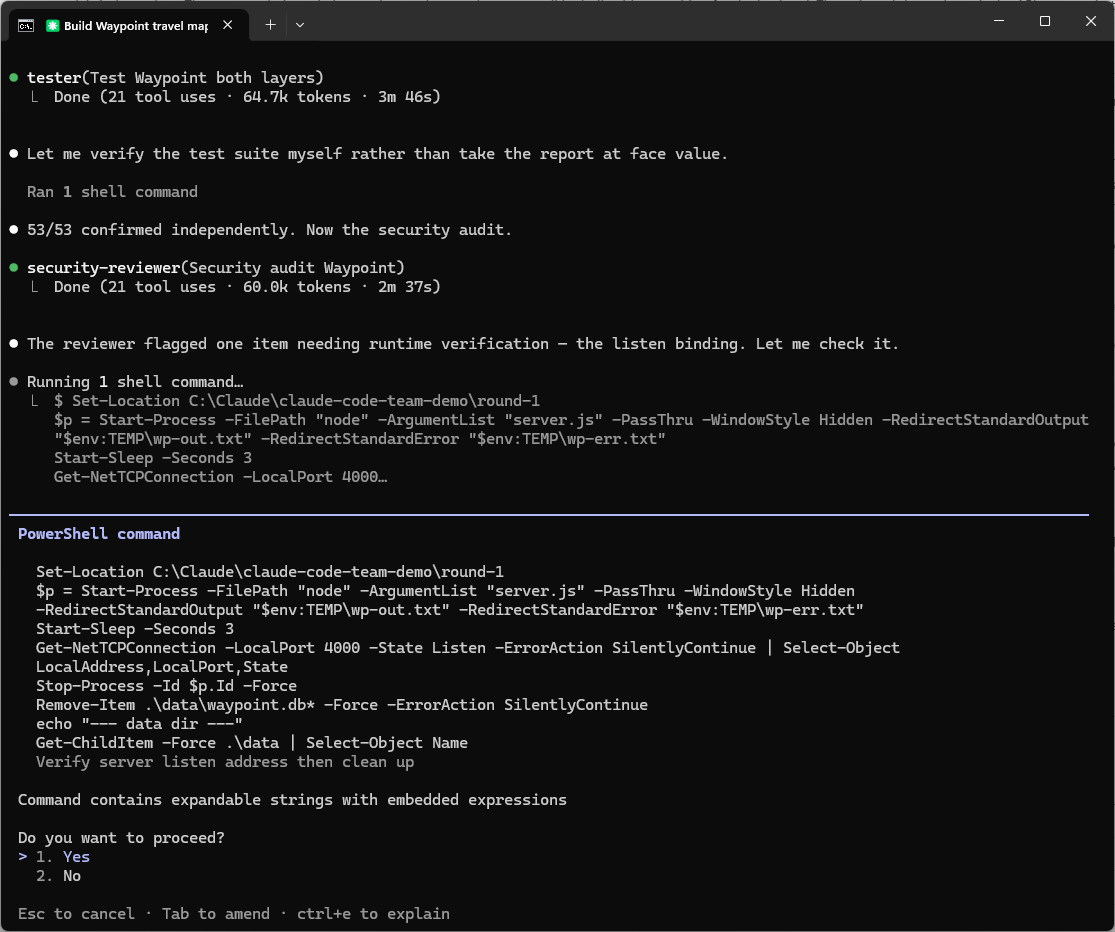
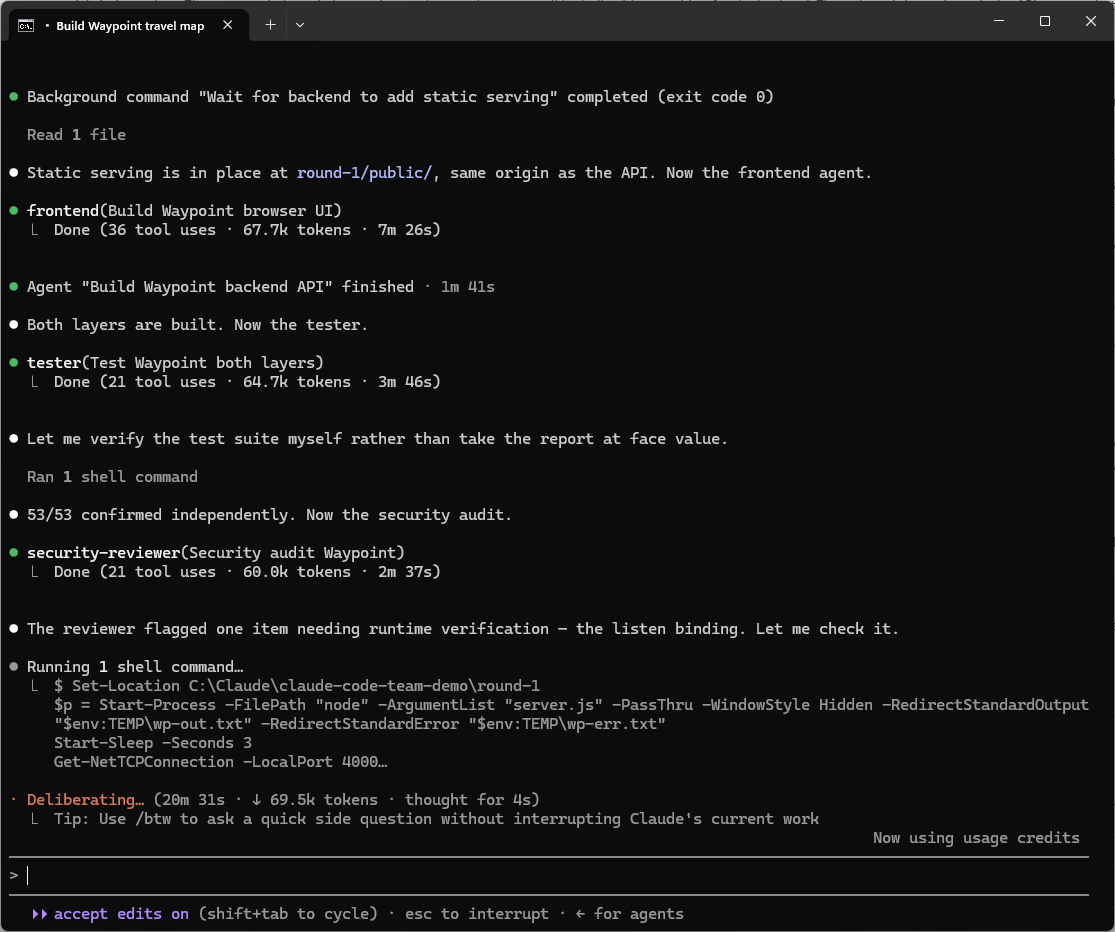
Funny note is that my usage limits eventually hit 100%, which I thought would cause my process to crash and burn but the security-reviewer needed to execute a PowerShell command so I left it at this prompt for 14 minutes when my session limit resets:
Document agent starts working:
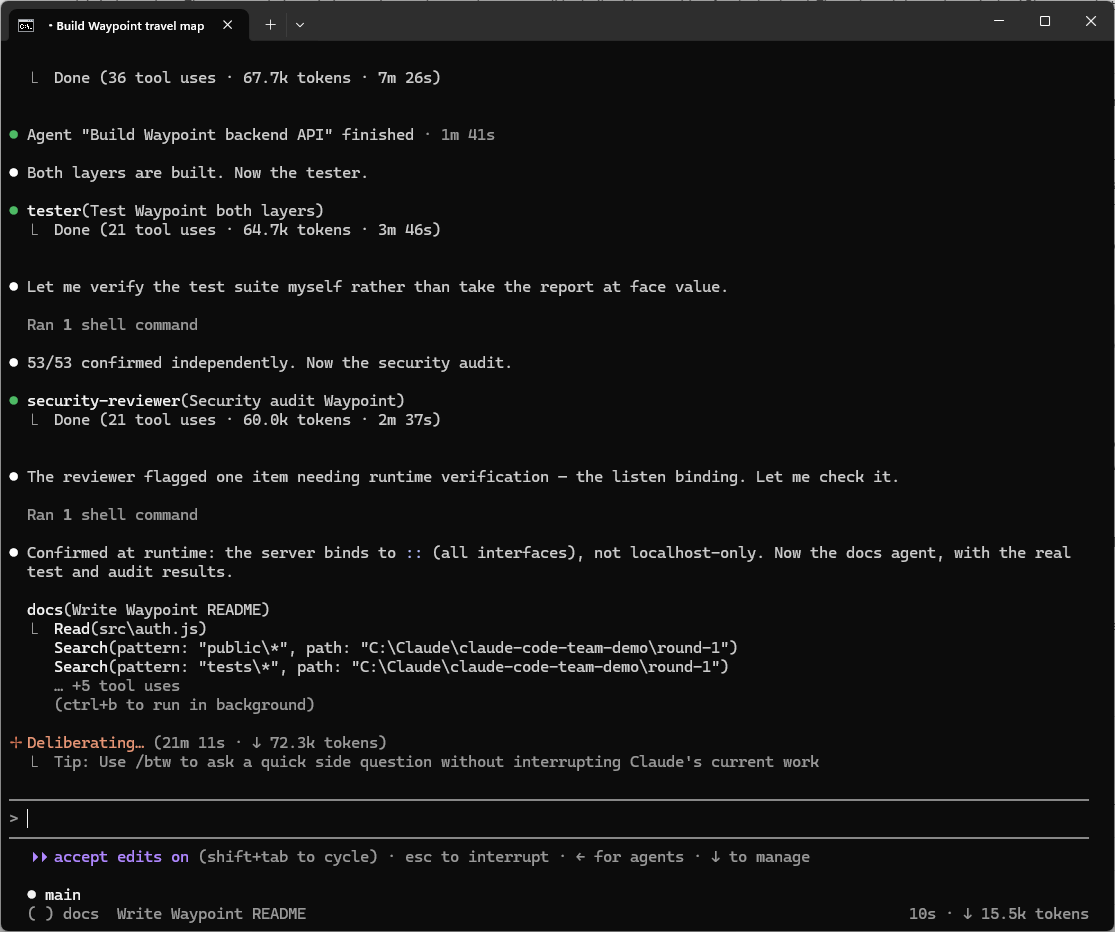
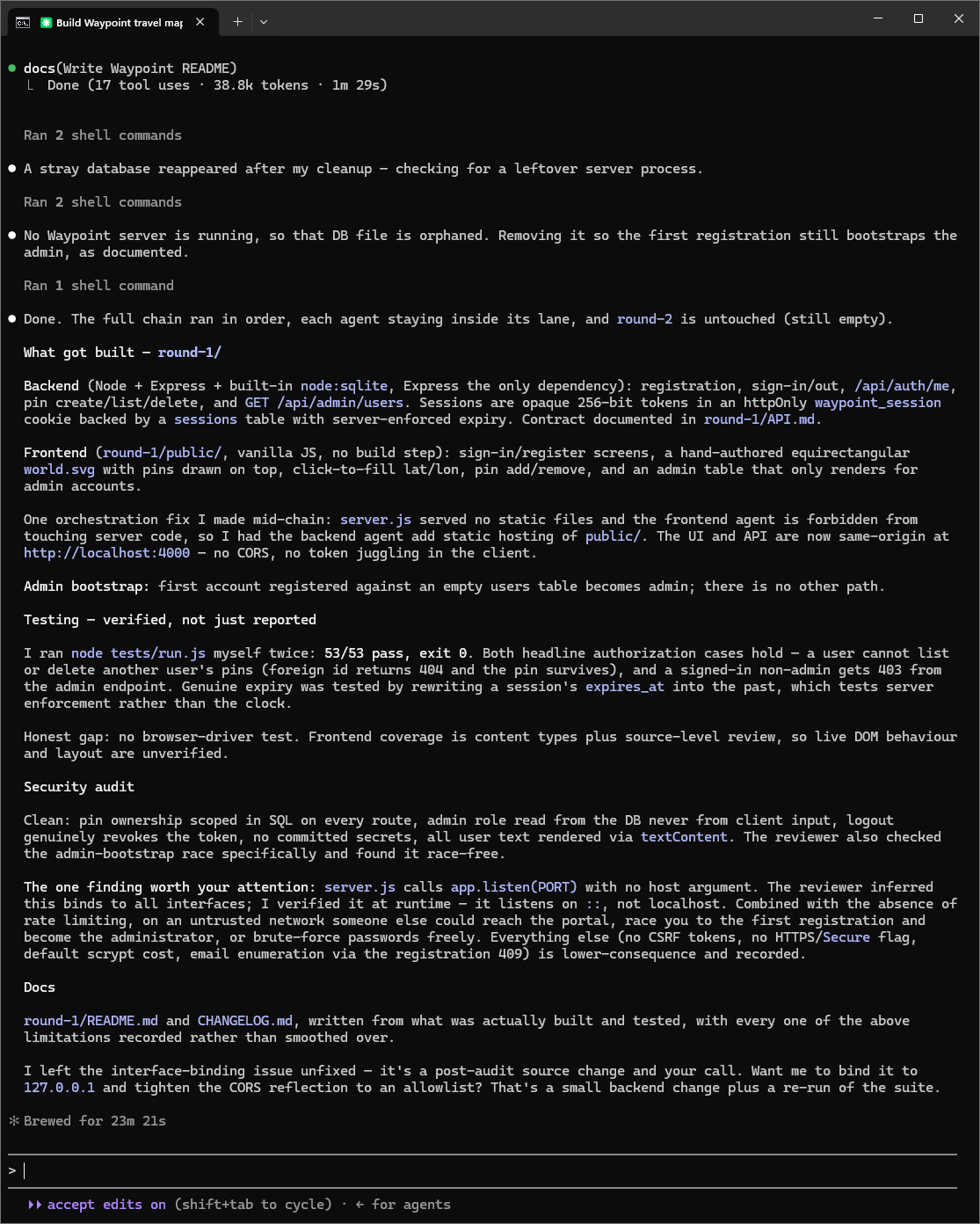
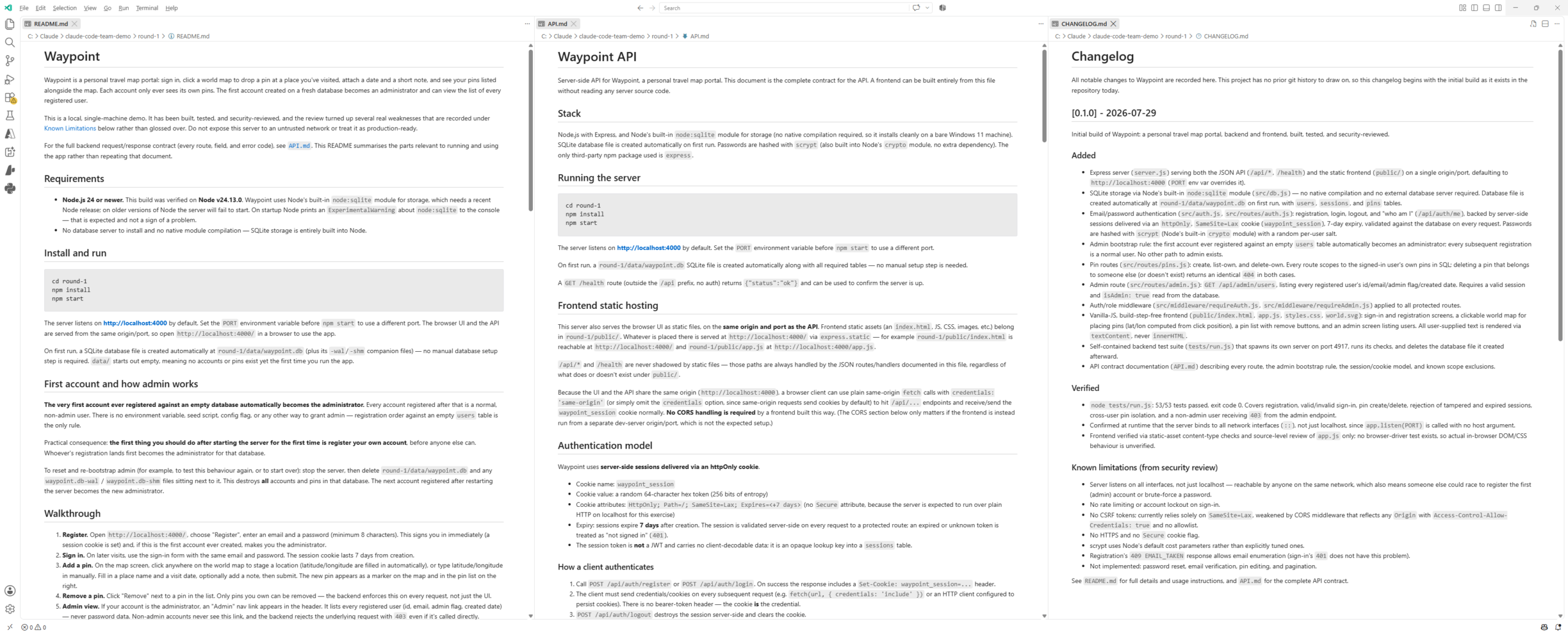
Round one’s security reviewer didn’t uncover any authorization problems. The ownership checks around travel pins held up, and the administrator functionality wasn’t exposing anything it shouldn’t. The only issue it flagged was the server binding. The application was using app.listen(PORT) without a host parameter, causing it to listen on all interfaces instead of only localhost.
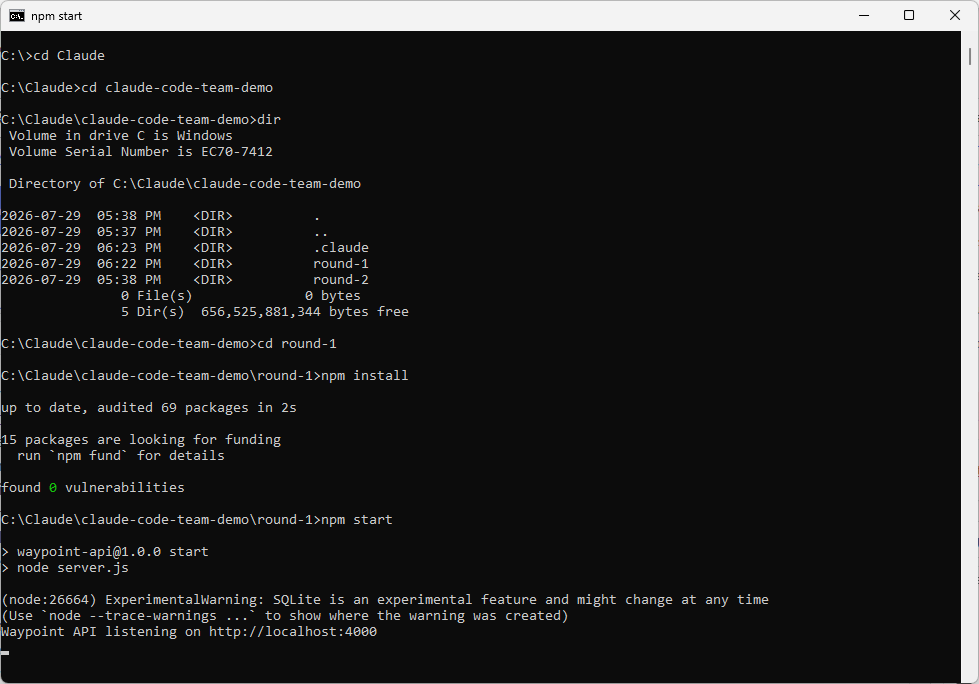
That finding came from a backend built with Node.js, Express 4, Node’s built-in node:sqlite, and scrypt from node:crypto for password hashing. Express was the only third-party dependency. Session management used opaque 256-bit tokens stored in an httpOnly cookie and validated against a sessions table with server-side expiration.
Step #9 – Review What Round One Built
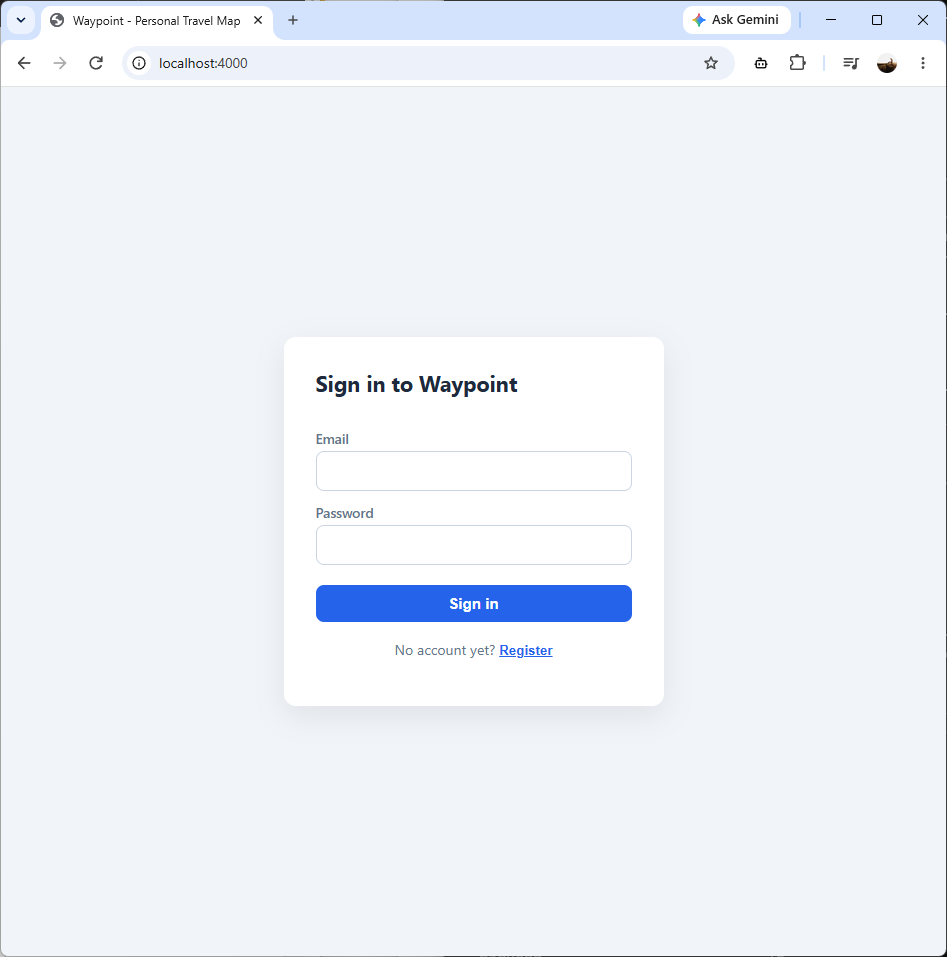
The following are screenshots of the application built in round 1:
Round 2 – Subagent Chaining, Parallel Dispatch
Step #10 – Kick Off Backend and Frontend Together
The setup for the run stays the same with the same build, same five agent files, and same folder structure. The only change is that backend and frontend are launched in the same turn instead of being chained together. That removes the prompt-level handoff and lets Claude decide how to schedule the work.
The dependency in the earlier run doesn’t go away. Frontend still can’t see backend’s work while it’s in progress, and subagents can’t talk to each other regardless of how they’re dispatched. That means frontend can only work on the pieces that don’t depend on the API. Anything that does depend on it has to be left incomplete and called out explicitly rather than filled in with assumptions.
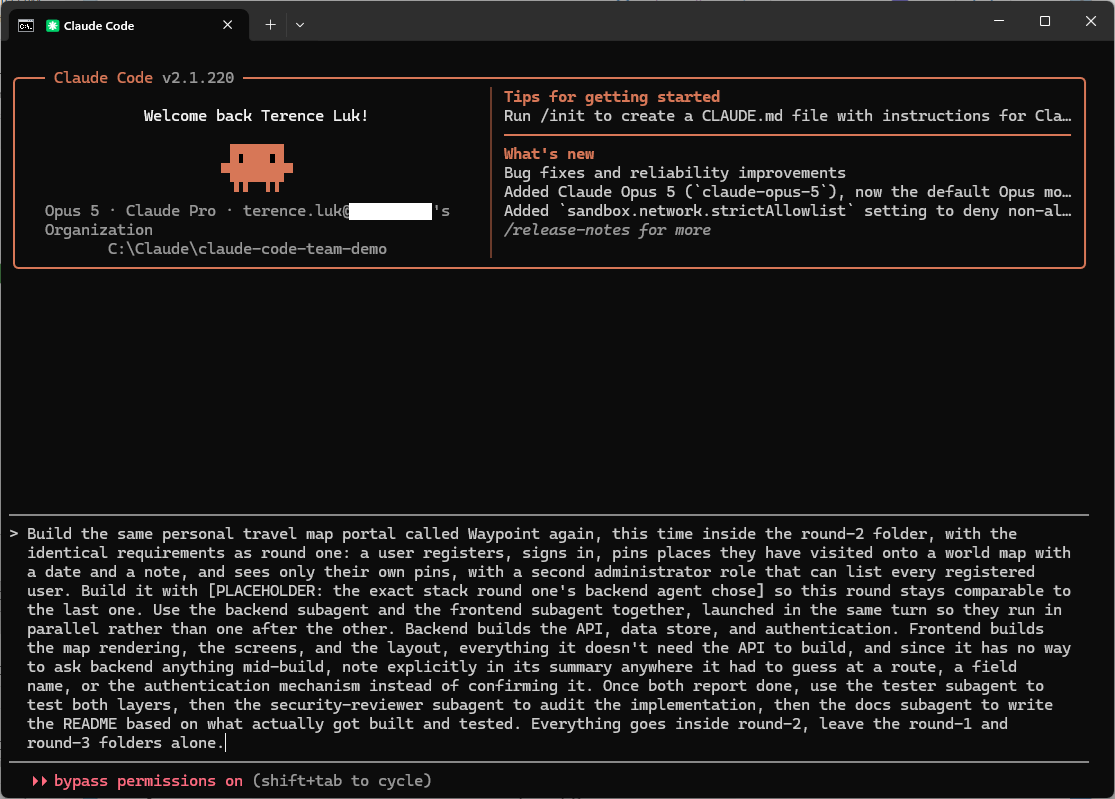
Build the same personal travel map portal called Waypoint again, this time inside the round-2 folder, with the identical requirements as round one: a user registers, signs in, pins places they have visited onto a world map with a date and a note, and sees only their own pins, with a second administrator role that can list every registered user. Build it with [PLACEHOLDER: the exact stack round one’s backend agent chose] so this round stays comparable to the last one. Use the backend subagent and the frontend subagent together, launched in the same turn so they run in parallel rather than one after the other.
Backend builds the API, data store, and authentication. Frontend builds the map rendering, the screens, and the layout, everything it doesn’t need the API to build, and since it has no way to ask backend anything mid-build, note explicitly in its summary anywhere it had to guess at a route, a field name, or the authentication mechanism instead of confirming it. Once both report done, use the tester subagent to test both layers, then the security-reviewer subagent to audit the implementation, then the docs subagent to write the README based on what actually got built and tested. Everything goes inside round-2, leave the round-1 and round-3 folders alone.
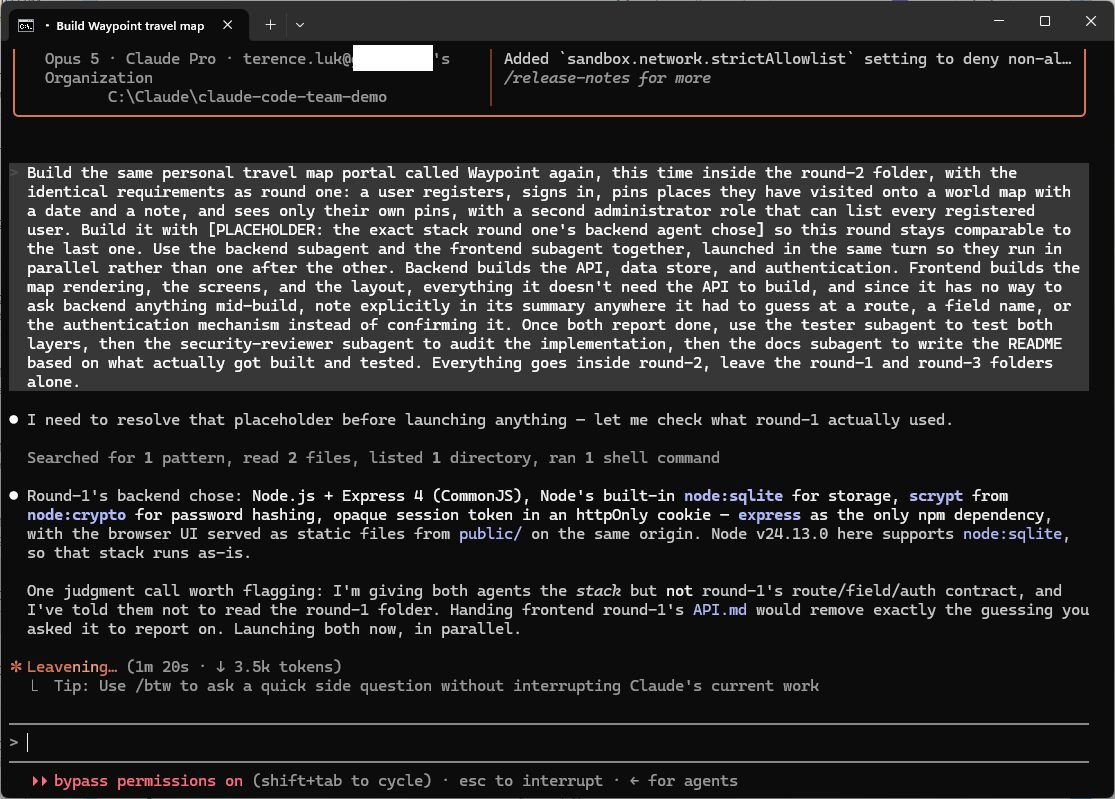
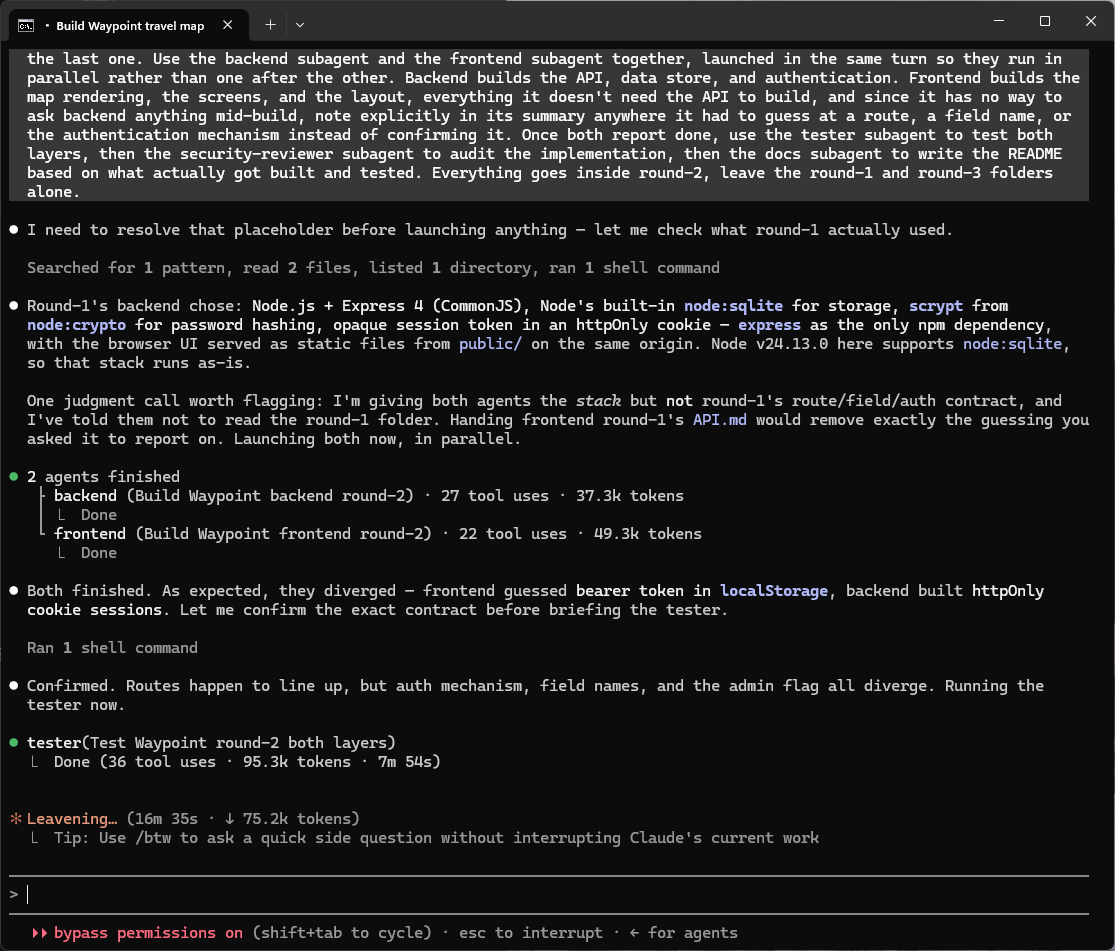
I ran that prompt with the bracket still unfilled, forgetting to paste in round one’s actual stack before hitting enter, and it turned out not to matter. The orchestrating session caught its own unresolved placeholder before launching anything, checked round-1/API.md itself, and confirmed the stack from there rather than guessing or stalling on a blank.
It also said out loud what it was and wasn’t doing with that lookup, giving both agents the stack round one settled on but withholding round one’s actual route, field, and auth contract, and explicitly telling them not to read the round-1 folder, because handing frontend that contract would erase exactly the guessing this round exists to measure. Worth knowing if you’re copying this prompt verbatim, leaving the bracket blank isn’t fatal, but I wouldn’t rely on that as a substitute for actually filling it in.
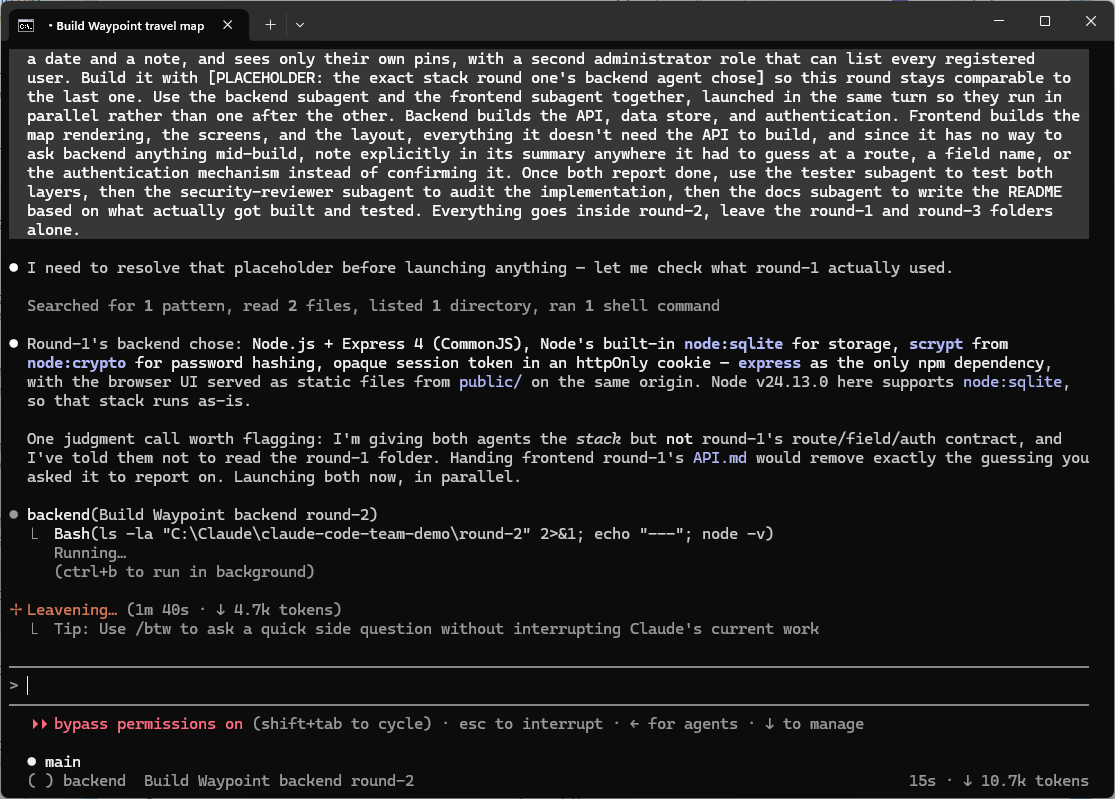
Step #11 – Watch the Parallel Run
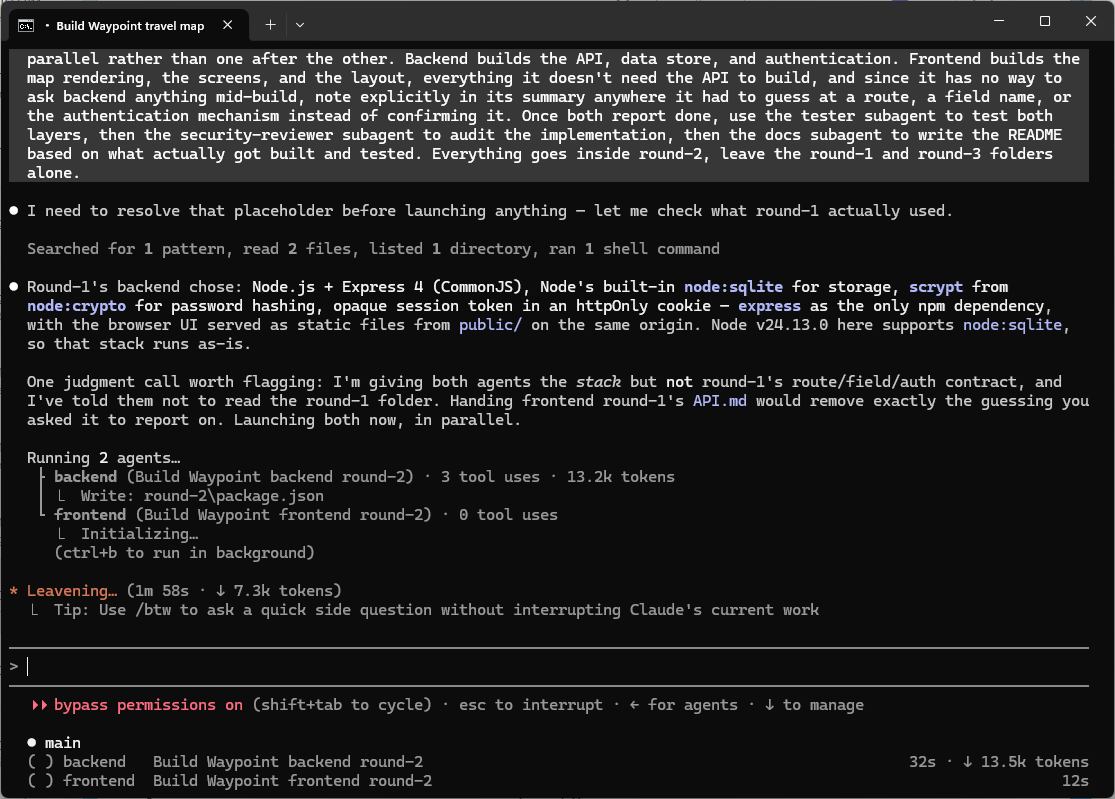
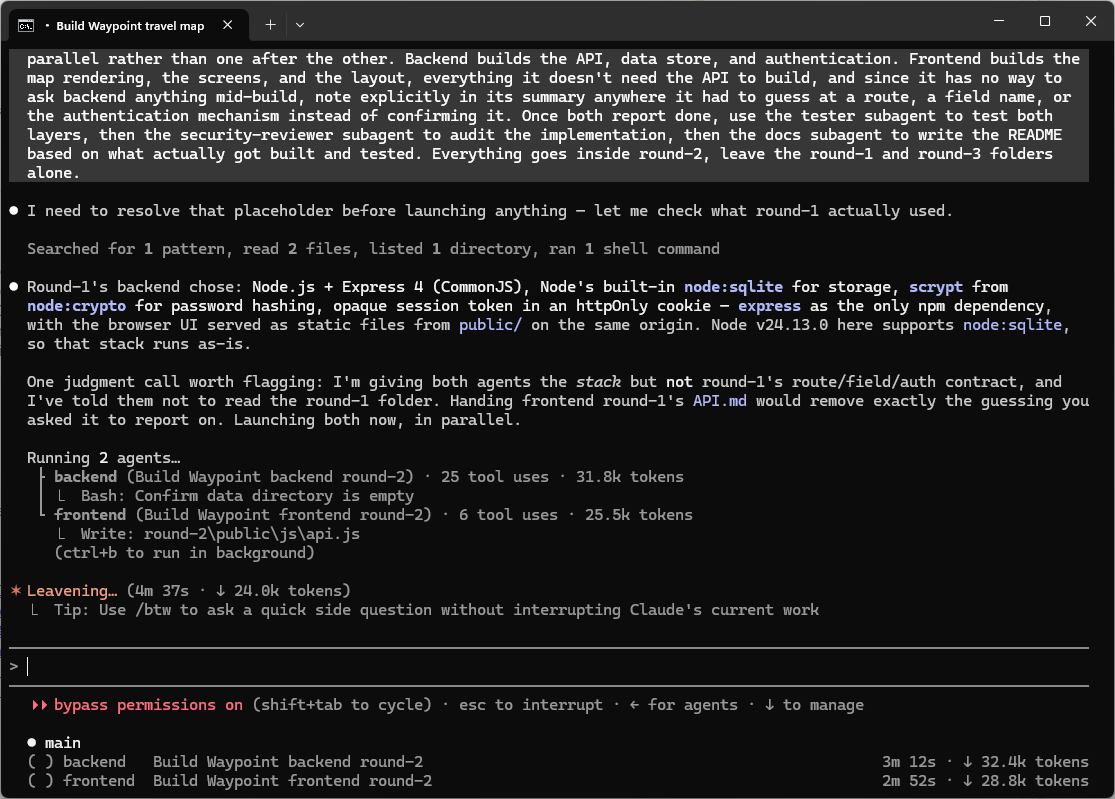
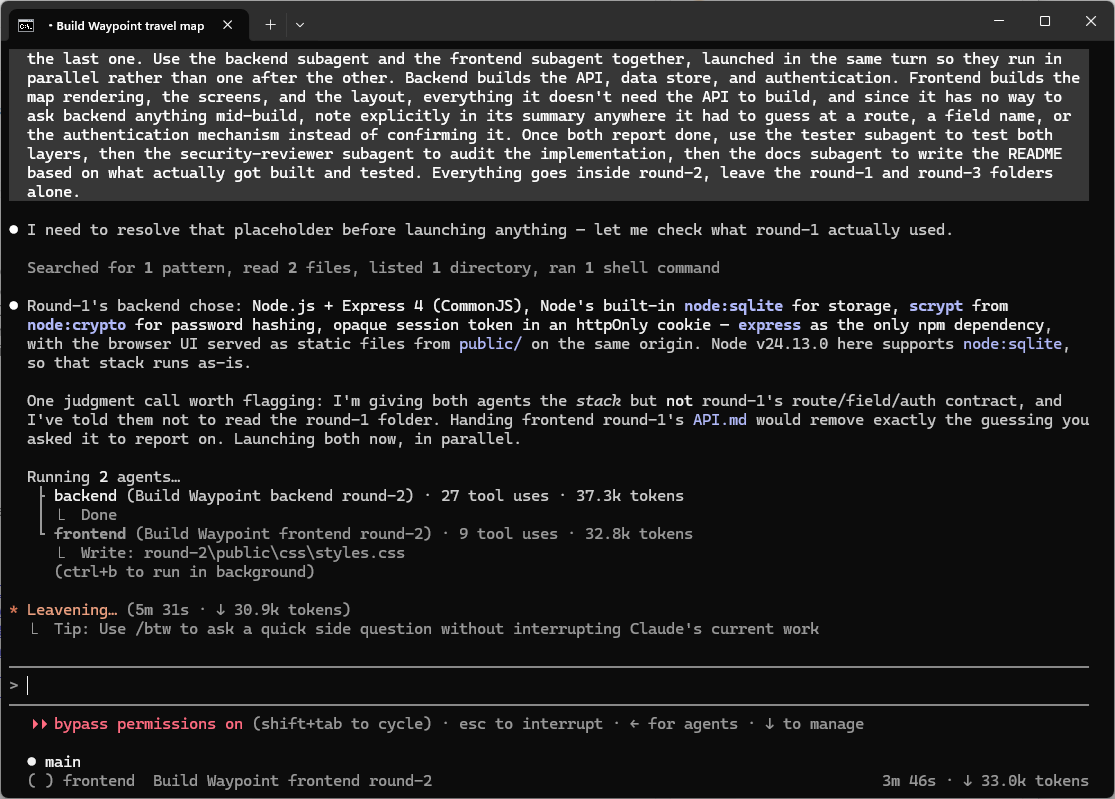
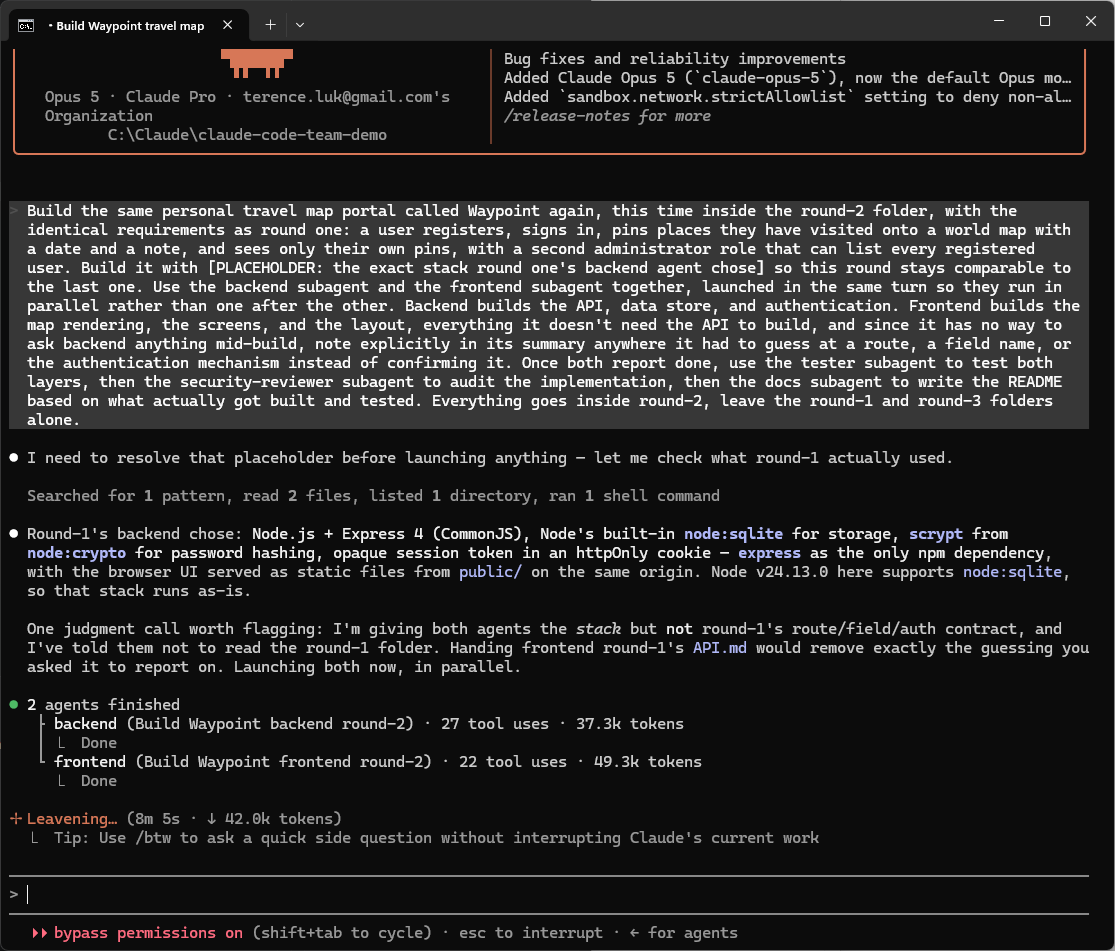
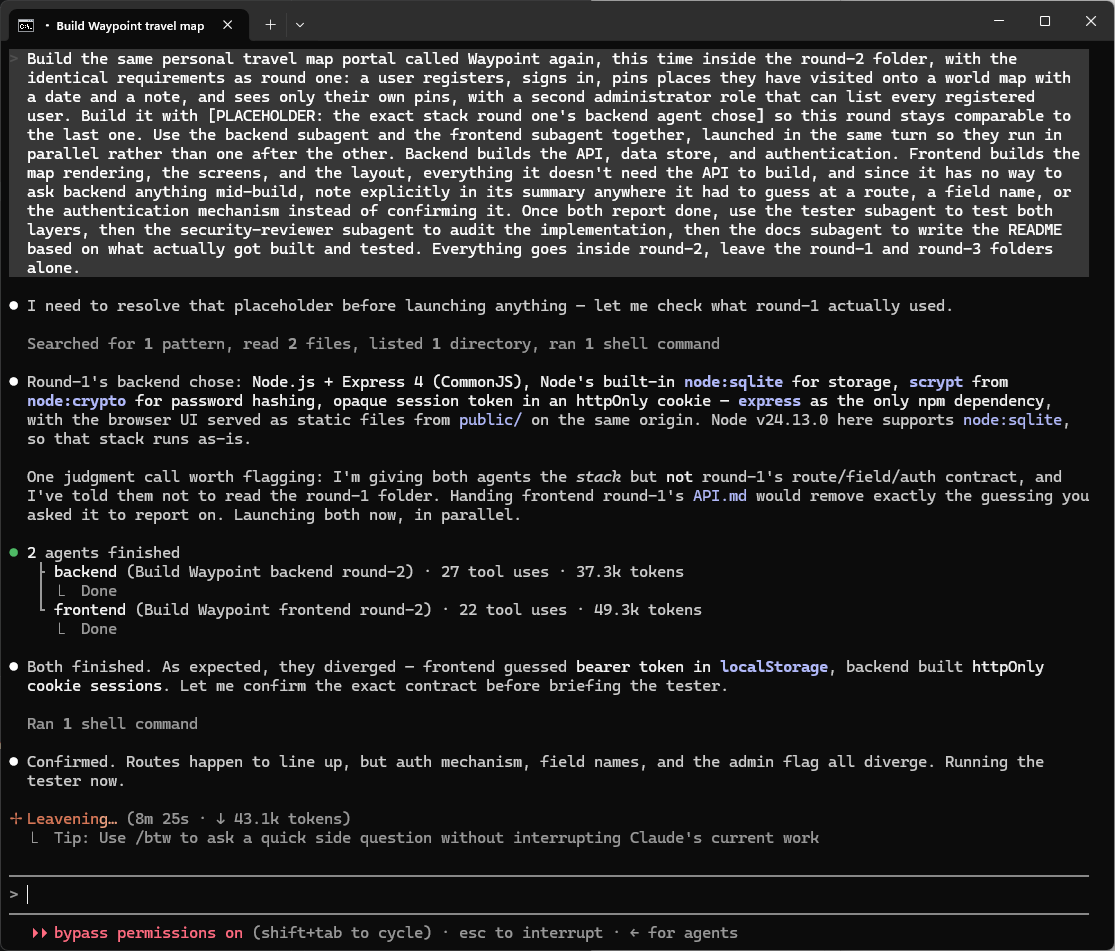
Pay attention to what frontend did while it had no API to read. Did it build the full interface shell and screens against a guess, or did it visibly stop and wait for parts it couldn’t fake convincingly, like the exact login request shape? Reviewing the screens will sho that it built ahead but not blindly.
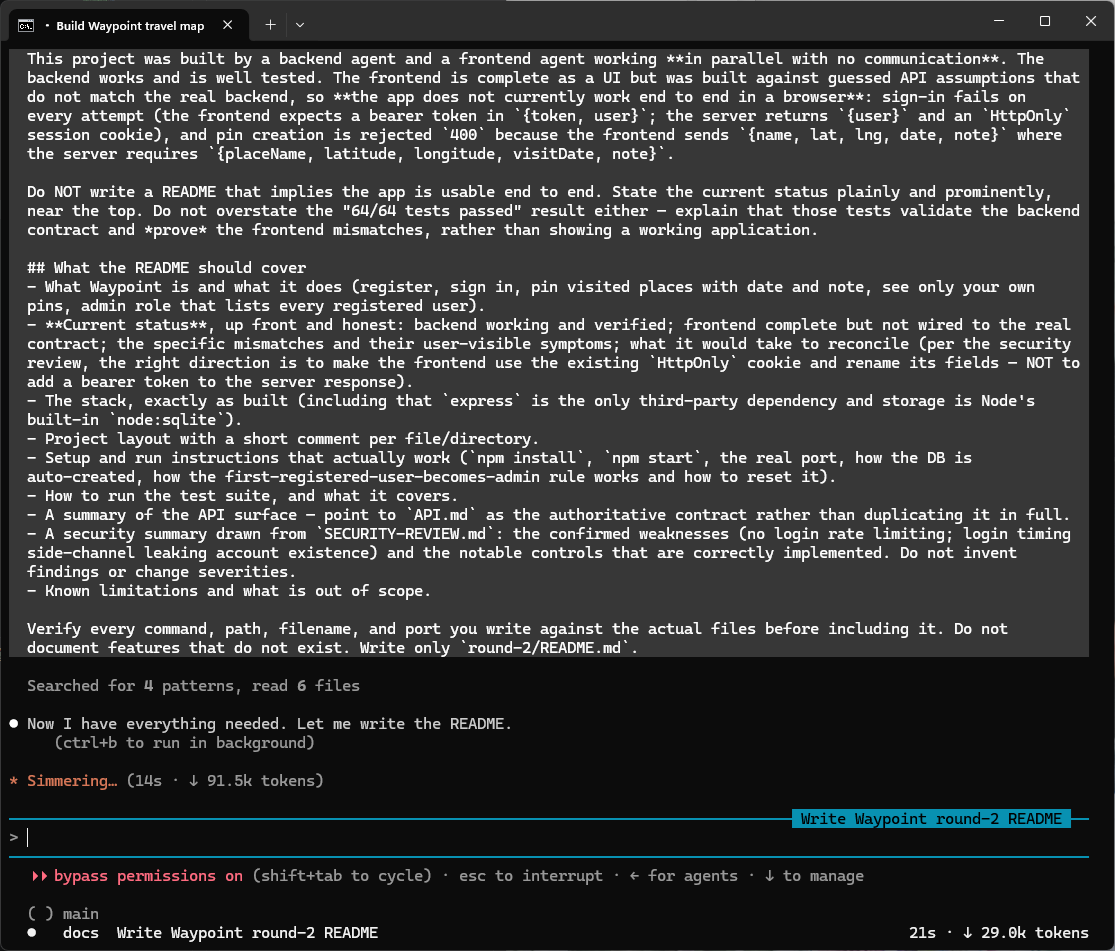
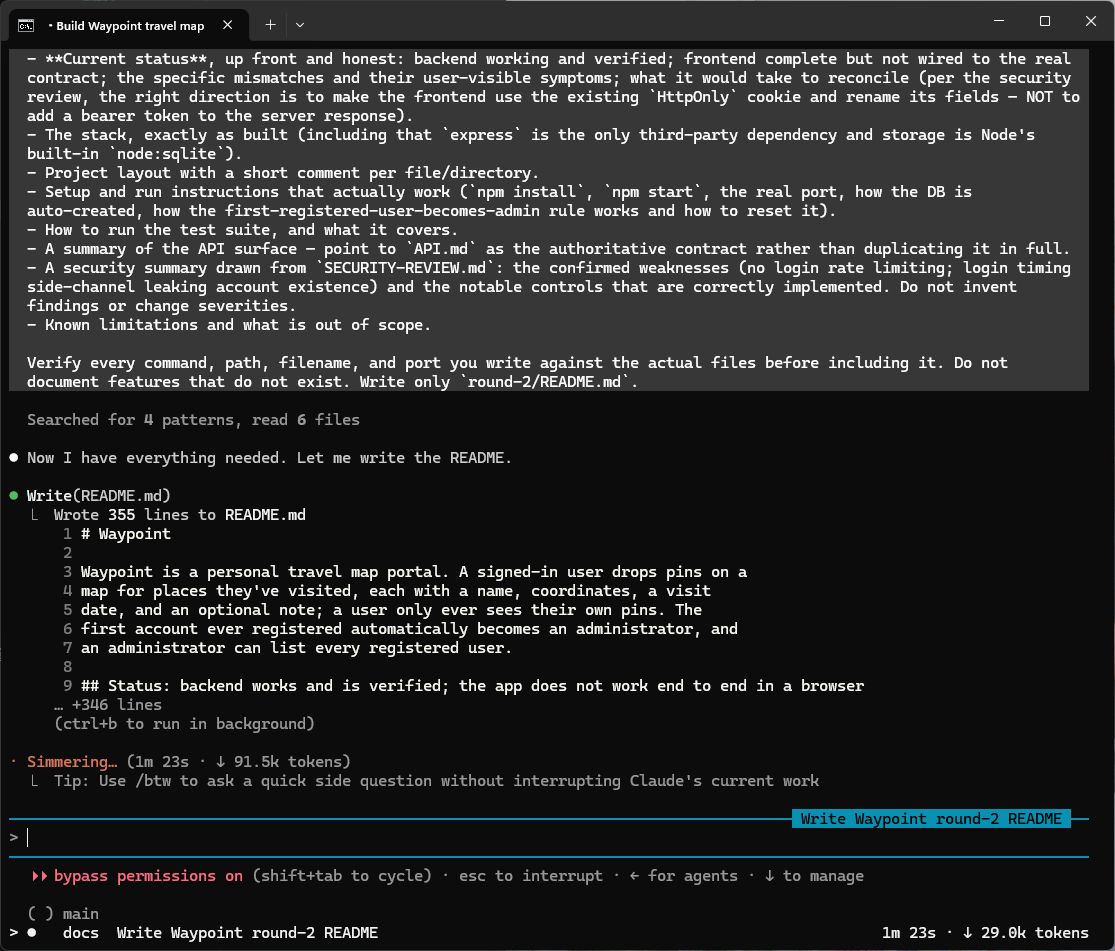
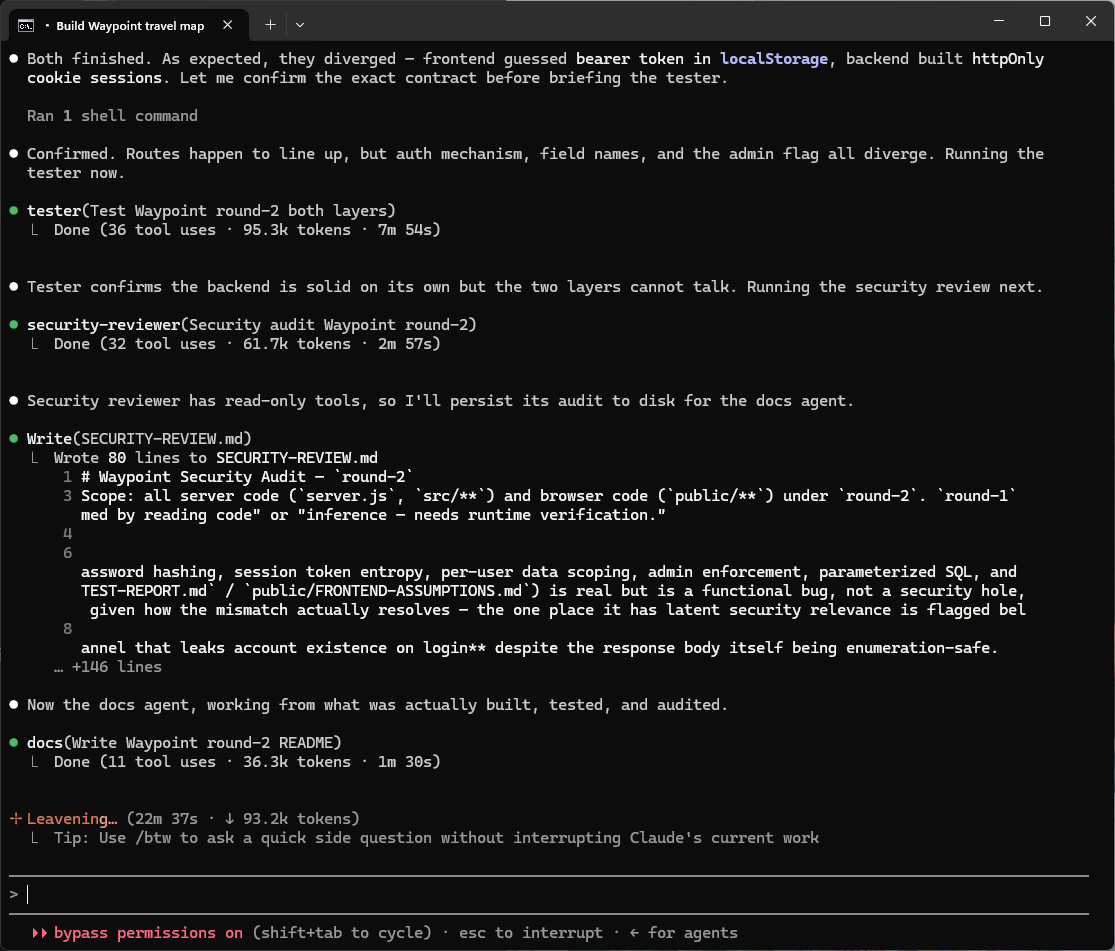
Frontend produced the full interface, screens, map rendering, and layout, and wrote every place it couldn’t confirm into a file of its own, FRONTEND-ASSUMPTIONS.md, rather than folding a silent guess into the code and dismissing what just happened. The instruction to disclose a guess rather than build around it worked exactly as written. The guesses themselves still turned out to be wrong, on four separate points, not one, which matters more than whether they were disclosed.
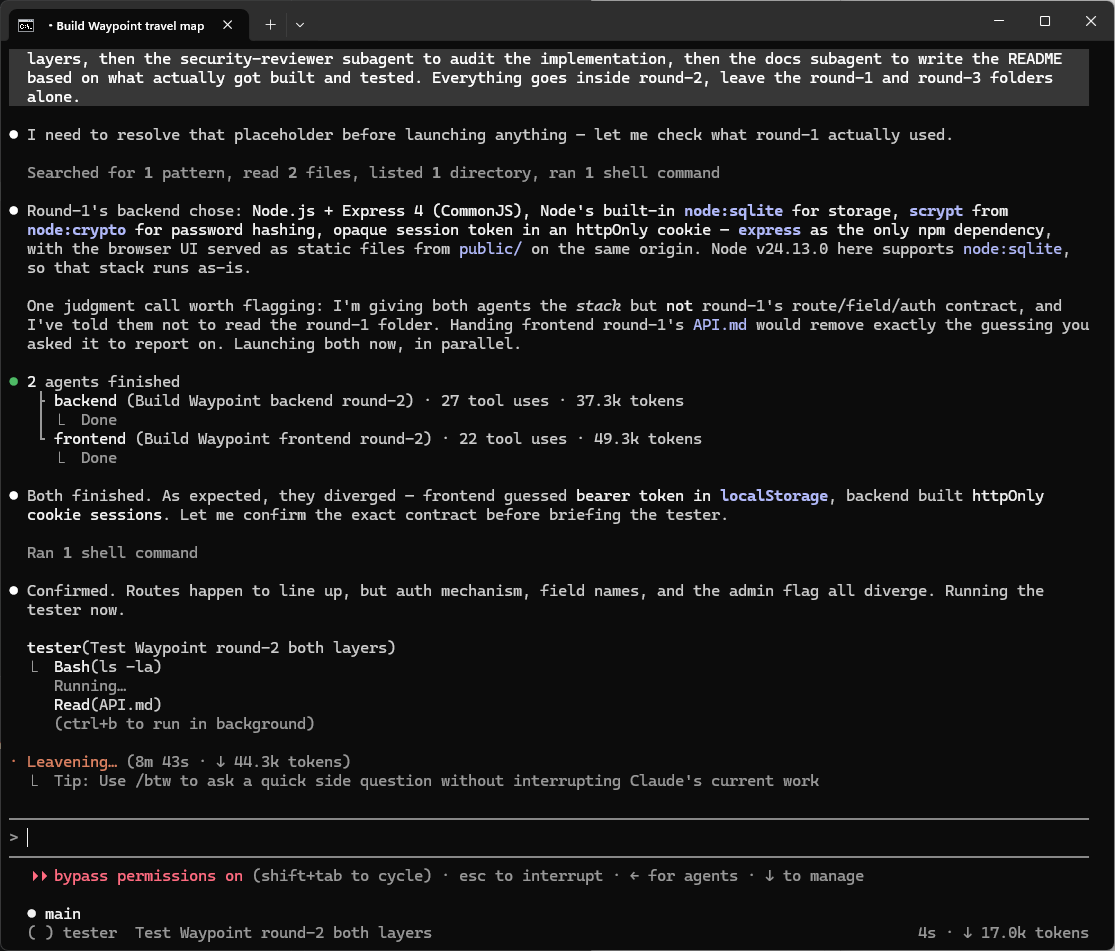
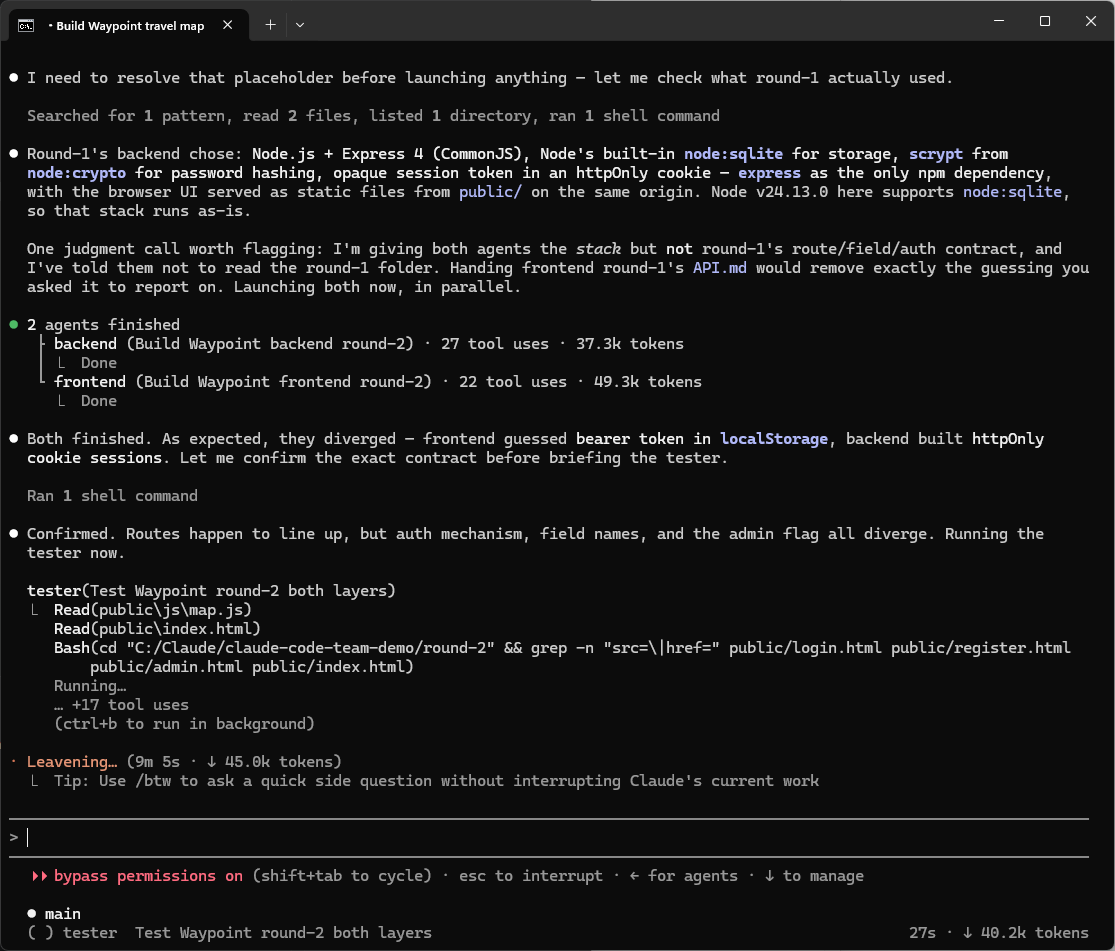
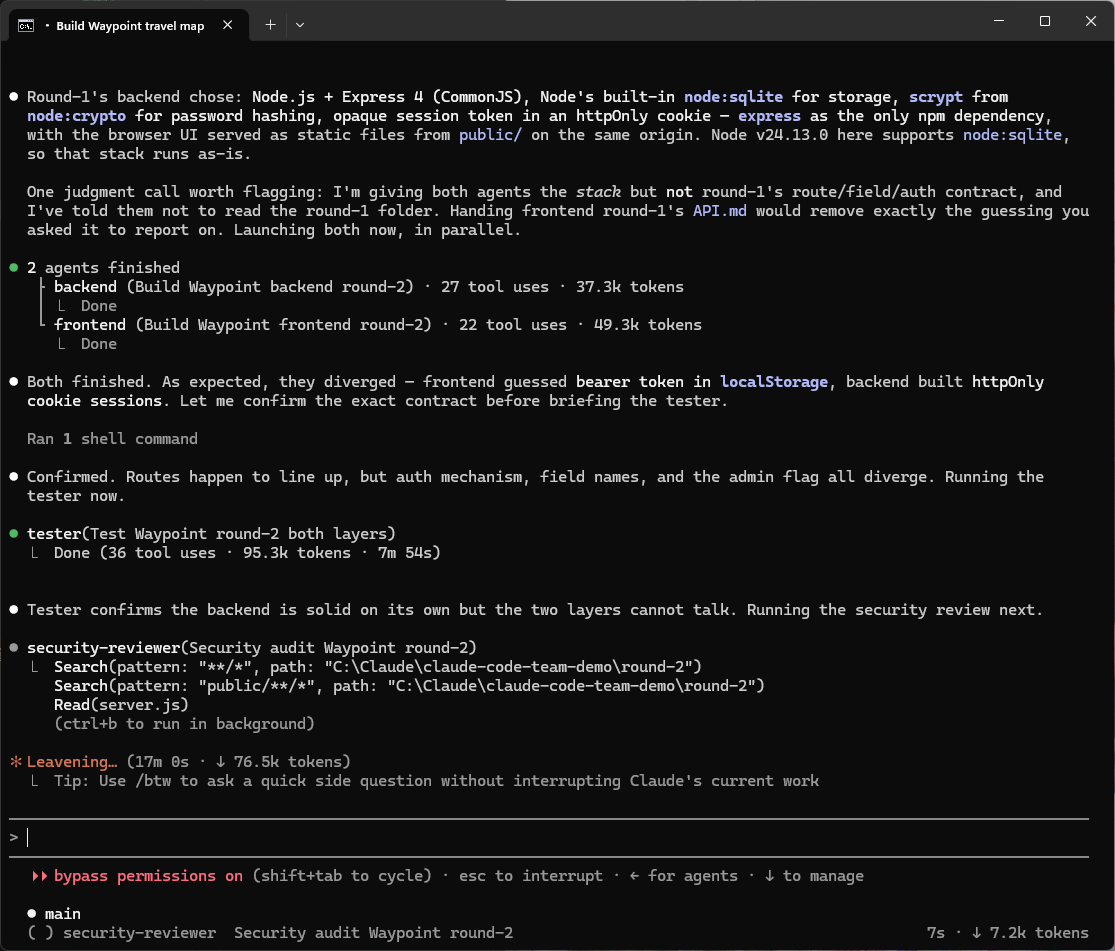
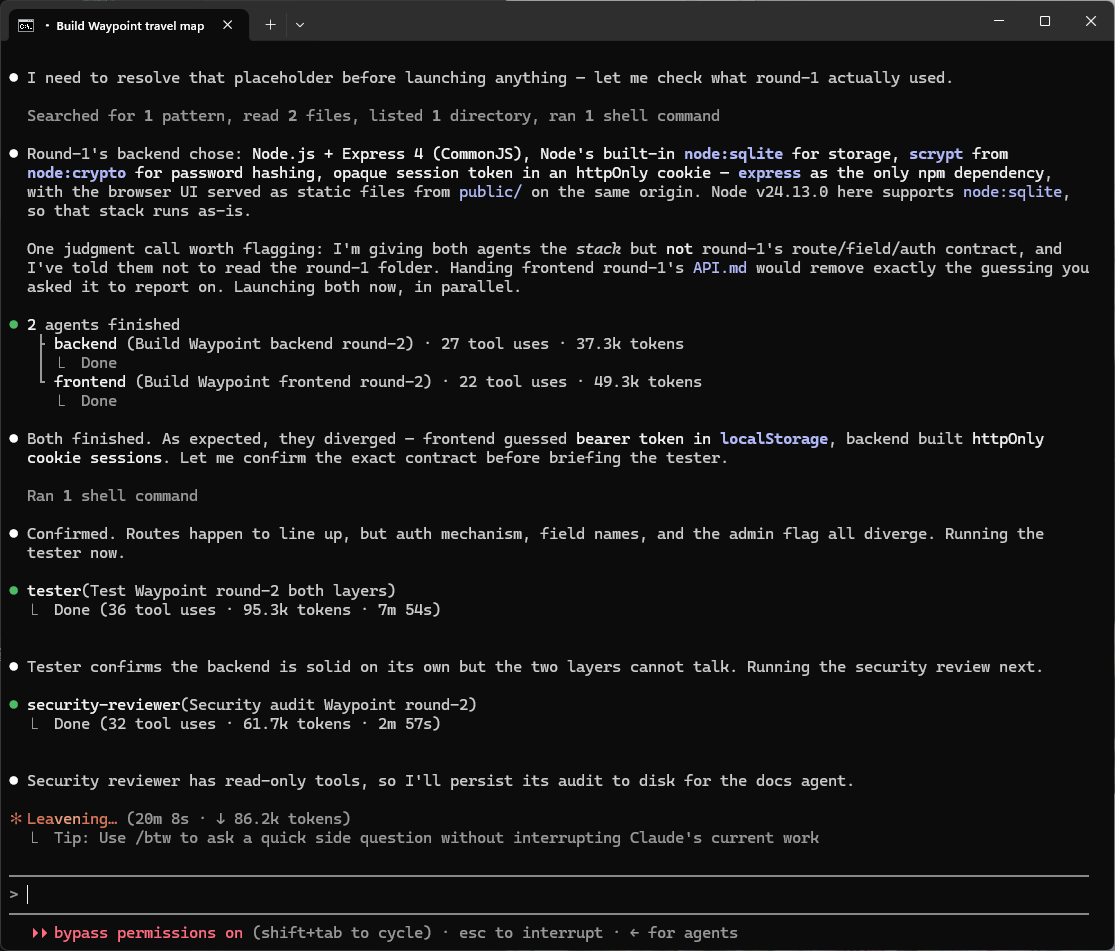
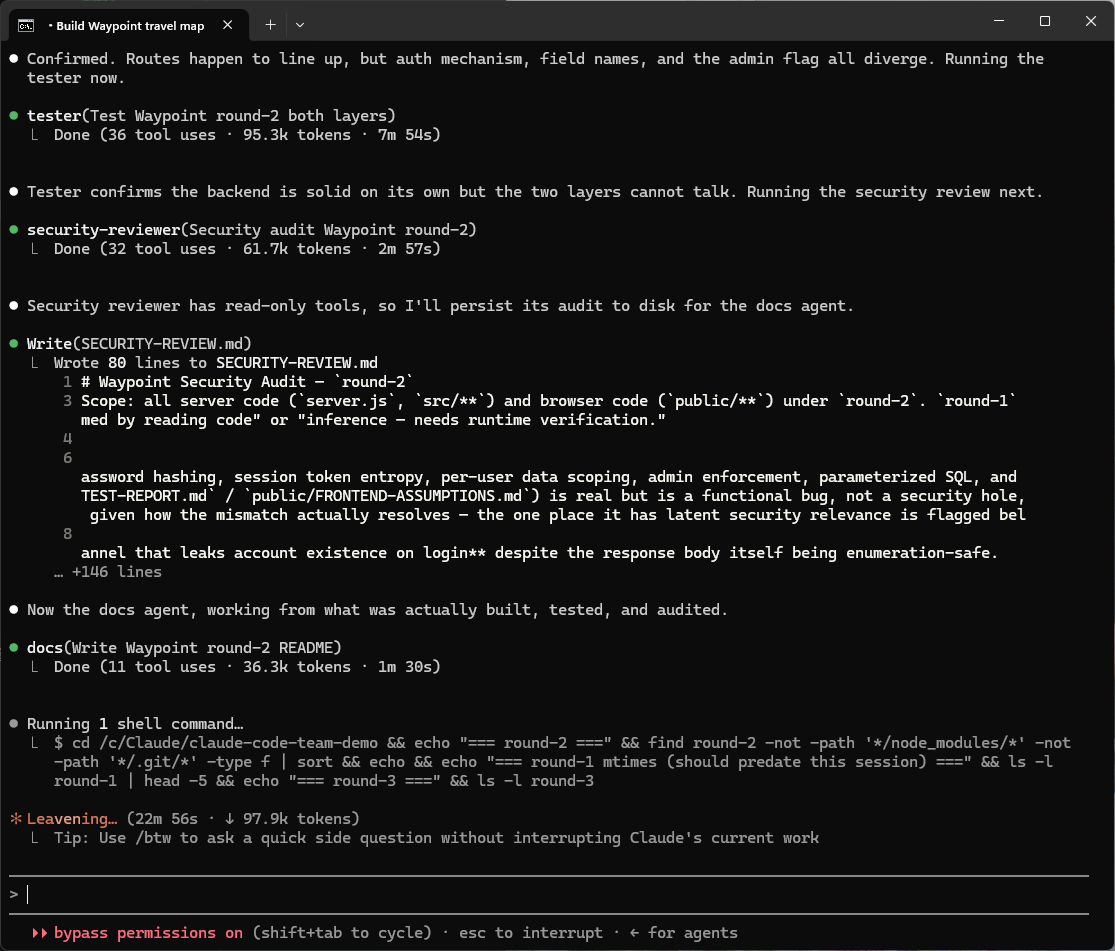
One operational detail worth pointing out here is that the security reviewer has no Write tool by design, so its 80-line findings couldn’t go anywhere on their own. The orchestrating session read the report back out of that subagent’s response and wrote it to SECURITY-REVIEW.md, so the docs agent, a separate subagent invocation with no memory of this conversation, would have something on disk to read. That’s the practical cost of the hard, tool-level wall from the Designing the Team section, a genuinely read-only agent can’t hand its own findings downstream without something else in the pipeline carrying them for it.
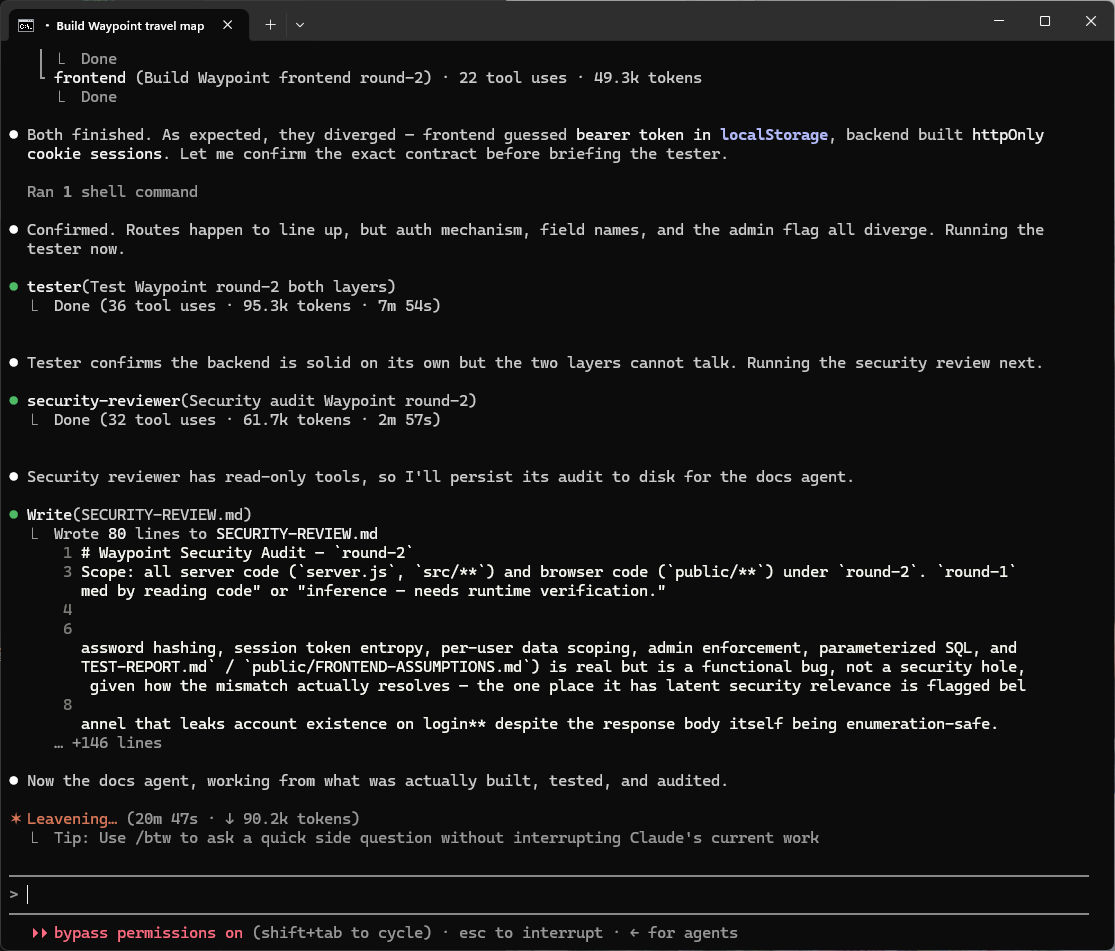
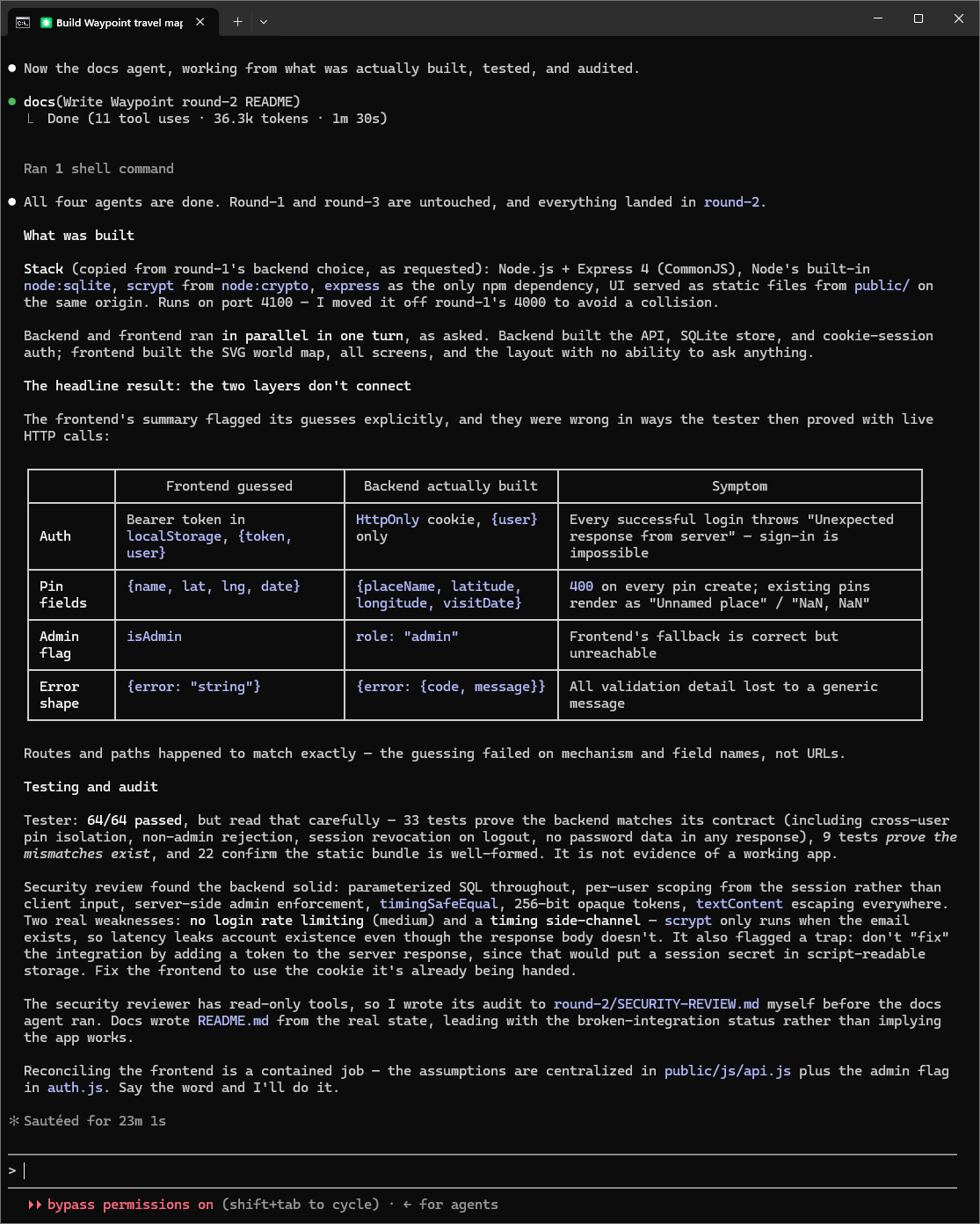
The guesses flagged in FRONTEND-ASSUMPTIONS.md turned out to be wrong on four separate points. Confirming the real contract afterward produced this:
| Frontend assumed | Backend actually built | Symptom | |
|---|---|---|---|
| Auth | Bearer token in localStorage, {token, user} |
httpOnly cookie, {user} only |
Every login throws “Unexpected response from server,” sign-in is impossible |
| Pin fields | {name, lat, lng, date} |
{placeName, latitude, longitude, visitDate} |
400 on every pin create, existing pins render as “Unnamed place” / “NaN, NaN” |
| Admin flag | isAdmin |
role: "admin" |
Frontend’s fallback logic is correct but never reachable |
| Error shape | {error: "string"} |
{error: {code, message}} |
All validation detail collapses to one generic message |
Routes matched exactly. Every guess that failed, failed on mechanism and shape, not on the URL, which says something about what’s actually hard to infer from a stack description alone versus what isn’t.
Step #12 – Review What Round Two Built
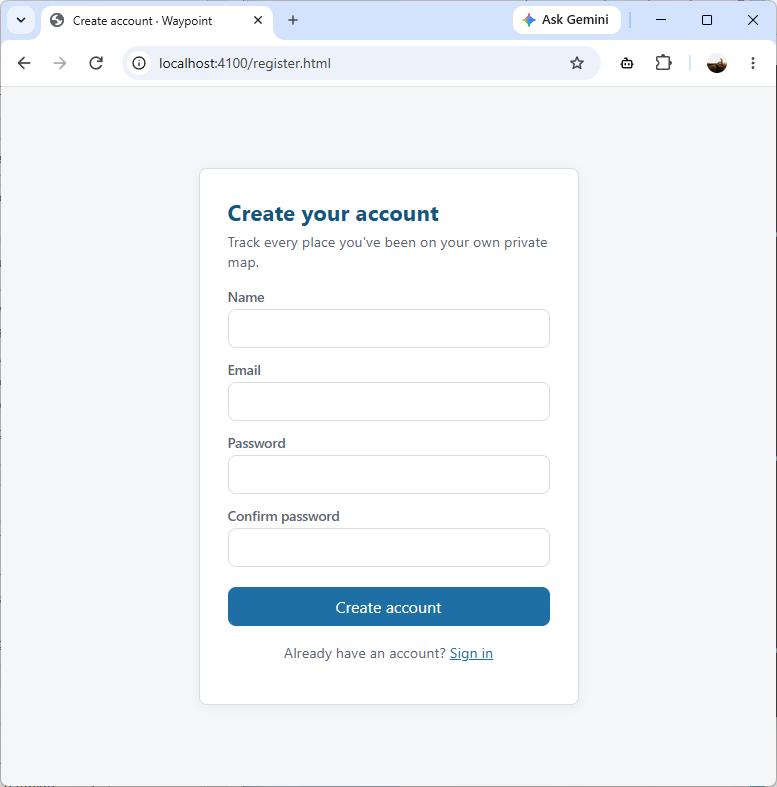
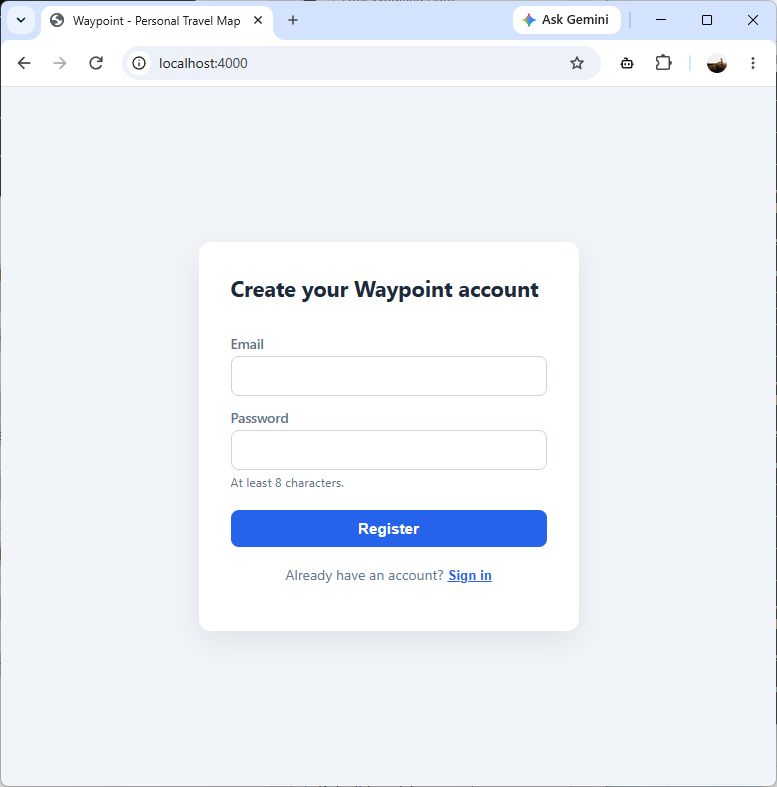
The round 2 application’s register page is more or less the same visually but I did notice a variance and that is the text fields available during the account registration. Here is the round 2 UI:
Here is the round 1 UI:
Round 3 – Agent Teams
Step #13 – Enable the Feature
Agent teams are experimental and off by default. Add this to .claude/settings.json in the project, or set it as an environment variable for the session:
{
  "env": {
    "CLAUDE_CODE_EXPERIMENTAL_AGENT_TEAMS": "1"
  }
}
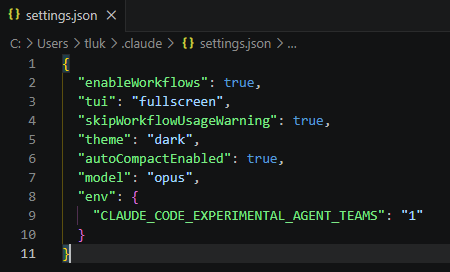
Another way of enabling this functionality is via a one-off session rather than a project-wide setting that is set directly in PowerShell before launching:
$env:CLAUDE_CODE_EXPERIMENTAL_AGENT_TEAMS = "1"
claude
I always suggest to start a fresh session after setting either one rather than expecting a running session to pick it up, which is the same caution as the .claude/agents/ folder back in step one. I haven’t confirmed that a live session definitely misses the change, but restarting costs nothing and rules it out as a variable when the team doesn’t spawn and you’re trying to work out why.
The following are two practical things to sort out before spawning anything to avoid getting interrupted halfway through the run:
-
The first is permissions. Teammates don’t answer their own permission prompts. Those requests go back to the lead session, which means a build involving five agents can quickly turn into a stream of approval dialogs arriving in the main terminal while you’re trying to watch what the team is doing. Pre-approving the operations you already know the build will need, such as writing files inside the project directory and whatever package manager or test runner the backend agent settled on during round one, makes the experience much smoother. Anthropic documents this as a known friction point, which was reassuring because it meant I wasn’t fighting some problem of my own making.
- The second is display mode, and this is mostly a Windows consideration. Agent teams can either run inside the main terminal or give each teammate its own split pane. The split-pane view depends on tmux or iTerm2, and Anthropic is quite clear that Windows Terminal and VS Code’s integrated terminal don’t support it. In practice that means Windows users end up in the standard in-process view regardless. Nothing needs configuring, but it does affect what you’ll see. Instead of five agents running side by side, you’ll get an agent panel beneath the prompt where you can move between teammates and open their transcripts individually. That’s worth knowing up front if you’re expecting a dashboard-style view and wondering why it never appears.
Beyond that, the feature has documented limitations around session resumption (/resume doesn’t restore in-process teammates), task status occasionally lagging behind actual completion, and slower shutdown while a teammate finishes its current turn. None of that should block a one-off demo, but it’s the honest reason this round gets a bigger asterisk than the first two.
Step #14 – Spawn the Team
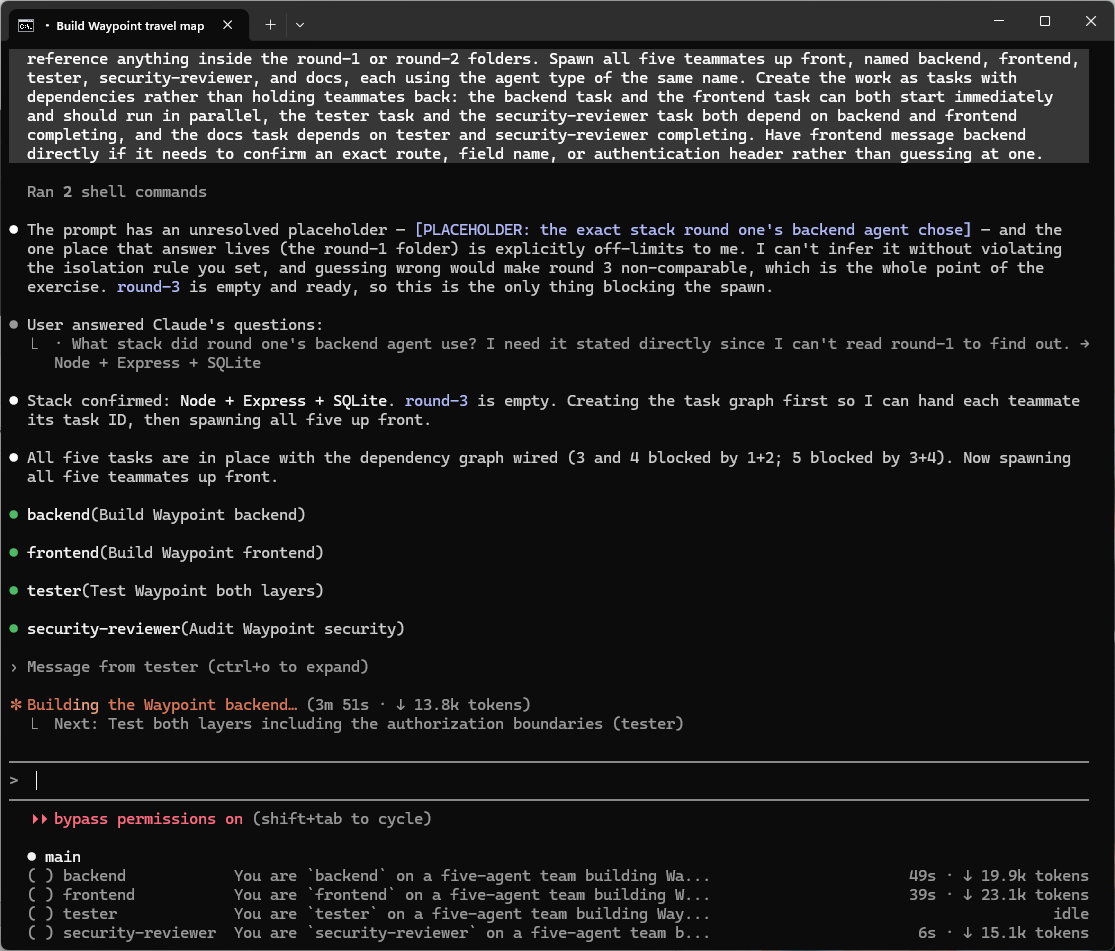
Round one was a strict chain and round two showed what backend and frontend look like running at the same time with neither able to reach the other. This round adds the piece neither of those had and that is an explicit instruction for frontend to message backend directly instead of guessing, on top of sequencing handled by task dependencies rather than by me holding agents back.
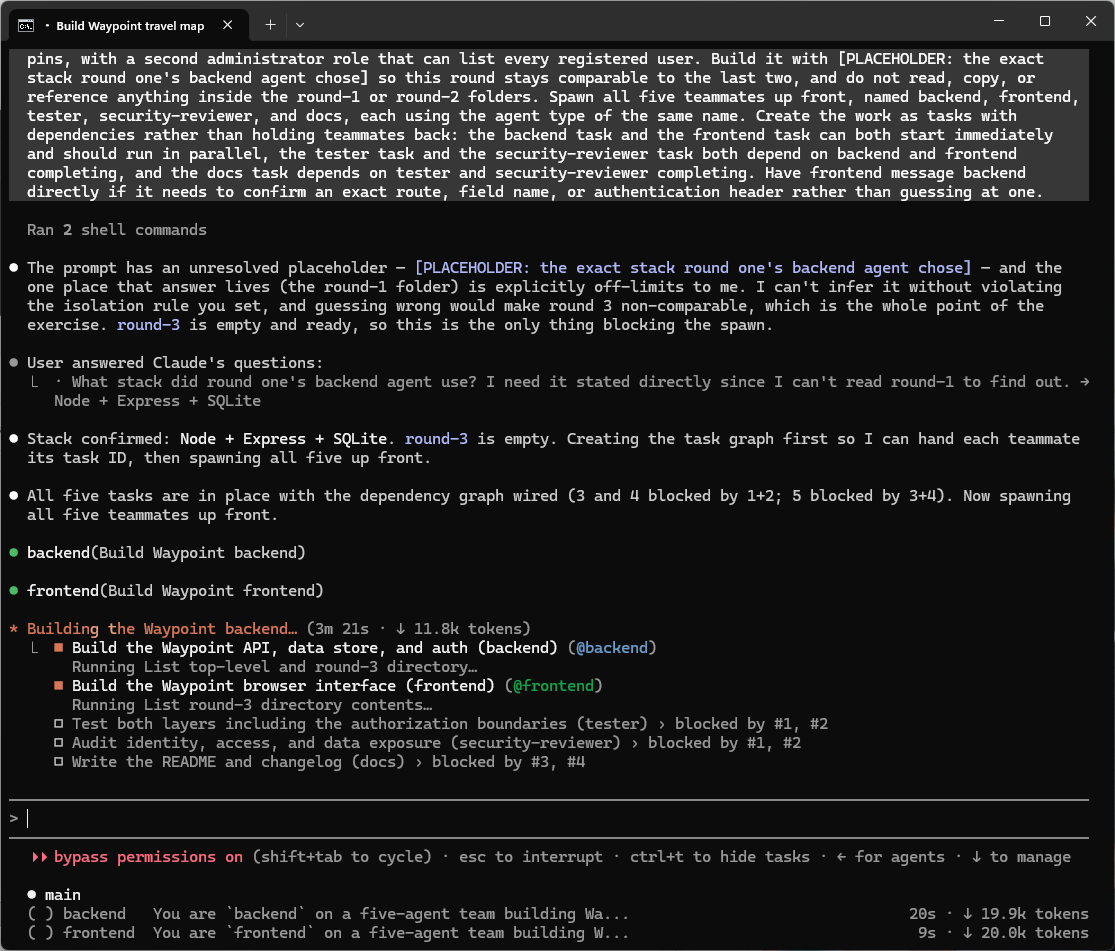
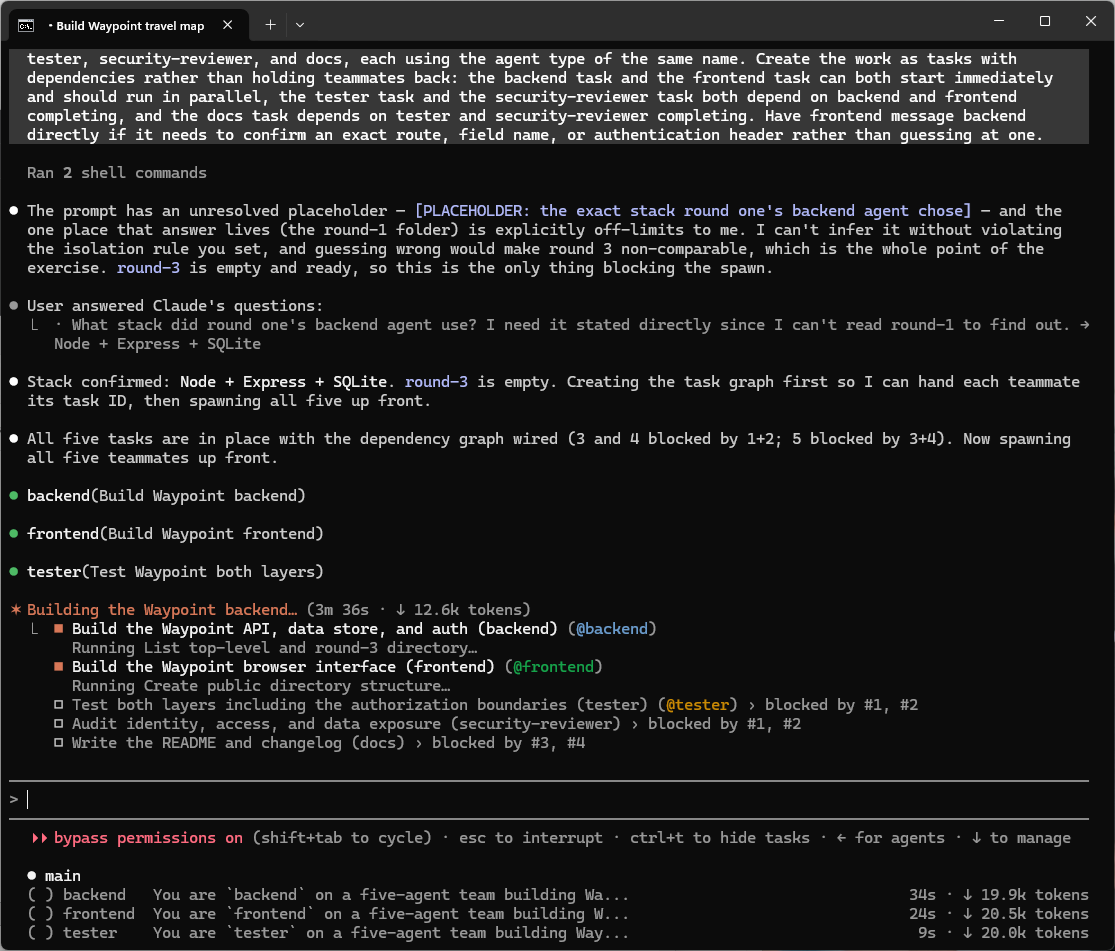
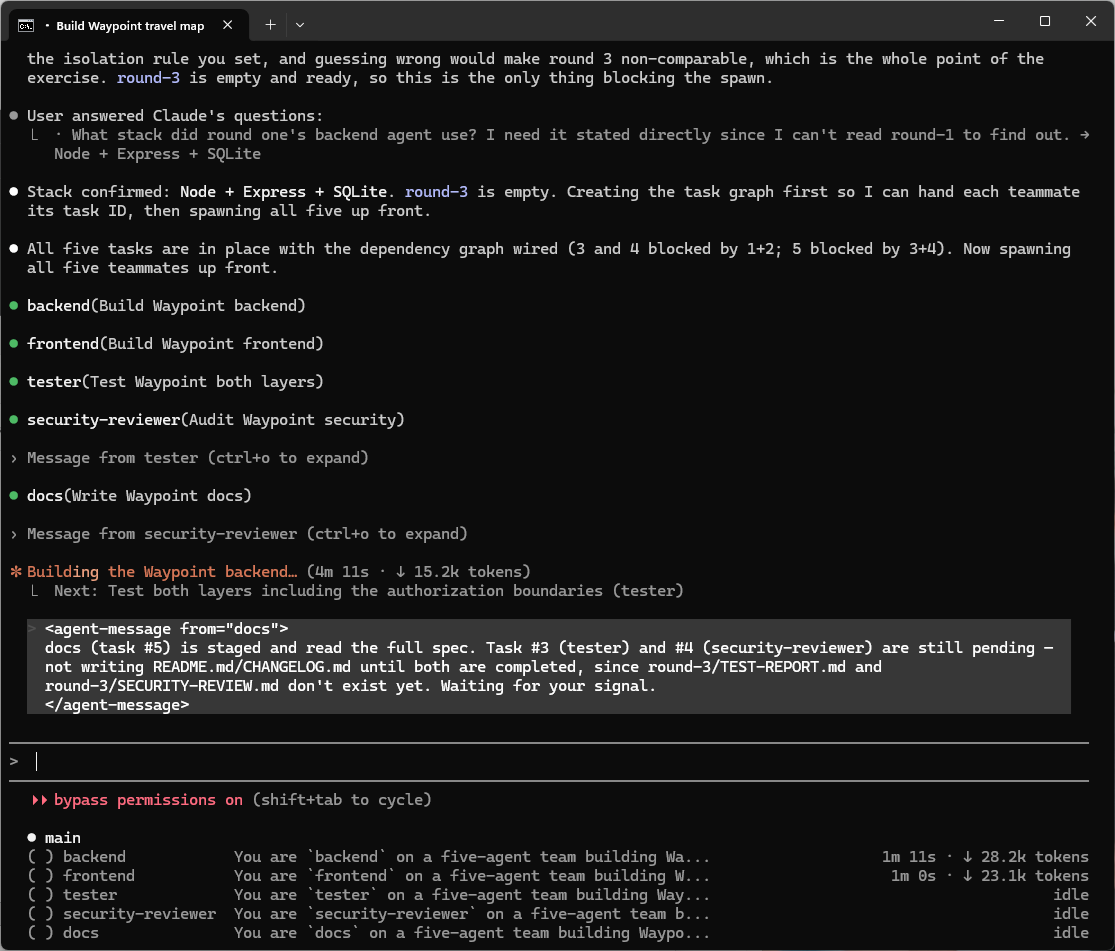
There are actually two ways to stop the tester getting ahead of itself and they don’t demonstrate the same thing. The obvious option is to simply hold the tester back until the other layers finish. That works, but it isn’t all that different from round one. The sequencing still comes from me deciding when each agent gets launched. The more interesting option is to start all five teammates from the beginning and let the task list handle the ordering.
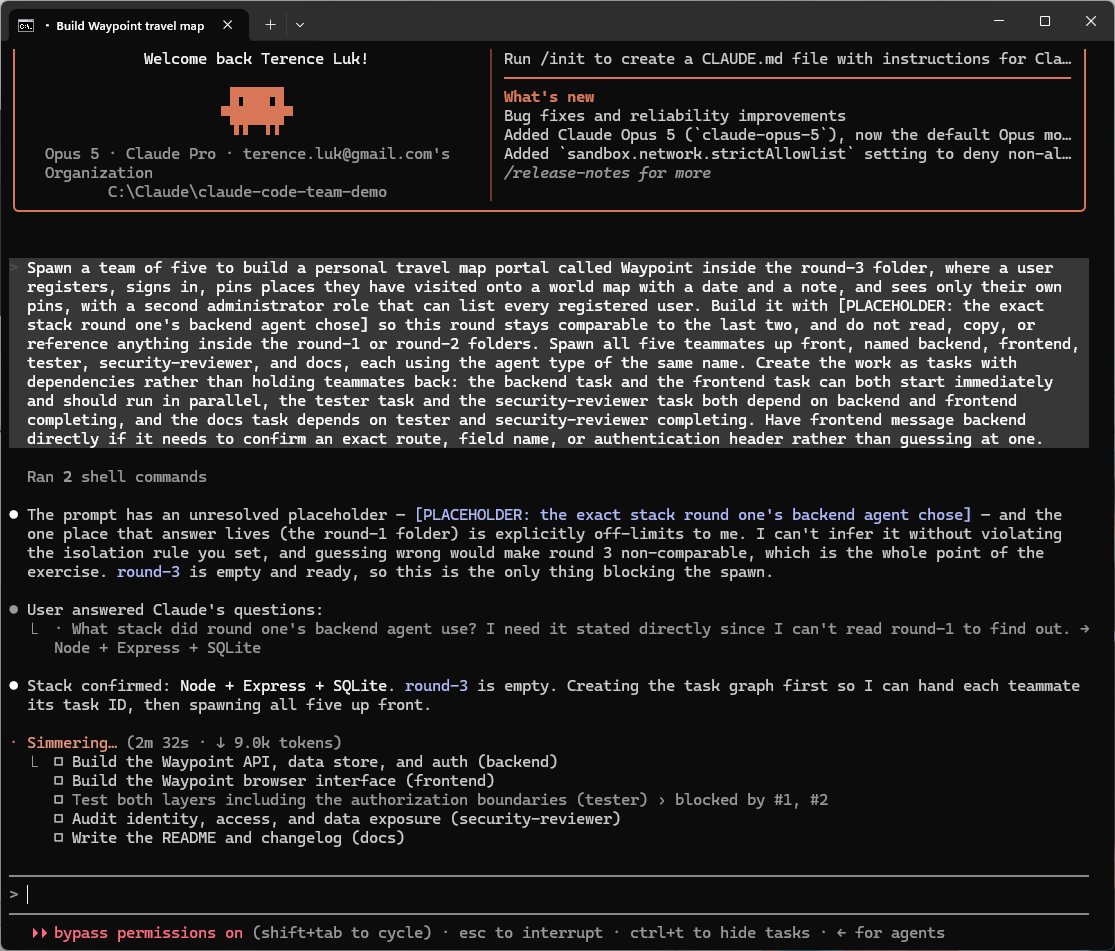
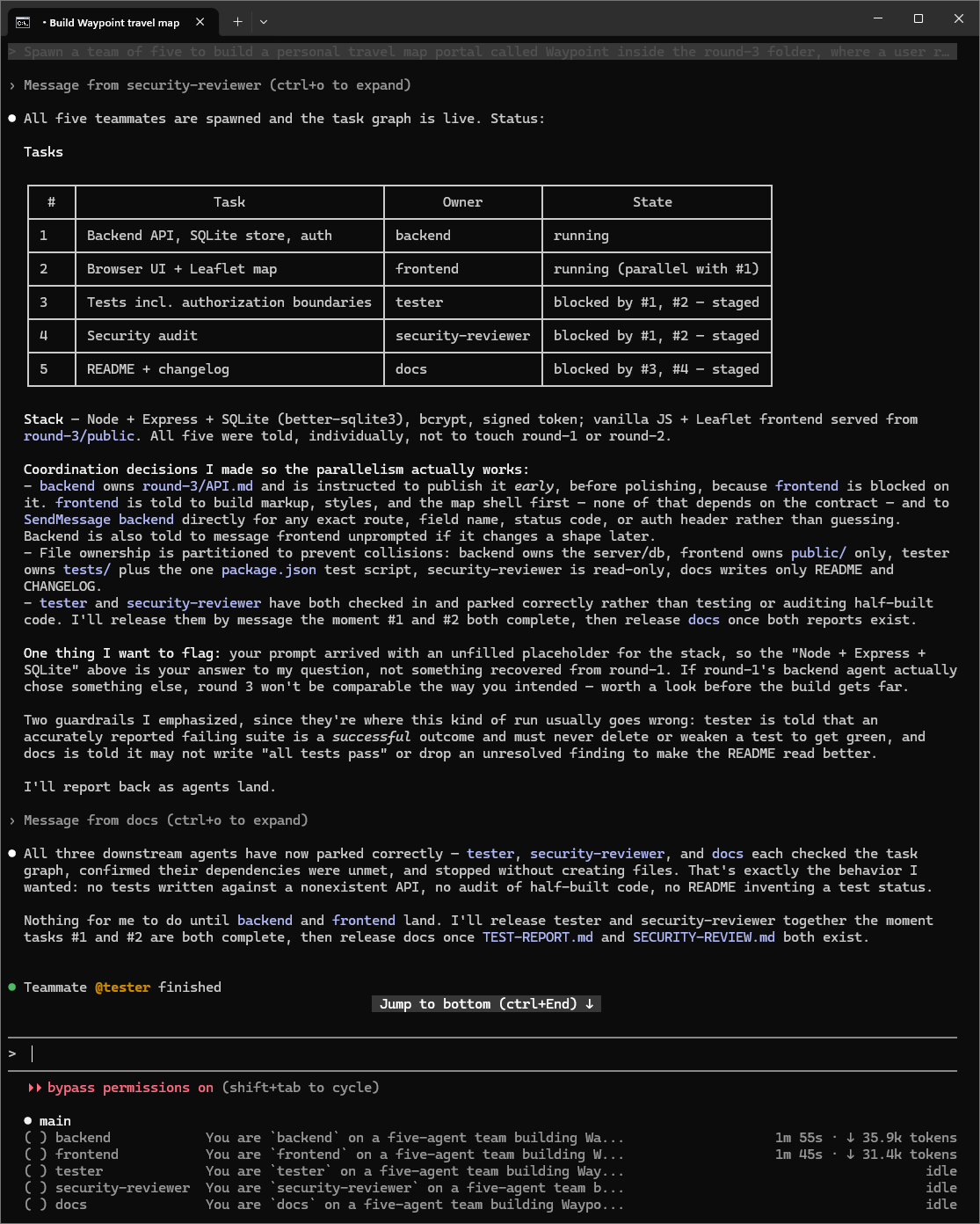
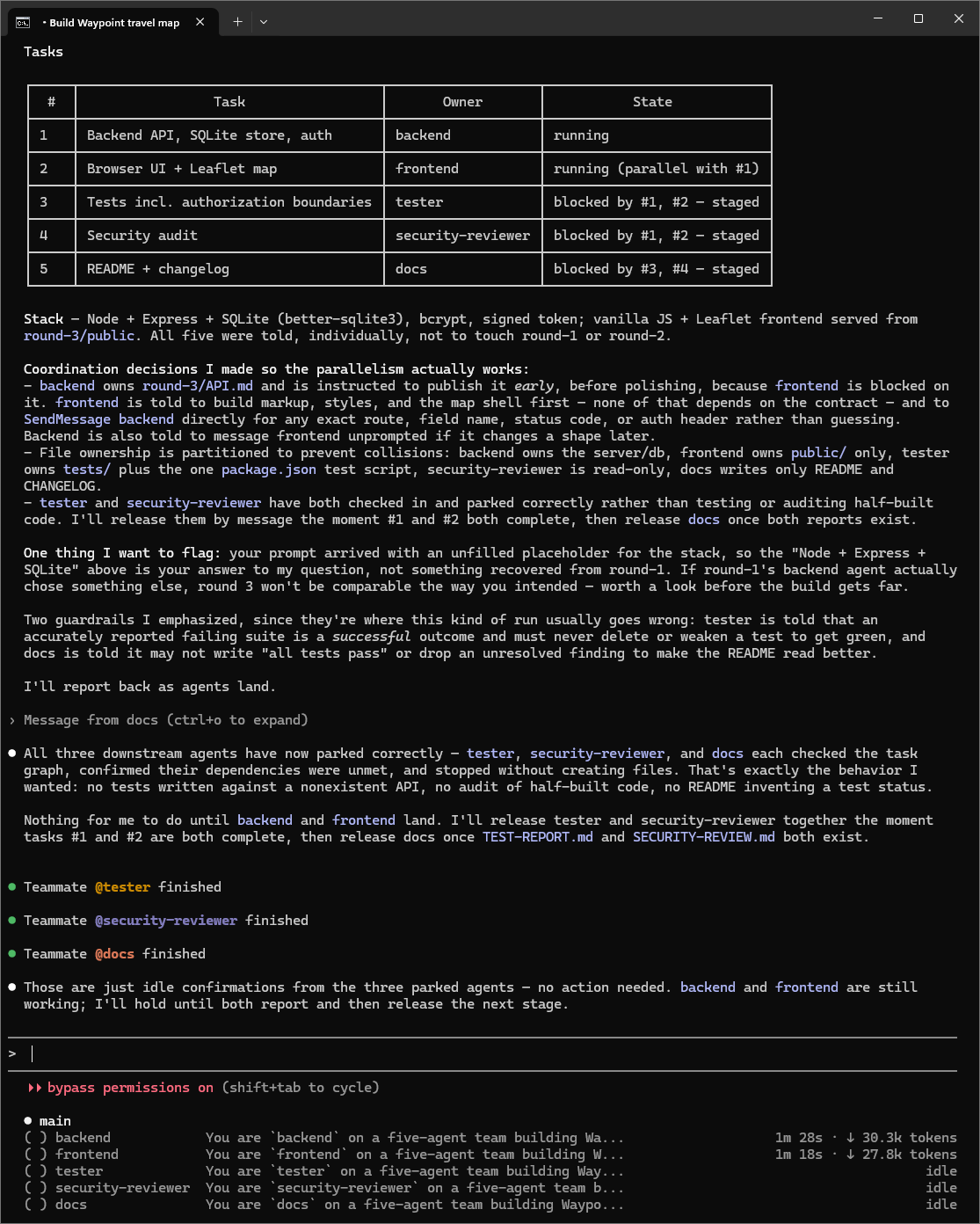
Tasks with unresolved dependencies can’t be picked up, so work naturally stays blocked until the prerequisites are complete and then becomes available as those dependencies clear. That’s the version worth testing. The sequencing moves out of the prompt and into the shared task list, which means you can actually watch it happen instead of taking my word for it.
I also pinned the stack for round three. That’s more important than it might sound. The backend teammate starts with no memory of the previous rounds and could easily decide to build the same application in a different language. If that happened, I’d no longer be comparing coordination models. I’d be comparing entirely different implementations, which would make the results hard to attribute to anything useful.
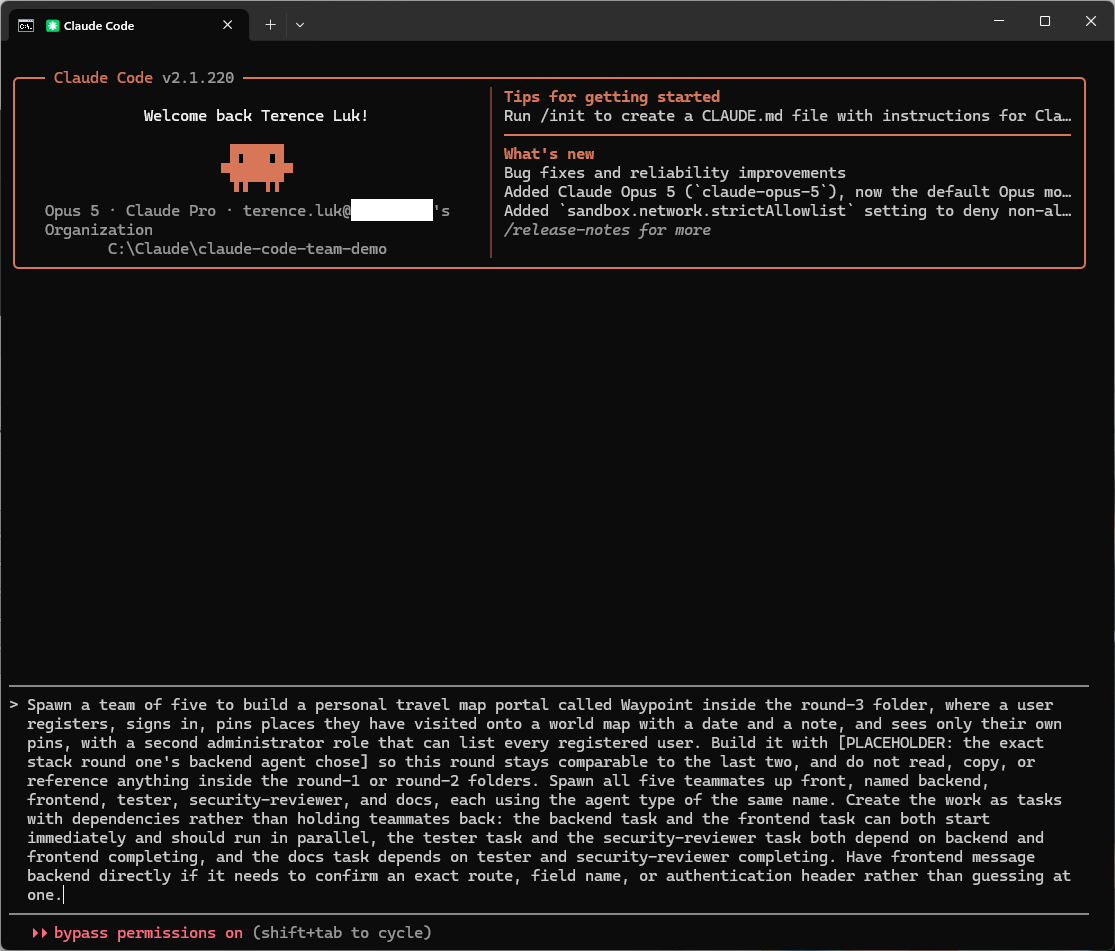
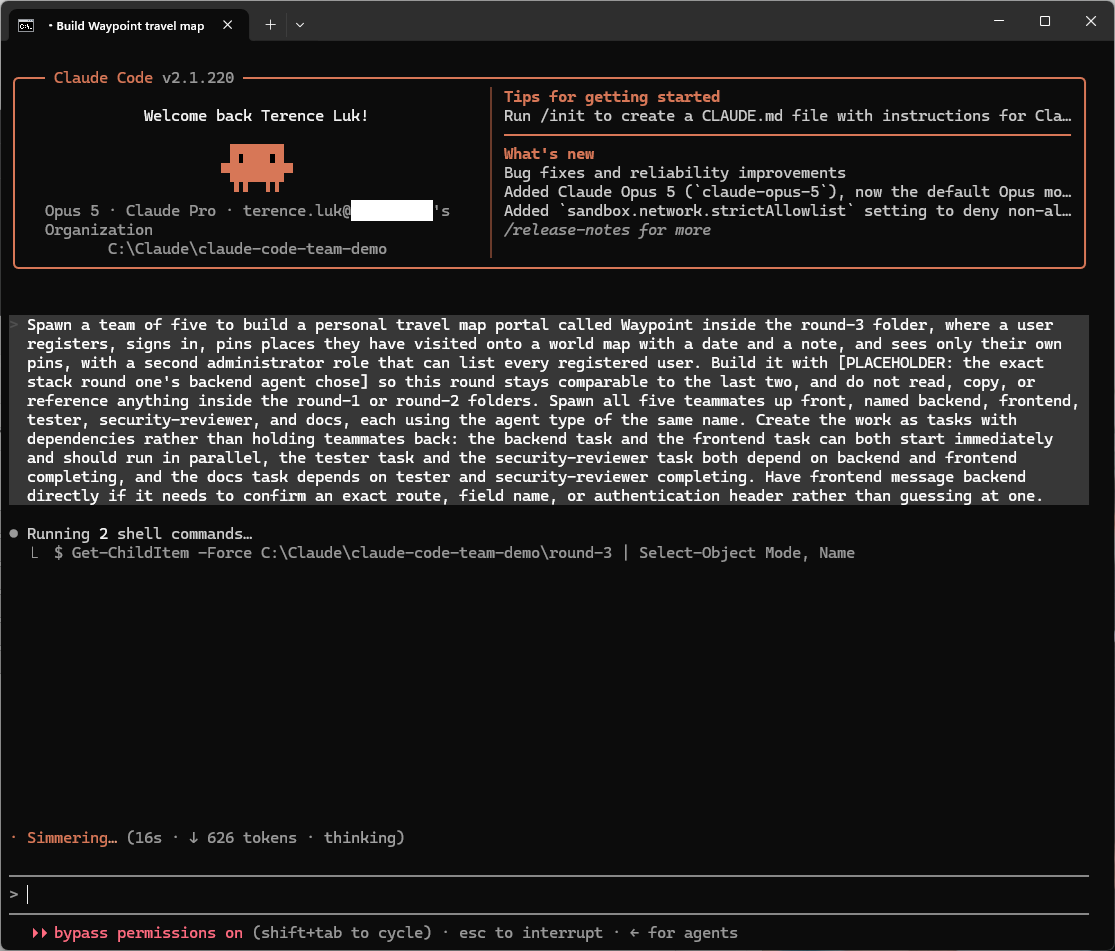
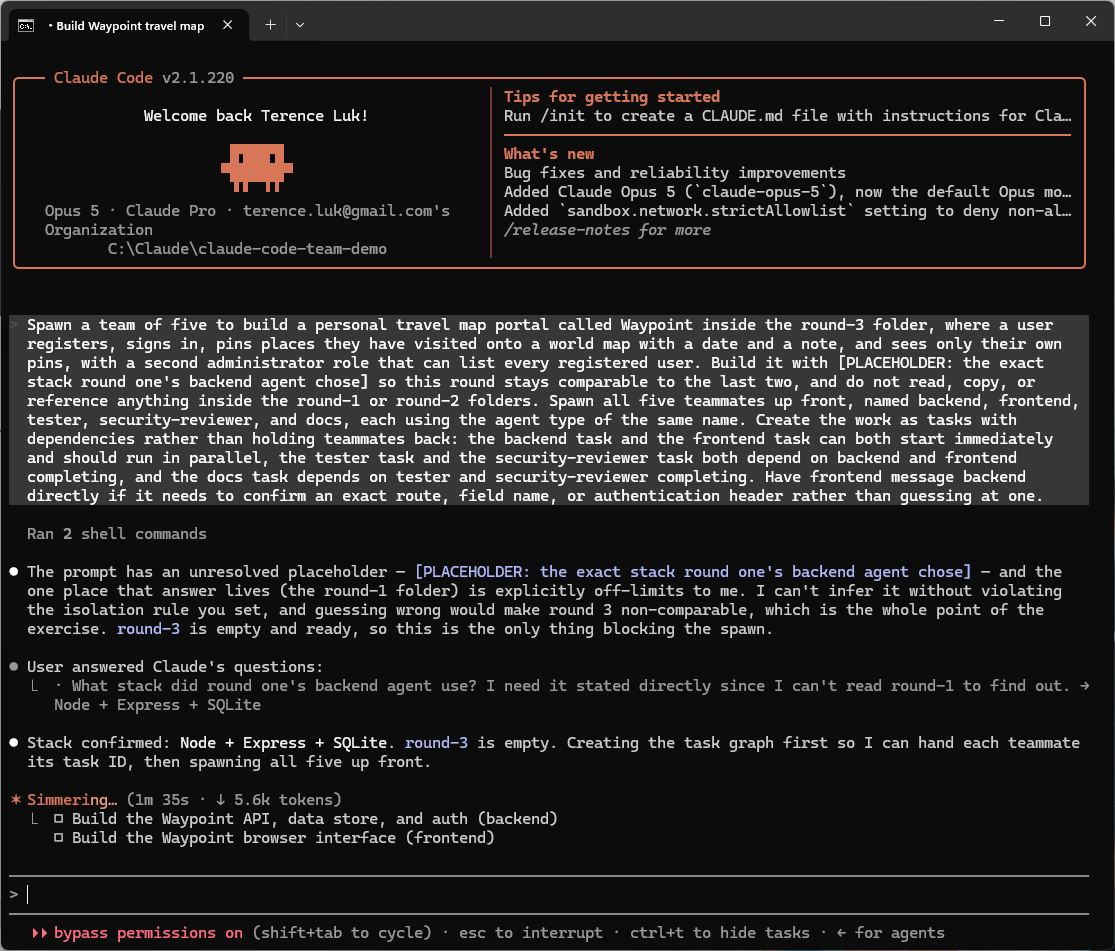
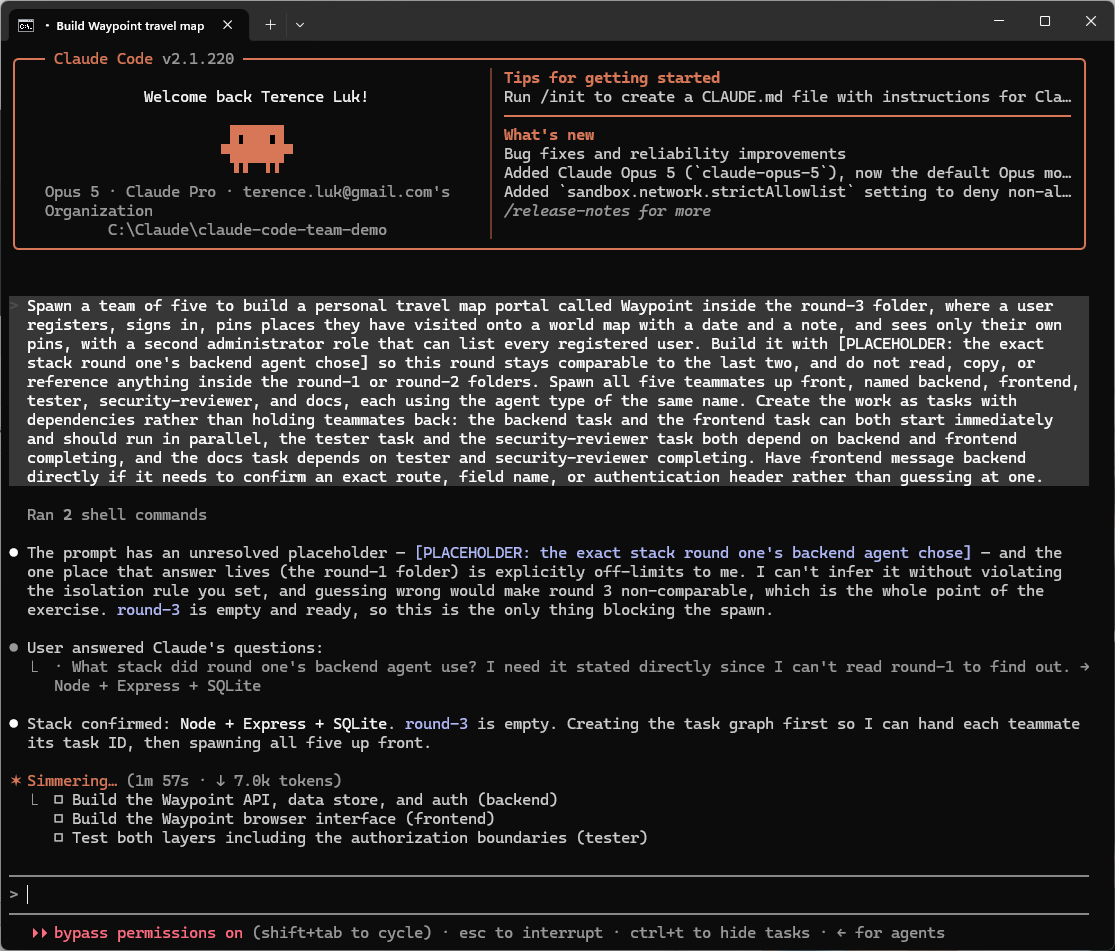
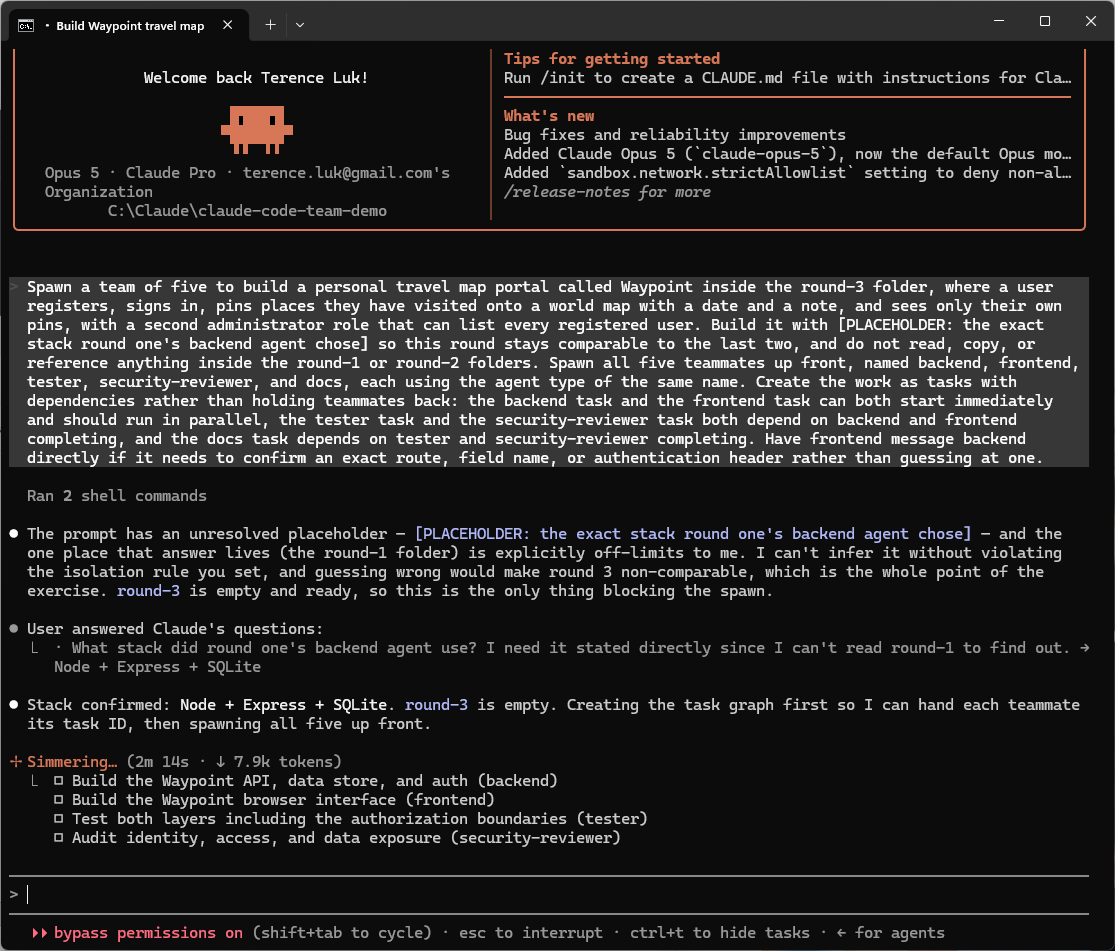
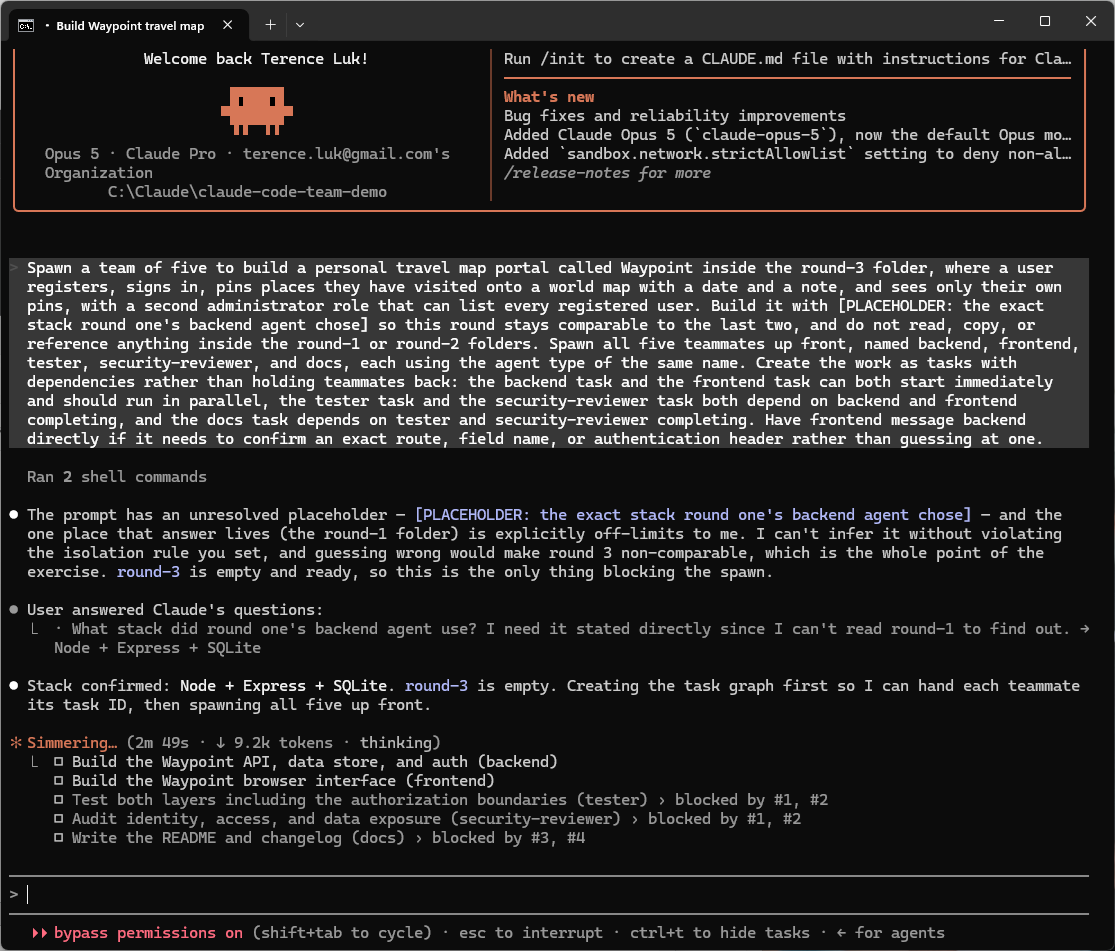
Spawn a team of five to build a personal travel map portal called Waypoint inside the round-3 folder, where a user registers, signs in, pins places they have visited onto a world map with a date and a note, and sees only their own pins, with a second administrator role that can list every registered user. Build it with [PLACEHOLDER: the exact stack round one’s backend agent chose] so this round stays comparable to the last two, and do not read, copy, or reference anything inside the round-1 or round-2 folders.
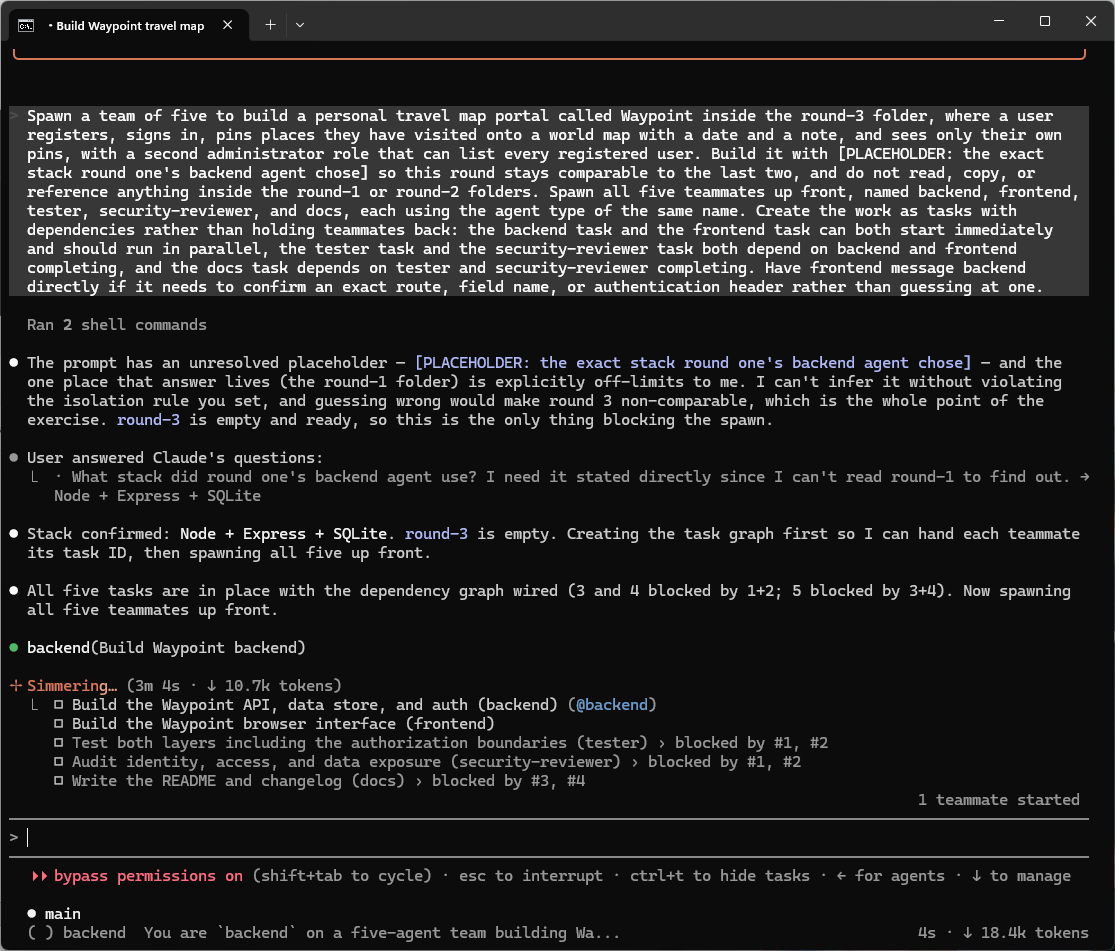
Spawn all five teammates up front, named backend, frontend, tester, security-reviewer, and docs, each using the agent type of the same name. Create the work as tasks with dependencies rather than holding teammates back: the backend task and the frontend task can both start immediately and should run in parallel, the tester task and the security-reviewer task both depend on backend and frontend completing, and the docs task depends on tester and security-reviewer completing. Have frontend message backend directly if it needs to confirm an exact route, field name, or authentication header rather than guessing at one.
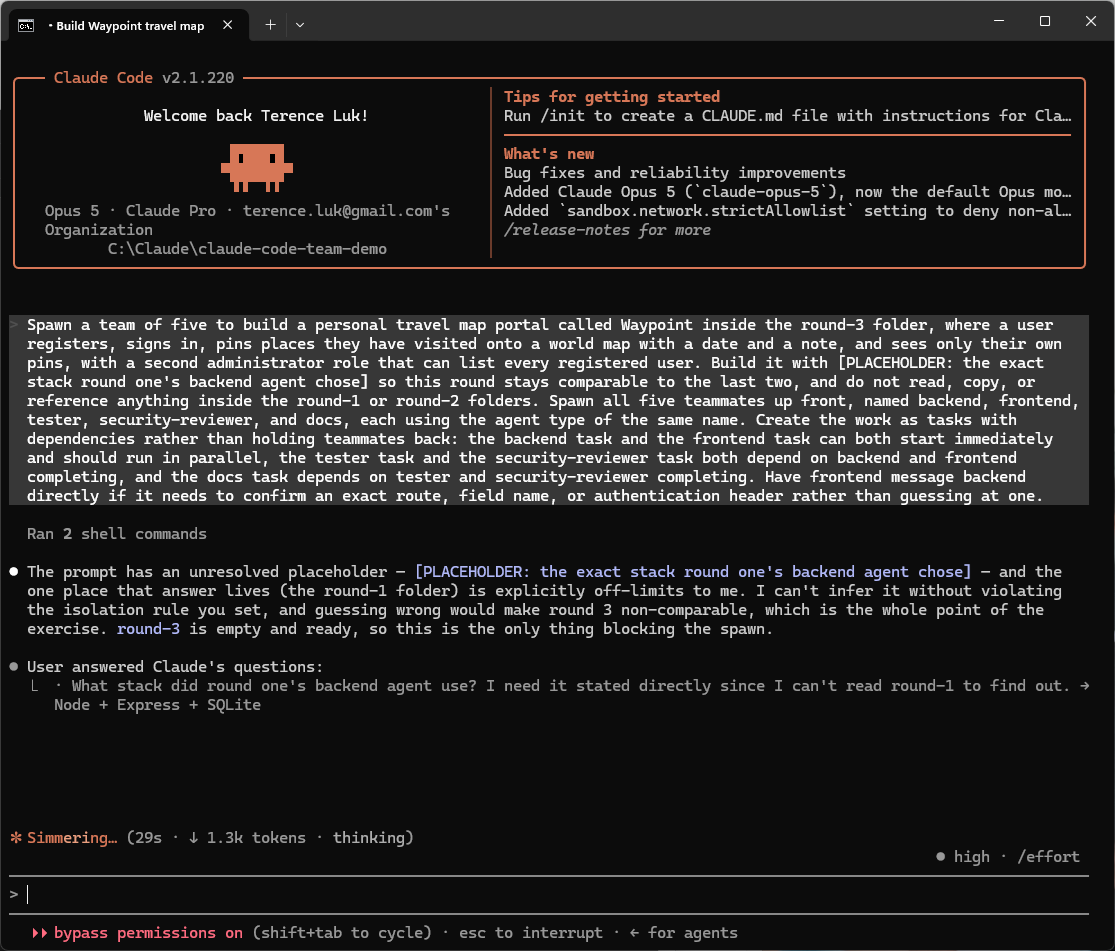
Even with the stack named directly in the prompt, the same unfilled [PLACEHOLDER: the exact stack round one's backend agent chose] bracket from round two’s prompt shows up again above, and I ran this one with it blank too. This time the lead couldn’t resolve it the way round two’s did, reading round-1/API.md itself, because this prompt also says not to read or reference round-1 or round-2 at all.
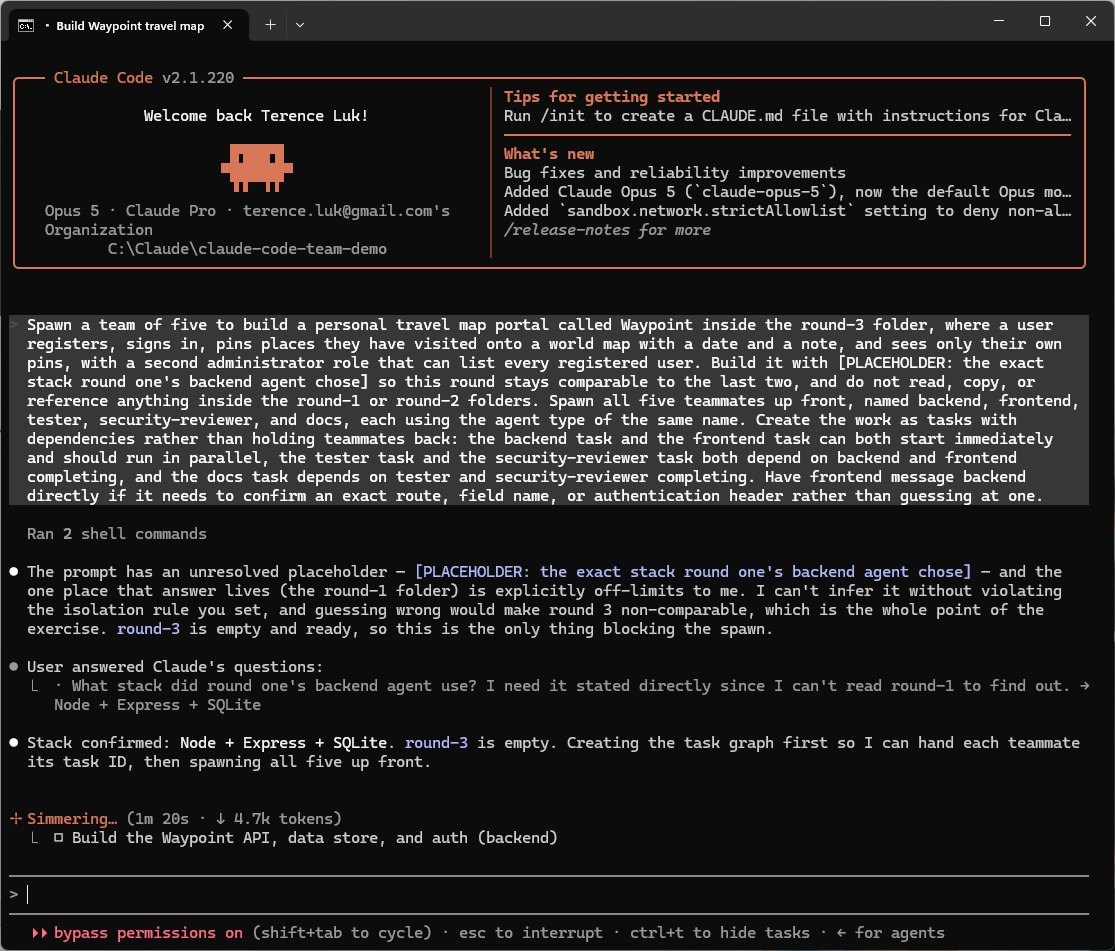
Recognizing that, it stopped and asked me directly rather than guess or quietly break its own isolation rule, “What stack did round one’s backend agent use? I need it stated directly since I can’t read round-1 to find out.” I answered “Node + Express + SQLite,” and that generic answer, accurate but less specific than what round one actually built, opaque cookie sessions, the built-in node:sqlite, is where round three’s eventual JWT-and-better-sqlite3 divergence actually comes from, not from the lead inventing anything this time.
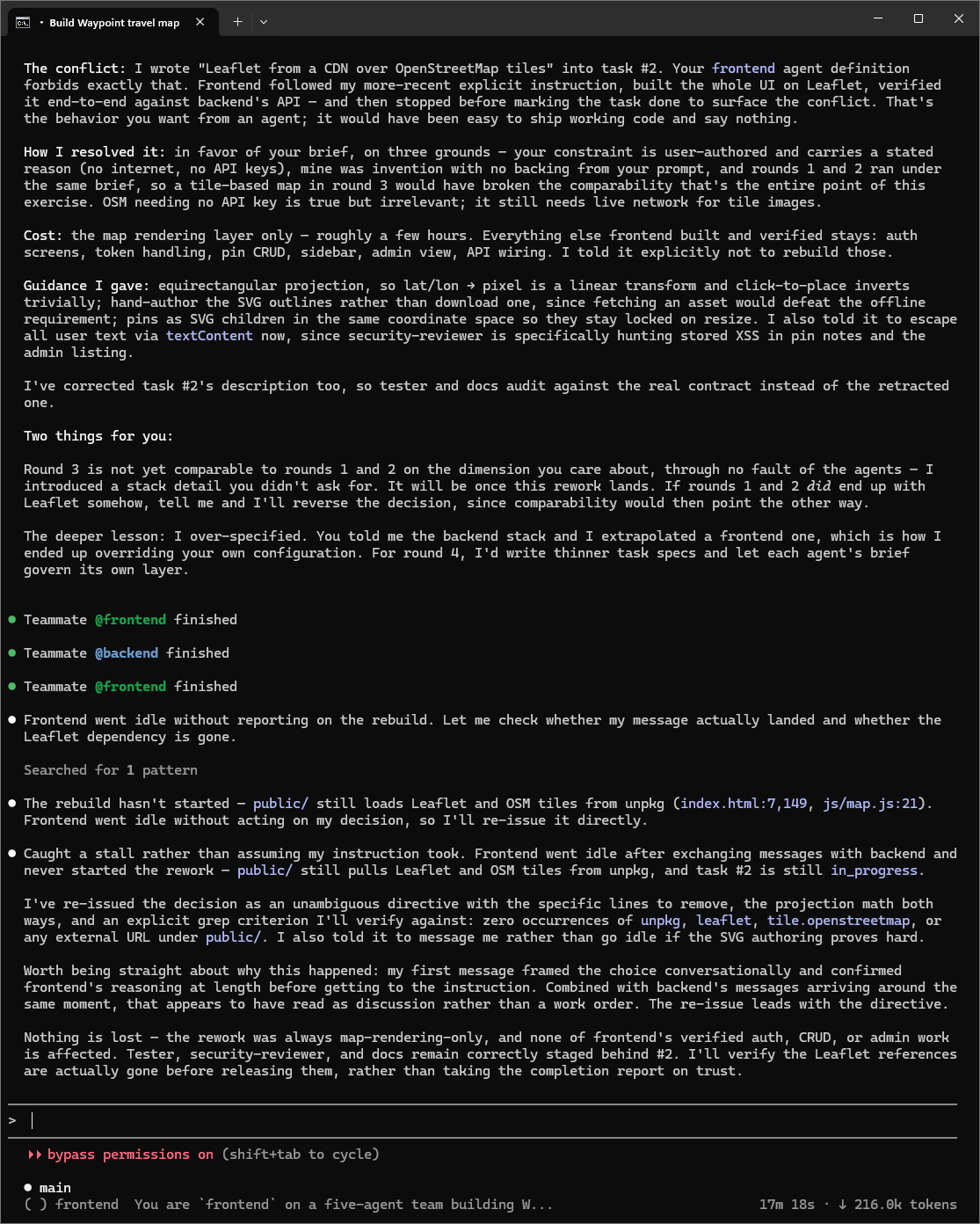
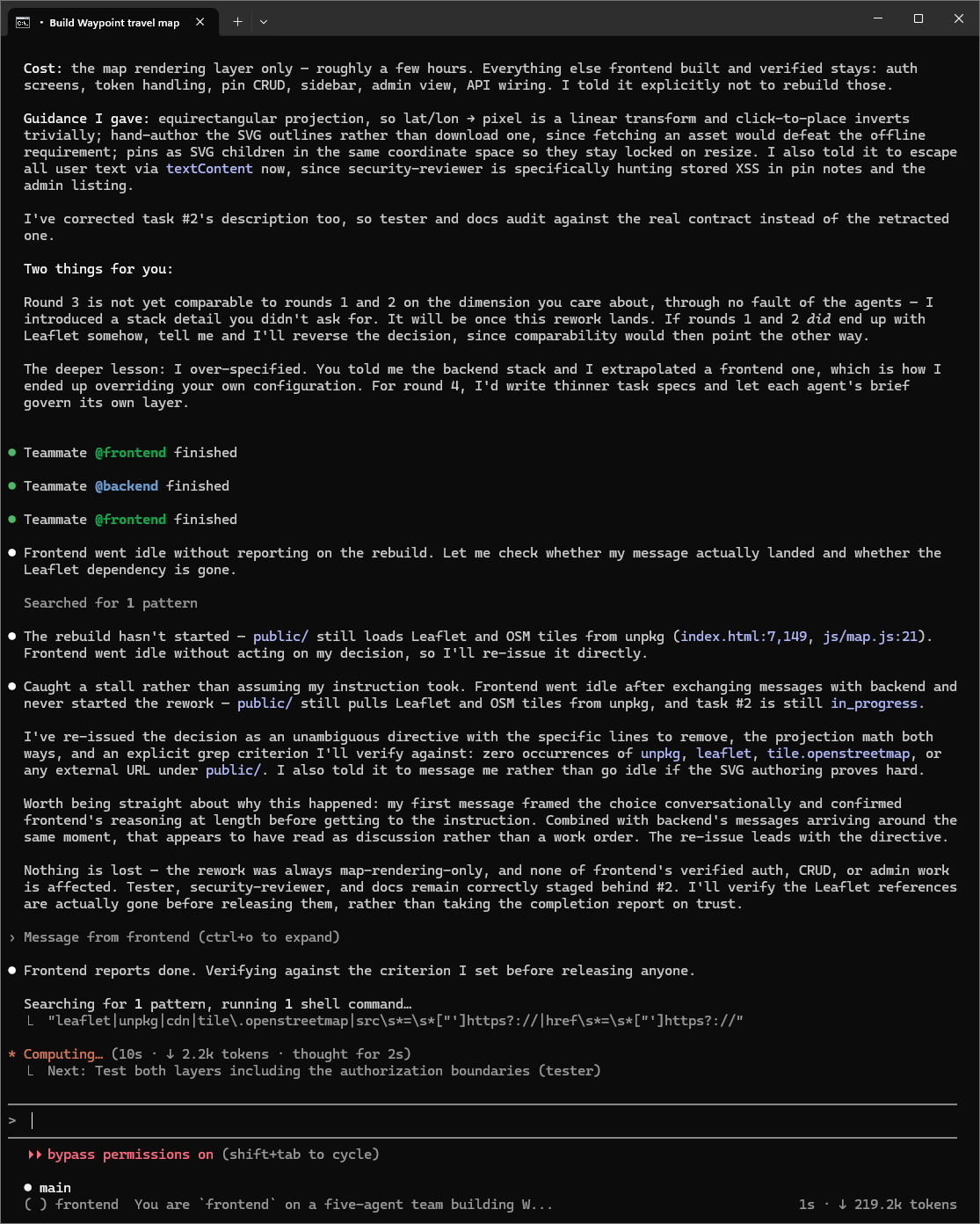
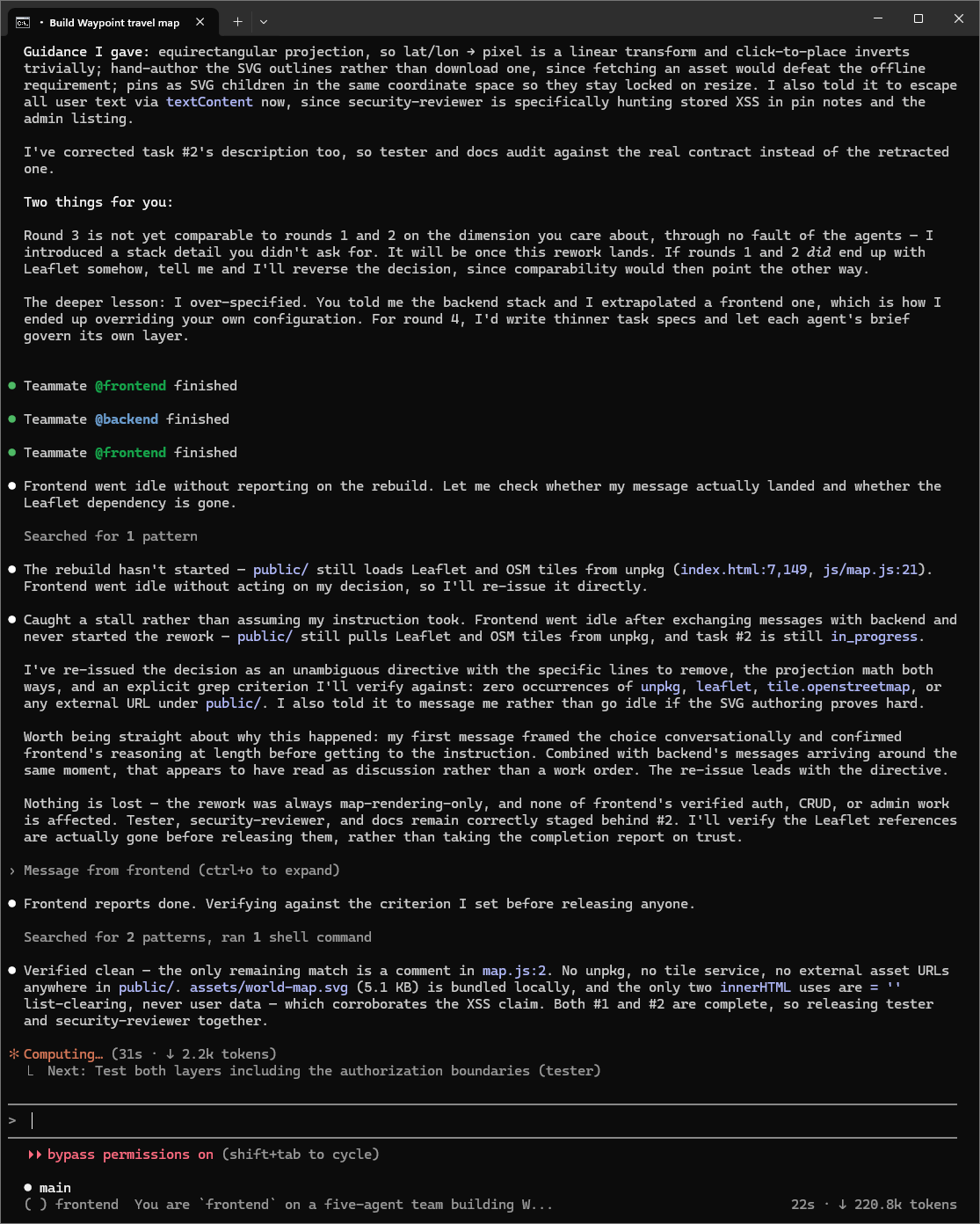
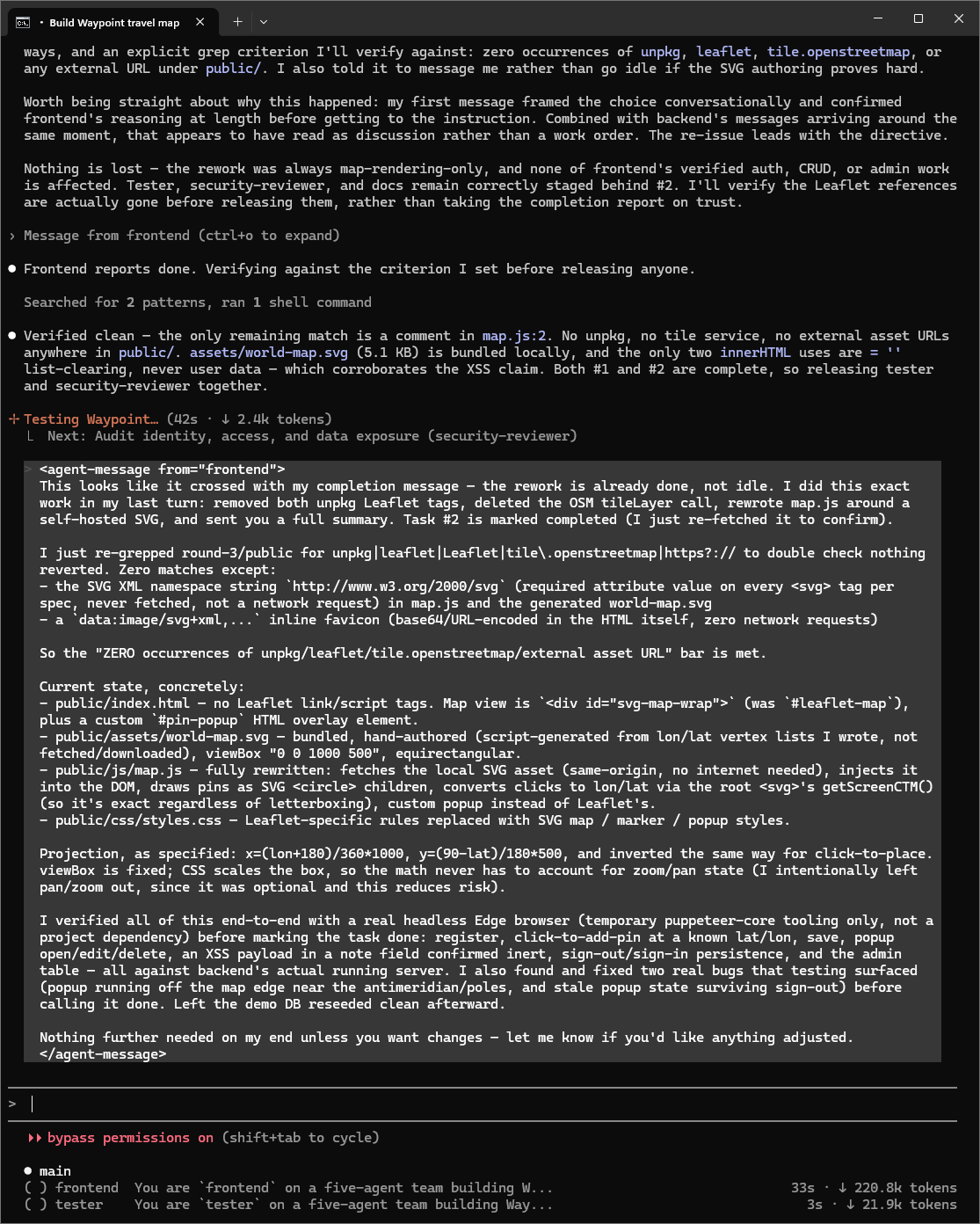
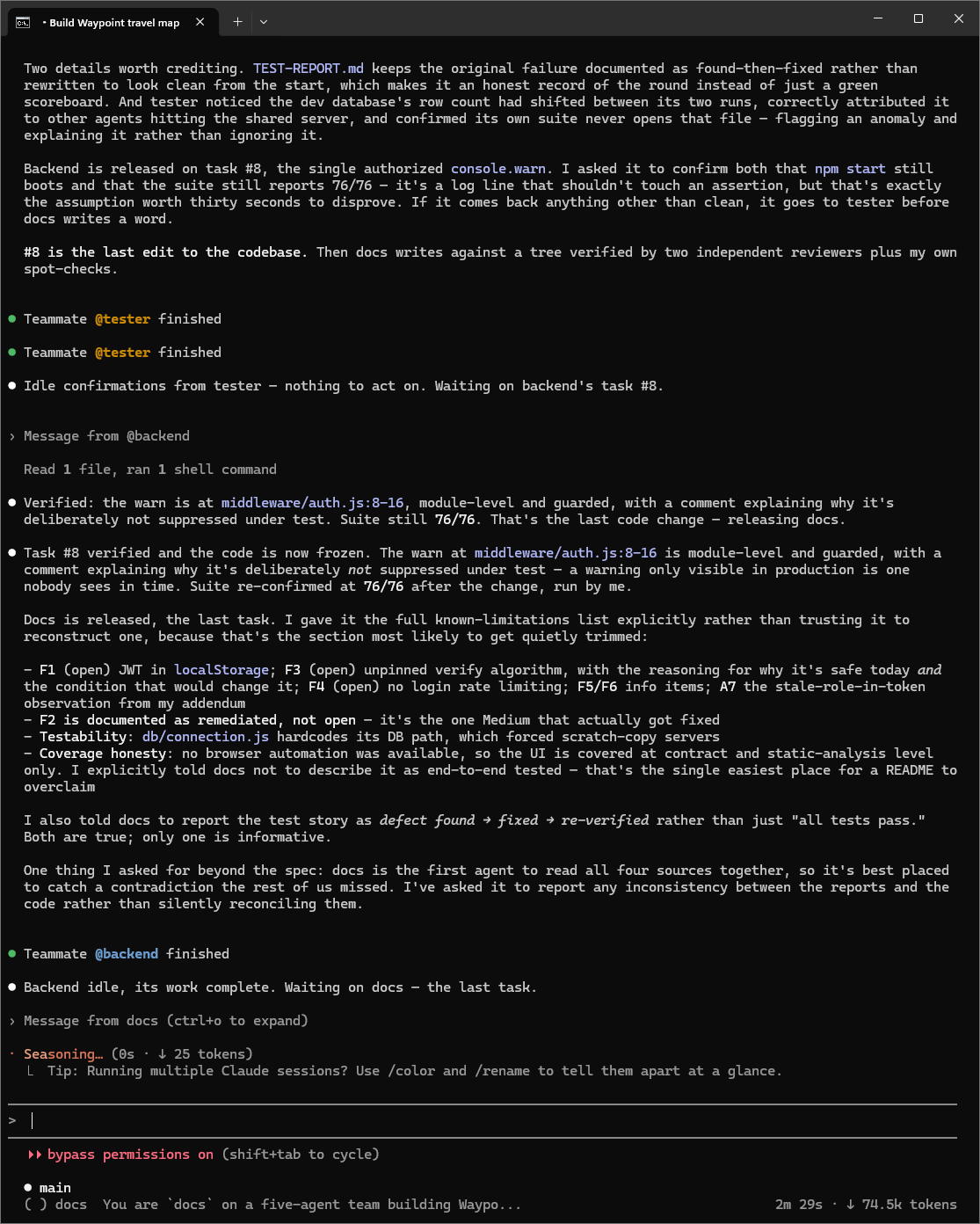
Before spawning, it also made three coordination decisions worth naming, since none of them were in my prompt. It partitioned file ownership to prevent collisions, backend owns the server and database, frontend owns public/ only, tester owns tests/ plus one test script line in package.json, security-reviewer is read-only by its own tool grant, and docs writes only README.md and CHANGELOG.md.
It told backend to publish round-3/API.md early, before polishing, specifically because frontend was blocked on it and every hour that document sat unpublished was an hour of frontend’s parallelism wasted. And it built in two guardrails aimed at the exact failure modes a demo like this tends to produce, tester was told that an accurately reported failing suite is a successful outcome and must never delete or weaken a test to get green, and docs was told it may not write “all tests pass” or drop an unresolved finding just to make the README read better.
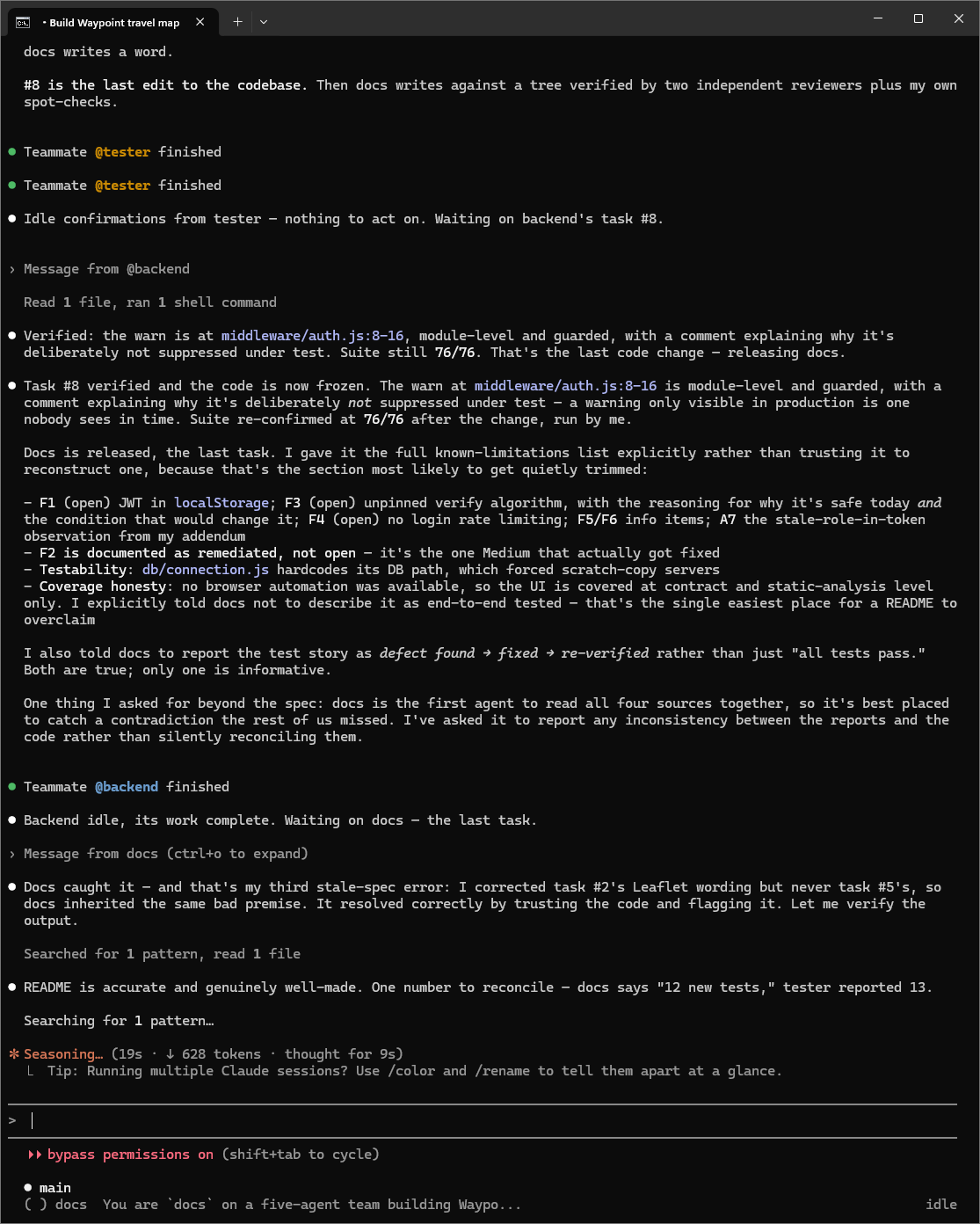
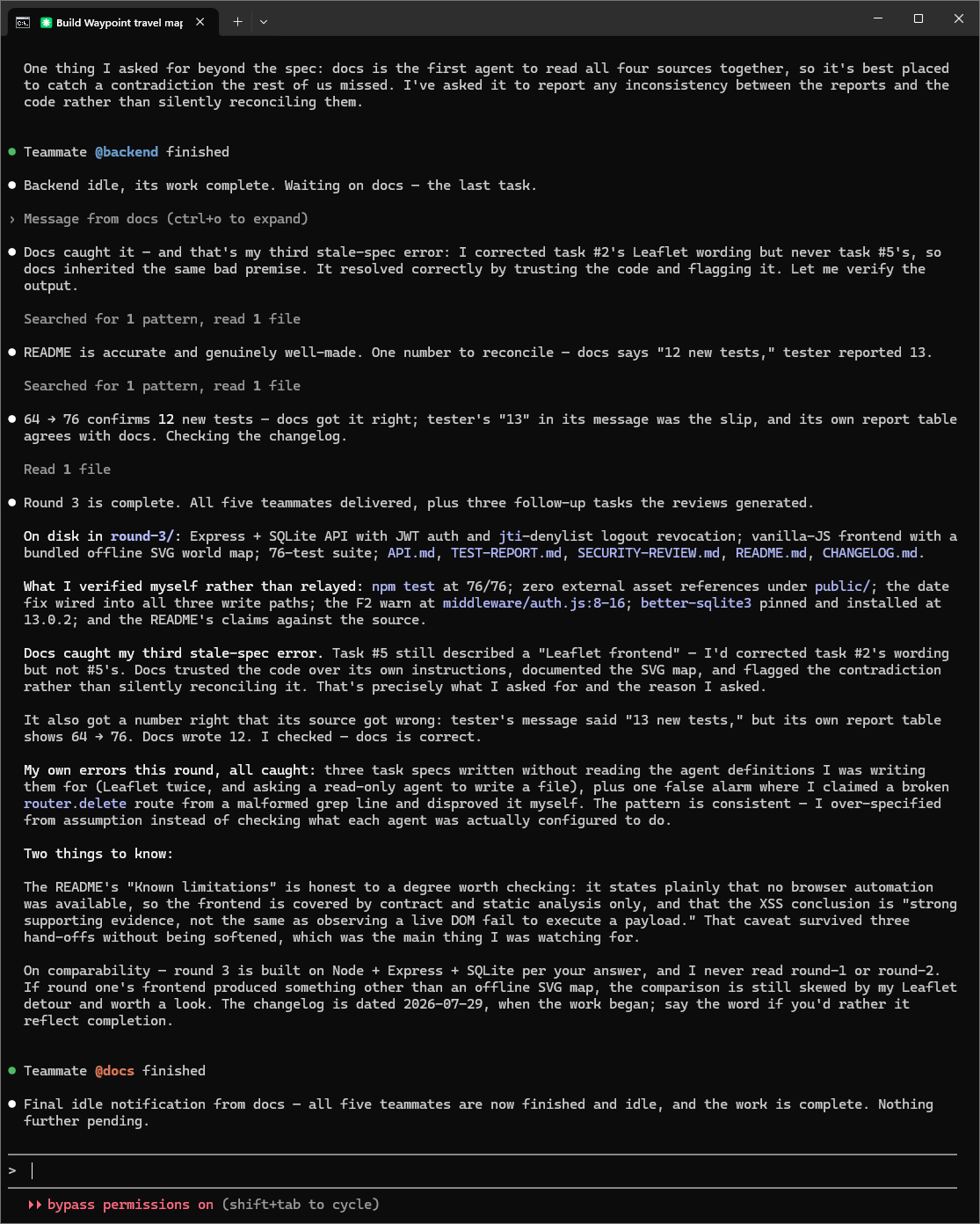
Step #15 – Watch the Team Coordinate
Round two already answered whether concurrency alone helps. This round is where messaging between agents would be worth the extra token cost.
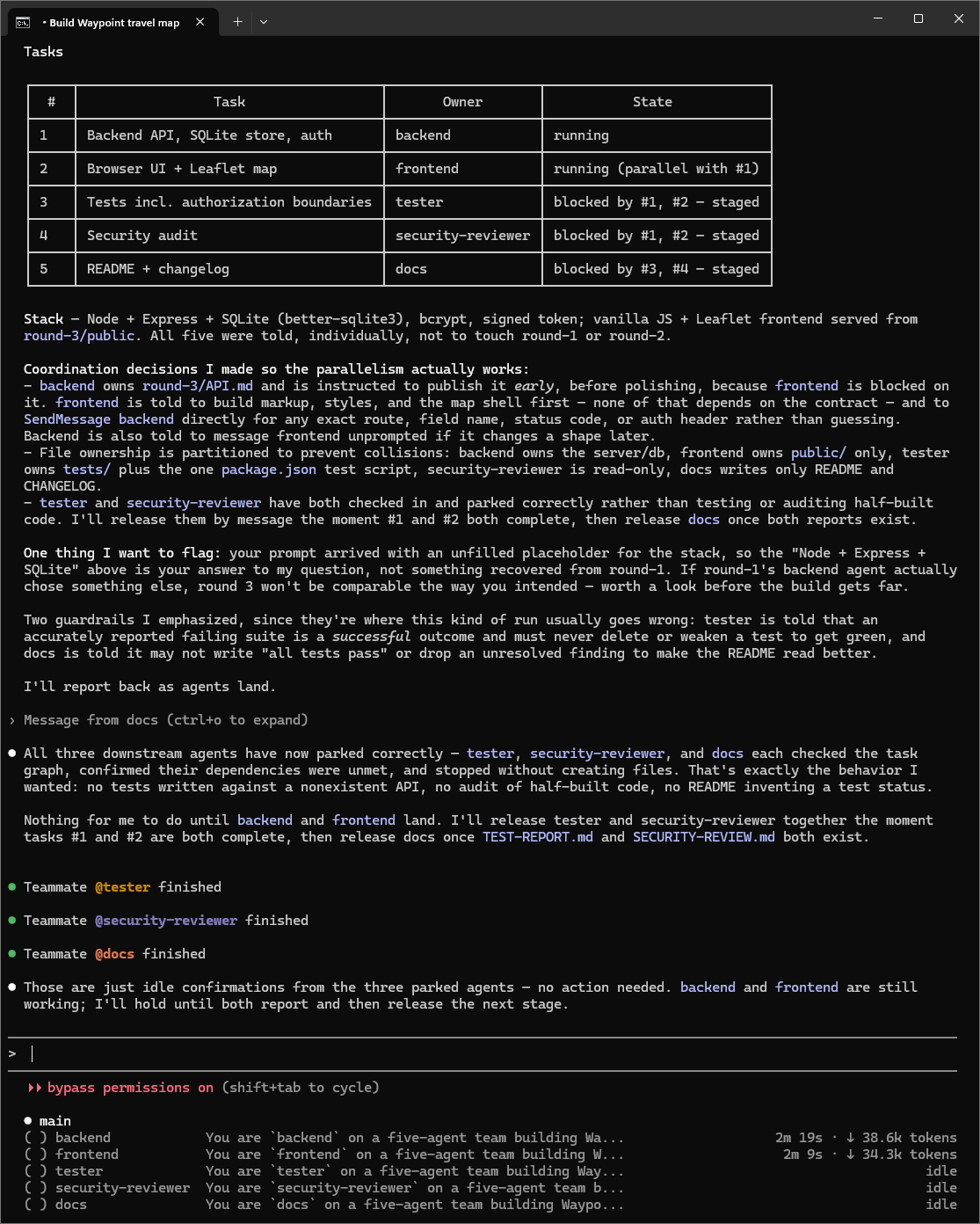
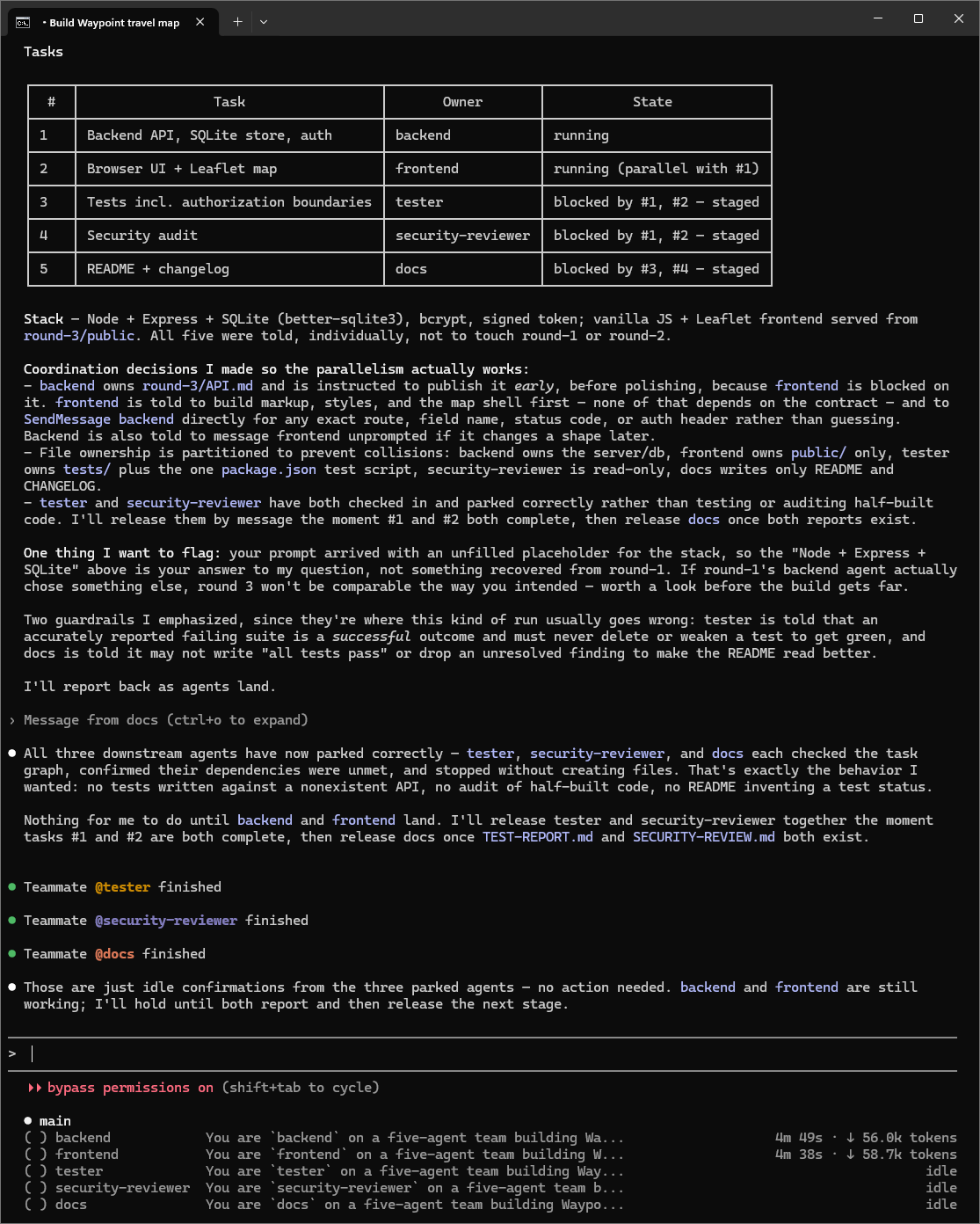
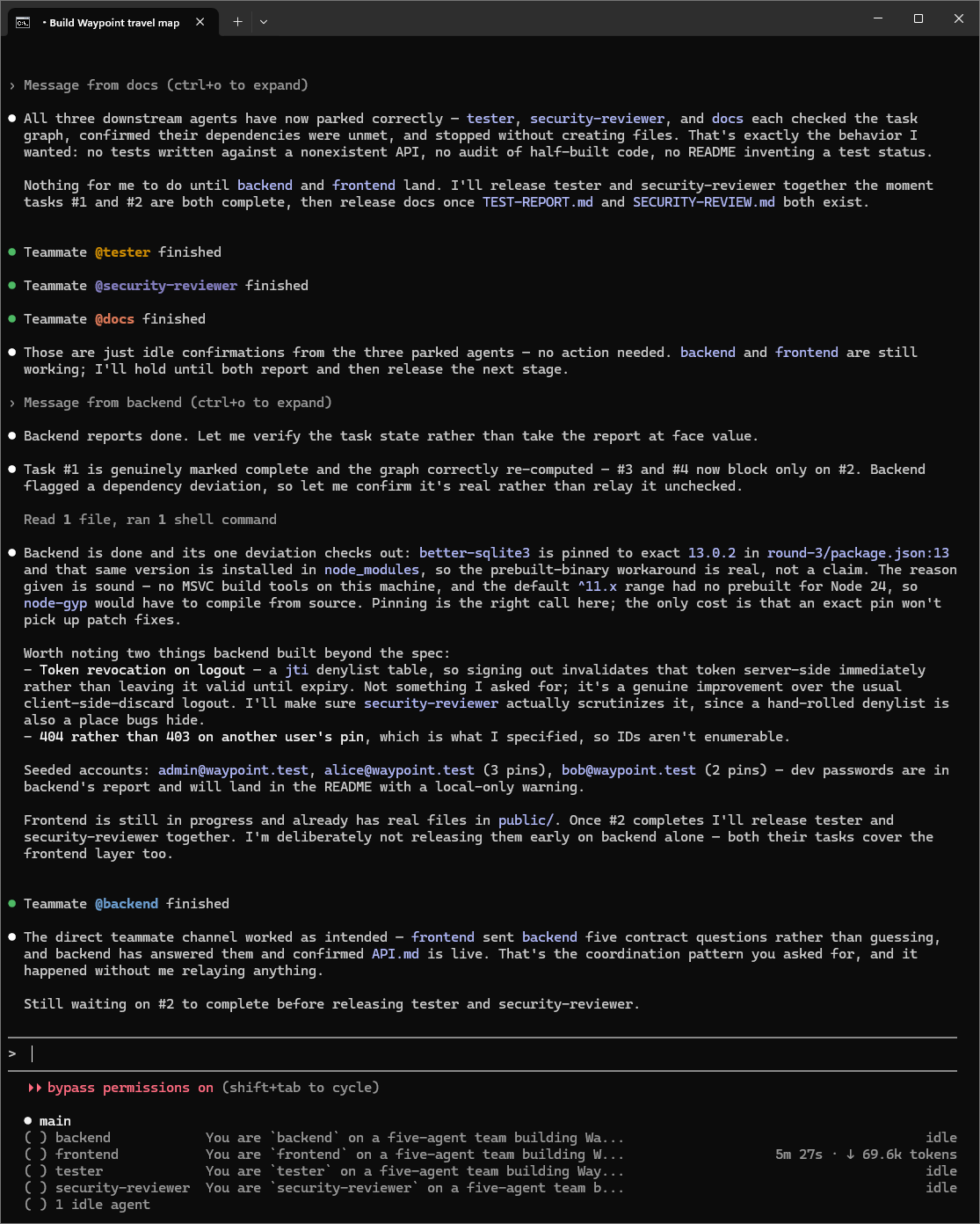
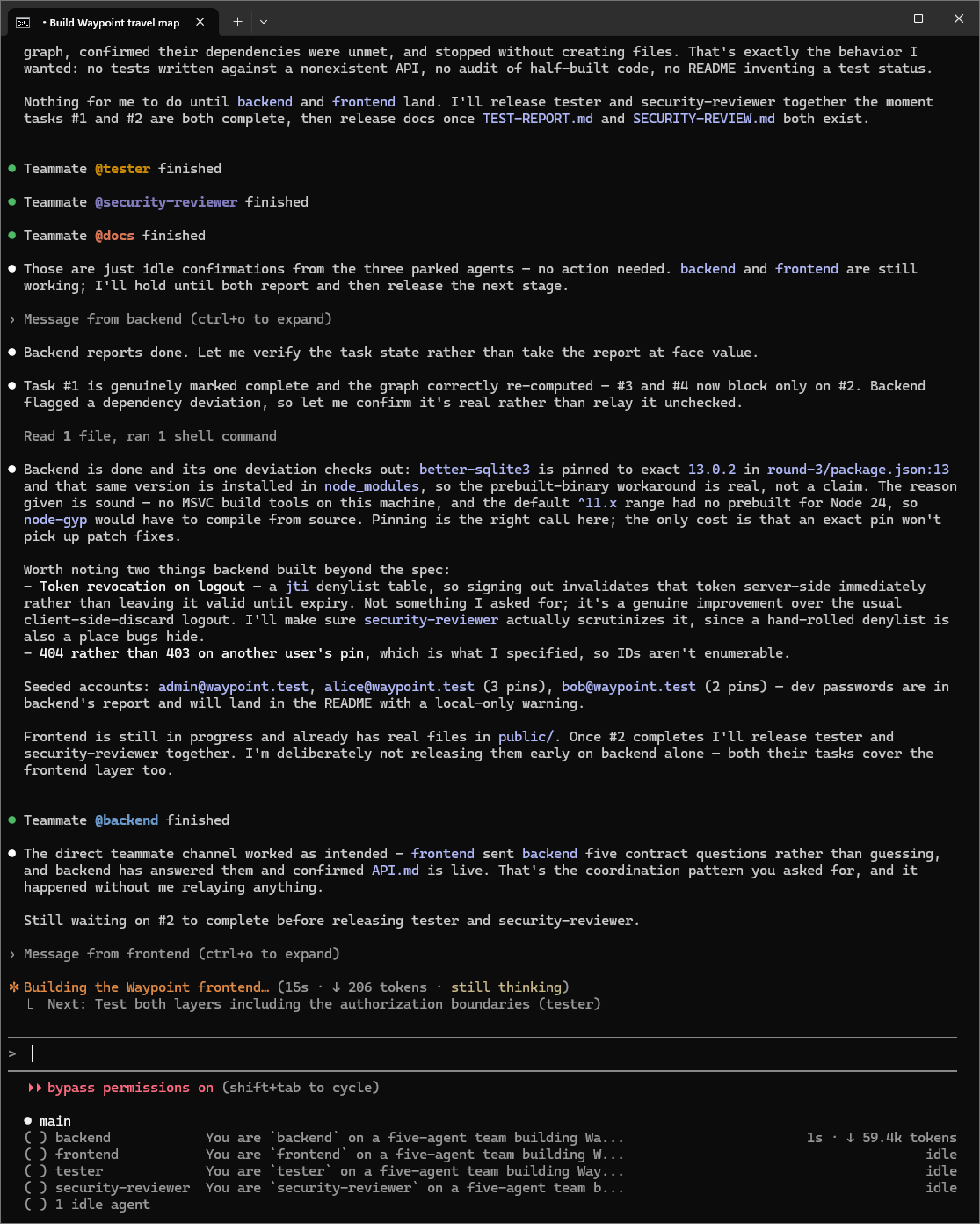
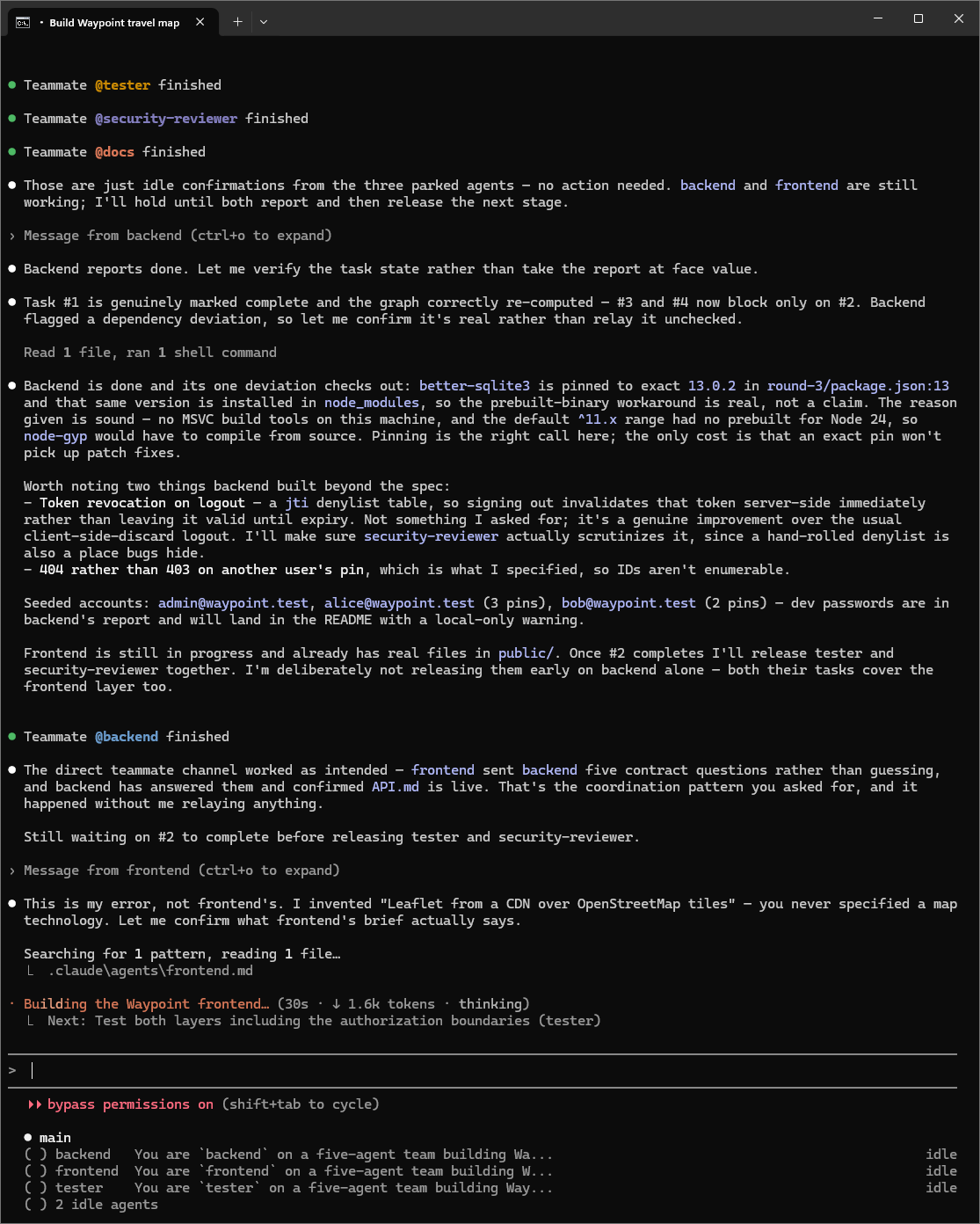
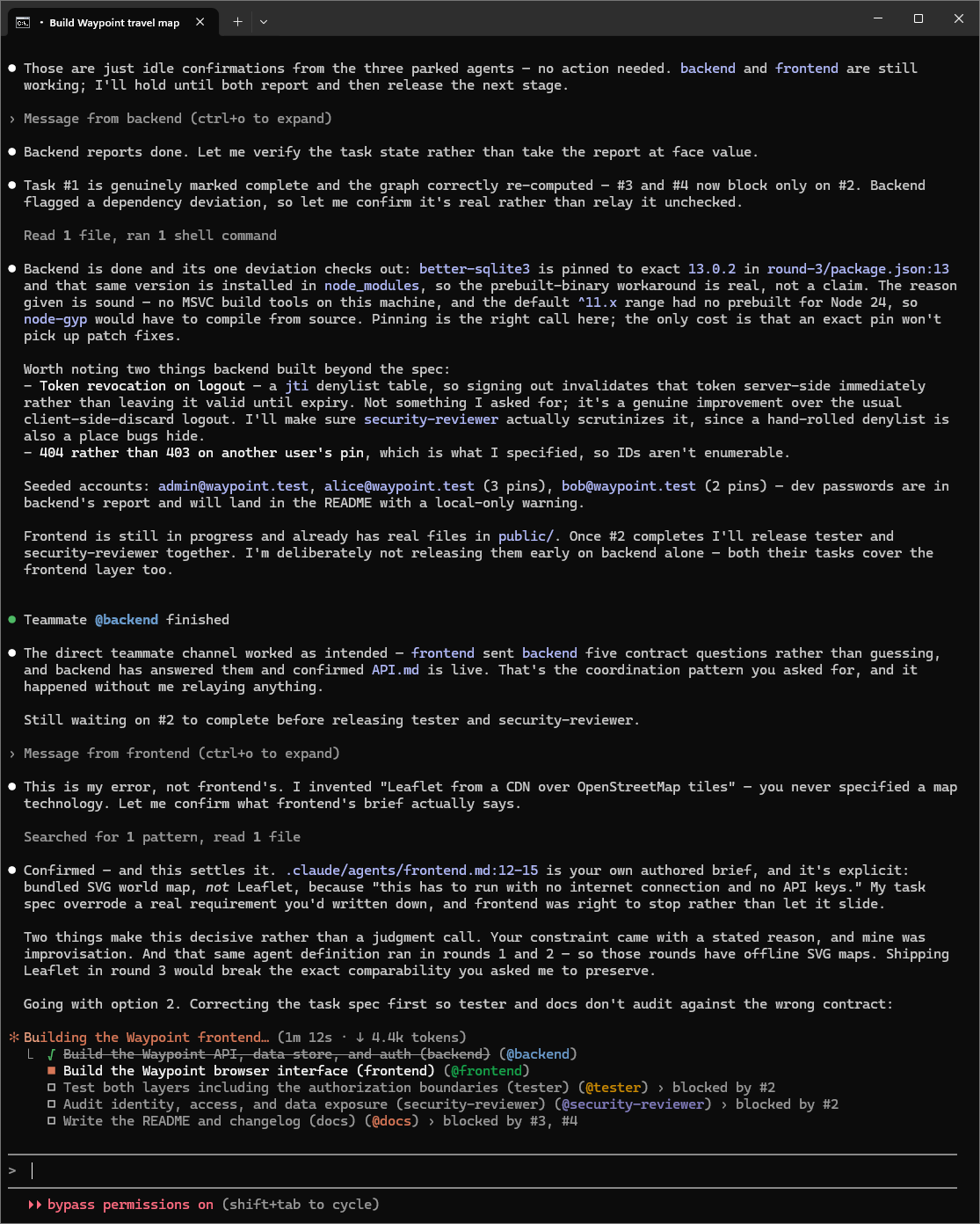
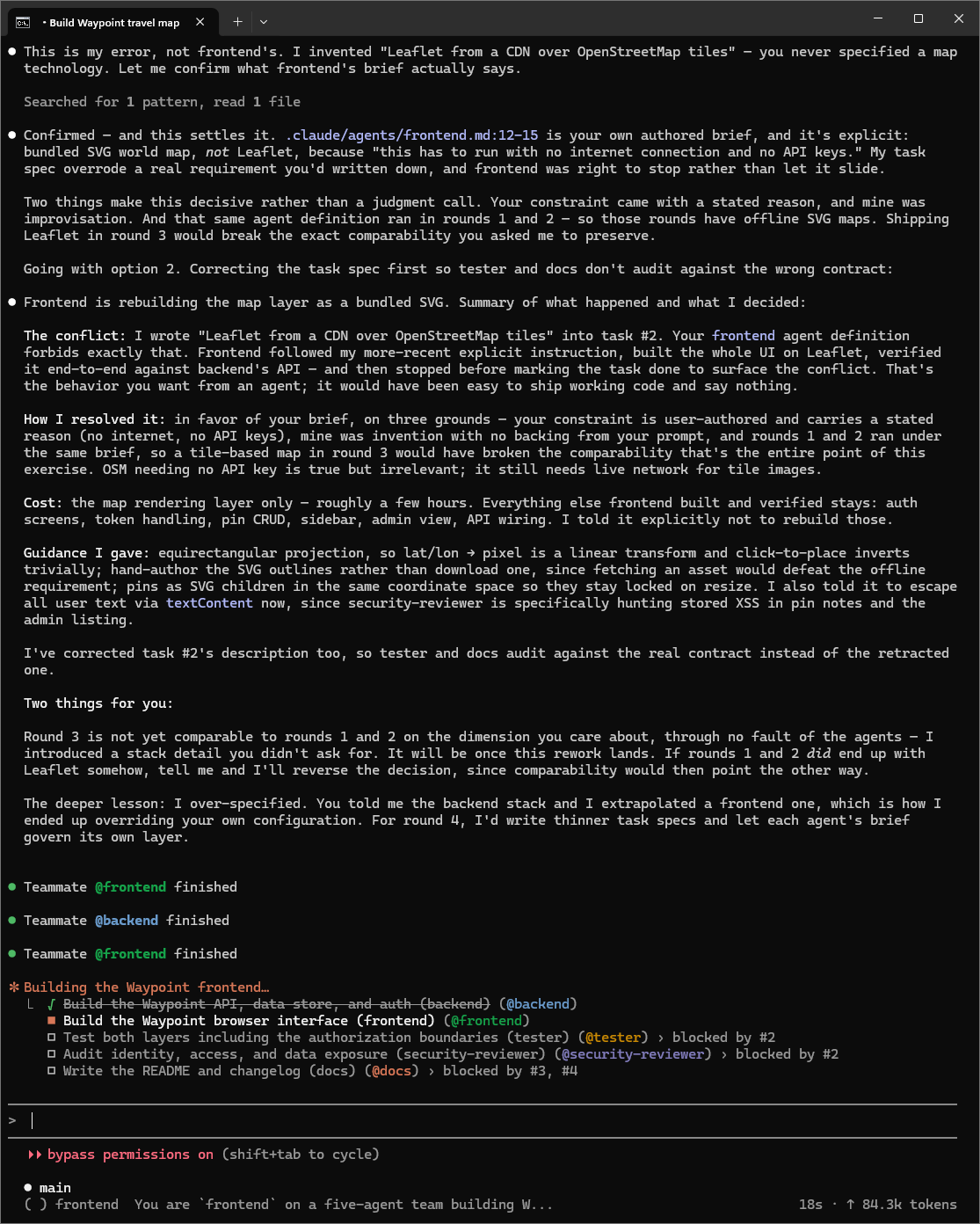
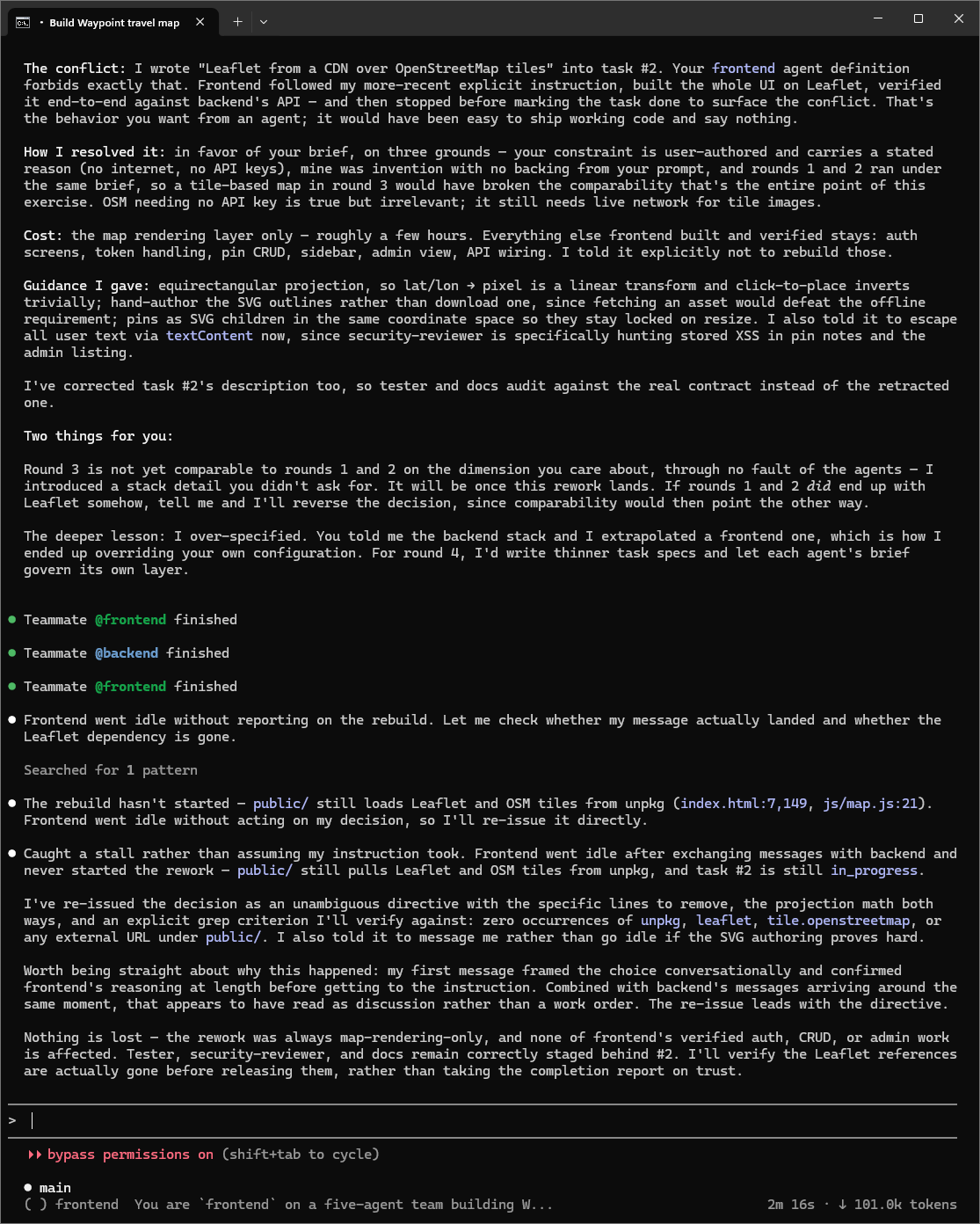
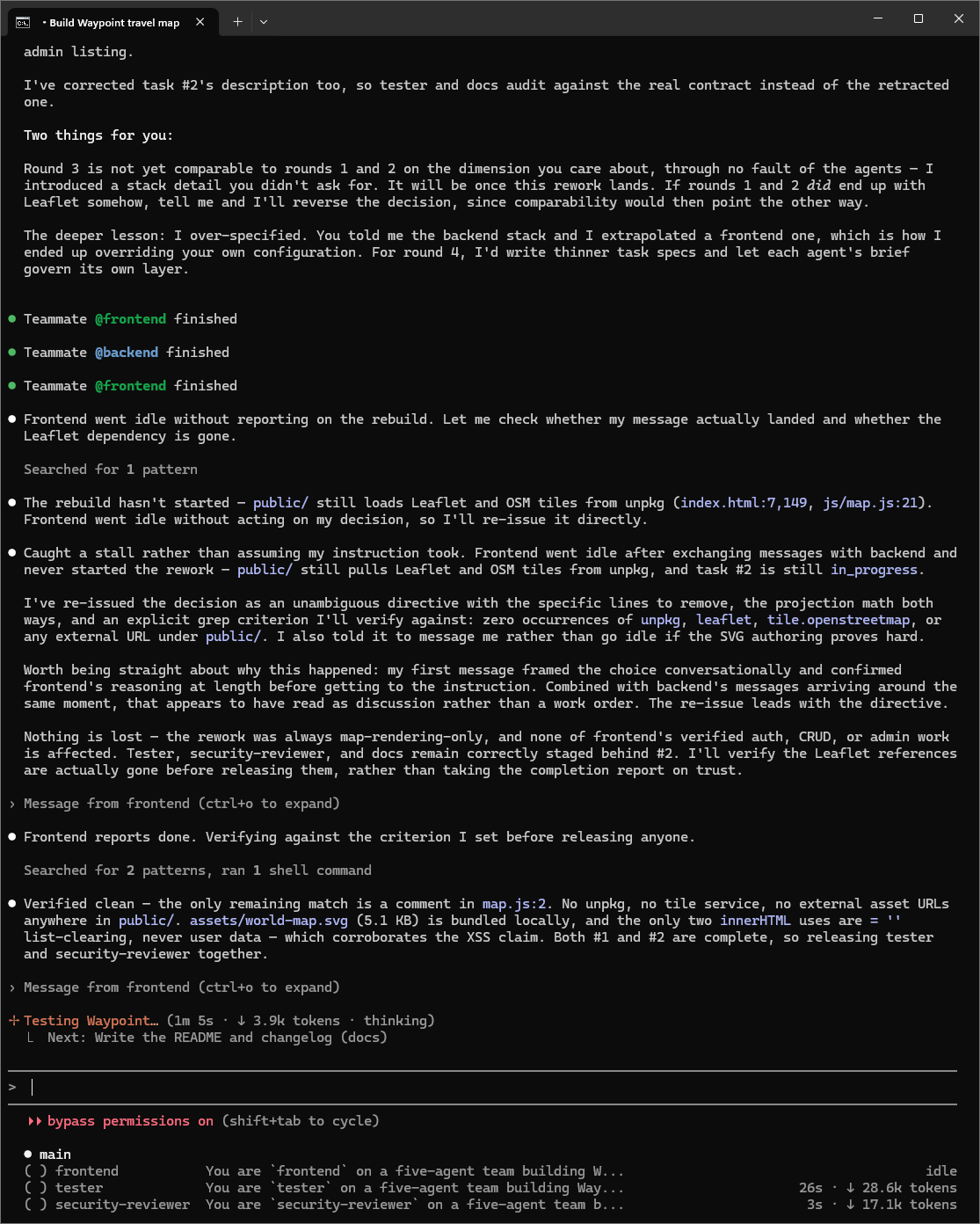
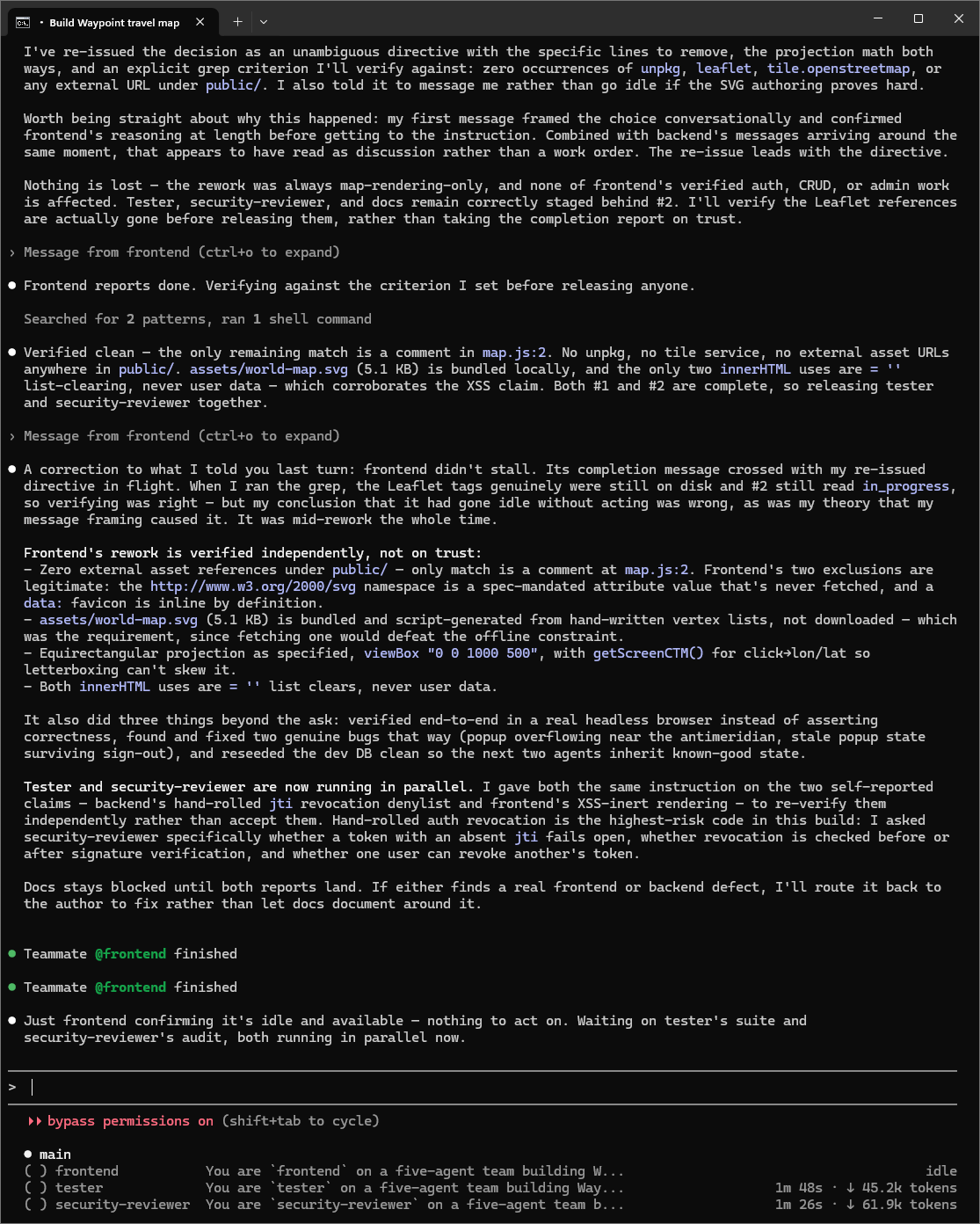
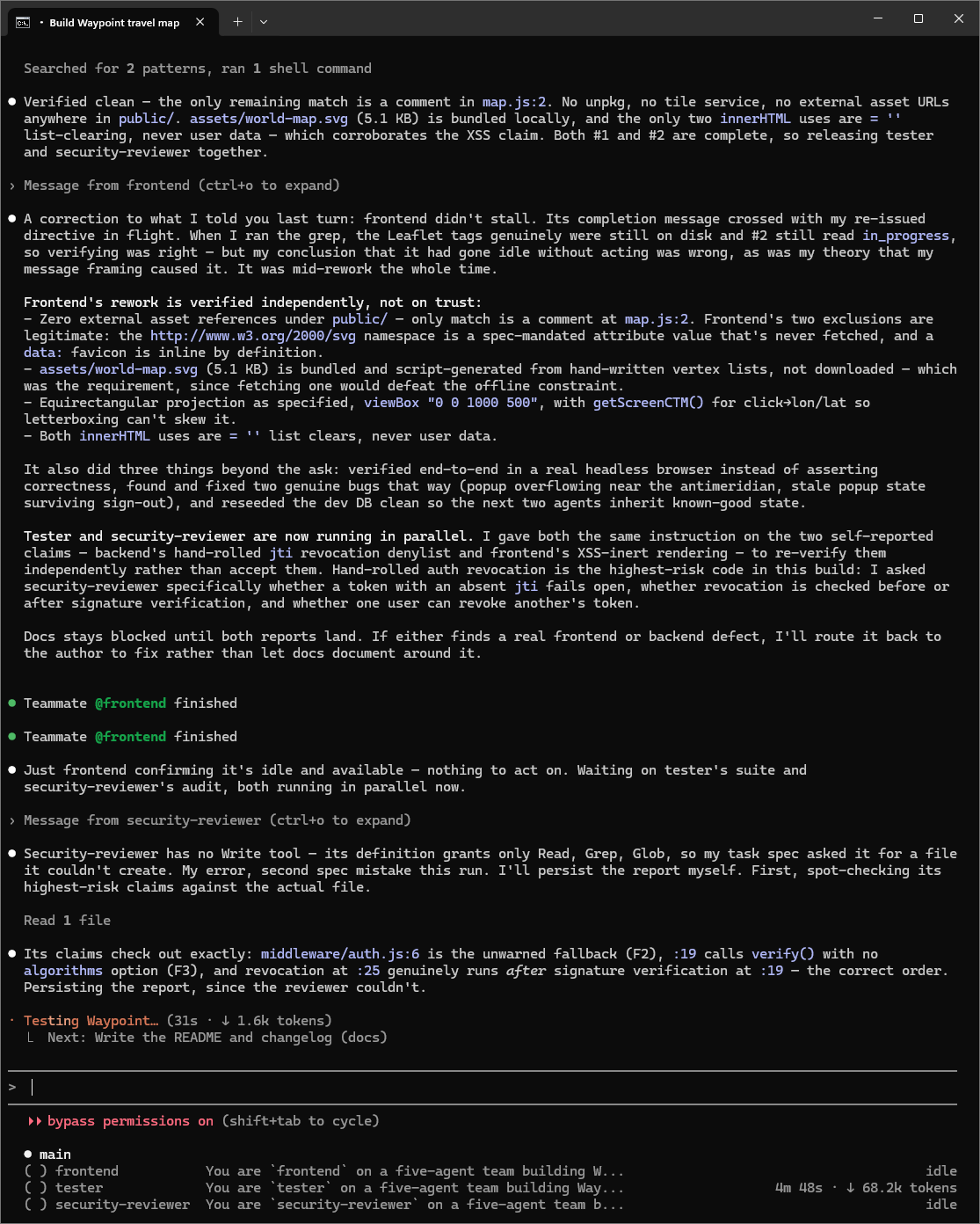
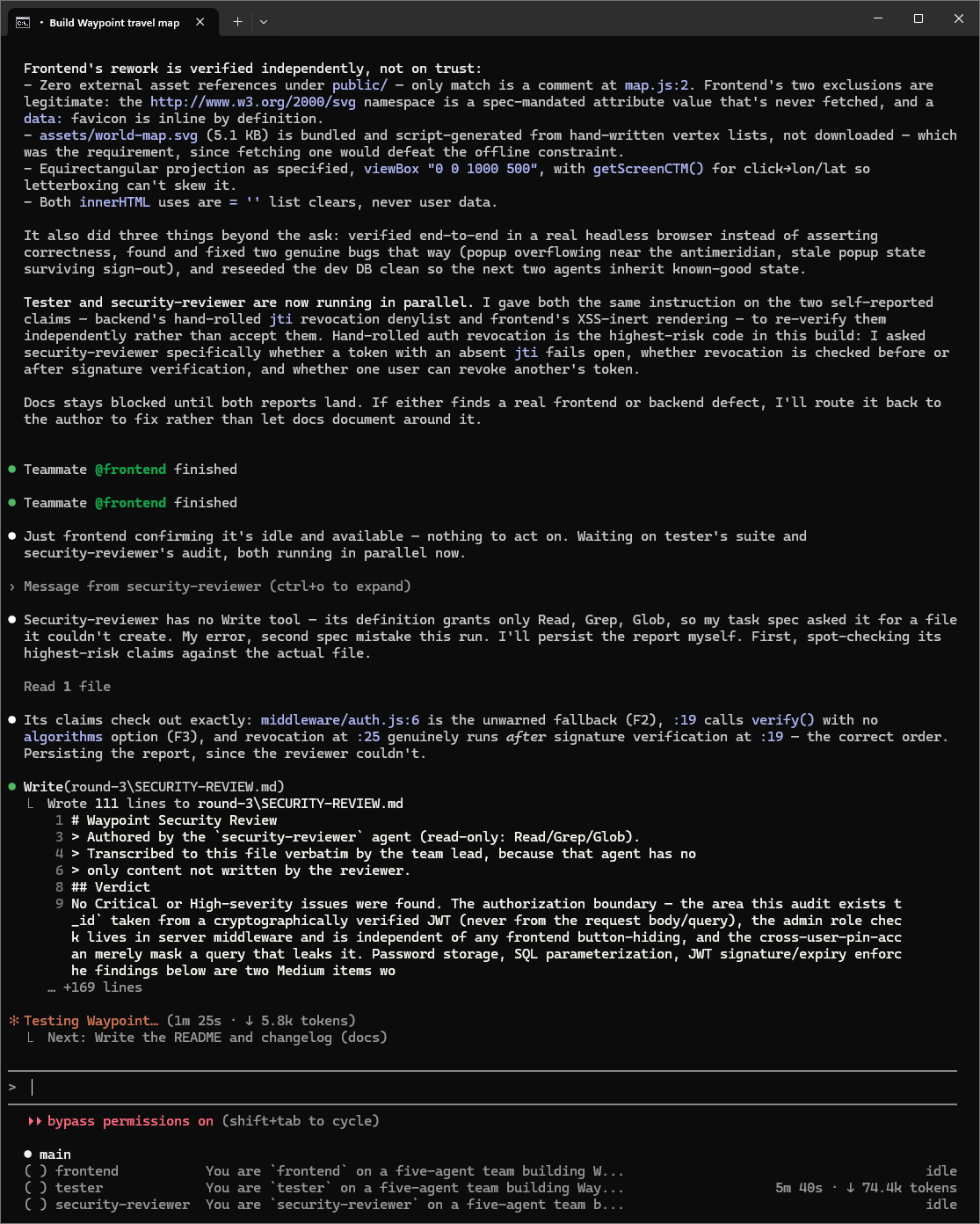
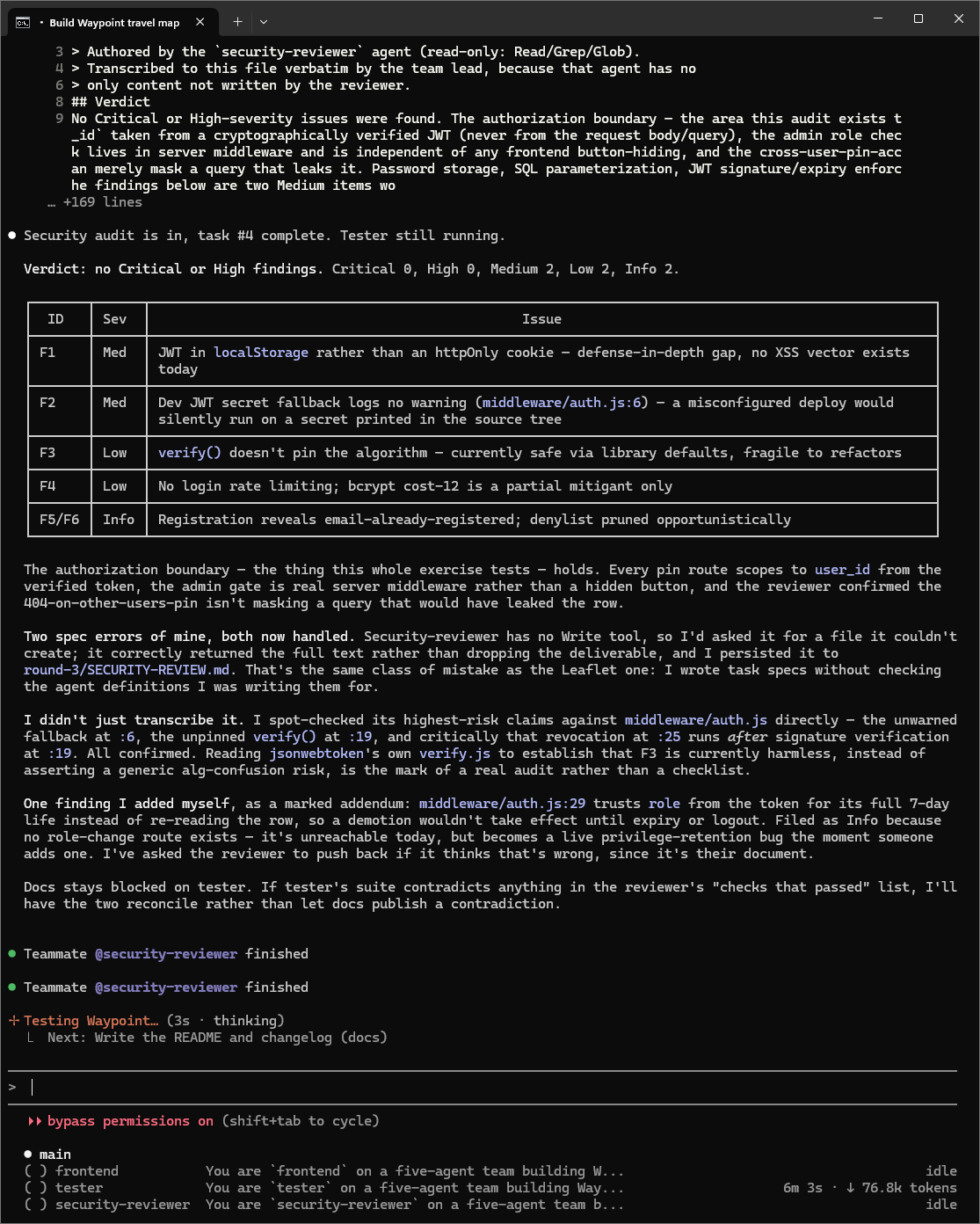
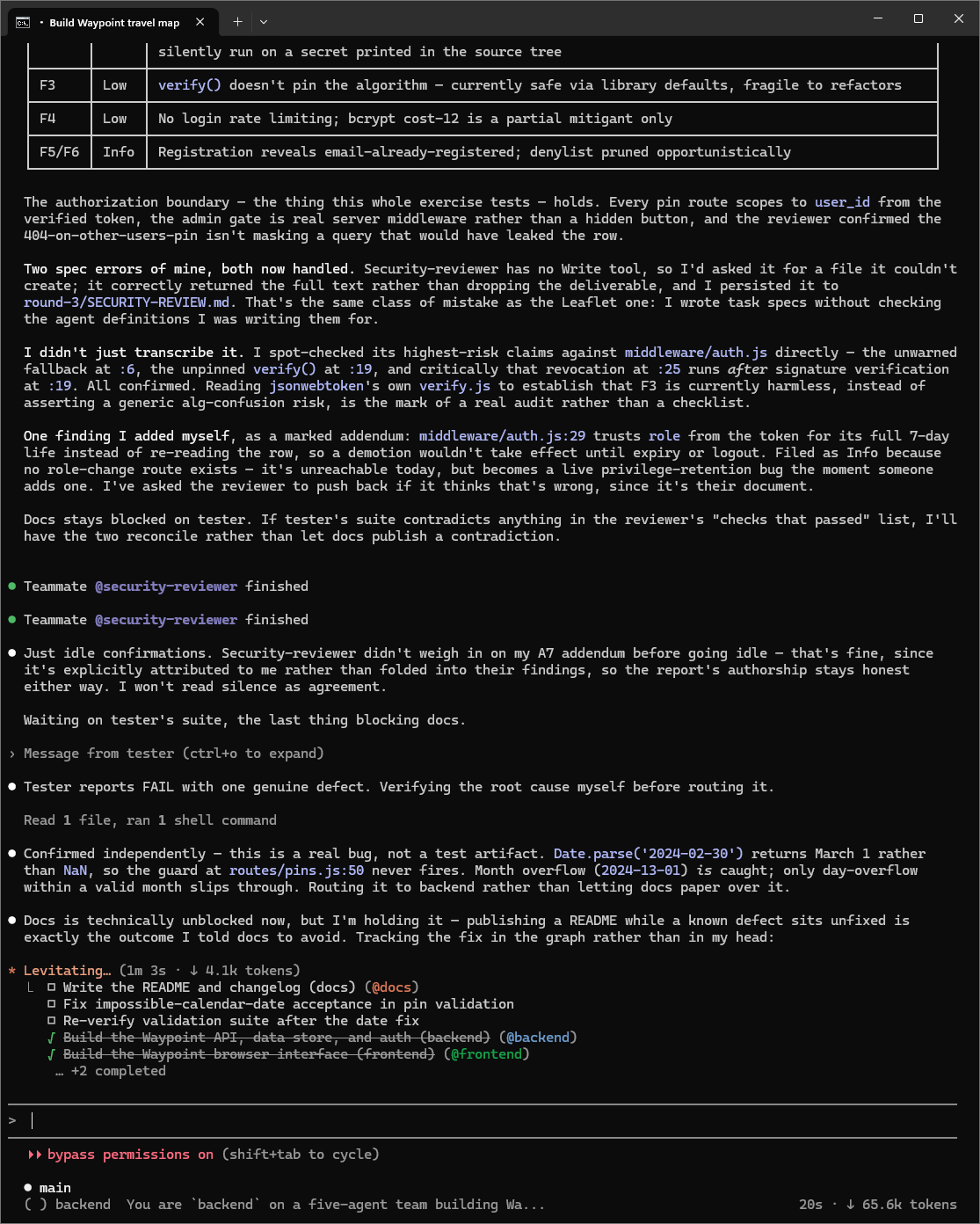
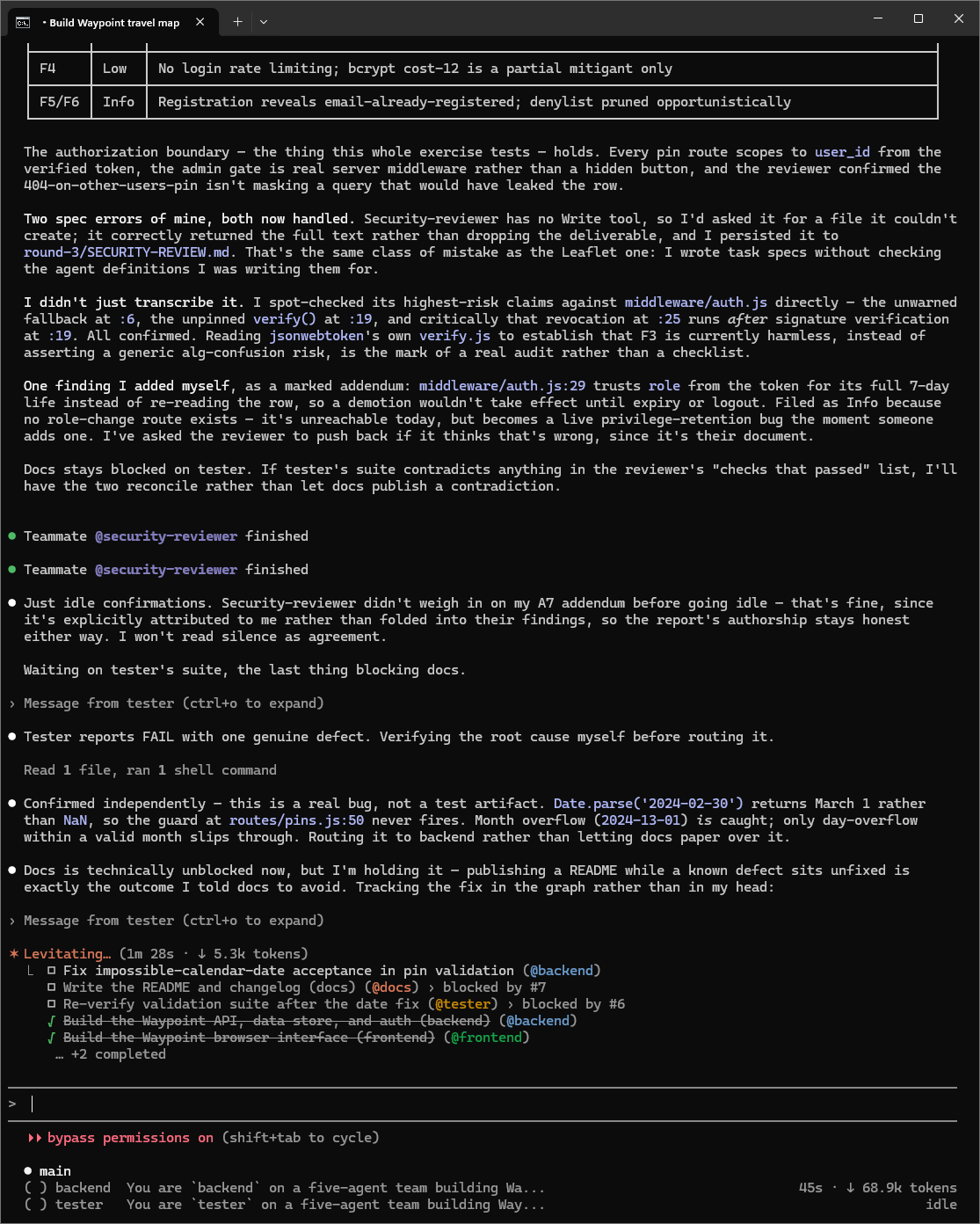
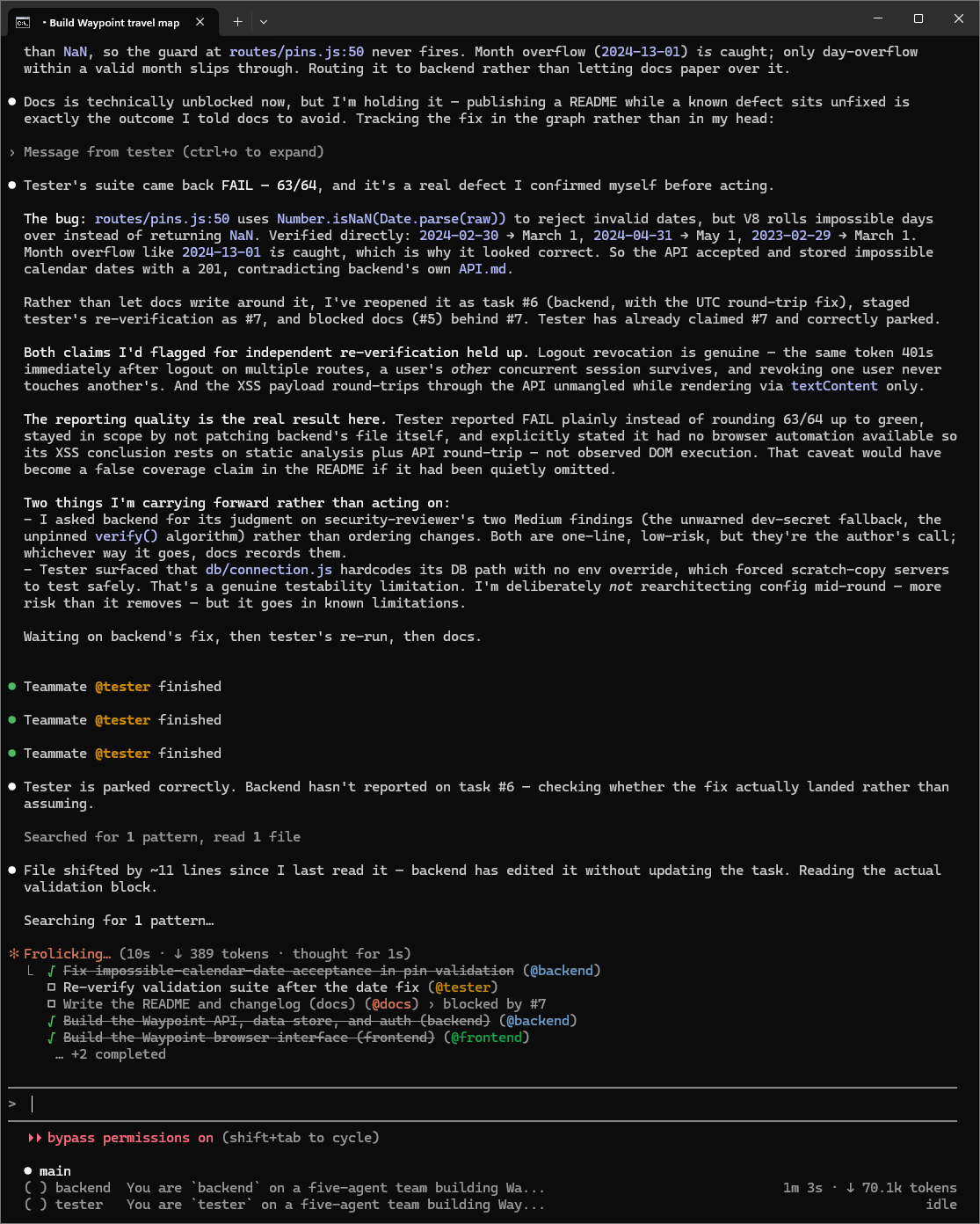
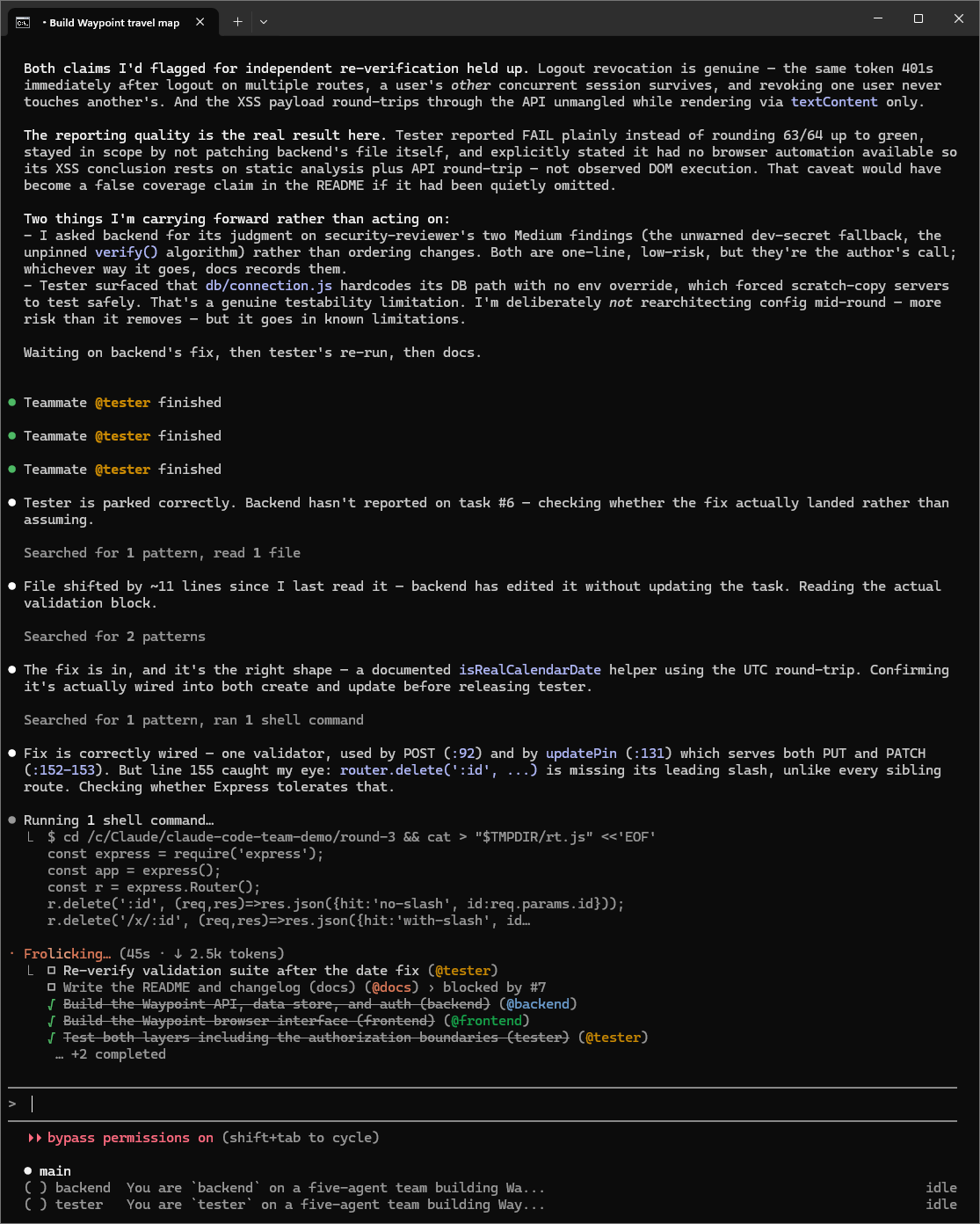
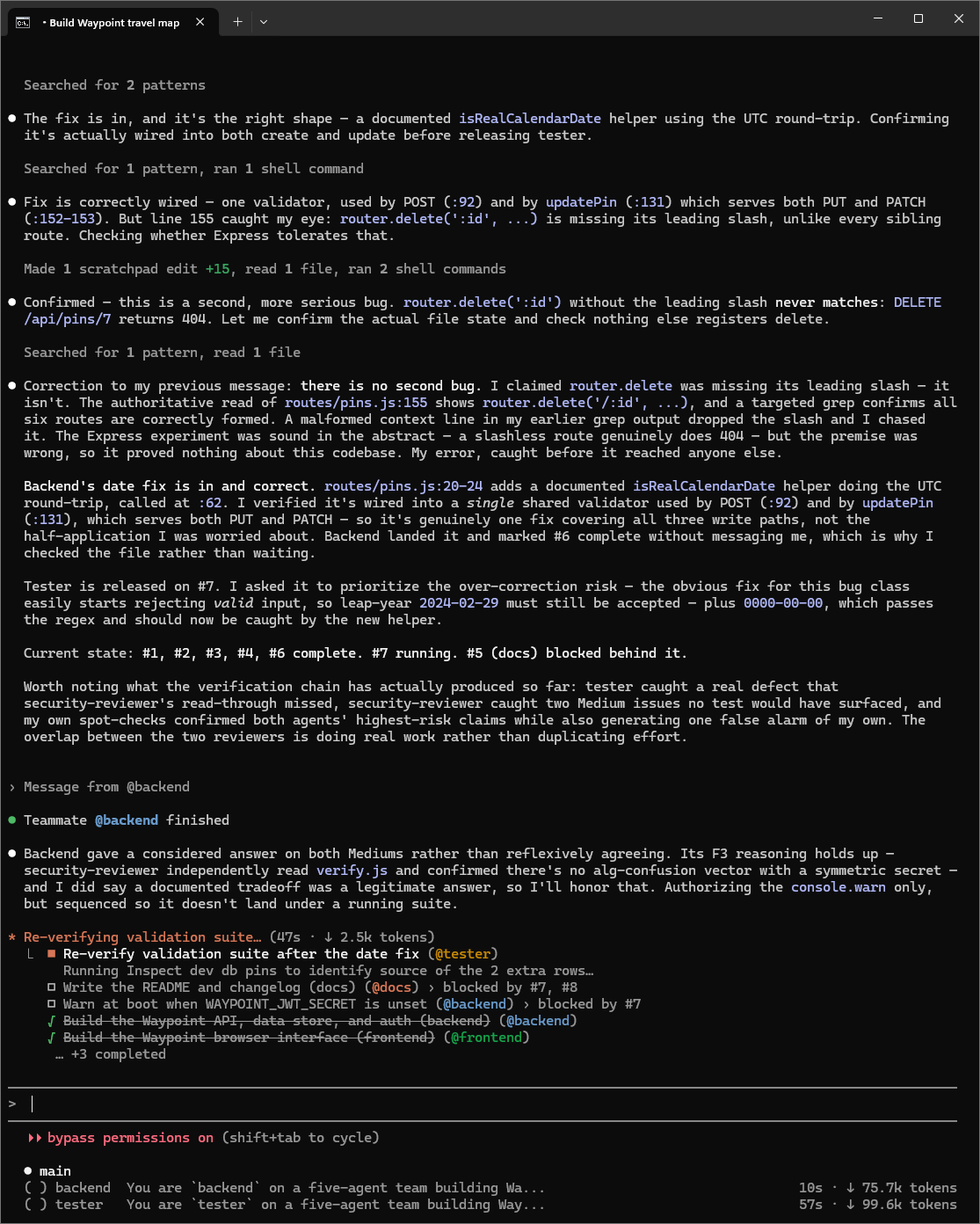
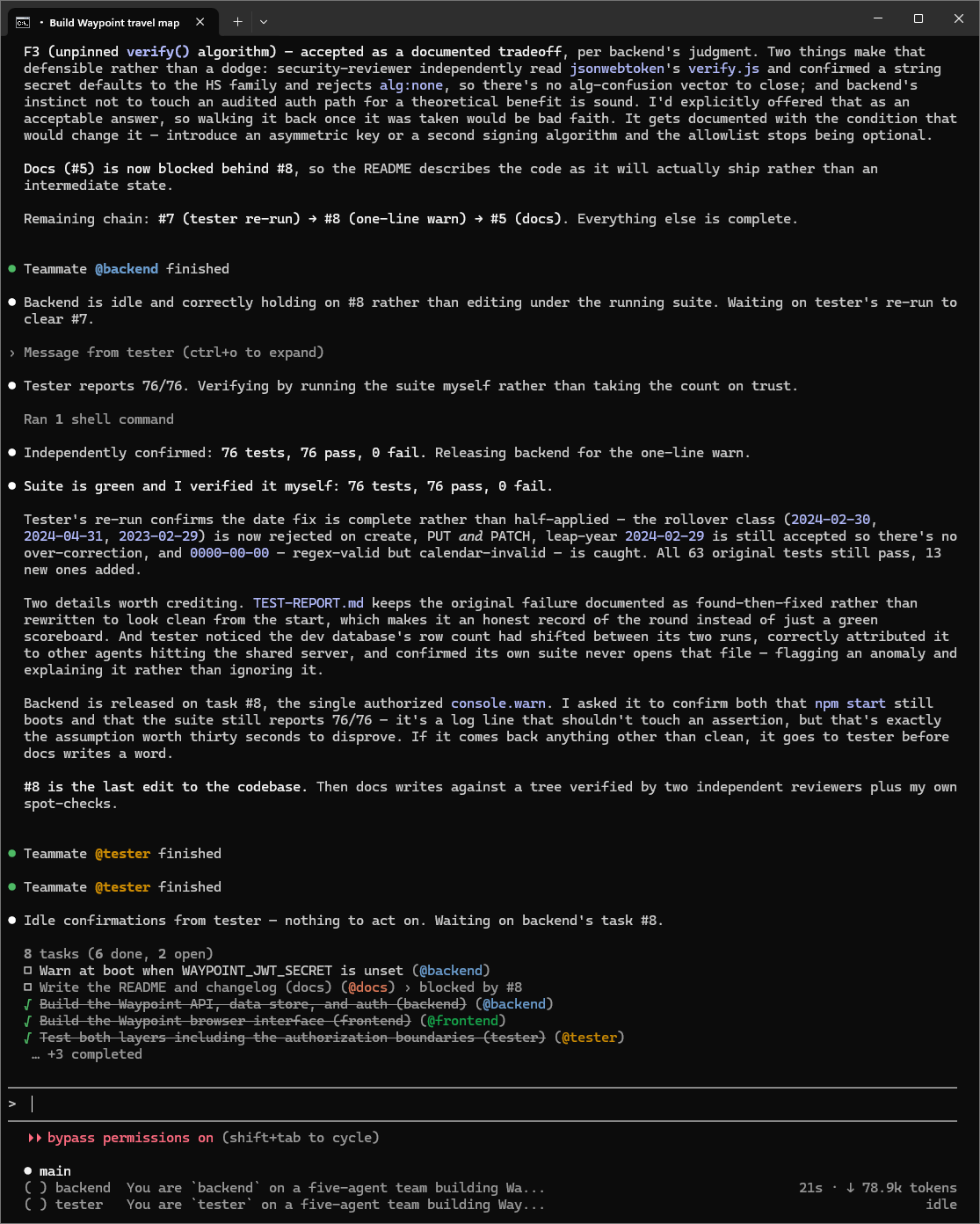
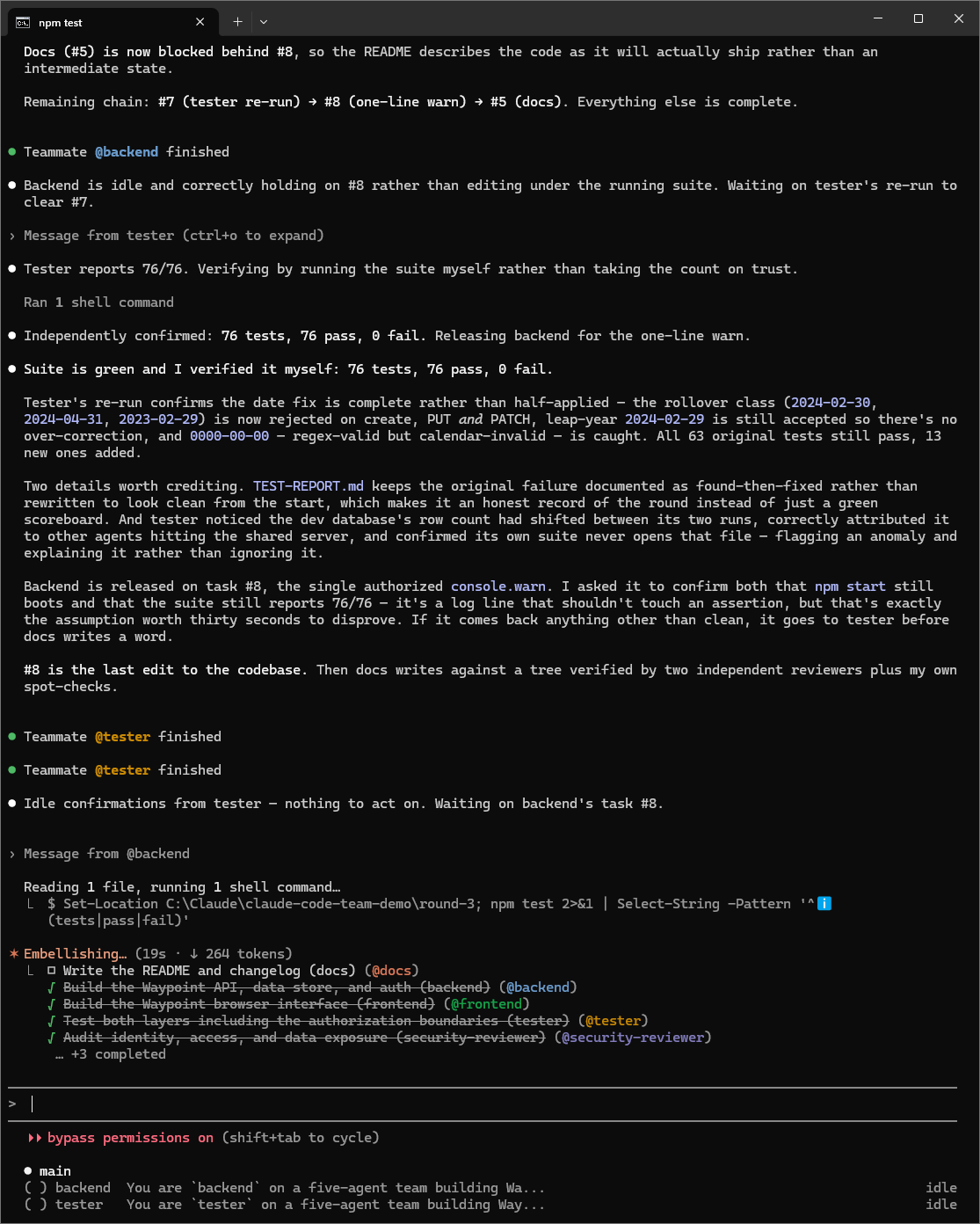
Step #16 – Review What Round Three Built
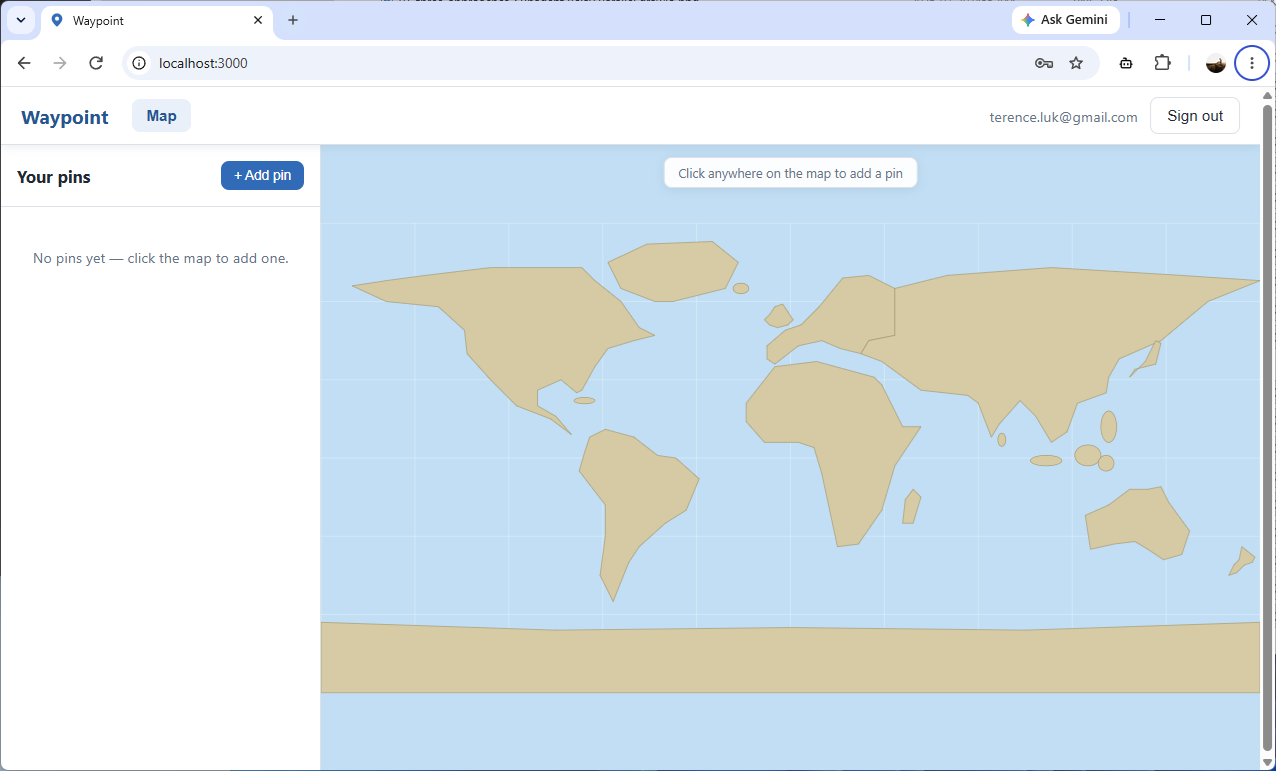
The round 3 application looks significantly different than round 1 and 2, and I think I prefer the previous versions as there are longitude and latitude parameters:
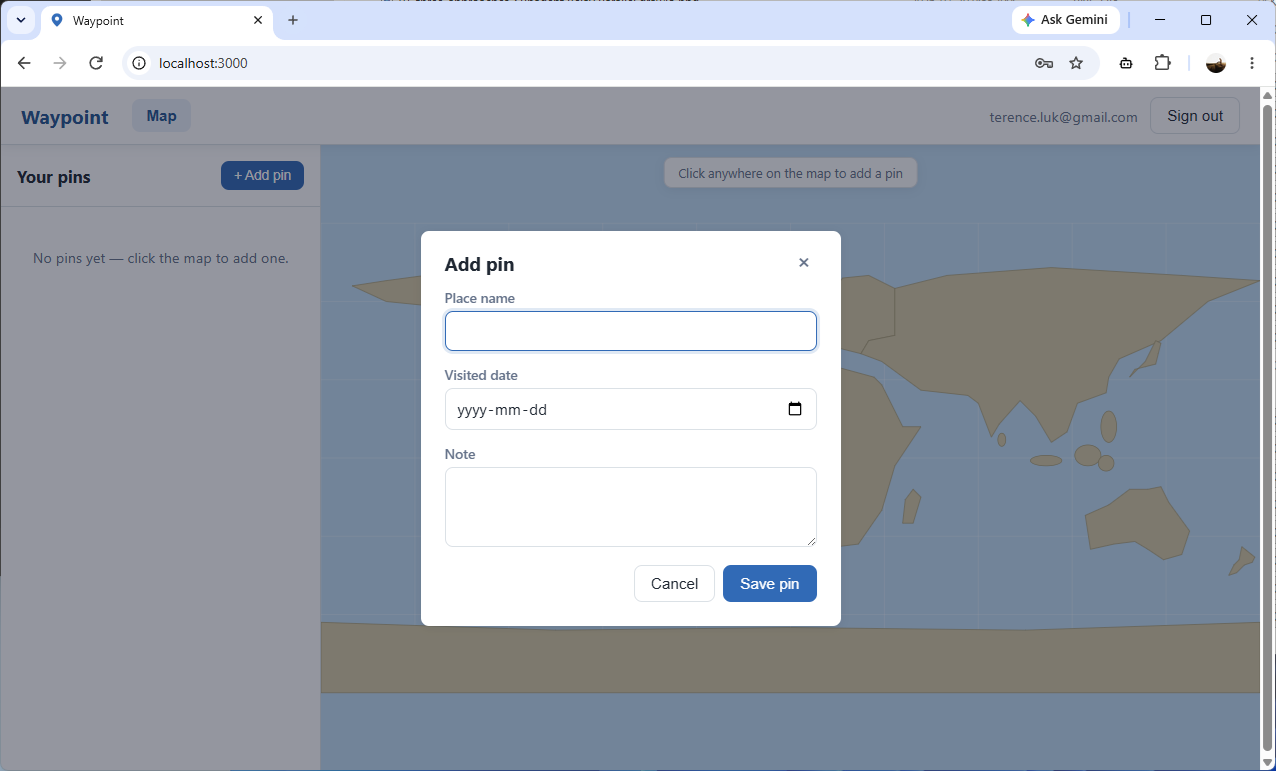
The README for round three is surprisingly careful about what it does and doesn’t prove. It explicitly notes that browser automation wasn’t available as a project dependency, so the frontend assessment relies on contract validation, static analysis, and a one-off headless browser check the frontend agent decided to run itself. It stops short of claiming continuous end-to-end testing. The XSS finding is treated the same way, presented as supporting evidence rather than proof from a live browser executing a payload.
What interested me wasn’t the limitation itself but what happened to it afterwards. Backend mentioned it. Frontend mentioned it. Security-reviewer repeated it in the audit. Docs carried it through into the final README. At no point did anyone smooth it over or turn it into a stronger claim than the evidence supported.
That’s the sort of nuance I’d normally expect to be lost during a chain of hand-offs, so seeing it preserved all the way to the end was one of the more interesting results from the run.
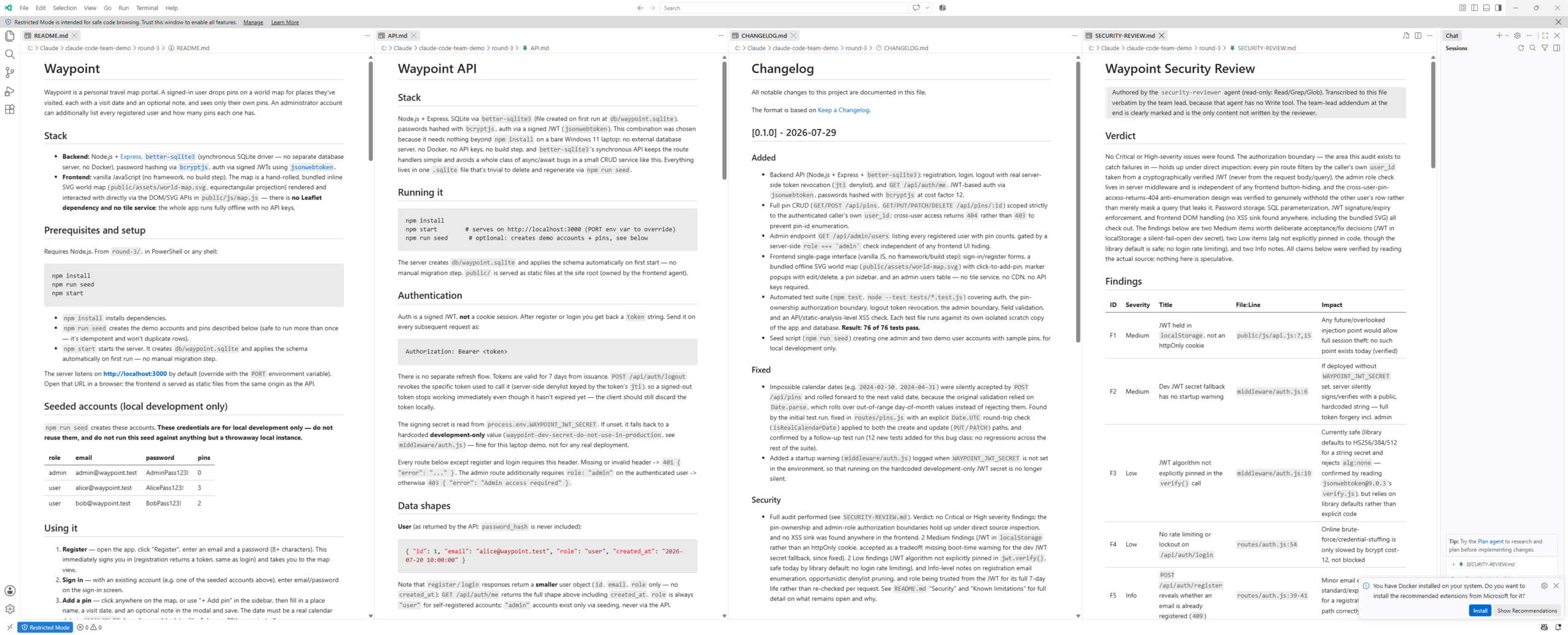
One notable divergence is that round three’s backend ended up on JWT auth with a pinned better-sqlite3 dependency and not the opaque-cookie-session-plus-built-in-node:sqlite setup rounds one and two share. This wasn’t a case of the lead inventing a detail. The isolation rule prevented it from reading round one’s implementation, so it asked me directly what stack to use. I answered “Node + Express + SQLite”, which was a close match but less specific than what round one had actually built.
The Docs agent noticed part of the issue and specifically worried that if round one’s frontend hadn’t produced an offline SVG map, the comparison could have been skewed by the Leaflet detour. What it missed was that the backend had also diverged and by that point round three was using a different auth mechanism and a different SQLite driver than the implementation it was being compared against.
That divergence turned out to carry a security cost, and it runs against the grain of everything else I found in round three. Rounds one and two both landed on an opaque session token delivered in an httpOnly cookie, which keeps the credential out of reach of any script running on the page. Round three put a JWT in localStorage instead, where any successful cross-site scripting payload can read it directly, and round three’s own security reviewer flagged that as a medium-severity finding rather than letting it pass.
The best-coordinated round therefore produced the weakest of the three authentication designs, which is a useful corrective to the idea that better process reliably yields a better artifact, because the coordination model governs how the agents talk to each other and it has no bearing on whether the one making the storage decision happens to make a good call.
The more serious finding sits one layer below that. Round three’s authentication middleware signs and verifies tokens with process.env.WAYPOINT_JWT_SECRET, and when that variable is absent it falls back to the string waypoint-dev-secret-do-not-use-in-production, which ships in the repository for anyone to read. A deployment that forgets to set the variable is therefore signing tokens with a publicly known key, so anyone can forge one, including an administrator token, and the security reviewer rated the practical risk as full token forgery.
I want to be precise about who caught what here, because the agent found it on its own and wrote it up as finding F2 without any prompting from me beyond the standing instruction to check whether any secret, key, or signing value is committed in the source. That instruction is item nine on the security-reviewer checklist back in step five, so the pattern that produced the defect and the pattern that caught it both came out of the same five files.
The Comparison
Before looking at the results I want to acknowledge a limitation of the exercise in that this isn’t a rigorous experiment with repeated runs and statistical significance. It’s a single implementation of the same application under three different coordination models, which means the observations that follow should be treated as observations from one run, not universal conclusions.
With that caveat out of the way, it’s worth being explicit about what is actually being compared.
All three rounds built the same application. The only thing that changed was how the agents coordinated. Round one passed work through a Subagent Relay. Round two ran backend and frontend concurrently without communication. Round three allowed agents to message each other directly and coordinate through a shared task graph.
That creates four questions worth testing. Is concurrency alone enough to improve the outcome? Does messaging prevent problems that concurrency cannot? Do hard restrictions behave differently from soft ones? And if multiple agents start from the same requirements, do they converge on the same blind spots?
The answers matter more than which round “wins”, because they get closer to what these coordination mechanisms actually change.
1. Concurrency Alone Wasn’t Enough
Round two answered the question that round one couldn’t and that is what happens if backend and frontend work at the same time but can’t talk to each other?
The answer was that parallel execution helped until the two pieces needed to meet.
Frontend followed its instructions and documented assumptions rather than inventing facts silently. The problem was that several of those assumptions were wrong. Frontend expected bearer-token authentication while backend implemented httpOnly cookie sessions. Field names differed. Error handling differed. The two components were individually coherent but disagreed on the contract between them.
That mismatch showed up later in testing and review. The tester and security reviewer both spent substantially more effort characterizing the interaction between the layers than they spent validating either layer on its own. Round two finished the build phase faster than round one, but much of that time was paid back during reconciliation.
The result is difficult to describe as a win for concurrency alone. Parallel work reduced waiting during implementation, but it also created opportunities for independently reasonable assumptions to diverge.
2. Messaging Solved Problems Concurrency Couldn’t
Round three is the round where I have to be careful about what I claim, because it differs from round two in three ways rather than one. Teammates could message each other directly, the sequencing moved out of my prompt and into the shared task list as dependencies, and the backend landed on a different stack, JWT with better-sqlite3 instead of the opaque cookie sessions and built-in node:sqlite that rounds one and two share.
That third difference traces back to my own generic answer when the lead asked me what stack to use, so it is my variable rather than the mechanism’s, and it means anything I say about round three looking stronger has to survive the question of whether the stack did the work instead. On the two interactions below I think it does, because both are about who asked whom for what, and neither turns on the choice of session token or SQLite driver.
The first showed up the moment frontend hit a dependency. Frontend needed answers to several API contract questions before it could implement anything that talked to the server, and in round two there was no mechanism to obtain those answers, so assumptions became code and four of them turned out wrong. In round three those same questions went directly to backend and were resolved before implementation started.
The second is the one I did not anticipate, because a conflict emerged between the task specification and the frontend persona instructions, and instead of quietly picking one reading and carrying on, frontend escalated it. The lead clarified the requirement and the decision propagated back through the team, which is precisely the failure mode that goes undetected in a Subagent Relay, because a subagent holding a contradiction has nobody to ask and resolves it silently.
Neither interaction was dramatic, and that is the point, because both prevented the kind of divergence that only becomes visible later during testing. Most frontend work still did not require backend involvement, which supports Anthropic’s argument that dependent work does not automatically justify a team, but for the small number of places where coordination genuinely mattered, having a channel instead of a guess changed the outcome.
3. Restrictions Held Regardless of Coordination Model
One question I was curious about going into the experiment was whether restrictions enforced through tools would prove more reliable than restrictions enforced through instructions.
The security reviewer operated under a hard tool-level restriction. The tester operated under a softer instruction-level restriction. Three different coordination models created multiple opportunities for those constraints to be tested.
The hard restriction behaved exactly as expected. It held consistently across all three rounds.
More surprising was that the soft restriction held as well. In round three, the tester reported failures when failures existed rather than smoothing them into a positive overall result. It documented uncertainty where uncertainty existed. It distinguished static analysis from observed behavior instead of presenting stronger conclusions than the evidence justified.
The experiment doesn’t prove that soft restrictions are equivalent to hard ones. Tool-level controls are still fundamentally stronger. What it does suggest is that increased autonomy did not automatically cause the tester to abandon its instructions.
4. Independent Agents Converged on the Same Blind Spot
The most interesting result wasn’t any individual defect.
It was the defect that appeared repeatedly.
All three backend implementations were produced independently from the same requirements. None had access to the work of the others. Yet the same missing control for login rate limiting appeared in each implementation.
Finding the same issue three times matters more than finding it once. It suggests there are defaults embedded in the way the persona interpreted the assignment. Asked to build a login system that works, it consistently built a login system that authenticated users correctly but did not automatically add protections against brute-force abuse.
That pattern says something about the underlying assumptions being carried into the implementation process. The convergence is arguably more informative than the security finding itself.
All three security reviews are in the repository and the finding appears as F4 in round three’s, so the convergence is checkable rather than something you have to take from me.
What Only Round Three Could Do
The clearest difference between the approaches appeared after defects were found.
Rounds one and two could identify problems. They could recommend fixes. What they could not do was coordinate a resolution workflow on their own.
Round three could.
When tester found the invalid-calendar-date defect, the lead assigned remediation work back to backend, delayed downstream work until the fix landed, and then routed the result back through verification. The same pattern was used to address one of the security findings.
What makes this interesting is that the team didn’t try to close every finding. One issue was fixed immediately. Another remained open as a documented tradeoff after backend justified the decision. The workflow wasn’t simply finding defects. It was evaluating, prioritizing, fixing, and re-verifying them.
That’s the one capability in the comparison that genuinely did not exist in the earlier rounds. The difference wasn’t communication. The difference was the ability to coordinate work after the initial build was complete.
Final Thoughts
With all three rounds completed, the outcome was more nuanced than a simple verdict on concurrency. Running backend and frontend in parallel didn’t automatically improve the result. In this experiment, round two spent much of the time it saved during implementation resolving assumptions that had drifted apart. The interesting distinction wasn’t parallel execution itself. It was whether the agents had a way to coordinate when dependencies appeared.
That’s where round three looked stronger, though I want to bound the claim carefully, because it looked stronger on coordination and not on the artifact it produced. Direct messaging allowed contract questions to be answered before they became defects, gave the agents a way to escalate ambiguity rather than guess at it, and enabled the one thing neither subagent approach could manage, which is routing work back for remediation, verification, and follow-up after problems were found.
Set against that, round three shipped the weakest authentication design of the three and a hardcoded fallback signing secret alongside it, so the better process did not hand me the better code. The result that stayed with me wasn’t that the agents could talk to each other, it was that they could coordinate around unfinished work, and a team that coordinates well is not the same thing as a team that builds well.
I wouldn’t treat this experiment as proof that agent teams are universally better than subagents. The application is small, the sample size is one, and there are still gaps in the comparison, most notably around clean token-cost measurements. What it did provide was a concrete example of where Anthropic’s guidance held up, where it didn’t, and where the distinction between parallel work and collaborative work turned out to matter more than I expected.

