
This post covers Logic App Password Expiration notifications, as a continuation of my previous post:
Where I demonstrated how to use a PowerShell script to retrieve Entra ID accounts with expired, expiring and about to expire, this post serves to demonstrate the final step for setting up a Logic App to process the information returned by the script and send notifications out to users and a summary for administrators.
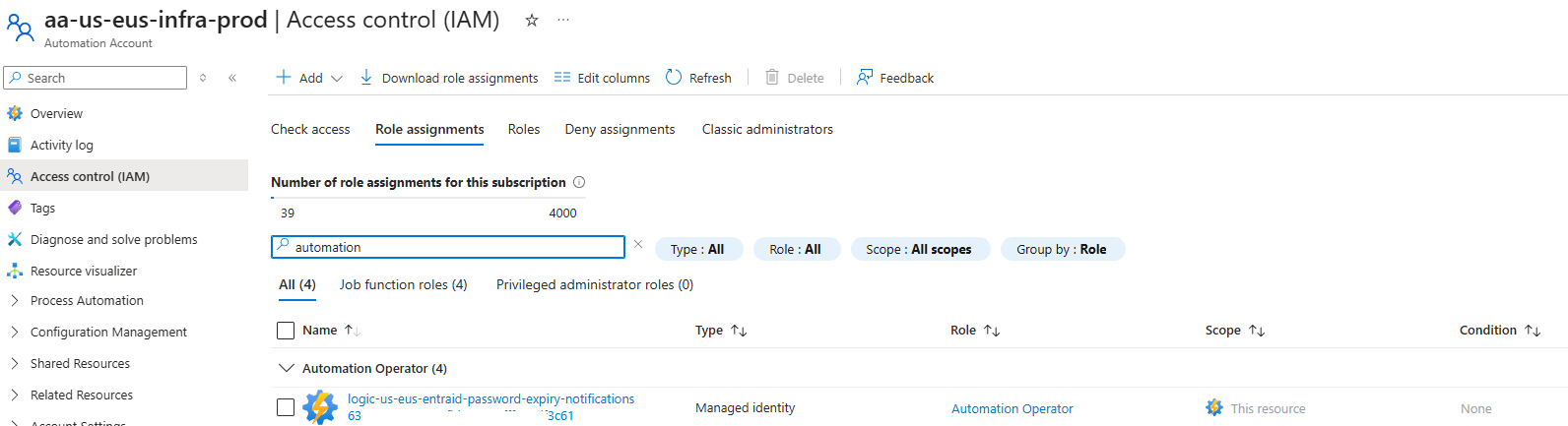
Being by ensuring that the System Managed Identity of the Logic App is assigned the role Automation Operator on the Automation Account so it can execute the script:
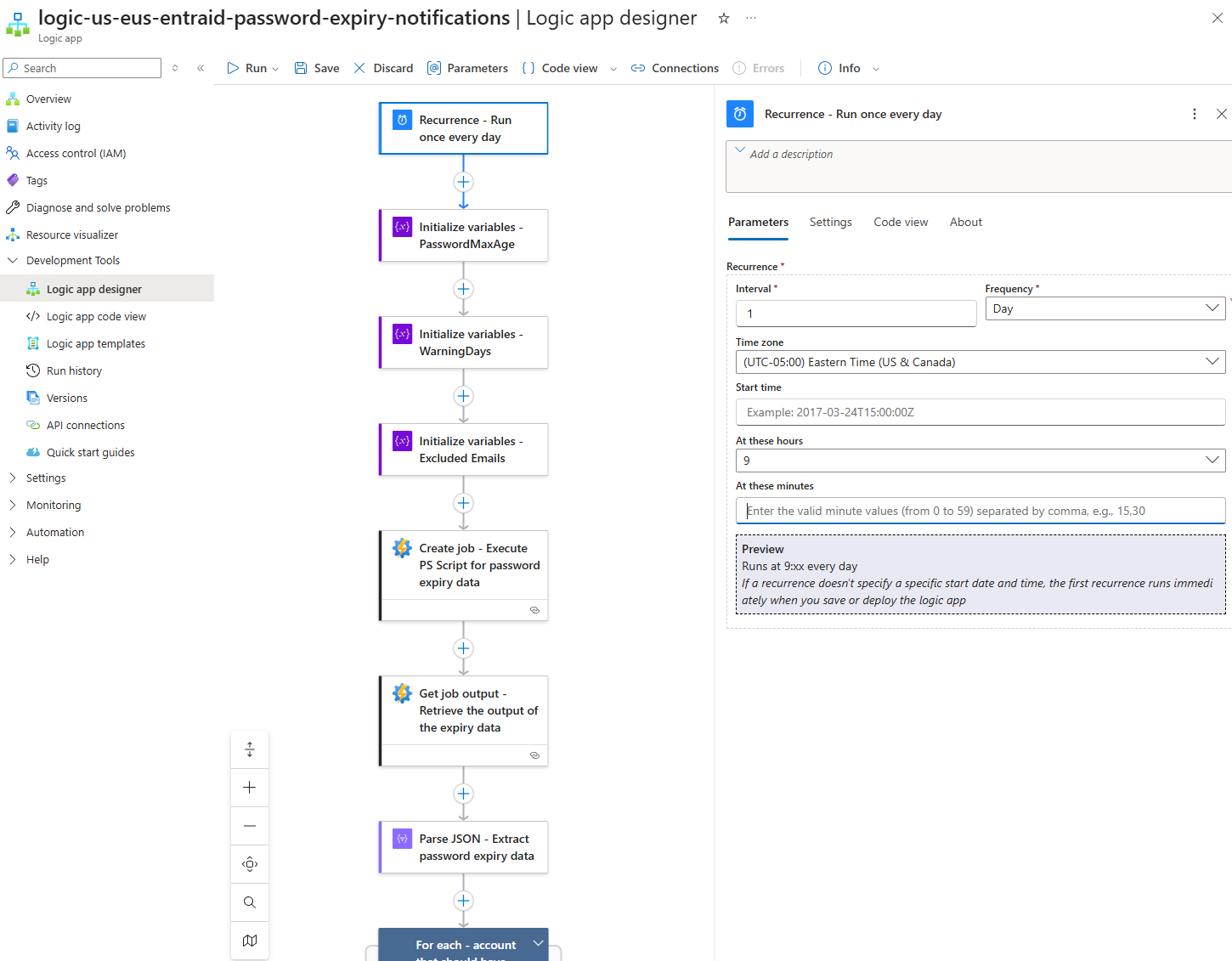
Proceed to configure a Recurrence action to run every day at the desired time:
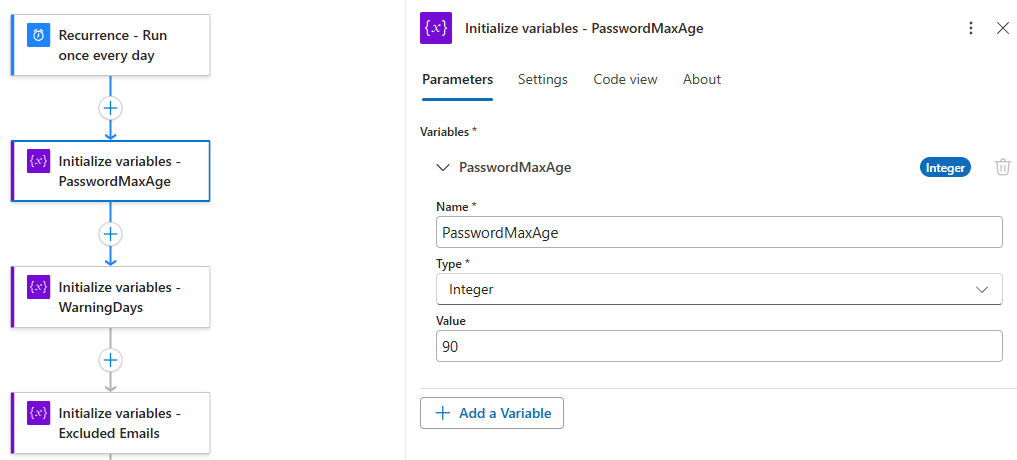
Initialize a variable to store the Maximum Password Age (PasswordMaxAge):
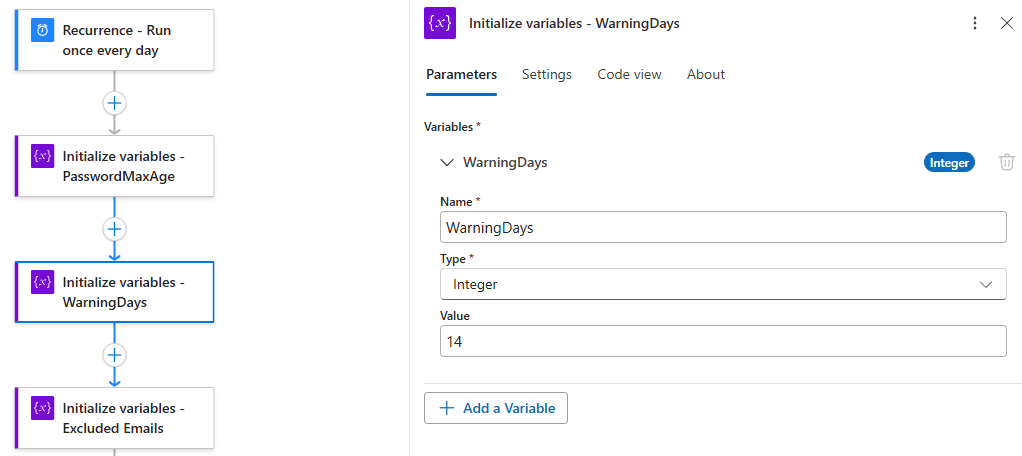
Initialize a variable to store the amount of days we would want to warn a user that their password is expiring (WarningDays):
Initialize a variable to store the email addresses we would want to exclude (ExcludeEmails):
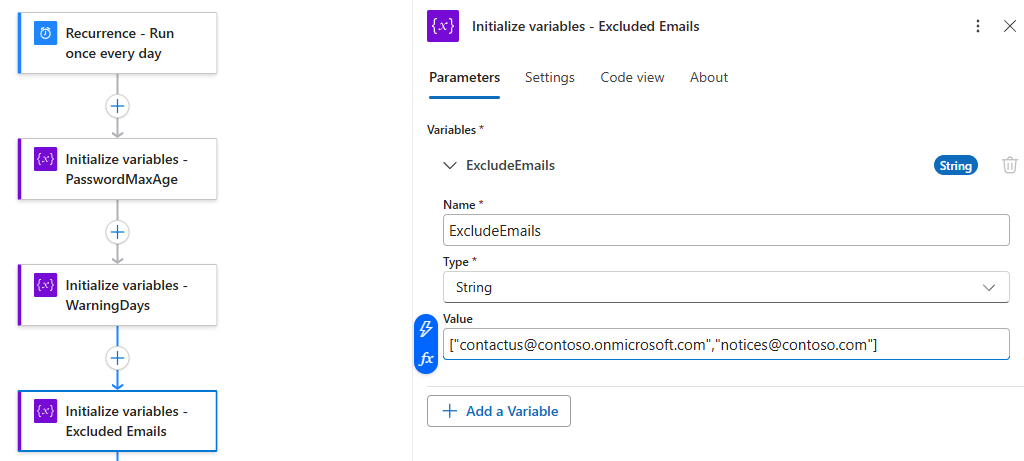
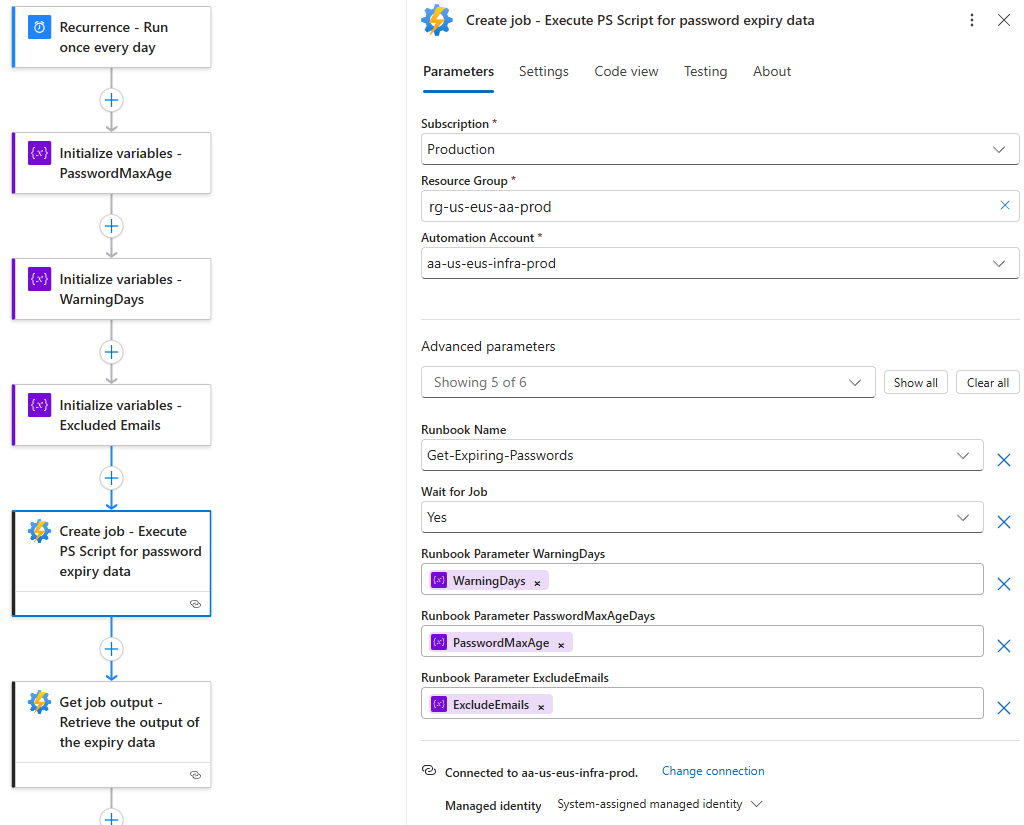
Create an Automation Account job and fill in the fields as demonstrated in the screenshot below:
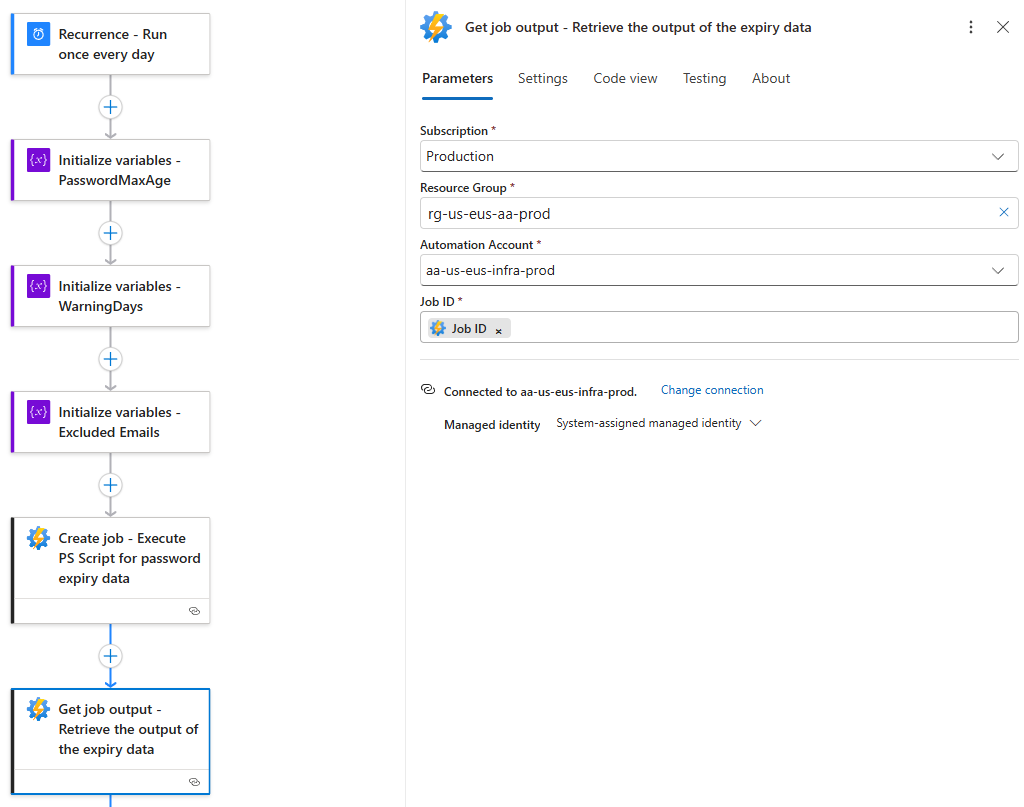
Create an Automation Account job to get the output of the script using the Job ID from the previous Create Job action:
Create a Parse JSON action with the schema of the script output. The Schema can be retrieved by either running the script once and copying the output to use the Use sample payload to generate schema link or use the schema I’ve created in my GitHub repo: https://github.com/terenceluk/Azure/blob/main/Logic%20App/Password-Expiry.json
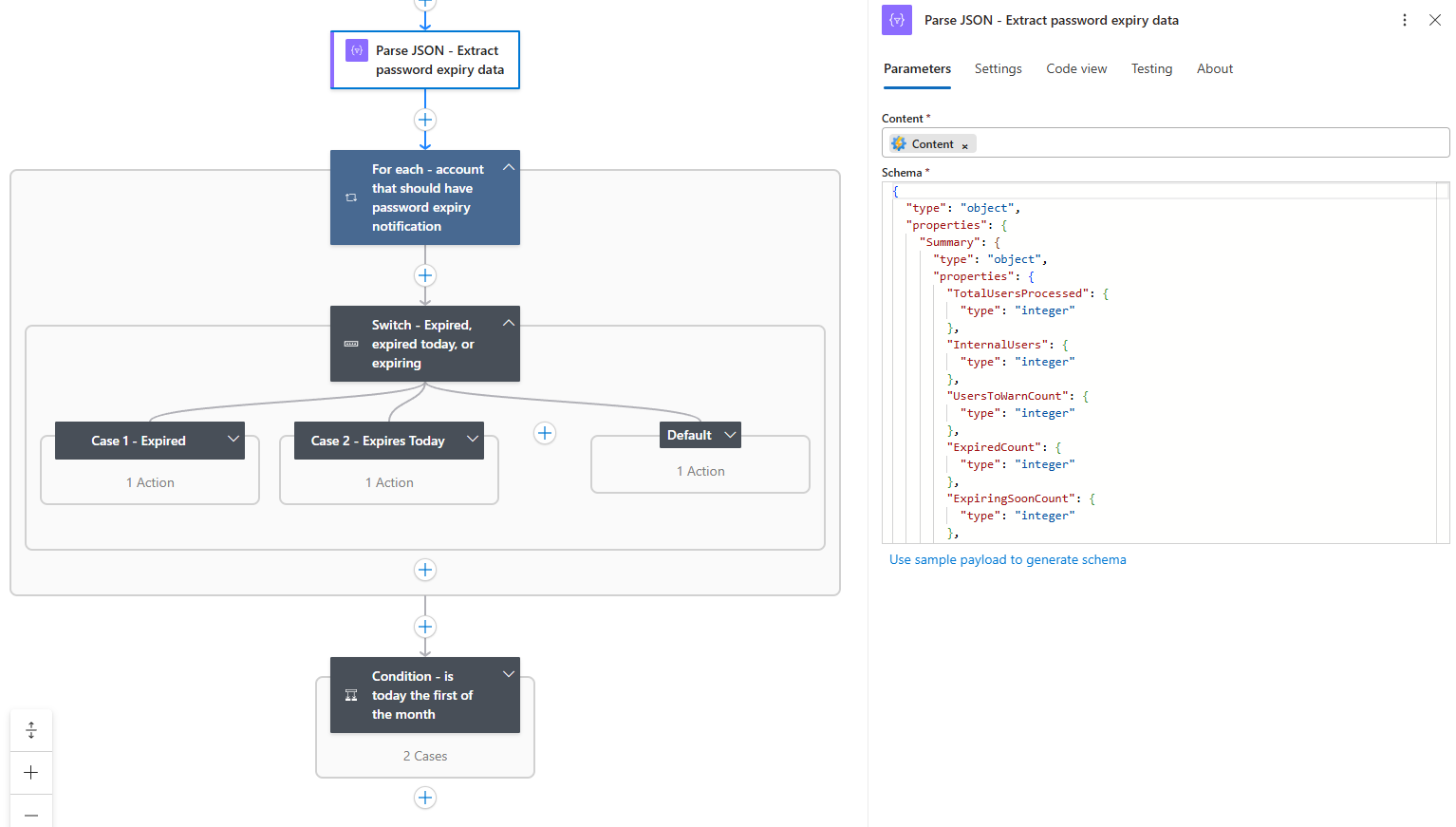
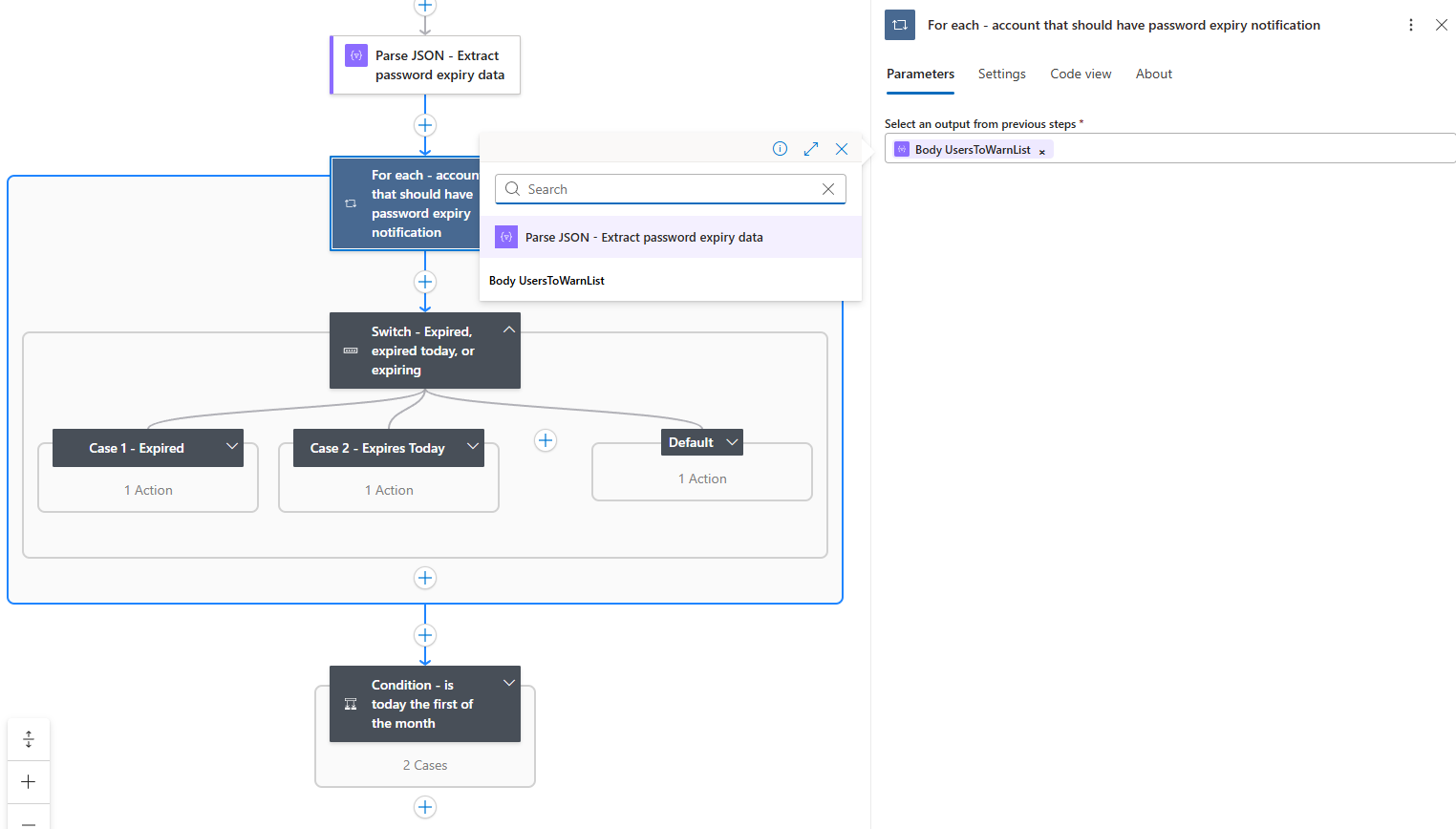
Now proceed to create a For each action that will loop through each returned user to notify using the previous Parse JSON action’s UsersToWarnList:
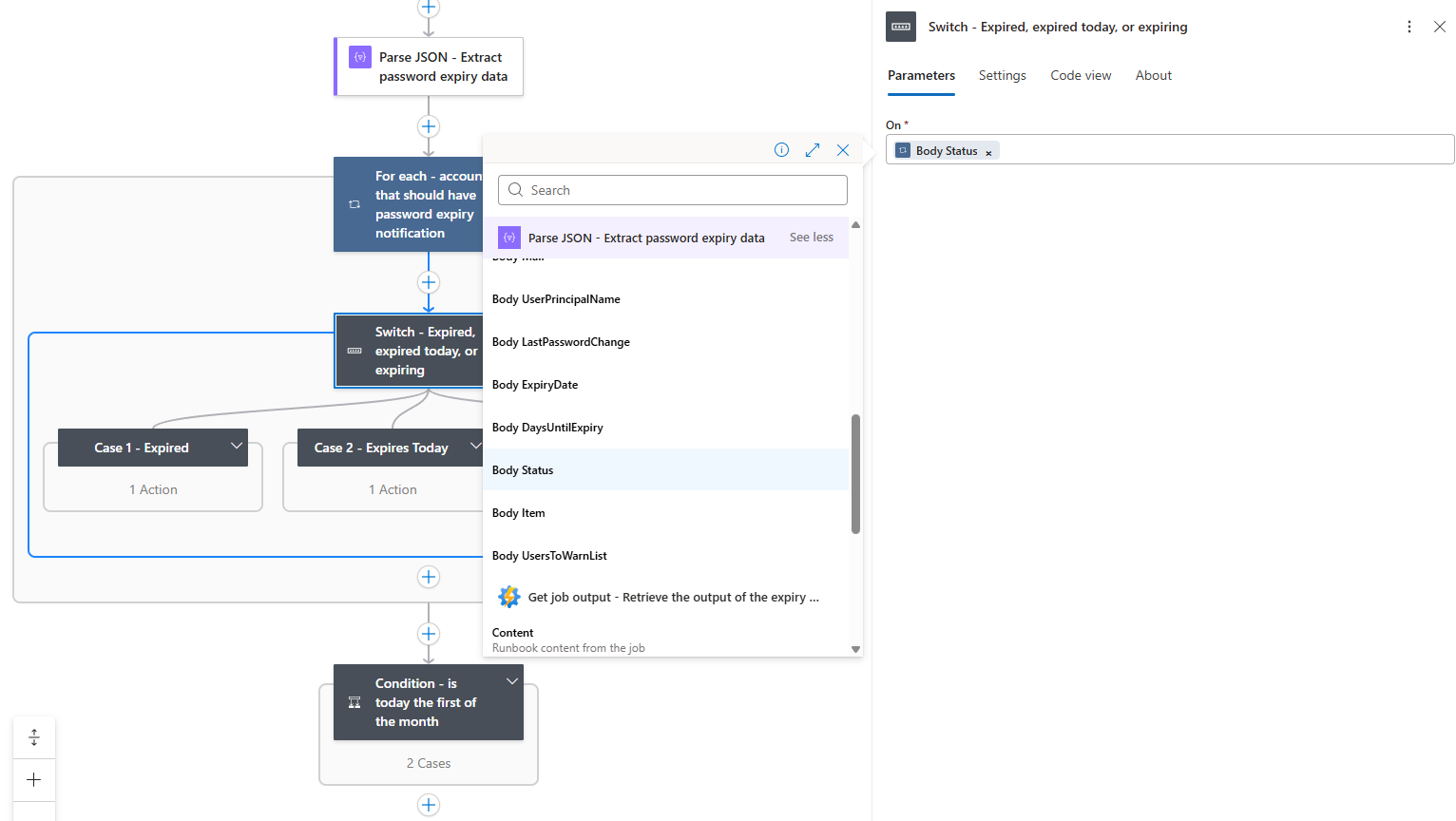
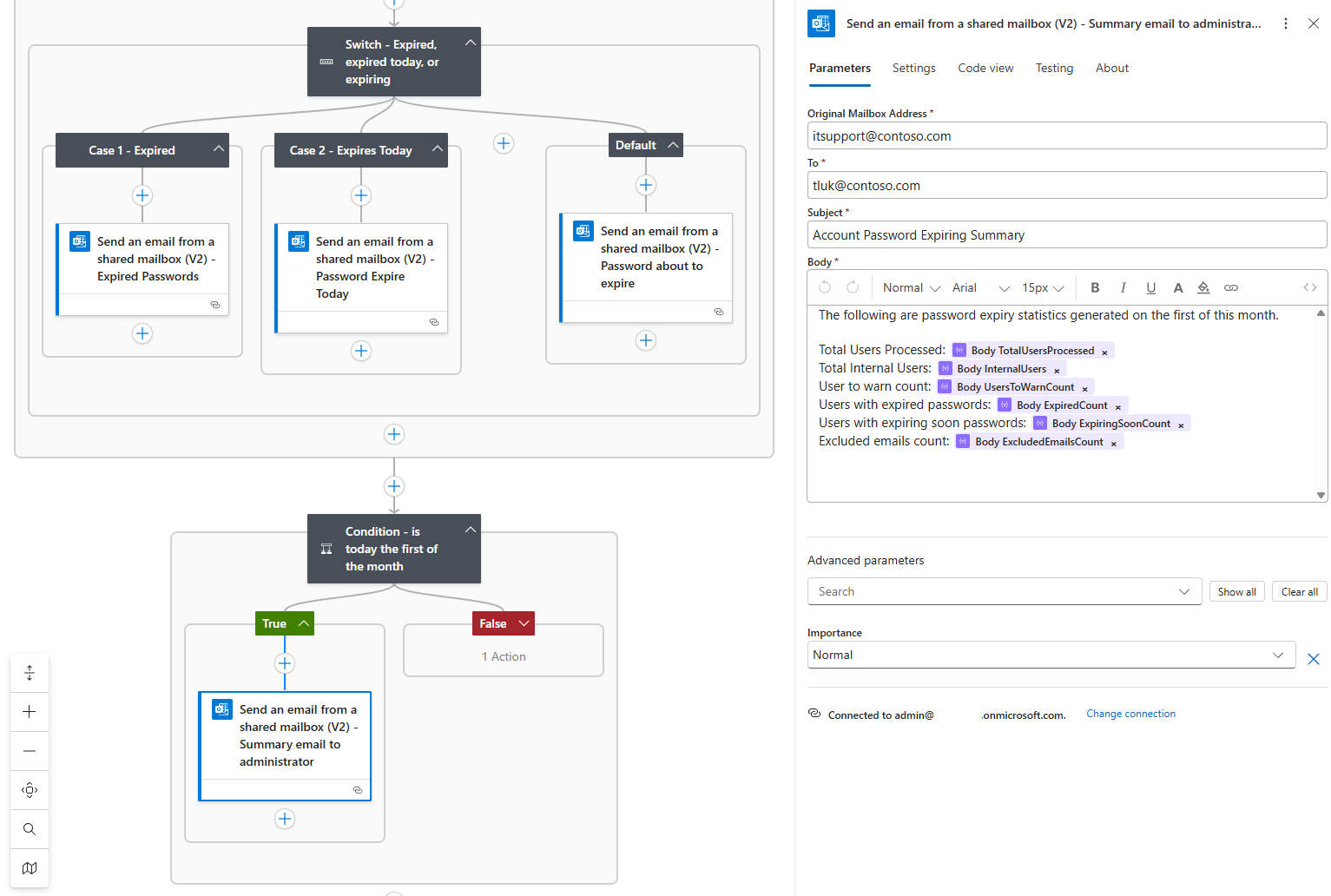
Use a Switch action to handle Expired, Expires Today, and Default (going to expire within x amount of days), and use the Parse JSON action’s Body Status:
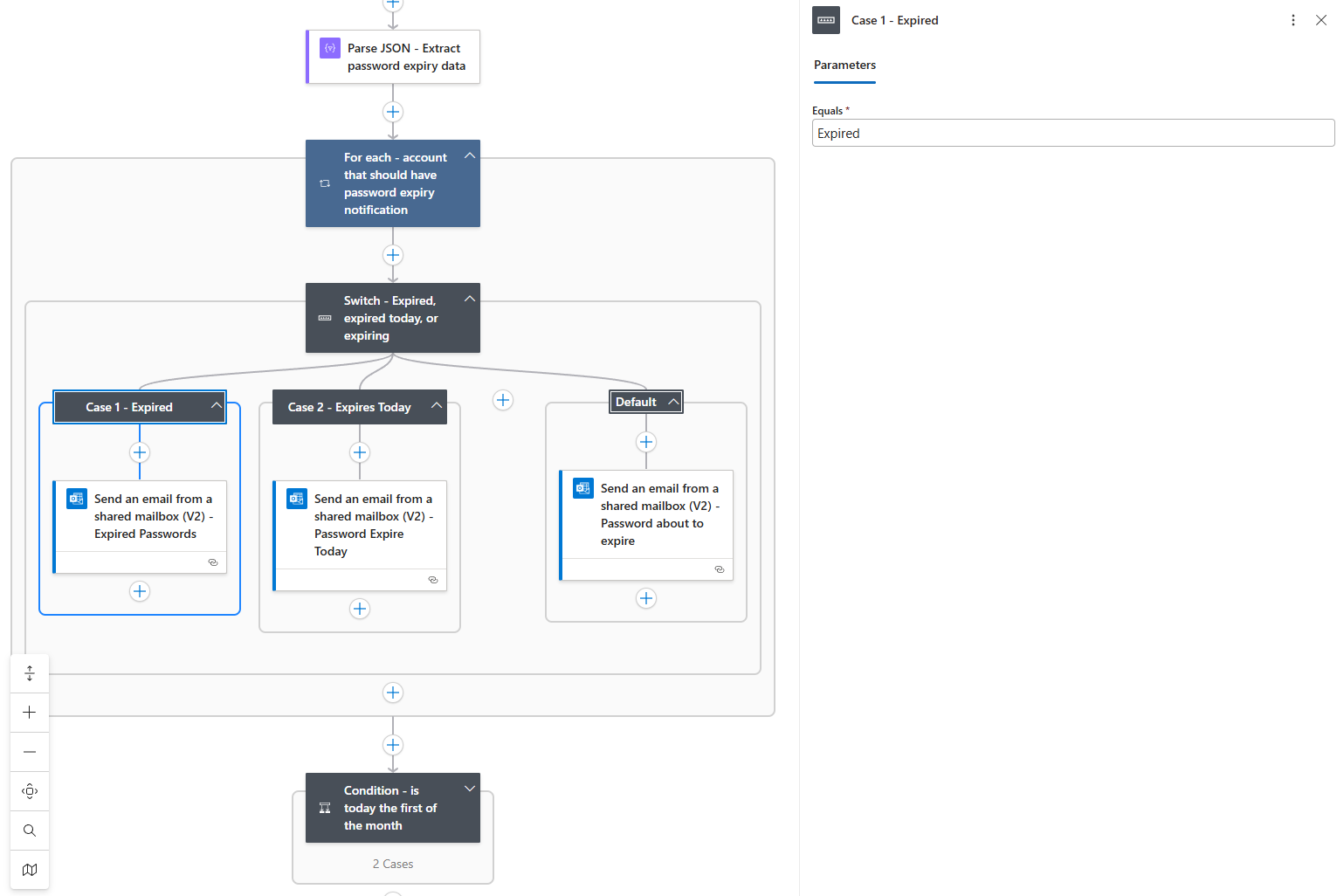
Configure the Equals parameter for Expired as Expired:
Configure the Equals parameter for Expires Today as Expires Today:
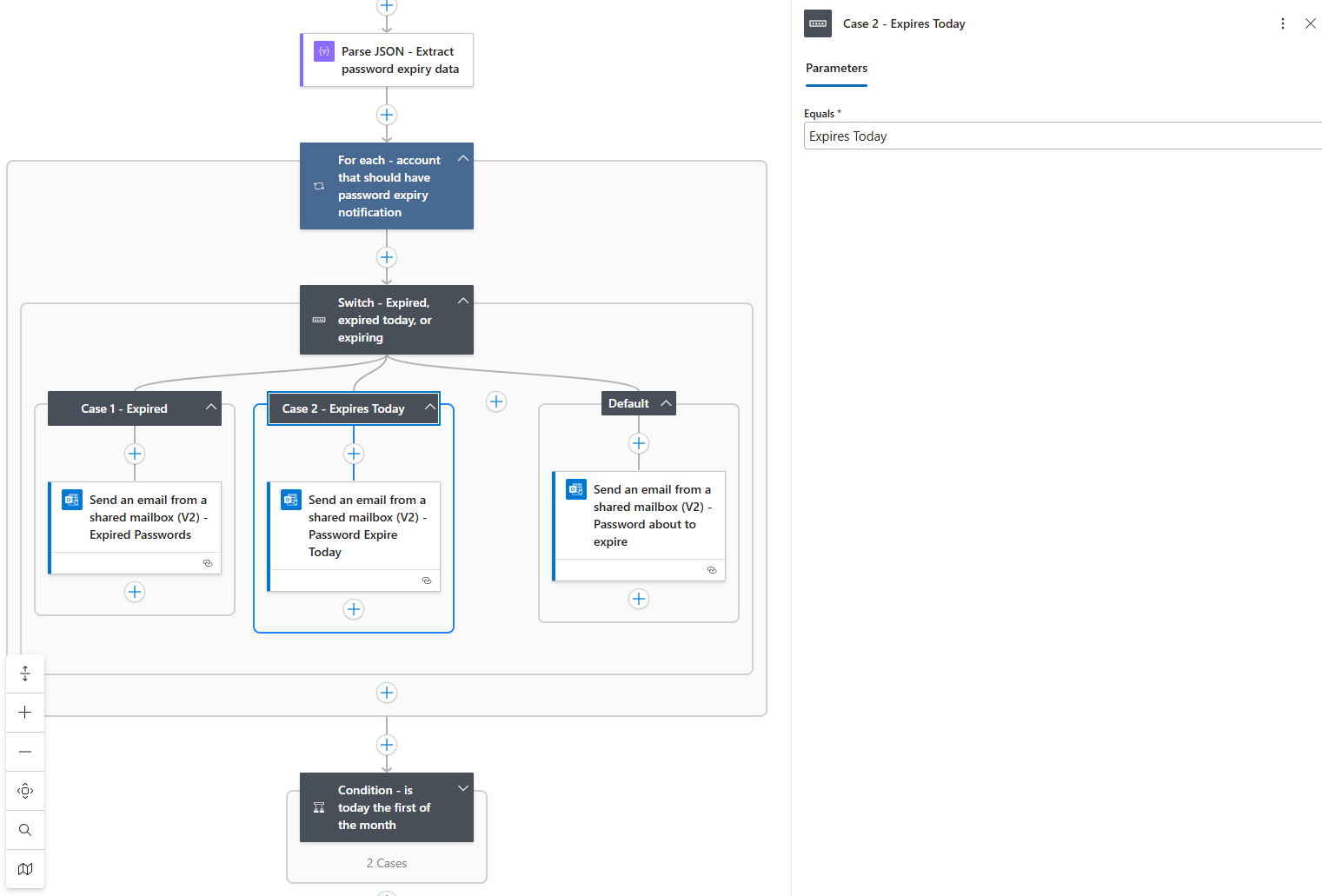
The Default won’t need to be configured as that catches any accounts that do not fall into the previous 2 cases (in this case it would be expiring withing x amount of days).
Proceed to create the email you desire to send out notifications. Note the To field uses the Parse JSON‘s Body Mail which represents the user account’s email address:
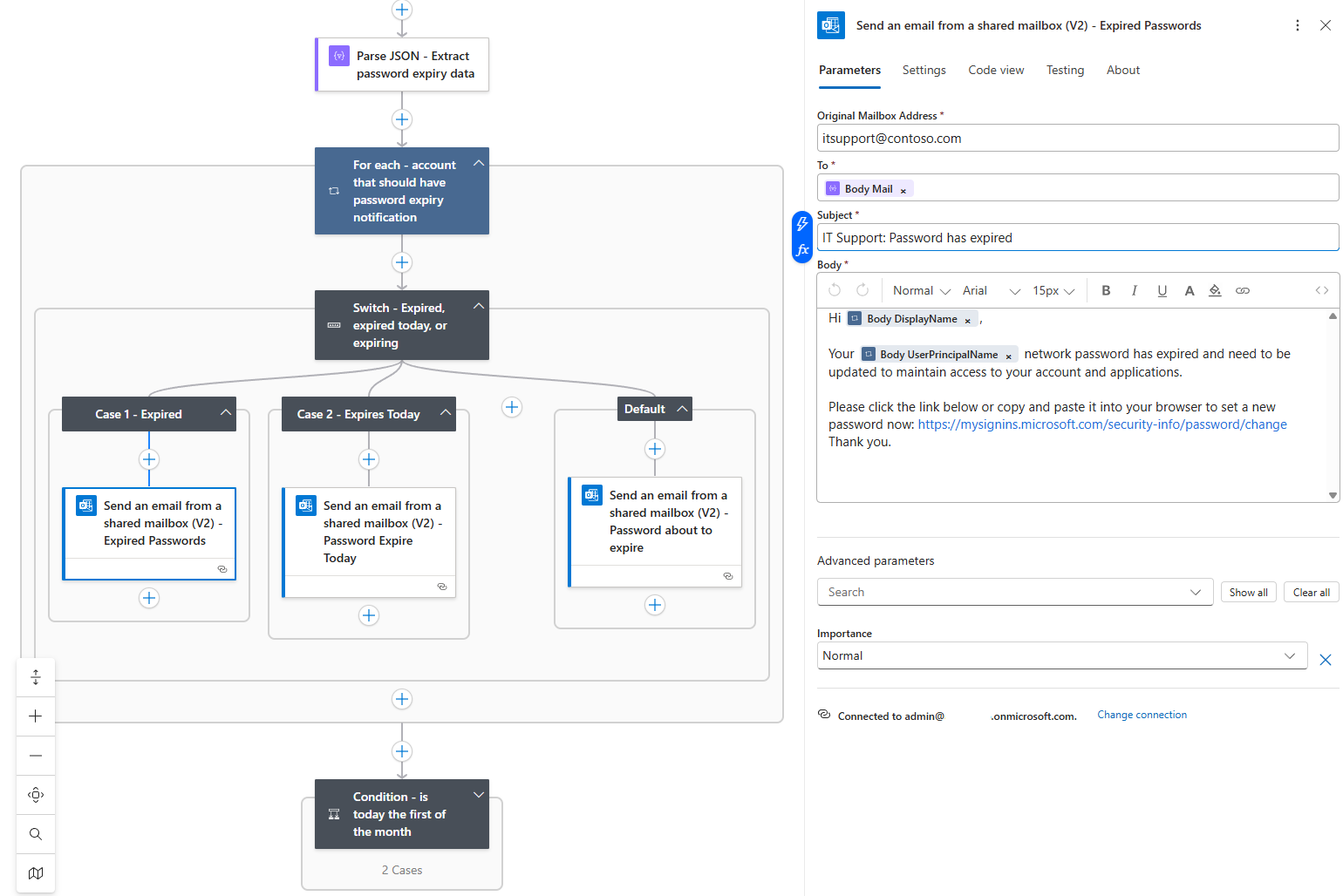
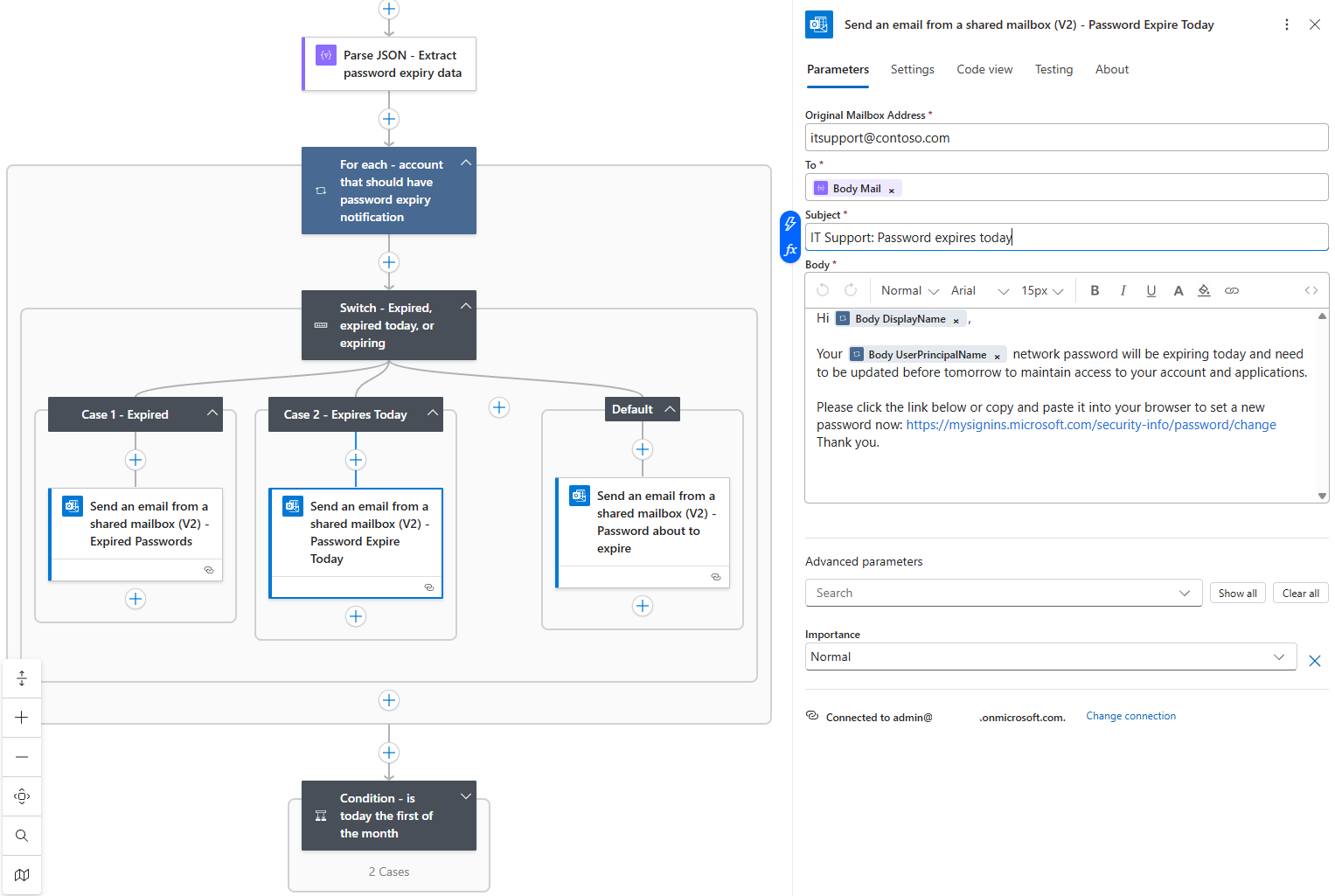
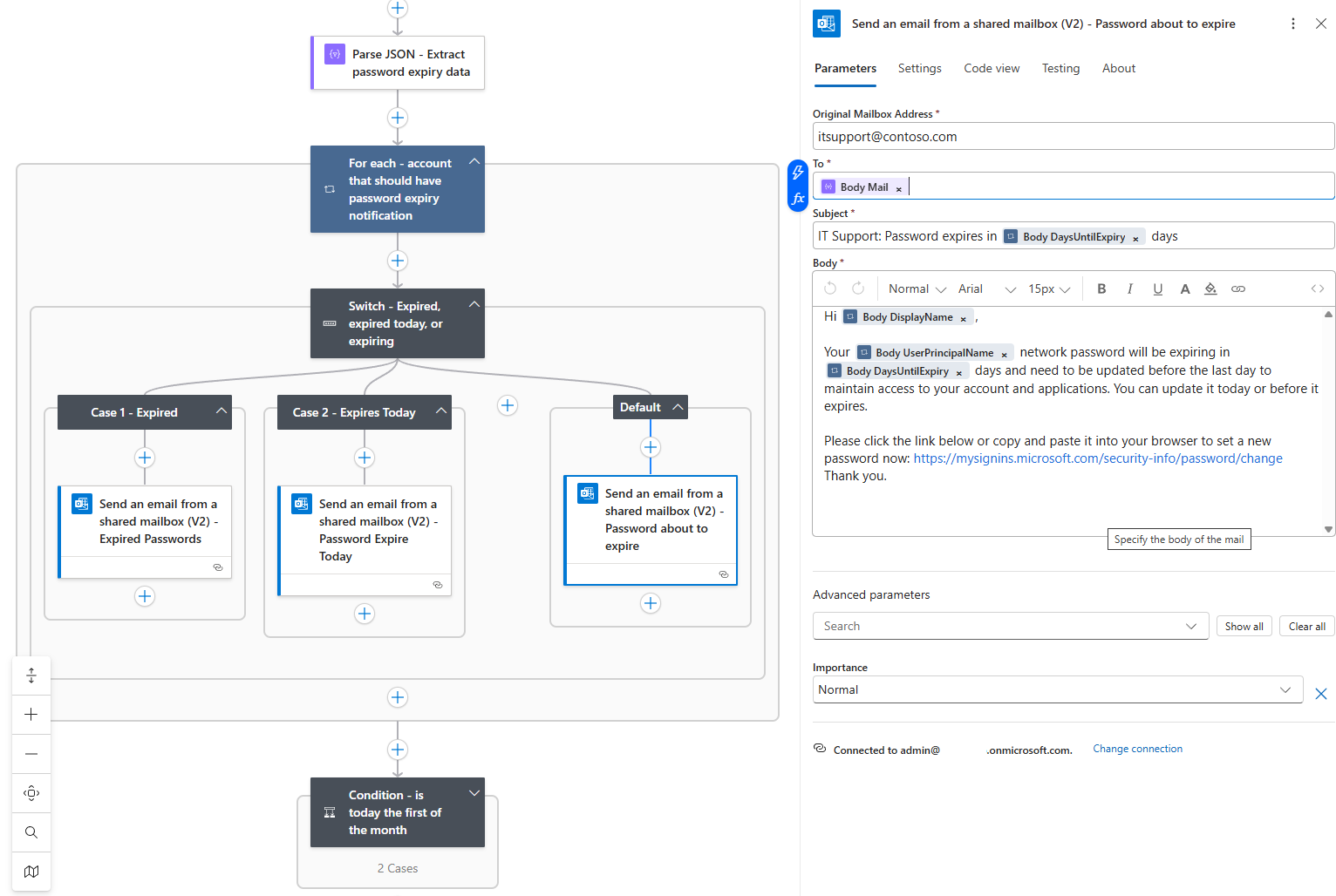
Repeat the same for the other scenarios:
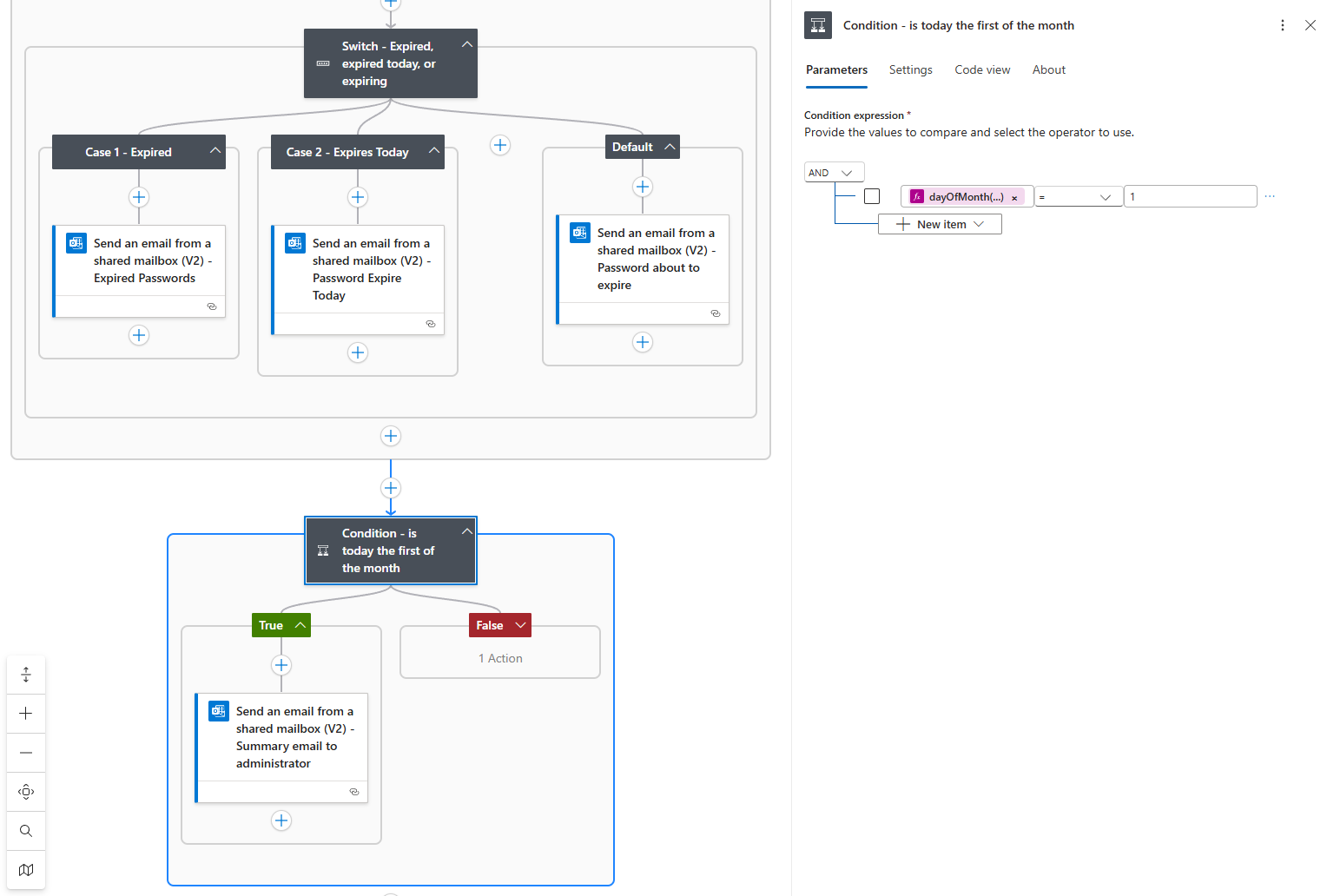
Now as a last step, I’ve configured a summary to be sent to an administrator at the first of each month:
Wrapping Up Logic App Password Expiration Notifications
Hope this helps anyone who may be looking for a way to use an Automation Account Runbook and Logic App to send out password expiry notifications.

