
In my previous post:
I walked through a Terraform deployment that puts an Azure App Service behind an Azure Application Gateway with App Service Authentication enabled. The focus there was on a specific operational problem: health probes failing once authentication is turned on, and how to fix that by excluding a dedicated health endpoint from the authentication requirement.
That deployment also includes an Application Gateway rewrite rule that injects an X-Forwarded-Host header before forwarding requests to the App Service. I did not go into detail about why that rewrite rule is there, since it was not the focus of that post. This post uses the same deployment to explain it.
When you put an Azure App Service behind an Application Gateway and enable App Service Authentication (Easy Auth – https://learn.microsoft.com/en-us/azure/data-api-builder/concept/security/authenticate-easy-auth?tabs=bash), there is a subtle but critical configuration requirement that is easy to miss: you must forward the original public hostname to the App Service in an X-Forwarded-Host header, and you must tell Easy Auth to trust it.
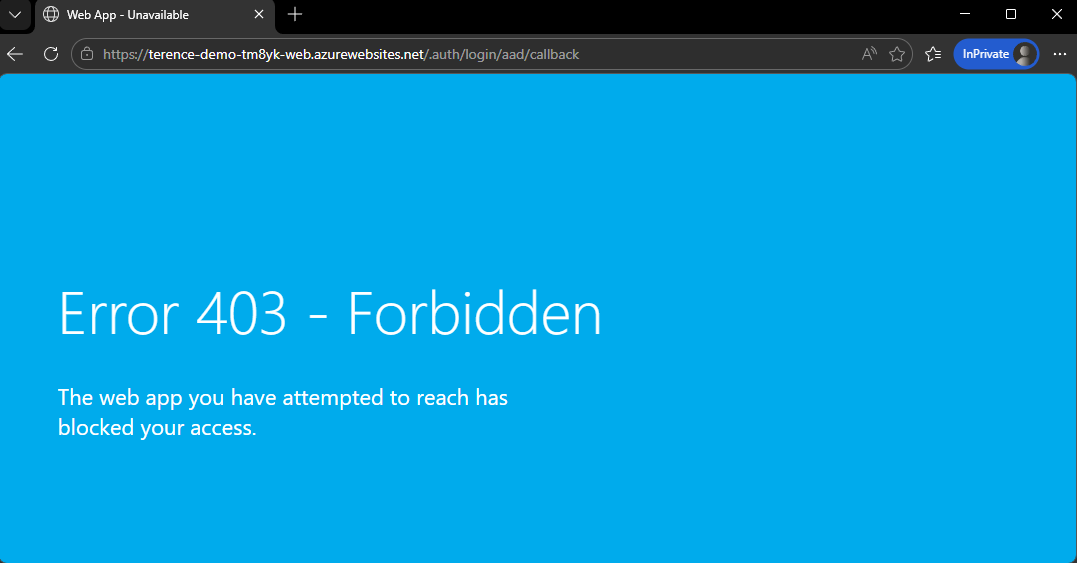
If you skip this, everything appears to work. The problem only surfaces when a user finishes authenticating, at which point they are redirected to the App Service’s own Azure hostname instead of coming back through your Application Gateway, exposing the backend directly. If you then lock down the App Service by disabling public network access (which is best practice), you get a 403 Forbidden after authentication instead of a working app.
This post explains exactly why this happens and how to fix it.
The Setup
The topology in question is a common one:
- An Azure Application Gateway (WAF_v2) with a custom public hostname, e.g.
app.contoso.com - A Linux App Service behind the gateway, accessible at
myapp.azurewebsites.net - The App Service is private, reachable only through a private endpoint inside a VNet
- App Service Authentication (Easy Auth) is enabled with a Microsoft Entra ID registration
The Application Gateway backend HTTP settings are configured with pick_host_name_from_backend_address = true, which means when the gateway forwards a request to the App Service, it sets the HTTP Host header to myapp.azurewebsites.net. This is necessary because App Service requires the correct hostname to route the request internally.
What Easy Auth Does With the Host Header
When an unauthenticated user hits the gateway, here is what happens:
- The request arrives at the gateway on
app.contoso.com. - The gateway rewrites the
Hostheader tomyapp.azurewebsites.netand forwards the request to the App Service over the private endpoint. - Easy Auth intercepts the request. It needs to redirect the user to Microsoft Entra to sign in.
- Easy Auth constructs the callback URL using the host it can see in the incoming request, which is
myapp.azurewebsites.net. - After the user authenticates with Entra, they are redirected back to
https://myapp.azurewebsites.net/.auth/login/aad/callback.
At this point, the user’s browser is talking directly to the App Service origin.
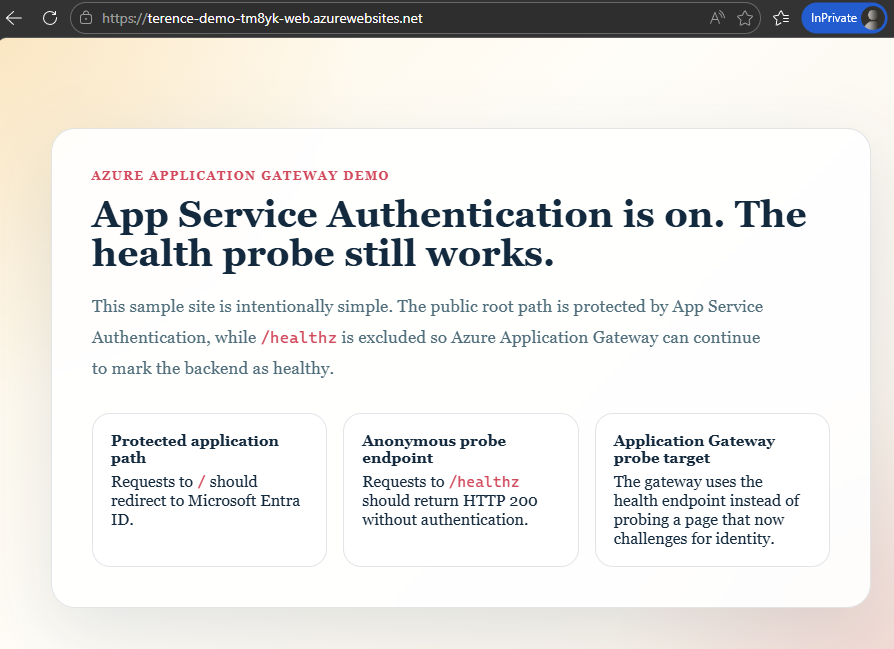
If the App Service has public network access enabled, the callback will succeed (as shown in the screenshot above), but the user has now bypassed the Application Gateway entirely. If public network access is disabled (and it should be in any private topology), the browser receives a 403 Forbidden from the App Service’s access restriction layer before Easy Auth can complete the token exchange.
The Fix: X-Forwarded-Host and forwardProxy Convention
The solution has two parts that must both be in place.
Part 1: Application Gateway Rewrite Rule
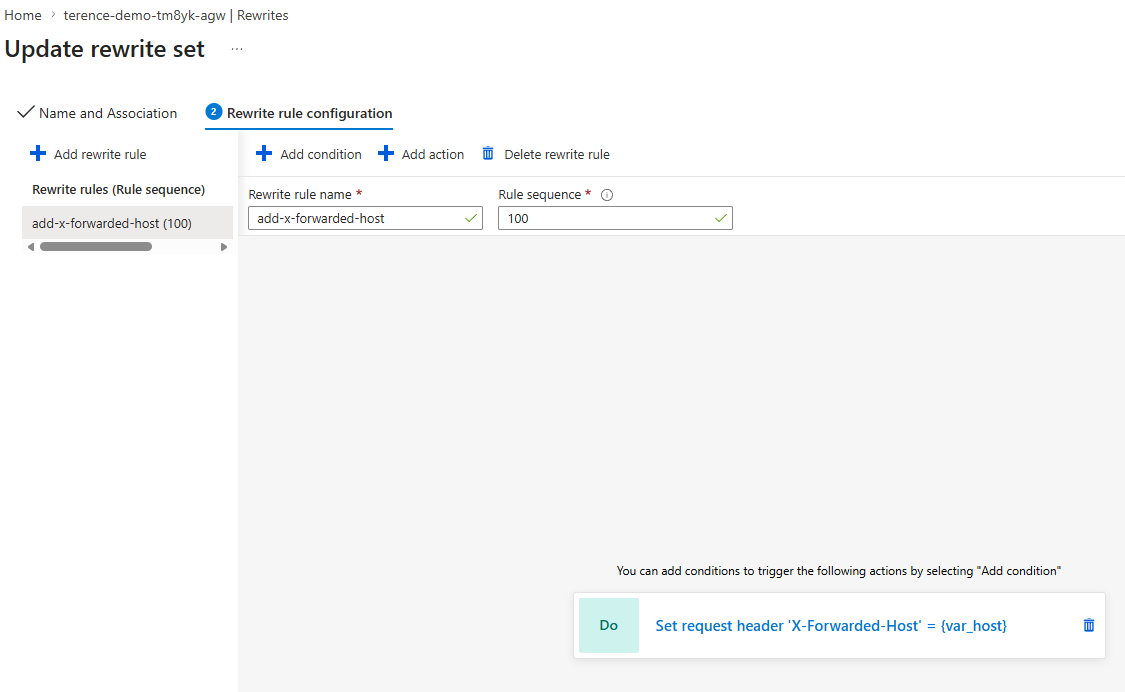
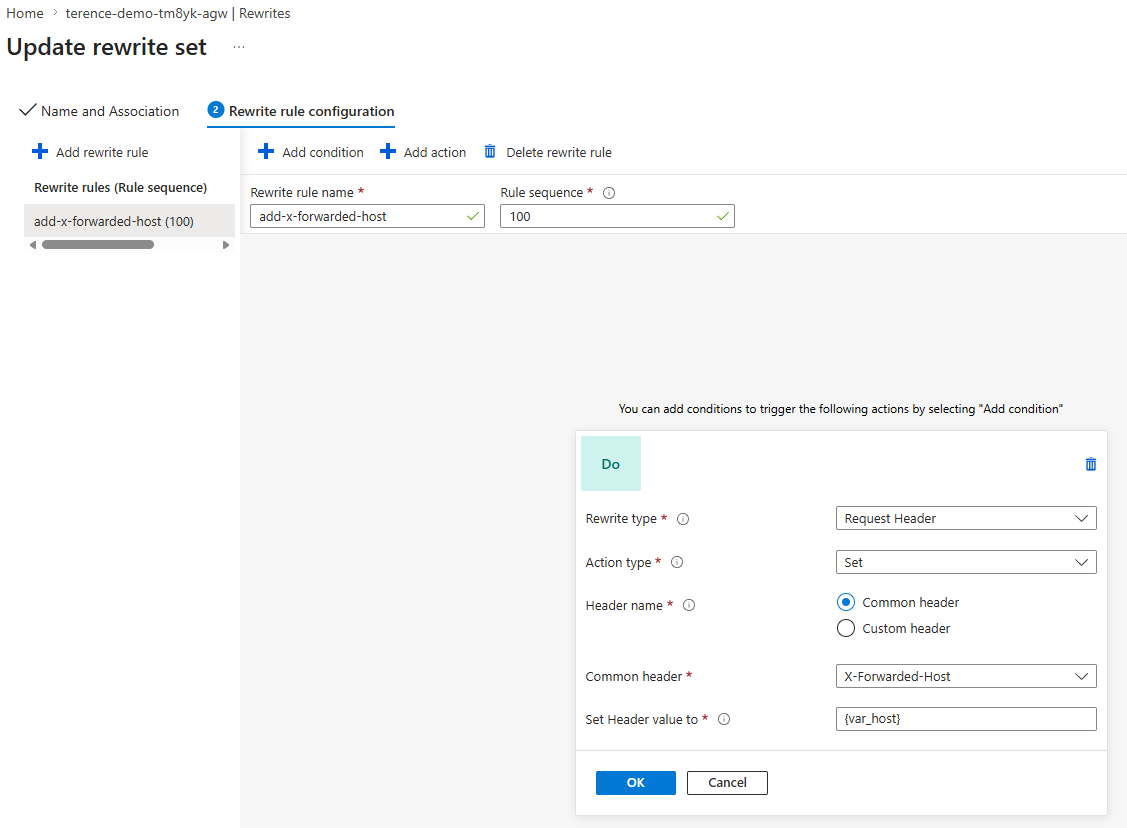
The Application Gateway must inject the original public hostname into the request using the X-Forwarded-Host header before forwarding it to the backend:
rewrite_rule_set {
  name = "forward-host-header"

  rewrite_rule {
    name          = "add-x-forwarded-host"
    rule_sequence = 100

    request_header_configuration {
      header_name  = "X-Forwarded-Host"
      header_value = "{var_host}"
    }
  }
}
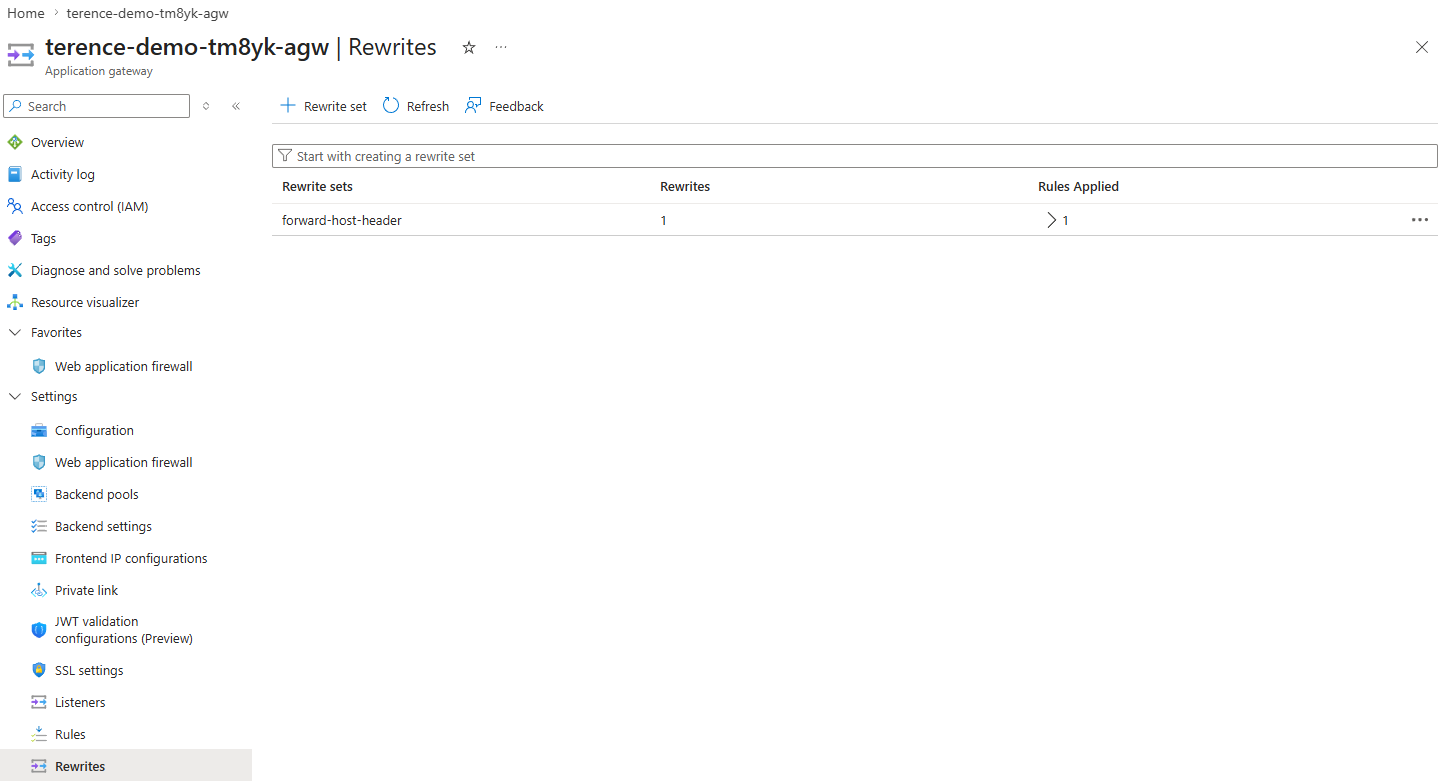
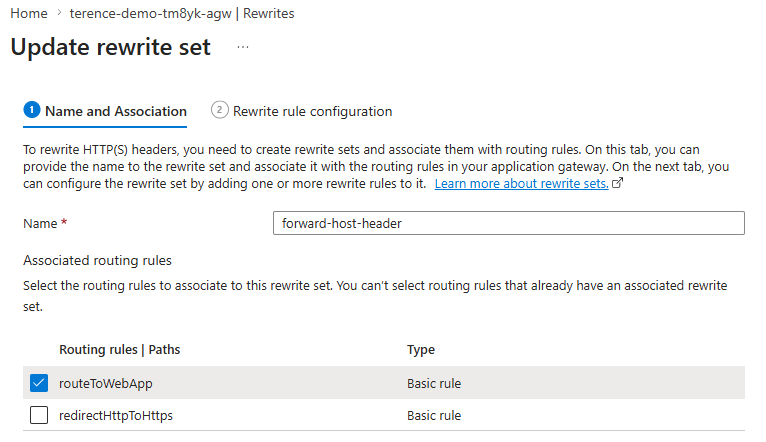
The server variable {var_host} captures the Host value from the original client request: the public hostname the client used to reach the gateway, before it was overwritten by pick_host_name_from_backend_address. This rewrite set is attached to the routing rule that sends traffic to the App Service:
request_routing_rule {
  name                       = "routeToWebApp"
  rule_type                  = "Basic"
  http_listener_name         = "httpsListener"
  backend_address_pool_name  = "appServicePool"
  backend_http_settings_name = "appServiceHttps"
  rewrite_rule_set_name      = "forward-host-header"
  priority                   = 100
}
Part 2: Easy Auth forwardProxy Convention
Adding the header is not enough on its own. Easy Auth must be told to trust and use it. By default, Easy Auth builds callback URLs from the Host header it receives. To make it use X-Forwarded-Host instead, you must set forwardProxy.convention to Standard in the Easy Auth configuration.
Where this configuration lives
This is not a setting you configure in the Azure portal’s Authentication blade, nor is it a property on the App Service resource itself. It lives inside Easy Auth’s authsettingsV2 configuration object, which is a sub-resource of the App Service at the ARM path:
Microsoft.Web/sites/<app-name>/config/authsettingsV2
You can view and edit it directly in Azure Resource Explorer by navigating to your subscription → resource group → your App Service → config → authsettingsV2.
However, managing it by hand is fragile. The recommended approach, and the one used in this project, is file-based authentication configuration. Instead of storing every auth setting in authsettingsV2 directly, you tell App Service to load its authentication settings from a JSON file on the App Service filesystem. The authsettingsV2 resource then contains only two properties:
{
  "platform": {
    "enabled": true,
    "configFilePath": "/home/auth.json"
  }
}
Everything else, including the forwardProxy setting, lives in that JSON file. In Terraform, the pointer is set via the AzAPI provider:
resource "azapi_update_resource" "authsettings_v2" {
  type        = "Microsoft.Web/sites/config@2022-09-01"
  resource_id = "${azurerm_linux_web_app.main.id}/config/authsettingsV2"

  body = {
    properties = {
      platform = {
        enabled        = true
        configFilePath = "/home/auth.json"
      }
    }
  }
}
The auth.json file itself
The /home/auth.json file is the full authentication configuration document. The forwardProxy setting appears inside httpSettings:
{
  "httpSettings": {
    "requireHttps": true,
    "forwardProxy": {
      "convention": "Standard"
    }
  }
}
The convention property has three possible values:
| Value | Behaviour |
|---|---|
NoProxy |
Default. Easy Auth uses only the Host header. Proxy headers are ignored. |
Standard |
Easy Auth reads X-Forwarded-Host and X-Forwarded-Proto and uses them when building redirect and callback URLs. |
Custom |
You specify your own header names via customHostHeaderName and customProtoHeaderName. |
Setting it to Standard is the correct choice for Application Gateway (and for Azure Front Door, which uses the same headers).
How the file gets onto the App Service filesystem
The /home/ directory on a Linux App Service is persistent storage that survives restarts and redeployments. In this project, auth.json is not deployed as a static file. It is generated at startup from a template (auth.template.json) that contains placeholder tokens. The App Service startup command runs a small Node.js script that substitutes those tokens with the actual values from App Service environment variables (client ID, issuer URL, client secret setting name, health path), then writes the resolved file to /home/auth.json before the web server starts.
This approach keeps sensitive configuration values out of source control while still making the auth configuration fully managed by Terraform through App Service app settings.
With convention set to Standard, Easy Auth reads the X-Forwarded-Host header injected by the Application Gateway rewrite rule and uses it when constructing redirect and callback URLs. The callback URL becomes https://app.contoso.com/.auth/login/aad/callback, the public gateway address, which is what the user’s browser goes back to after authenticating with Entra.
What Happens at Each Step With the Fix in Place
| Step | Without rewrite | With rewrite |
|---|---|---|
User hits app.contoso.com |
Gateway strips public host | X-Forwarded-Host: app.contoso.com added by rewrite rule |
| Easy Auth sees incoming request | Host = myapp.azurewebsites.net |
Host = myapp.azurewebsites.net, X-Forwarded-Host = app.contoso.com |
| Easy Auth builds Entra redirect | Callback = myapp.azurewebsites.net/.auth/... |
Callback = app.contoso.com/.auth/... |
| User returns after Entra auth | Browser goes to myapp.azurewebsites.net, bypassing the gateway |
Browser goes to app.contoso.com, staying through the gateway |
| Public access disabled on App Service | 403 Forbidden |
Works correctly |
Why the Entra App Registration Also Matters
The Microsoft Entra application registration must list the gateway’s callback URL as an allowed redirect URI, not the App Service’s default URL. If only https://myapp.azurewebsites.net/.auth/login/aad/callback is registered and the corrected callback is https://app.contoso.com/.auth/login/aad/callback, Entra will reject the flow with a redirect URI mismatch error.
Both the rewrite rule and the app registration must be consistent with the public hostname.
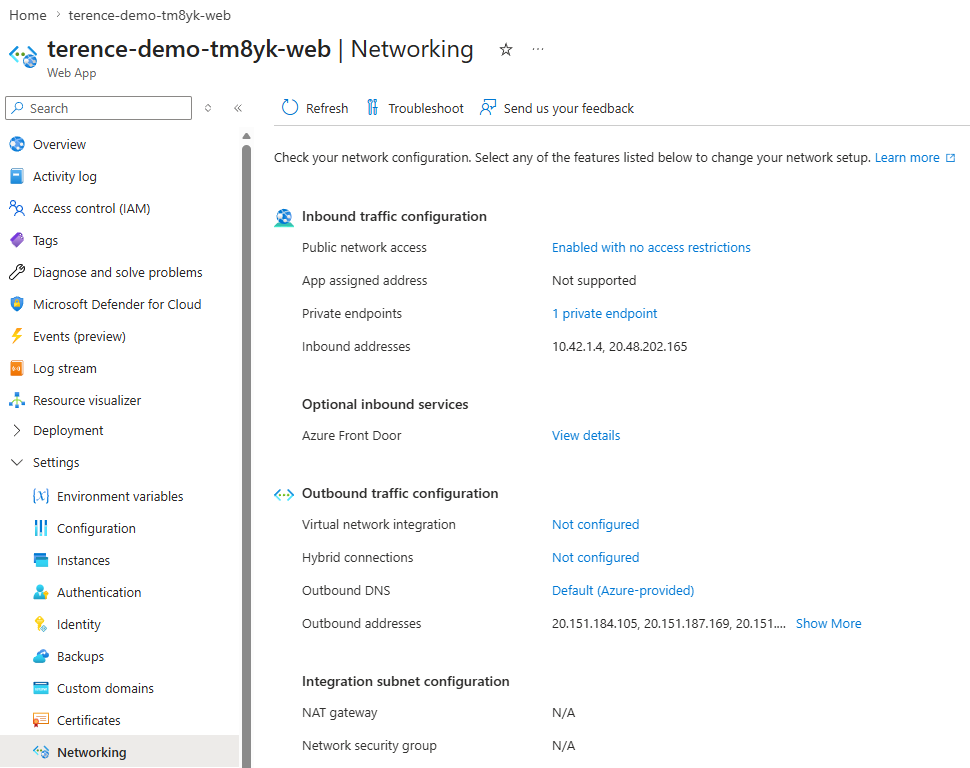
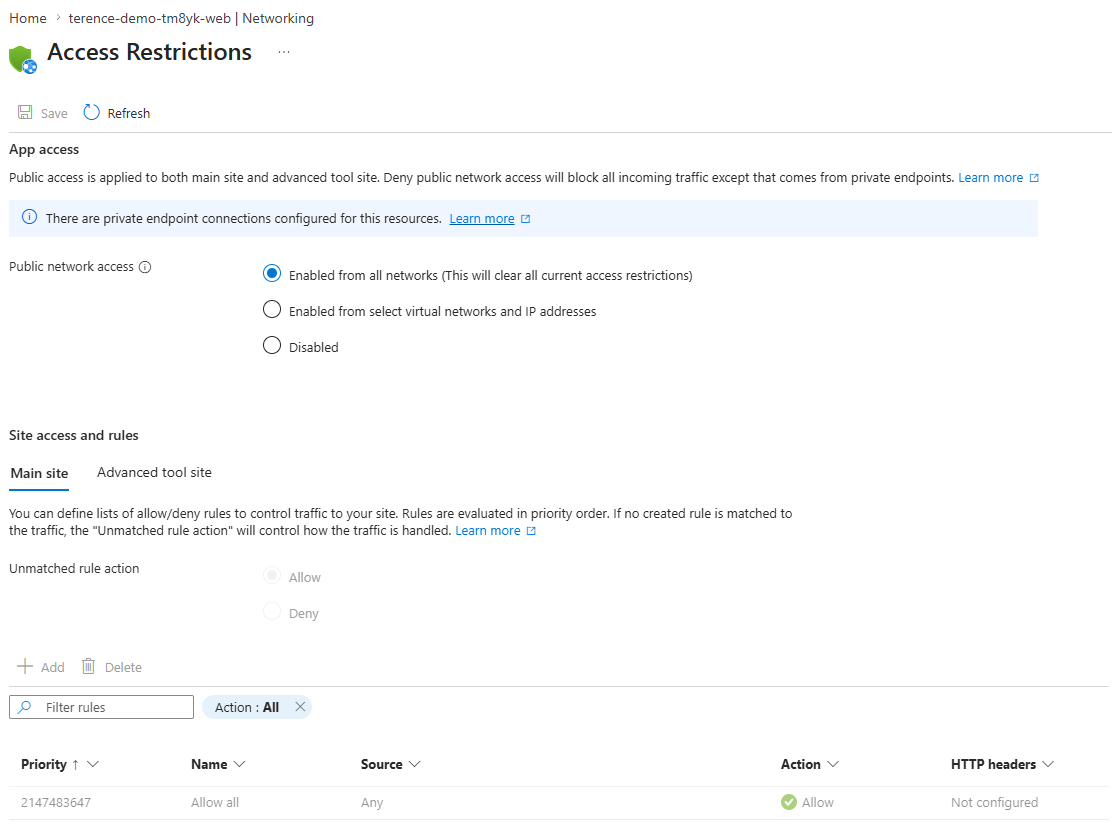
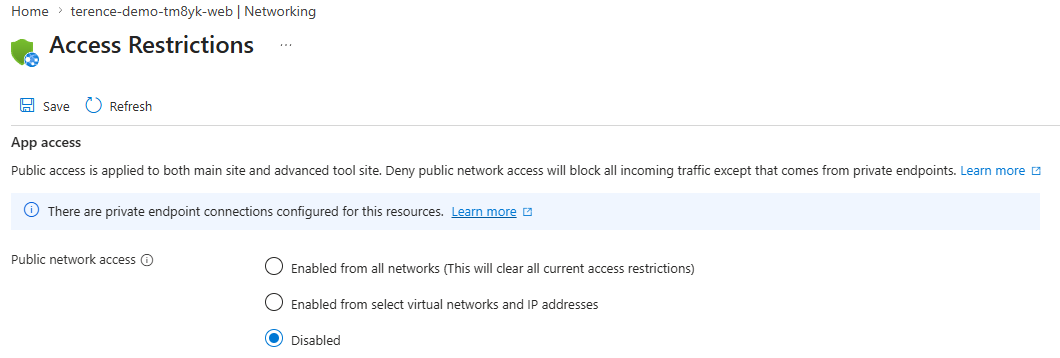
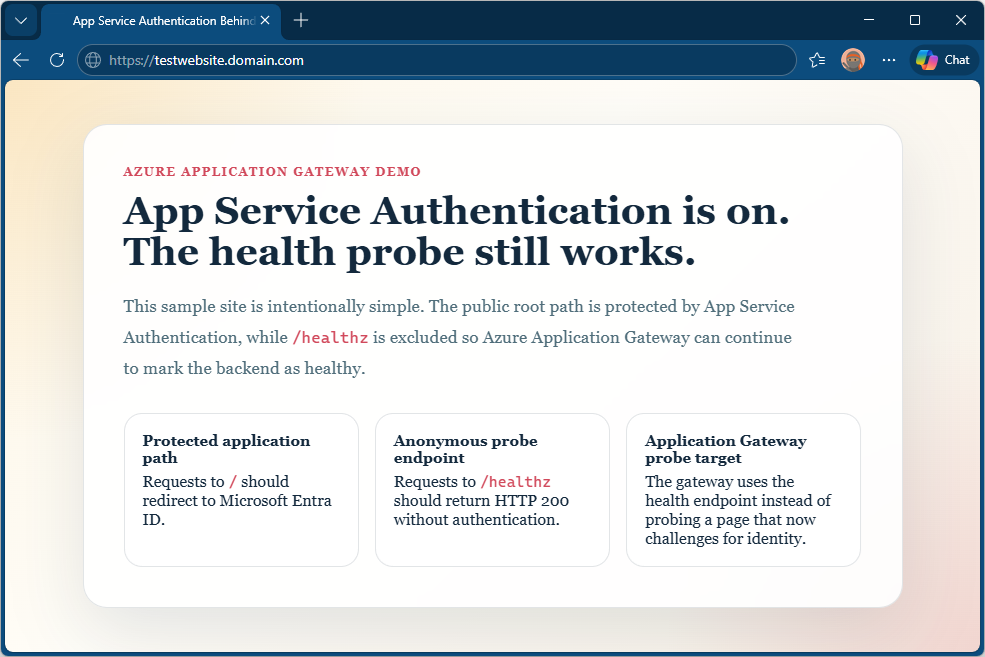
Disabling Public Network Access for Web App
With the appropriate configuration in place for Easy Auth to transit through the Application Gateway, we should now be able to disable public access for the web app and still be able to authenticate and access the web app.
X-Forwarded-Host Header Summary
| Configuration | Purpose |
|---|---|
pick_host_name_from_backend_address = true |
Required for App Service to accept requests from gateway; sets Host to the backend FQDN |
Application Gateway rewrite rule (X-Forwarded-Host) |
Preserves the original public hostname before it is overwritten by the above setting |
forwardProxy.convention = "Standard" |
Tells Easy Auth to trust and use X-Forwarded-Host when building redirect and callback URLs |
| Entra redirect URI includes gateway hostname | Ensures Entra will accept the corrected callback URL |
The rewrite rule is the bridge between what the Application Gateway needs (backend Host header = App Service FQDN) and what Easy Auth needs (public hostname = gateway hostname). Without it, the two requirements are in direct conflict and authentication will fail or route around the gateway once public access is removed.

