
As a follow up to my previous post:
Understanding Logic App networking access to Storage Account located in the same region
Understanding Logic App Key Vault traffic patterns matters, so I wanted to go over the significant differences between a Logic App accessing a Storage Account and a Logic App accessing a Key Vault as it is important when designing your Logic App workflows according to the network communication behavior.
As I noted in my previous Logic App networking access to Storage Account located in the same region, one would think that if a Logic App accessing a Storage Account will originate from a private IP address, it would be the same for a Logic App accessing a Key Vault. As of today on August 21, 2025, this is not the case.
Logic App’s accessing Key Vaults, regardless of same region or not, HTTP actions will originate from its Runtime outgoing IP addresses public IP addresses (coloured in green) while Connector types such as Get Secret will originate from the Connector outgoing IP addresses public IP addresses (coloured in blue) as depicted in the diagram below.

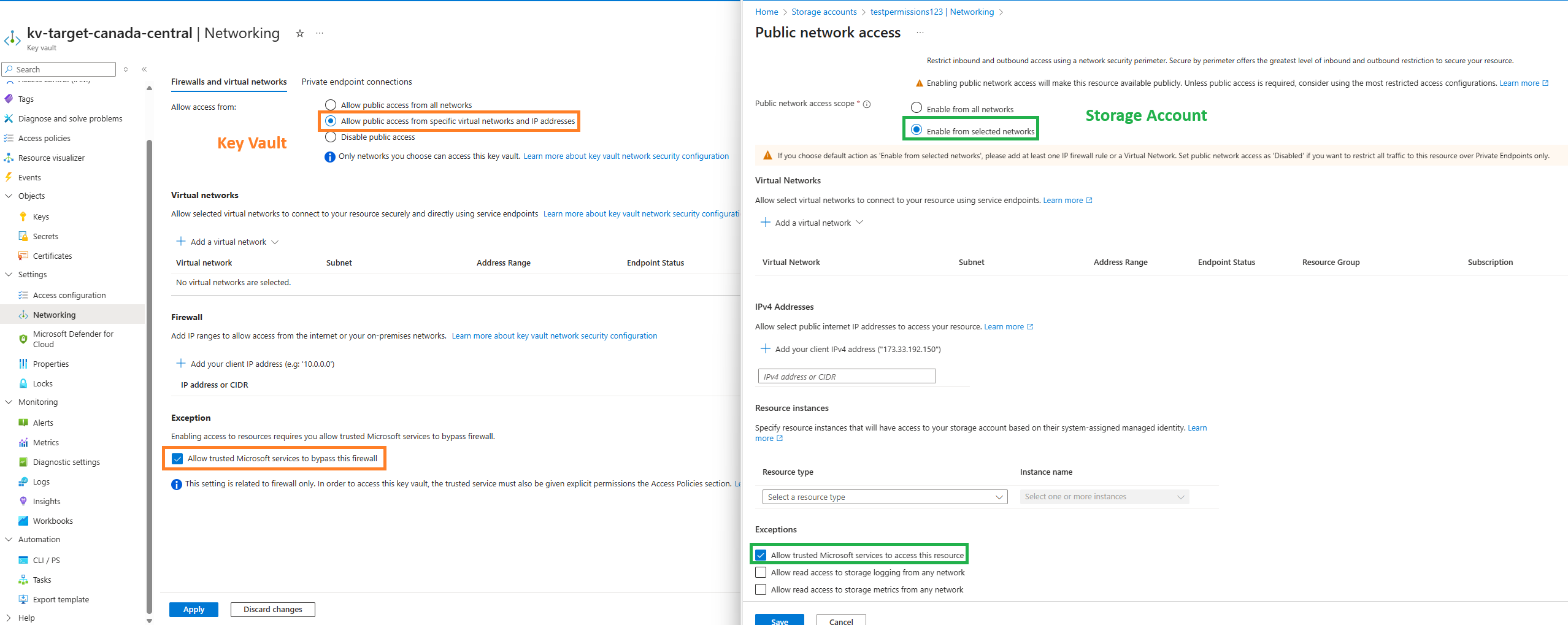
Reviewing the Networking options between the Key Vault and Storage Account (this was recently updated as Secured by perimeter is added) will show differences in labeling:
Key Vault
- Allow public access form all networks
- Allow public access from specific virtual networks and IP addresses
- Disable public access
Storage Account
Public network access
- Enable
- Disable
- Secured by perimeter (Most restricted)
Public network access scope
- Enable from all networks
- Enable from selected networks

Finally, the ability to add exceptions to the resource firewall for select IPs will reveal differences in the labeling as well:
Key Vault
Allow trusted Microsoft services to bypass this firewall
Storage Account
Allow trusted Microsoft services to access this resource
In addition to the differences for the labeling, the documentation also shows very different lists of what is defined as a trusted resource for Key Vaults and Storage Accounts. The following are links to the documentation listing what resources are trusted by the corresponding component.
Notable documentation reference: https://learn.microsoft.com/en-us/azure/key-vault/general/network-security#key-vault-firewall-enabled-trusted-services-only
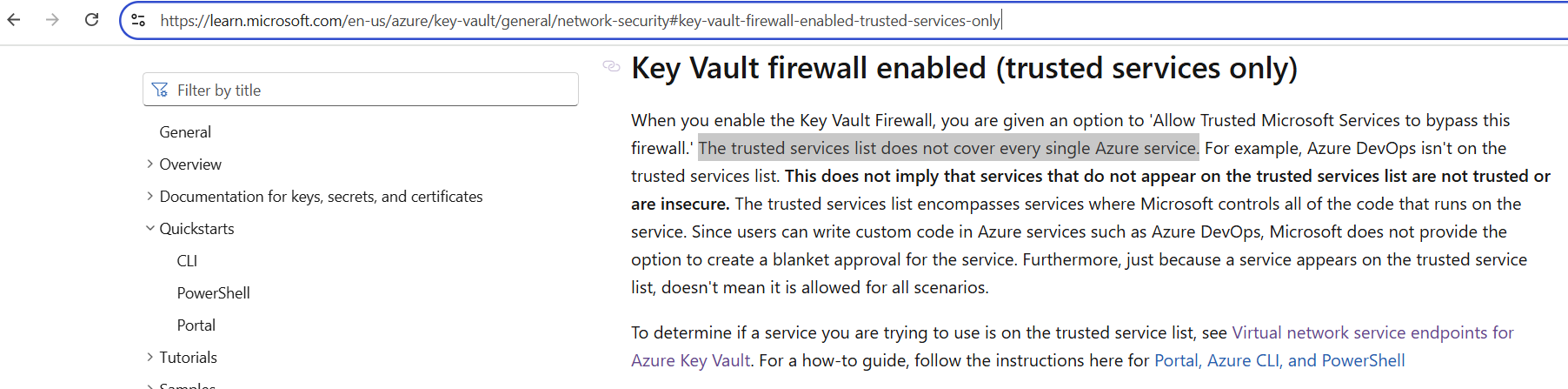
Comparing the list between the two, we will see that Logic Apps is not included in the Key Vault’s trusted services list:
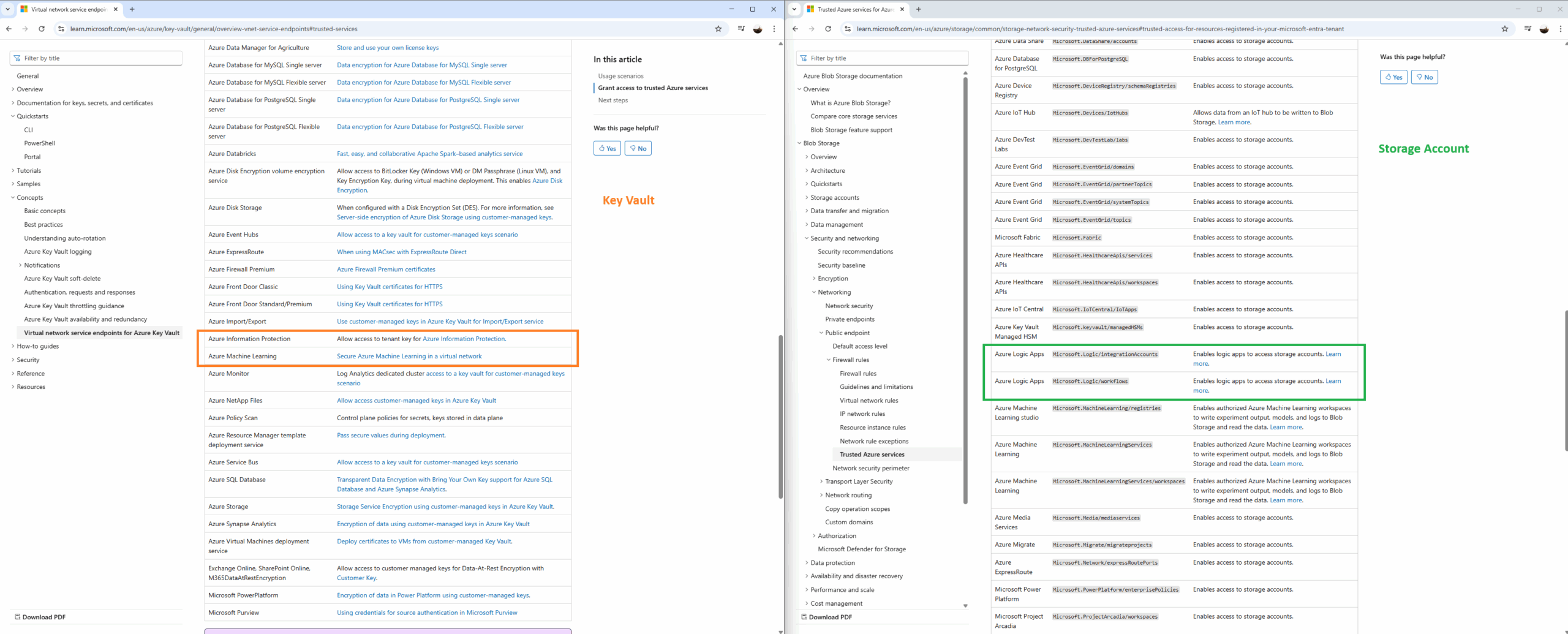
What the lack of Logic Apps appearing in the Trusted Services list for Key Vault means is that regardless of whether you have a Logic App access a Key Vault in the same region or not, you would not be able to use the Exception section with Allow trusted Microsoft services to bypass this firewall enabled to allow the IP address of the Logic App in. Furthermore, tracing the Key Vault logs for inbound access requests from the Logic App will reveal its Runtime outgoing IP addresses public IP addresses as the CallerIPAddress.
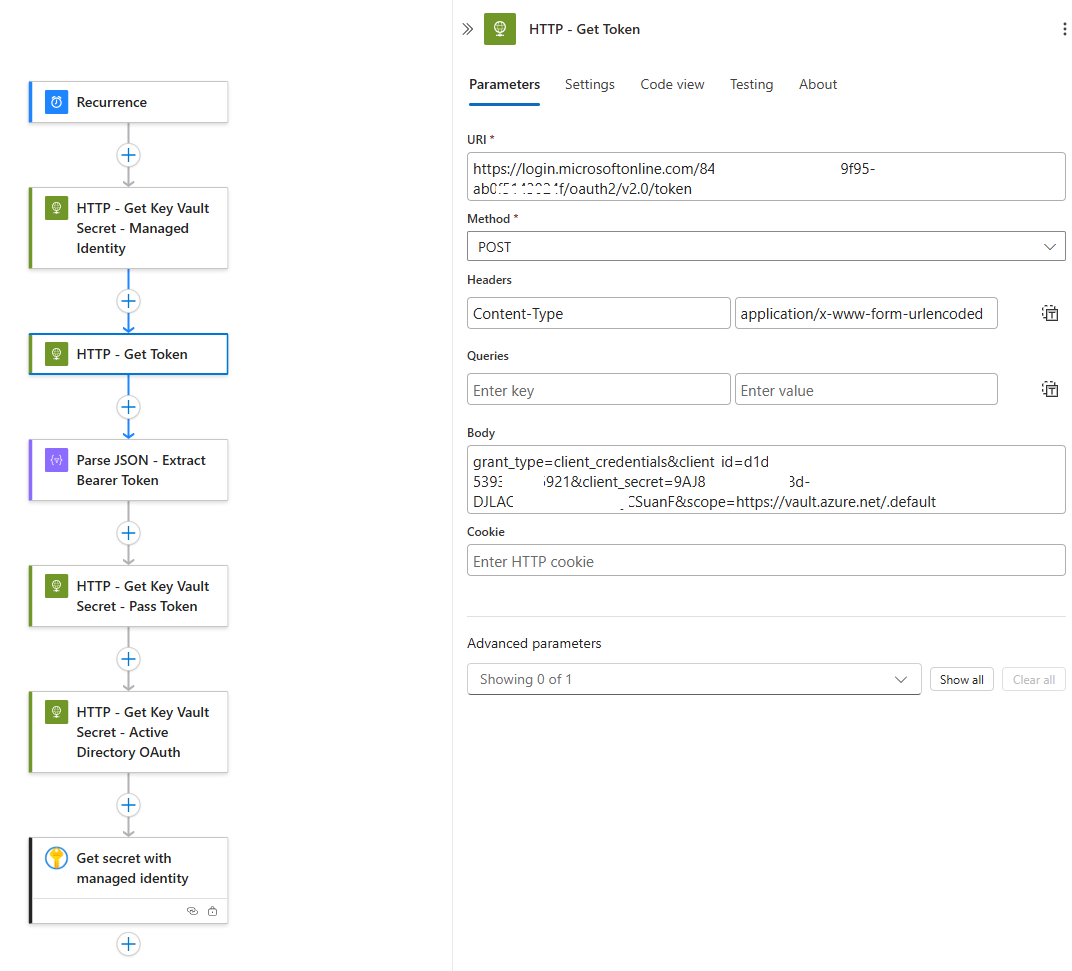
Now that we’ve gone through the documentation, let’s see some Log Analytics log examples of Logic App secret retrievals in different scenarios. What I’ve done in the following Logic App is configure multiple ways of retrieving Key Vault secrets:
- HTTP request with managed identity
- HTTP request to retrieve a token with an App Registration, then pass token to HTTP request to retrieve Key Vault secret
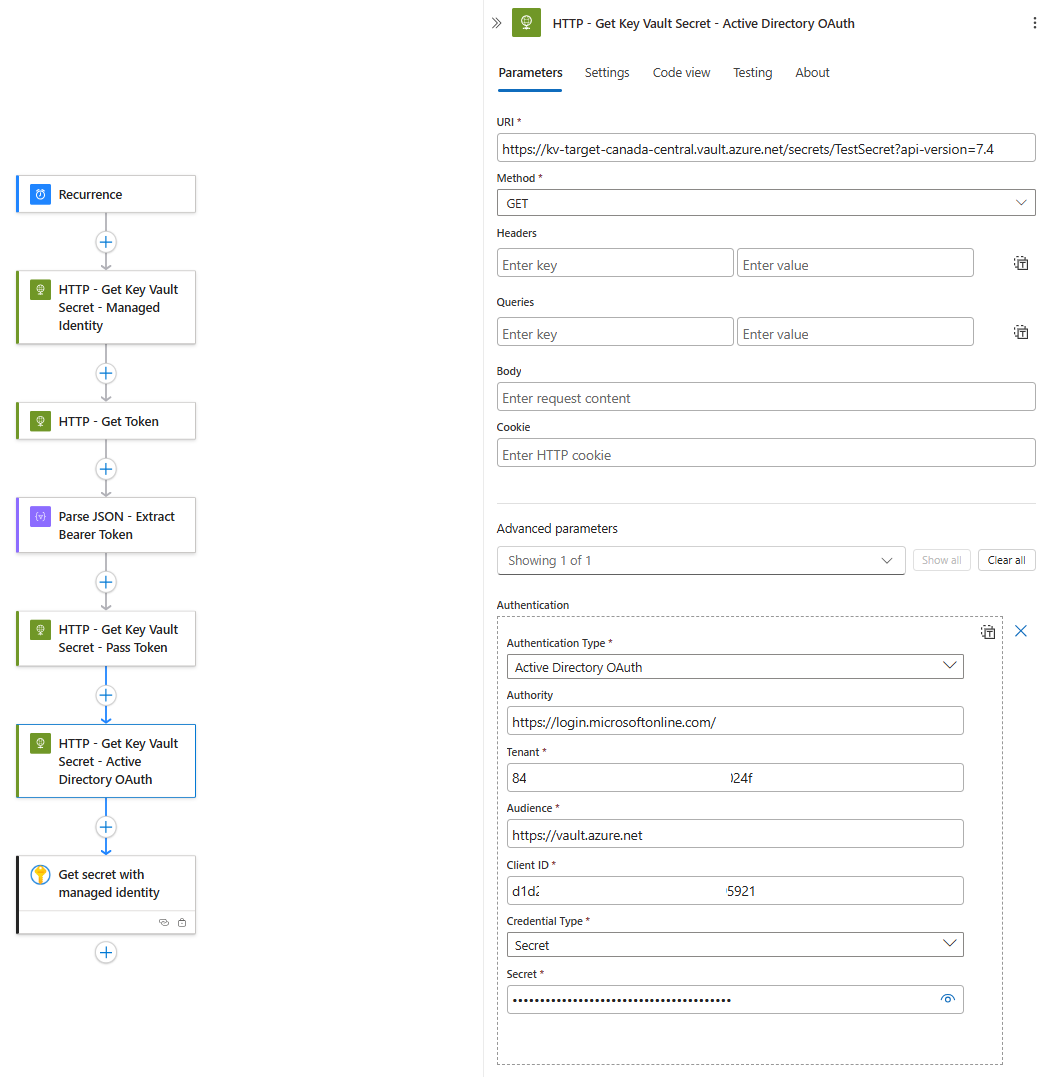
- HTTP request with built in Active Directory OAuth Authentication Type (using an App Registration)
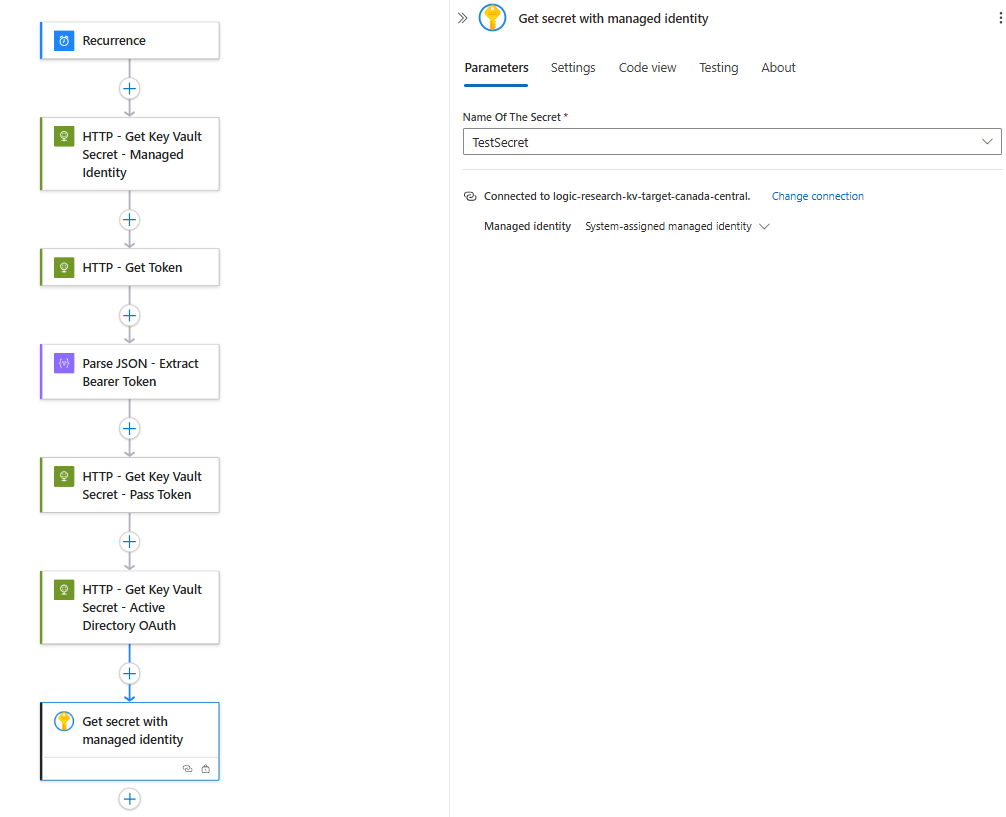
- Get secret action provided by Logic Apps
I will include screenshots of the parameters in case anyone is looking for instructions on how to configure them.
HTTP request with managed identity

HTTP request to retrieve a token with an App Registration, then pass token to HTTP request to retrieve Key Vault secret
URI: https://login.microsoftonline.com/{tenant-id}/oauth2/v2.0/token
Method: Post
Headers:
Content-Type
application/x-www-form-urlencoded
Body:
grant_type=client_credentials&client_id={client-id}&client_secret={client-secret}&scope=https://vault.azure.net/.default
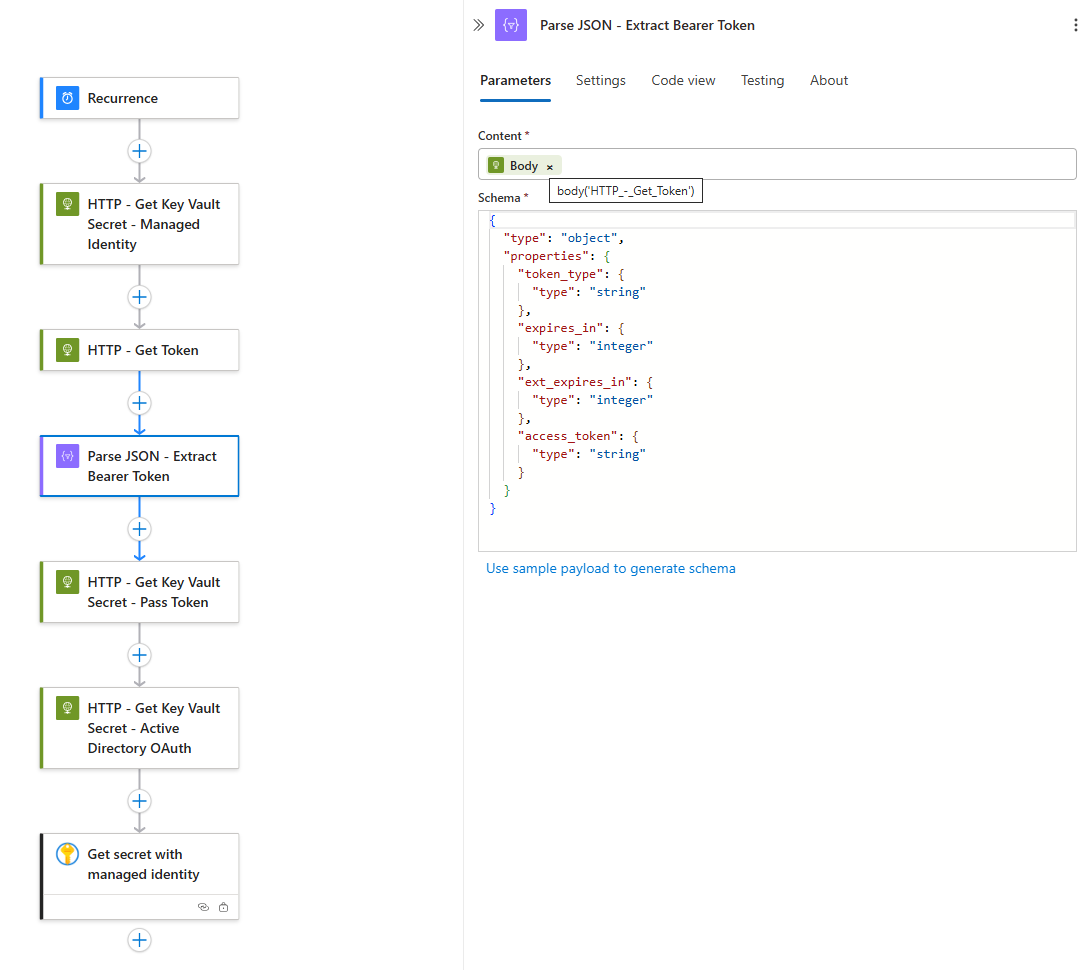

HTTP request with built in Active Directory OAuth Authentication Type (using an App Registration)
Get secret action provided by Logic Apps
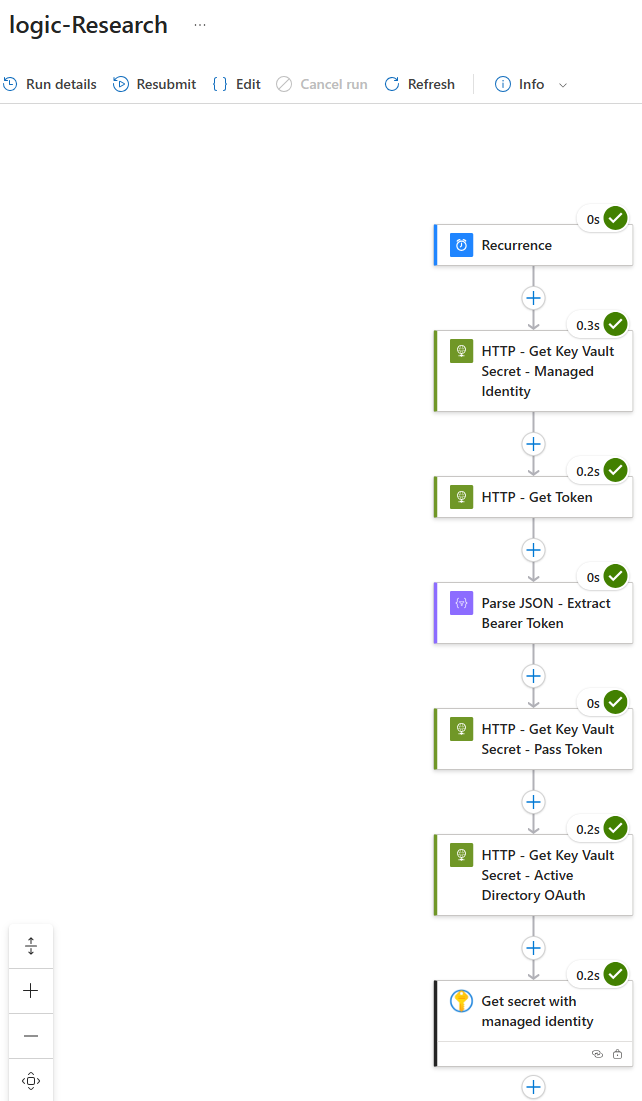
Let’s proceed with initiating a run, confirm that the run was successful:
Turning our attention to the logs for the Key Vault will show that unlike inbound requests to a Storage Account, we can immediately see that this Logic App does not come in via a private IP address and the type of IP addresses used for an HTTP request vs a Get Secret activity from the Logic App are its Runtime outgoing IP address (HTTP) and Connector outgoing IP addresses (Get Secret):


Logic App Key Vault Traffic: Key Takeaways
I’m not completely sure if this will change in the future but as it stands today, its important to understand two items:
- Logic Apps are not a trusted service for Key Vaults
- Logic App access to Key Vaults, regardless of whether it is in the same region or not, will always originate from the Logic App’s public IP addresses so if there is a desire to allow inbound access with the firewall configured to allow select IP addresses, the public IP addresses are the ones to be configured.
Hope this helps anyone who might be looking for this information.

