
As a follow up to my previous post:
… where I ran into and worked around truncated AI agent output, I wanted to provide a better way address this challenge with a solution that would scale for larger datasets. The solution I provided in my previous post worked but did not handle situations where the set of firewall logs would exceed token limits of today or tomorrow’s model. An alternative and much better method is to incorporate a batching strategy.
In this post, I’m going to show an enhancement to that design:
- Batch at the source (KQL) so each LLM call is bounded and predictable
- Use an autonomous loop to keep pulling batches until there are no more results
- Add a verification step with Log Analytics so you can detect partial processing
- Still deliver the same consistent HTML email + CSV attachment output
Note that while I’m still using a Logic App for processing, the agent component was removed because I no longer needed it.
High-level design (what’s new vs my truncation workaround)
Previous design (Dec 2025):
- Run query (Log Analytics)
- Send entire result set to an LLM (via HTTP tool)
- Generate CSV + HTML
- Agent sends email
Enhanced design (this post):
- Run query in batches using KQL paging logic with keyset pagination
- For each batch:
- Send only that batch to the LLM (HTTP tool with GPT-4o)
- Parse and validate the enriched JSON response
- Append enriched results to an accumulator array
- When no more results:
- Generate final CSV + HTML with styled formatting
- Email report with attachment
- Verification capability built-in via tracking variables to validate completeness
This approach eliminates the risk of hitting connector/query limits, avoids huge LLM prompts that consume excessive tokens, and ensures you can process unlimited volumes of firewall logs regardless of the time window.
The code for this Logic App can be found in my GitHub repo: https://github.com/terenceluk/Azure/tree/main/Logic%20App/Batch-Processing-Firewall-Logs-with-AI
Step-by-step configuration
Step 1 — Create the workflow + Recurrence trigger
Create a new workflow and add a Recurrence trigger (e.g., every day at 9AM).
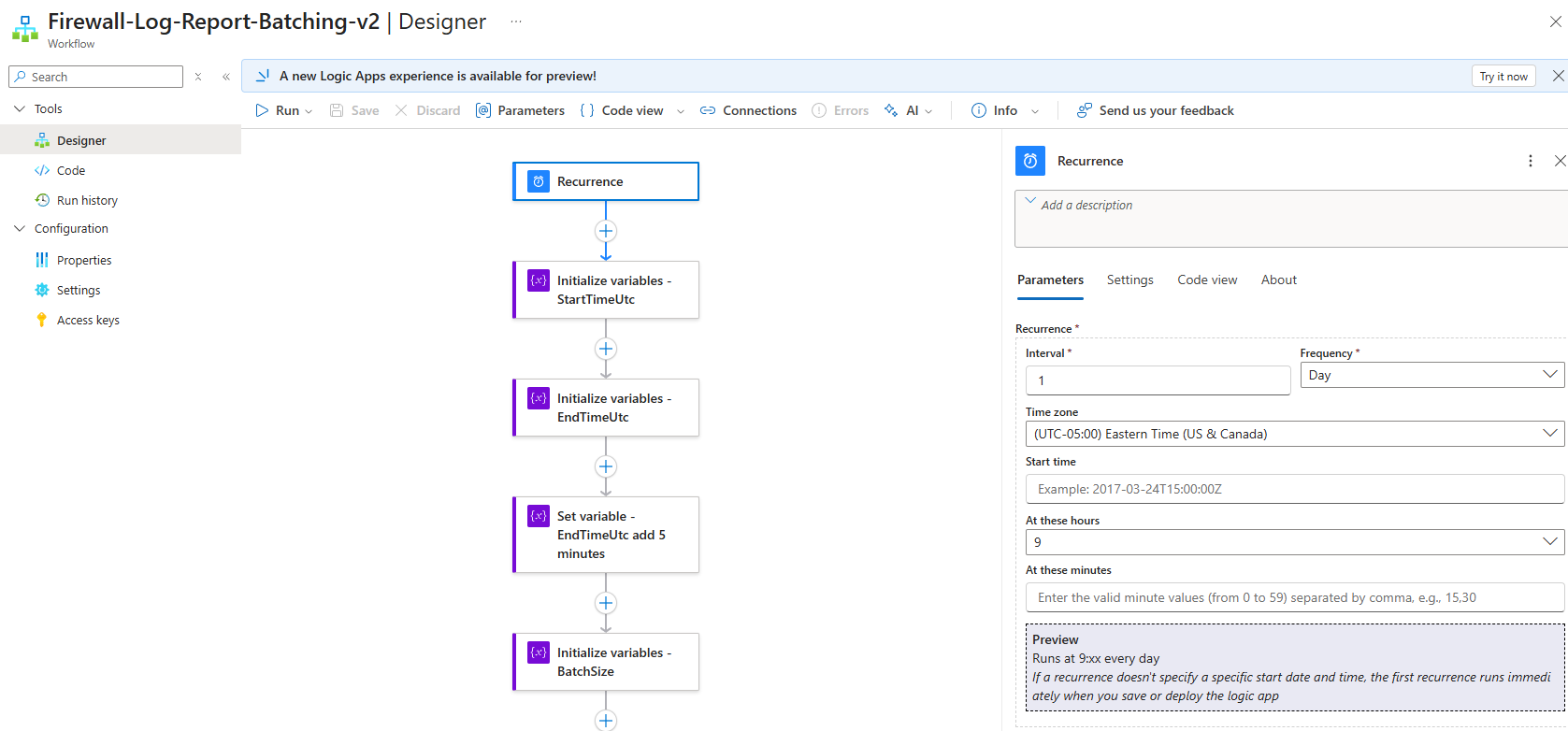
Step 2 — Initialize variables (control loop + output buffers)
Add these variables near the top:
| Action Name | Variable Name | Type | Initial Value | Purpose |
|---|---|---|---|---|
Initialize_variables_-_StartTimeUtc |
StartTimeUtc |
String | @{formatDateTime(addHours(utcNow(), -24), 'yyyy-MM-ddTHH:mm:ss.fffffffZ')} |
Start of 24-hour window |
Initialize_variables_-_EndTimeUtc |
EndTimeUtc |
String | @{formatDateTime(utcNow(), 'yyyy-MM-ddTHH:mm:ss.fffffffZ')} |
Initial end time (will be adjusted) |
Set_variable_-_EndTimeUtc_add_5_minutes |
EndTimeUtc |
String | @{formatDateTime(addMinutes(utcNow(), -5), 'yyyy-MM-ddTHH:mm:ss.fffffffZ')} |
Updated: 5 minutes ago to avoid partial data |
Initialize_variables_-_BatchSize |
BatchSize |
Integer | 20 |
Records per batch |
Initialize_variables_-_LastAttemptCount |
LastAttemptCount |
Integer | 2147483647 |
Tracks AttemptCount of last record (starts at MAXINT) |
Initialize_variables_-_LastFqdn |
LastFqdn |
String | null (empty) |
Tracks FQDN of last record |
Initialize_variables_-_HasMore |
HasMore |
Boolean | true |
Loop control flag |
Initialize_variables_-_EnrichedRows |
EnrichedRows |
Array | [] (empty array) |
Accumulator for all enriched records |
Initialize_variables_-_TempEnrichedRows |
TempEnrichedRows |
Array | [] (empty array) |
Temporary storage for current batch |
Initialize_variables_-_HTML-Formatting |
HTML-Formatting |
String | null (empty) |
Final HTML output |
Initialize_variables_-_CSV-Content |
CSV-Content |
String | null (empty) |
Final CSV output |
The variables LastAttemptCount and LastFqdn will be used as pagination tokens directly in KQL.
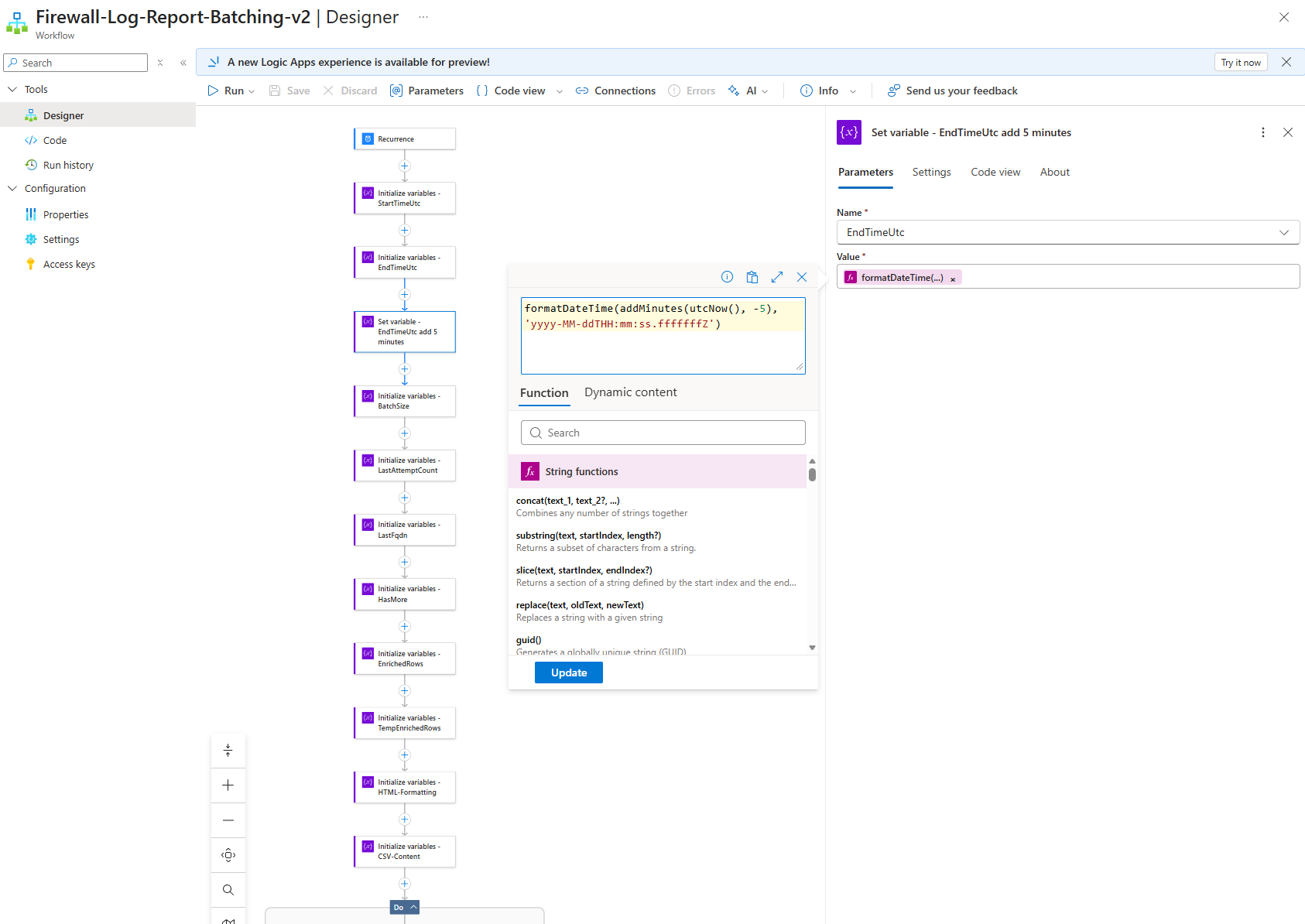
Note about Handling late‑ingested firewall logs
Azure Firewall logs are not guaranteed to appear in Log Analytics immediately after the event occurs. In some cases, logs can be ingested several minutes after their TimeGenerated timestamp. If a workflow uses the current time (utcNow()) as the upper bound of its query window, it can miss events that occur near the end of the window but are ingested slightly later. To mitigate this, the workflow optionally lags the end of the query window by a few minutes (for example, utcNow() – 5 minutes). This allows time for late‑ingested records to arrive while keeping the dataset finite and deterministic. Newly ingested records are then picked up by the next scheduled run.
Step 3 — The Until Loop: Autonomous Batch Processing
The Until loop is configured to run until HasMore becomes false, with a maximum of 60 iterations and a 1-hour timeout:
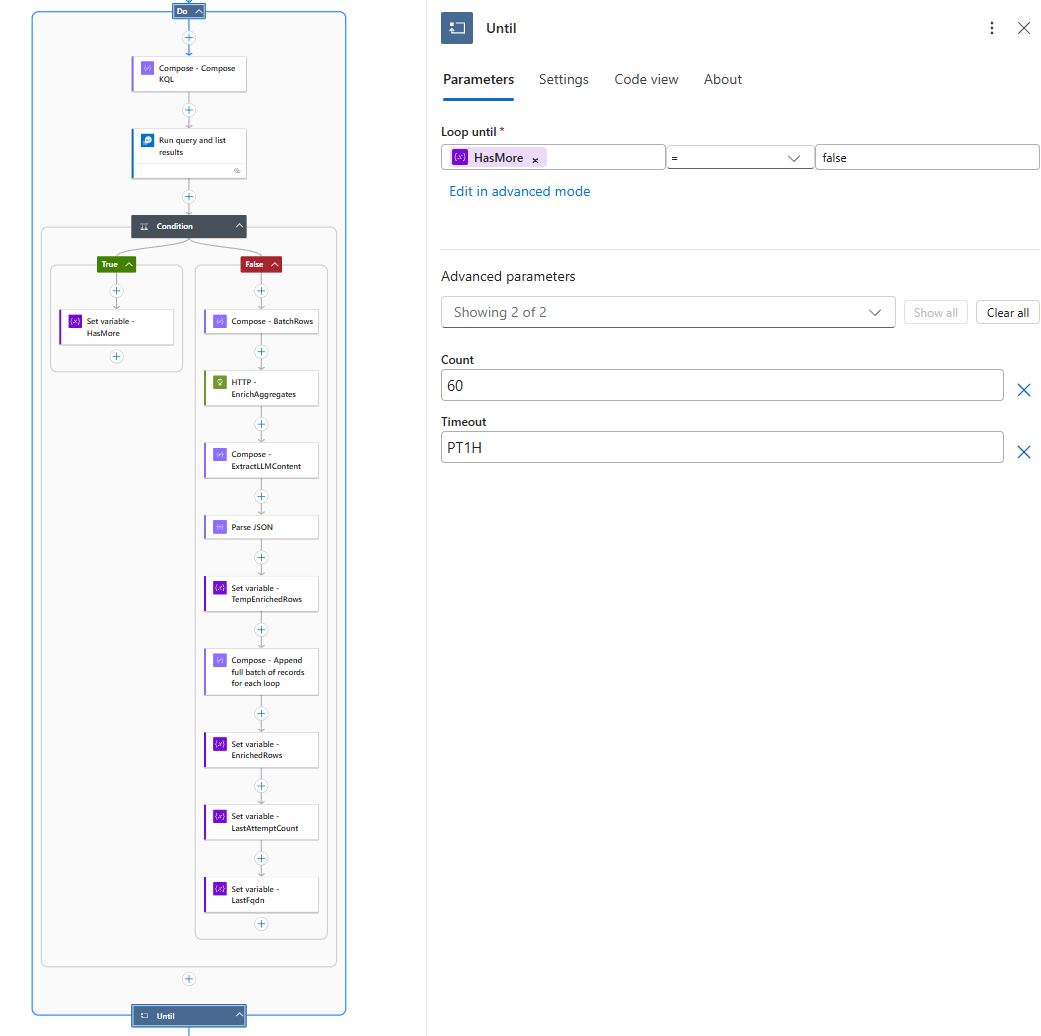
Inside each iteration:
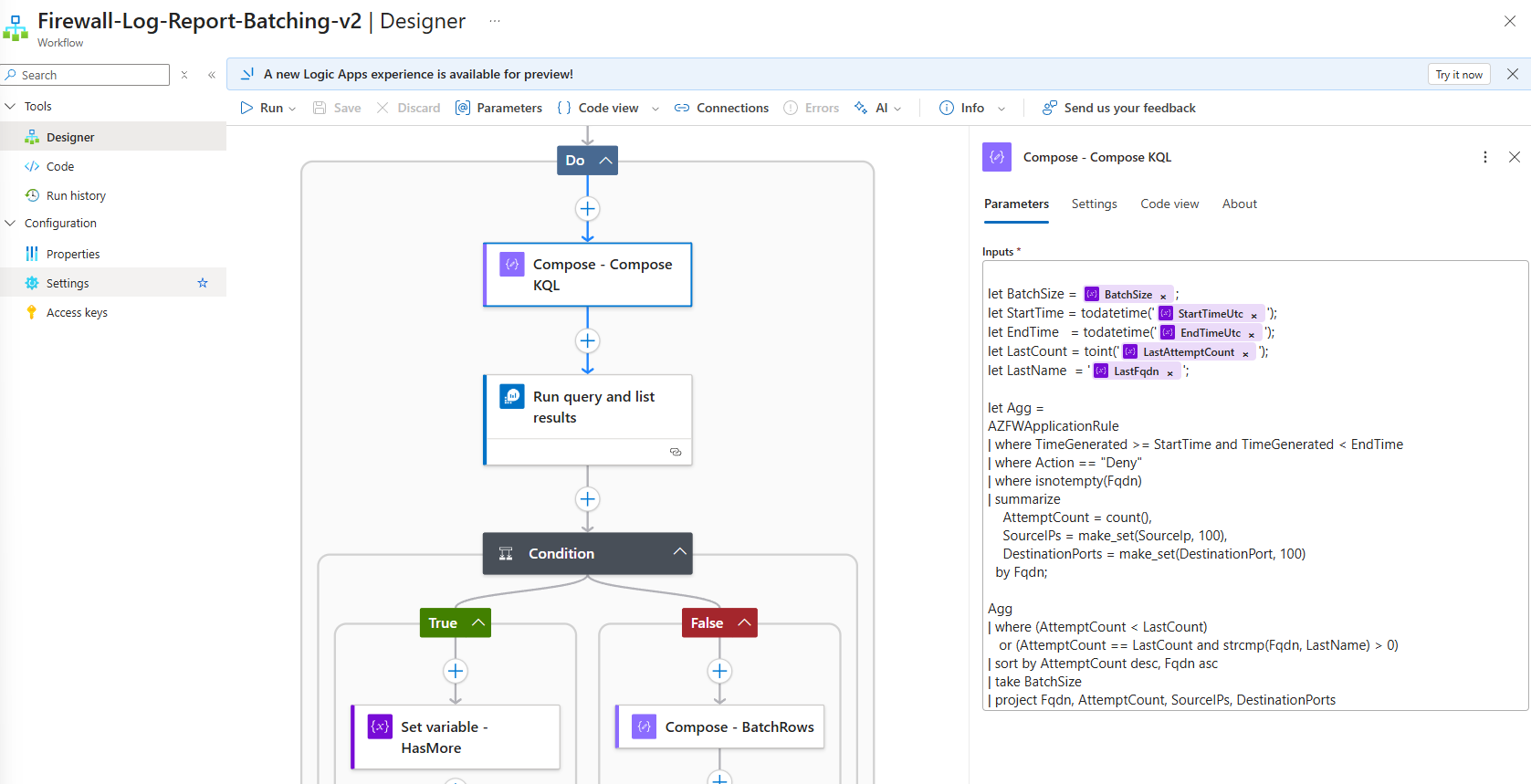
- Run the parameterized KQL query against Log Analytics (Batching Logic with KQL Pagination): https://github.com/terenceluk/Azure/blob/main/Logic%20App/Batch-Processing-Firewall-Logs-with-AI/Query-Firewall-Logs.kql
let BatchSize = @{variables('BatchSize')};
let StartTime = todatetime('@{variables('StartTimeUtc')}');
let EndTime   = todatetime('@{variables('EndTimeUtc')}');
let LastCount = toint('@{variables('LastAttemptCount')}');
let LastName  = '@{variables('LastFqdn')}';

let Agg =
AZFWApplicationRule
| where TimeGenerated >= StartTime and TimeGenerated < EndTime
| where Action == "Deny"
| where isnotempty(Fqdn)
| summarize
    AttemptCount = count(),
    SourceIPs = make_set(SourceIp, 100),
    DestinationPorts = make_set(DestinationPort, 100)
  by Fqdn;

Agg
| where (AttemptCount < LastCount)
   or (AttemptCount == LastCount and strcmp(Fqdn, LastName) > 0)
| sort by AttemptCount desc, Fqdn asc
| take BatchSize
| project Fqdn, AttemptCount, SourceIPs, DestinationPorts
This approach:
- Orders results by
AttemptCountdescending, thenFqdnascending - Uses the last record’s values as a cursor
- Returns exactly one batch of records that come after the cursor


- Orders results by
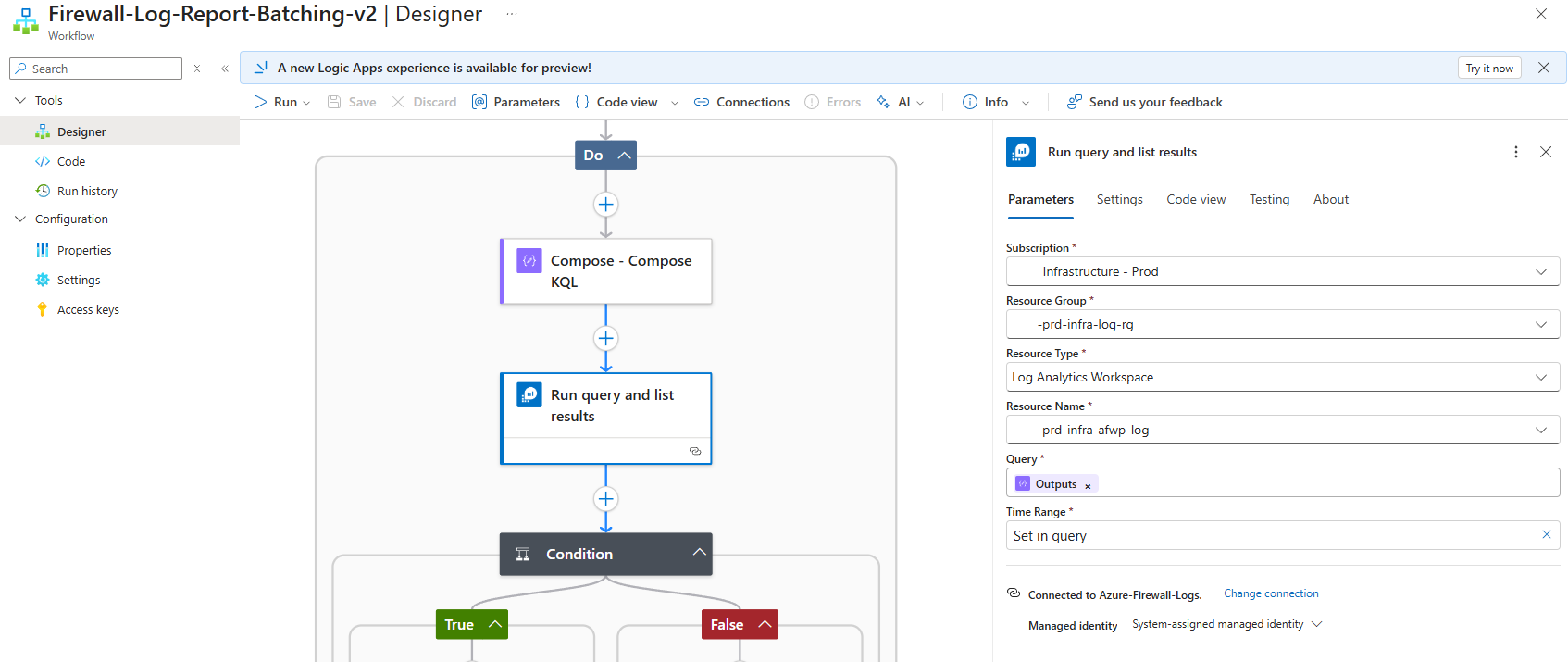
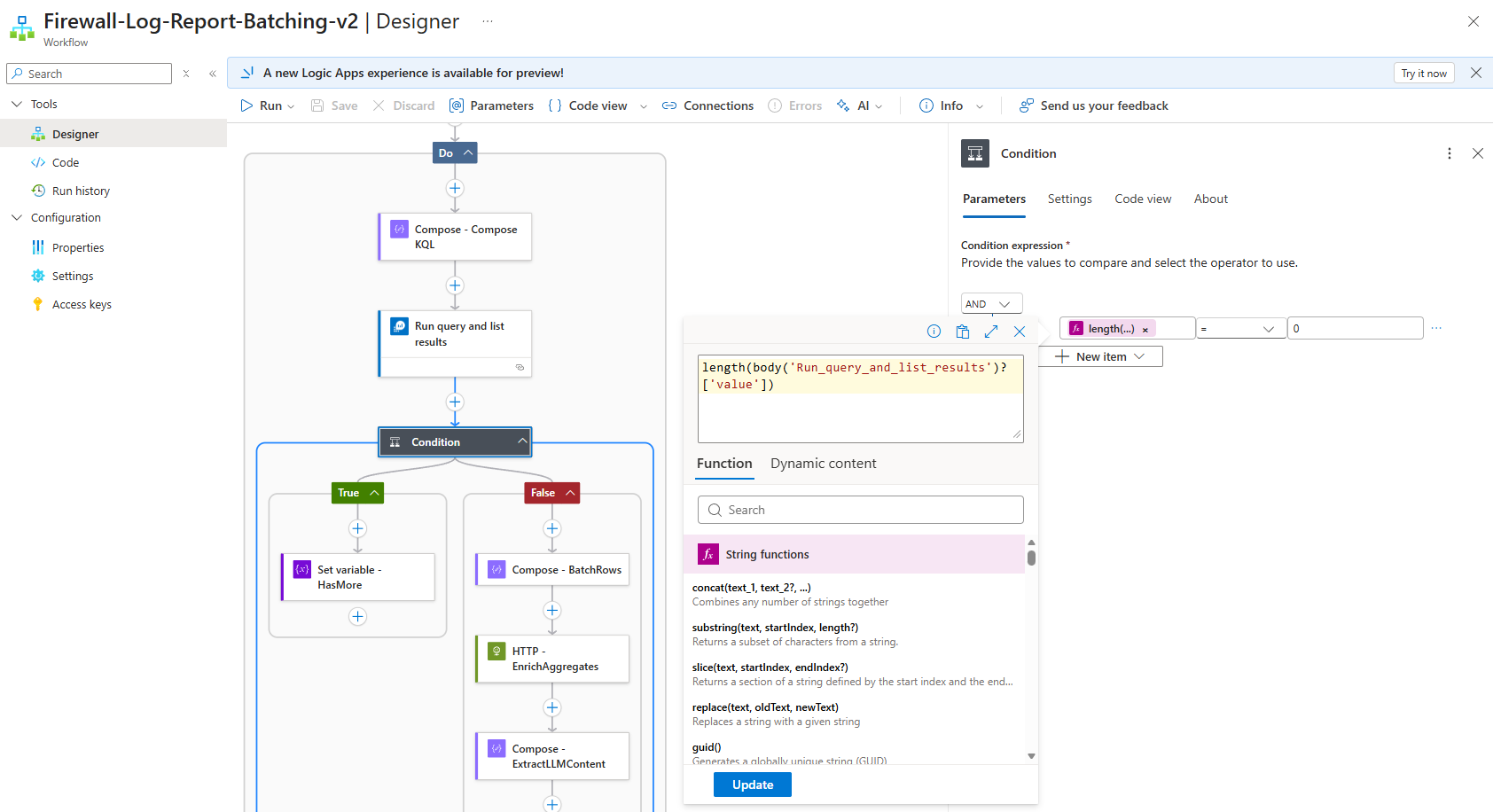
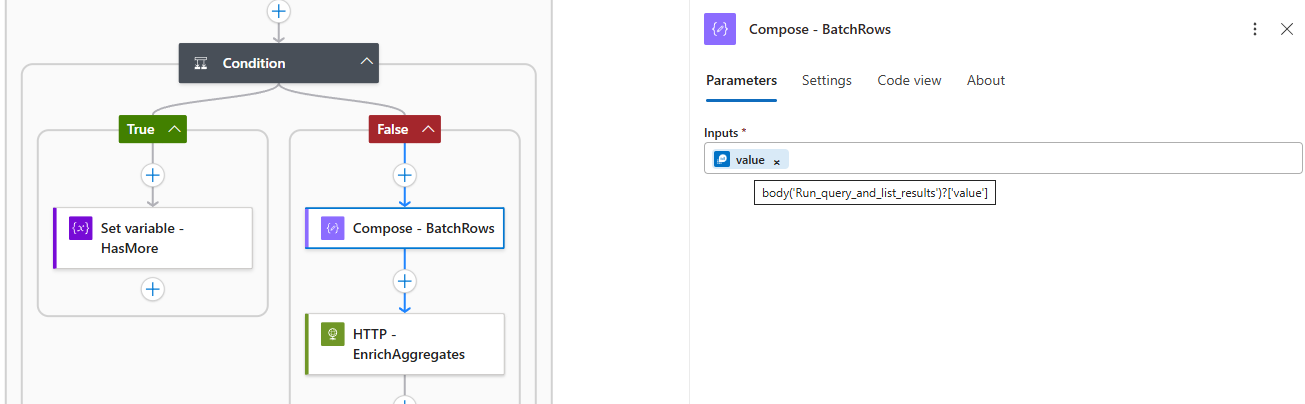
- Check if results were returnedlength(body(‘Run_query_and_list_results’)?[‘value’])

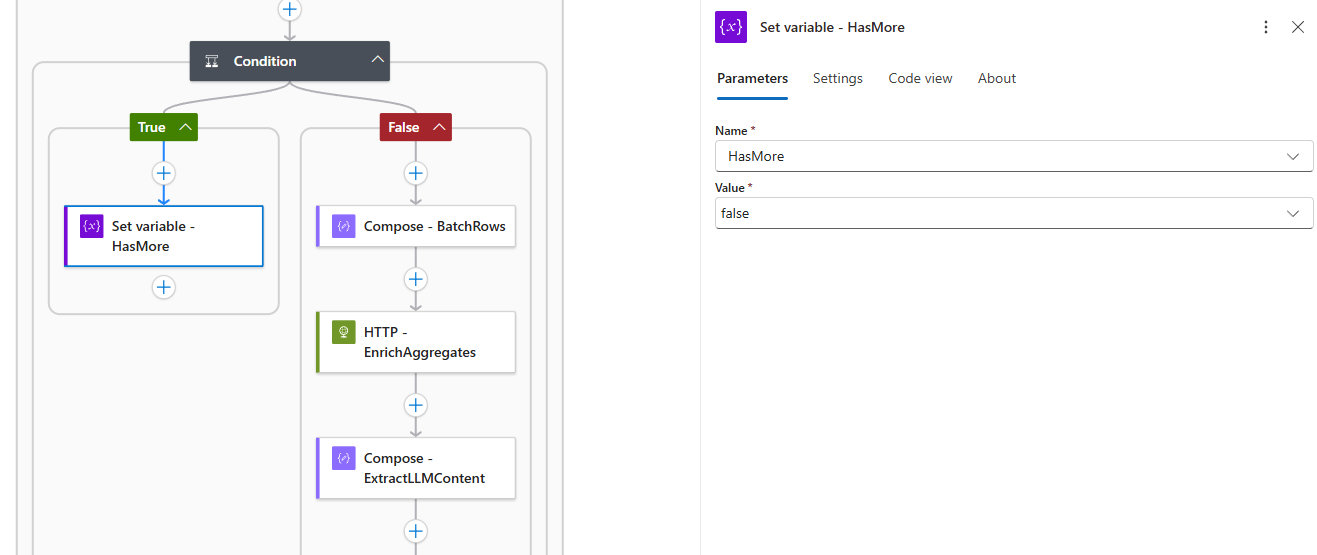
- If no results → set
HasMore = false(exit condition)
- If results exist:
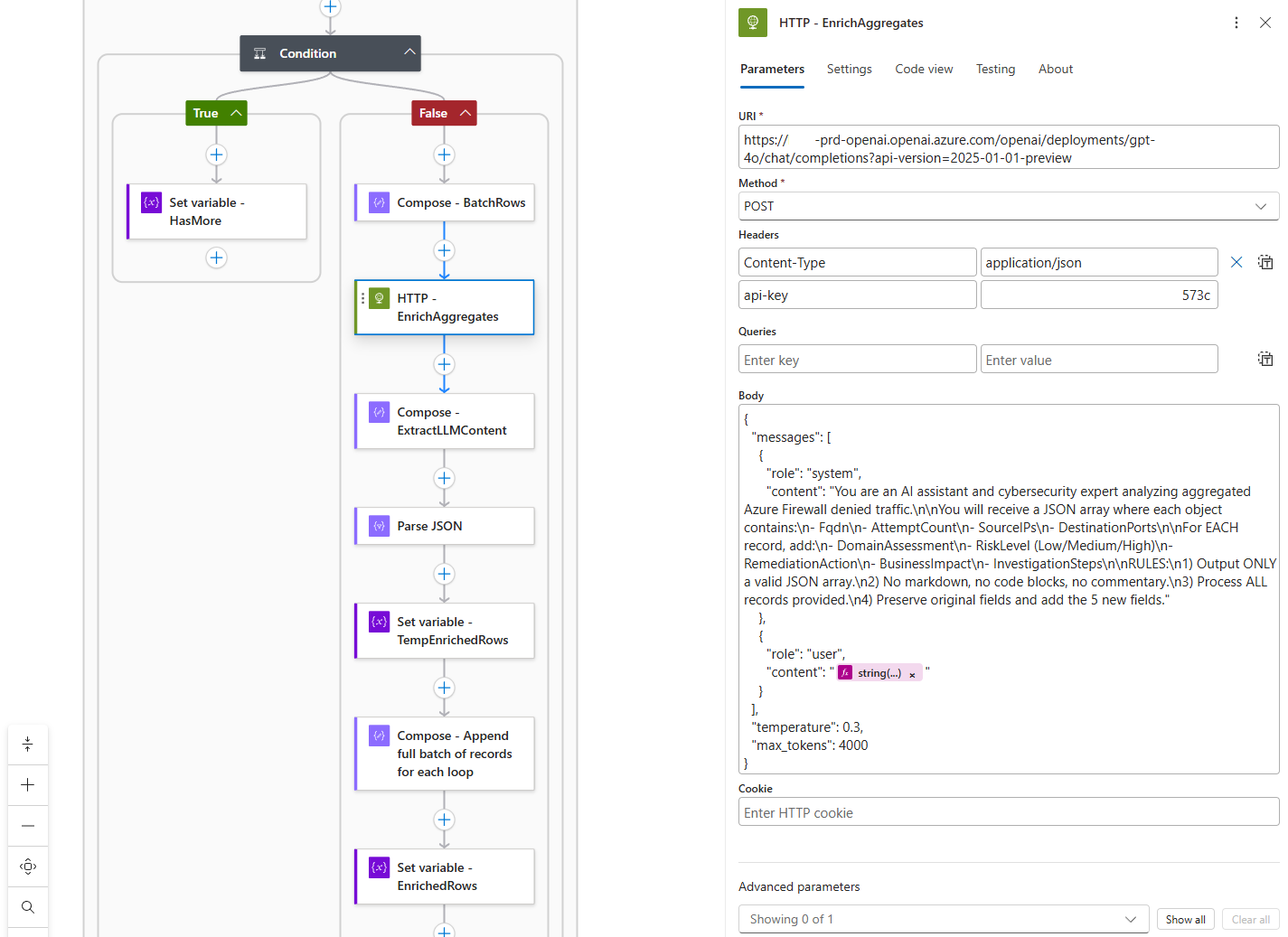
- Send the batch to GPT-4o for enrichment: https://github.com/terenceluk/Azure/blob/main/Logic%20App/Batch-Processing-Firewall-Logs-with-AI/Query-AI-LLM.json
 {
{
“messages”: [
{
“role”: “system”,
“content”: “You are an AI assistant and cybersecurity expert analyzing aggregated Azure Firewall denied traffic.\n\nYou will receive a JSON array where each object contains:\n- Fqdn\n- AttemptCount\n- SourceIPs\n- DestinationPorts\n\nFor EACH record, add:\n- DomainAssessment\n- RiskLevel (Low/Medium/High)\n- RemediationAction\n- BusinessImpact\n- InvestigationSteps\n\nRULES:\n1) Output ONLY a valid JSON array.\n2) No markdown, no code blocks, no commentary.\n3) Process ALL records provided.\n4) Preserve original fields and add the 5 new fields.”
},
{
“role”: “user”,
“content”: ““
}
],
“temperature”: 0.3,
“max_tokens”: 4000
}
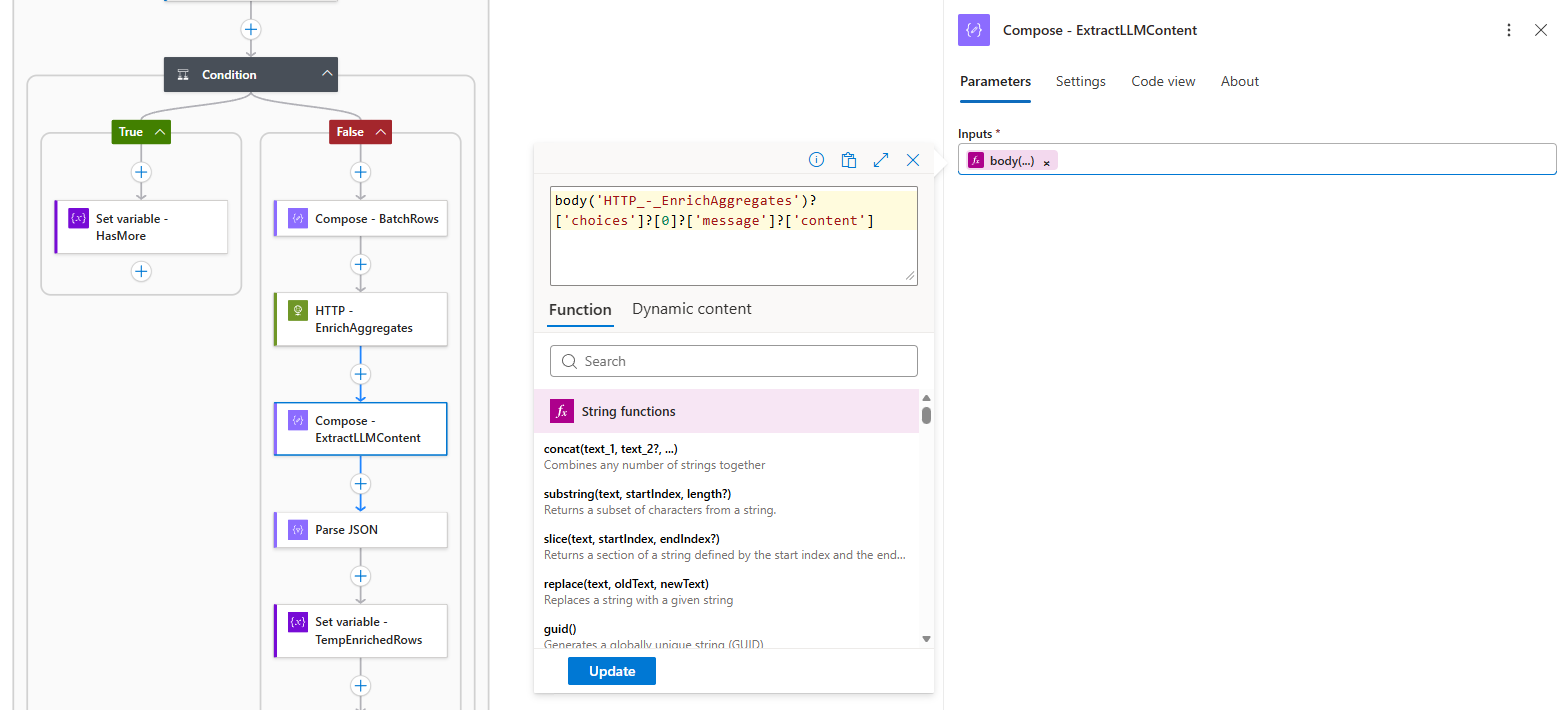
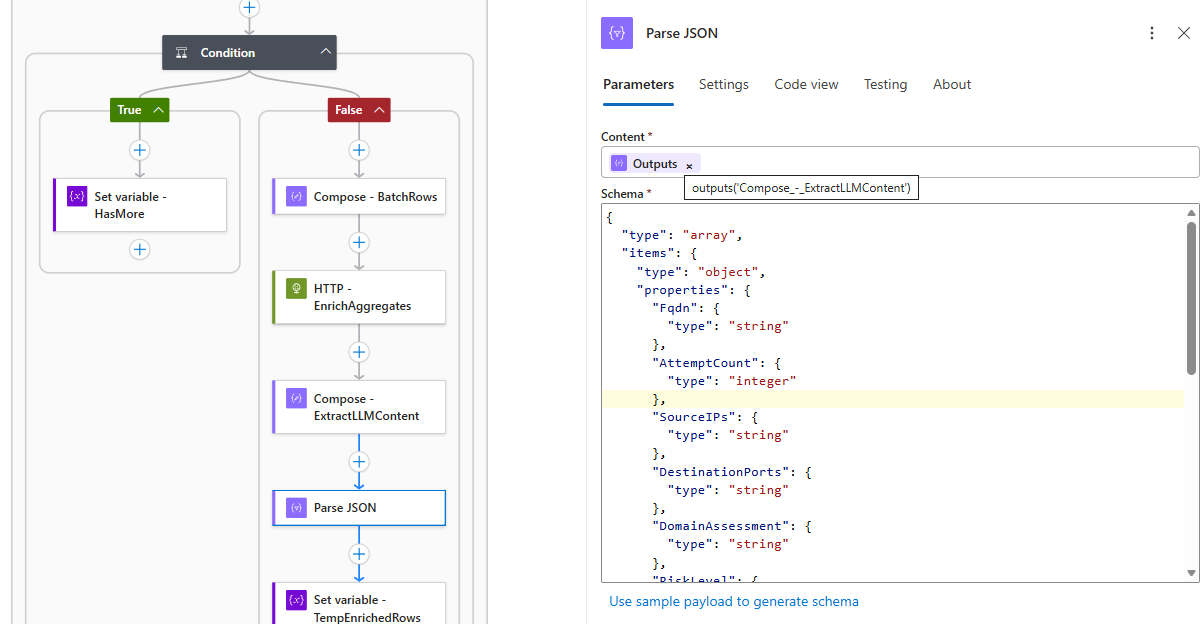
- Parse the AI response (strict JSON validation)
body(‘HTTP_-_EnrichAggregates’)?[‘choices’]?[0]?[‘message’]?[‘content’]

{
“type”: “array”,
“items”: {
“type”: “object”,
“properties”: {
“Fqdn”: {
“type”: “string”
},
“AttemptCount”: {
“type”: “integer”
},
“SourceIPs”: {
“type”: “string”
},
“DestinationPorts”: {
“type”: “string”
},
“DomainAssessment”: {
“type”: “string”
},
“RiskLevel”: {
“type”: “string”
},
“RemediationAction”: {
“type”: “string”
},
“BusinessImpact”: {
“type”: “string”
},
“InvestigationSteps”: {
“type”: “string”
}
},
“required”: [
“Fqdn”,
“AttemptCount”,
“SourceIPs”,
“DestinationPorts”,
“DomainAssessment”,
“RiskLevel”,
“RemediationAction”,
“BusinessImpact”,
“InvestigationSteps”
]
}
}

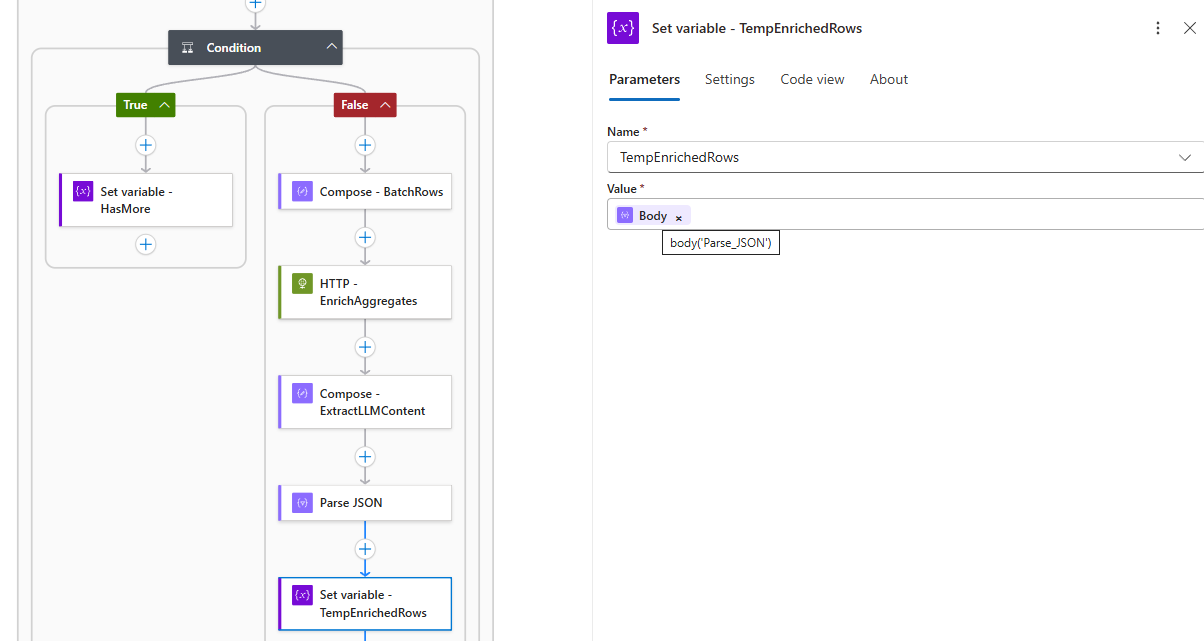
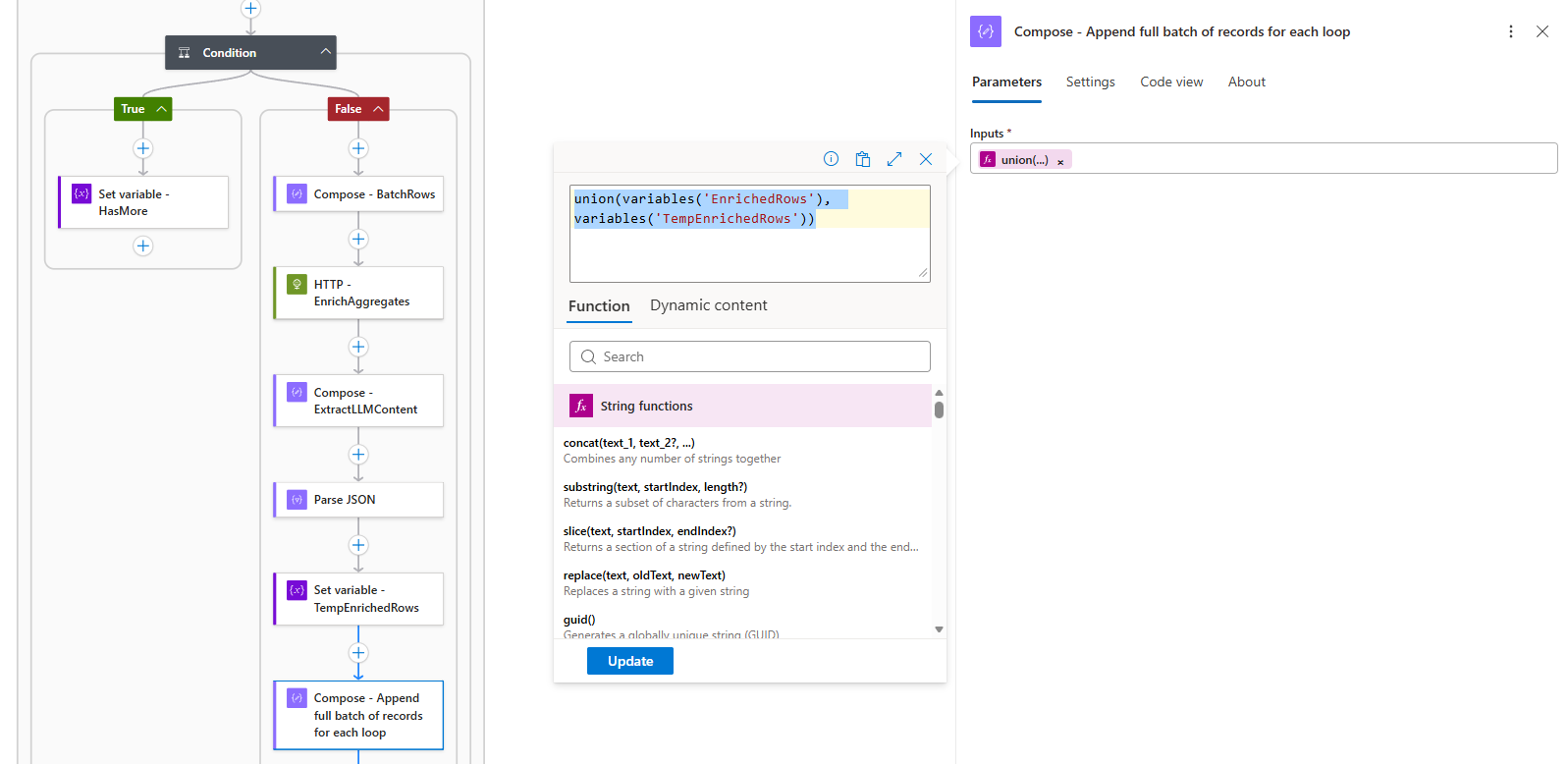
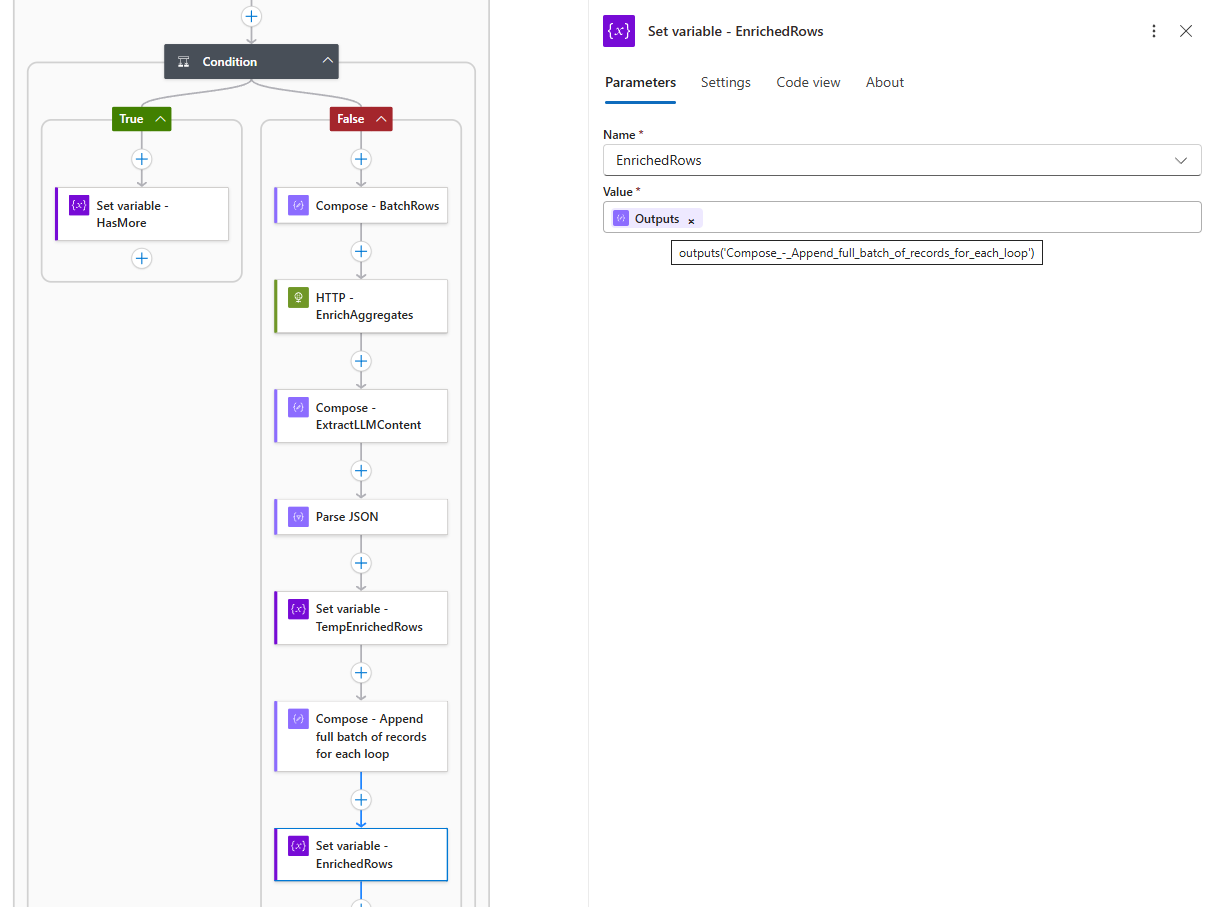
- Append to the accumulator using
union()The
union()function combines the existing accumulator with the new batch, automatically deduplicating if needed. This approach:-
Processes entire batches in a single operation
-
Minimizes variable operations
-
Maintains data integrity
union(variables(‘EnrichedRows’), variables(‘TempEnrichedRows’))


-
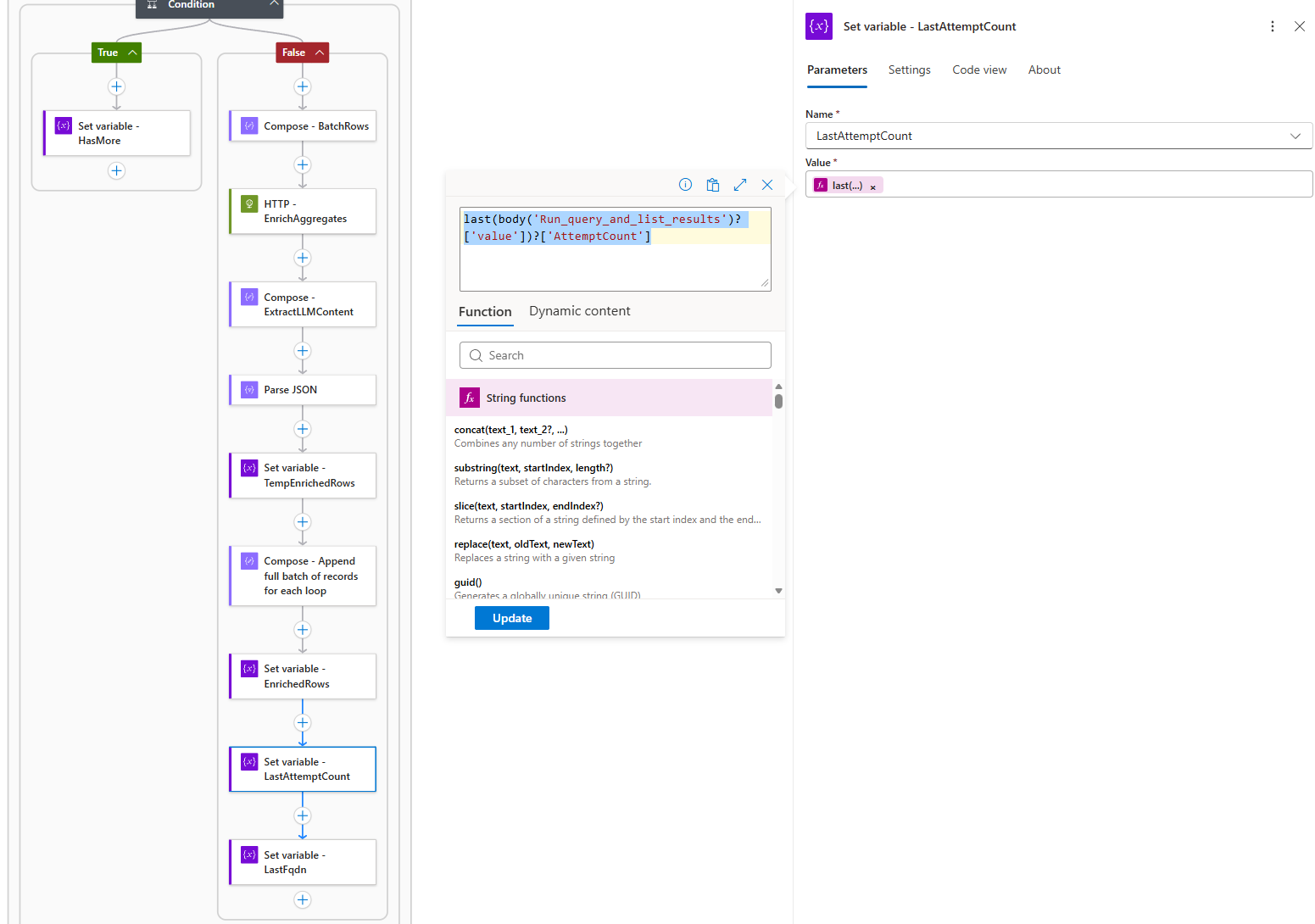
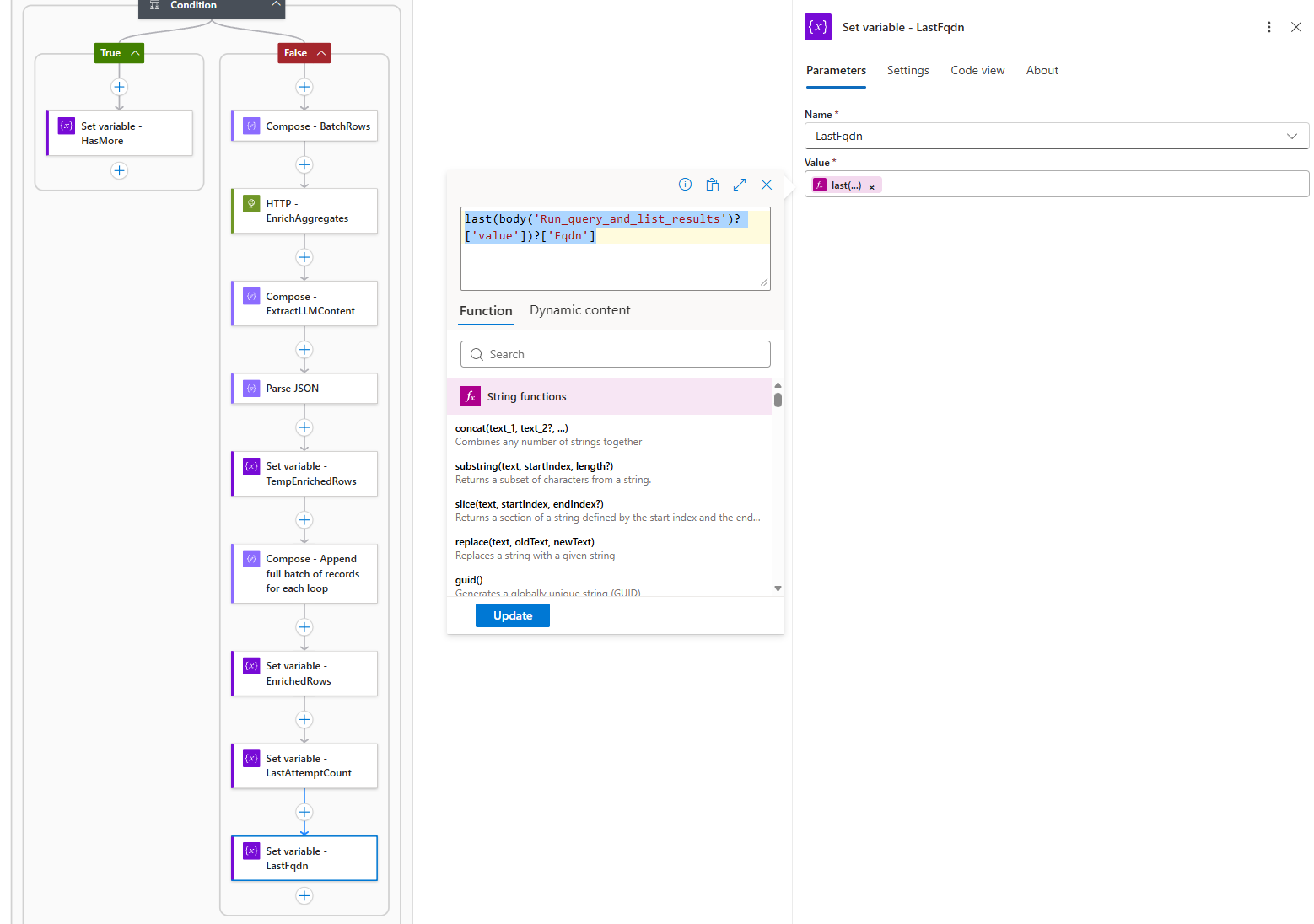
- Update pagination tokens (
LastAttemptCount,LastFqdn)last(body(‘Run_query_and_list_results’)?[‘value’])?[‘AttemptCount’]

last(body(‘Run_query_and_list_results’)?[‘value’])?[‘Fqdn’]

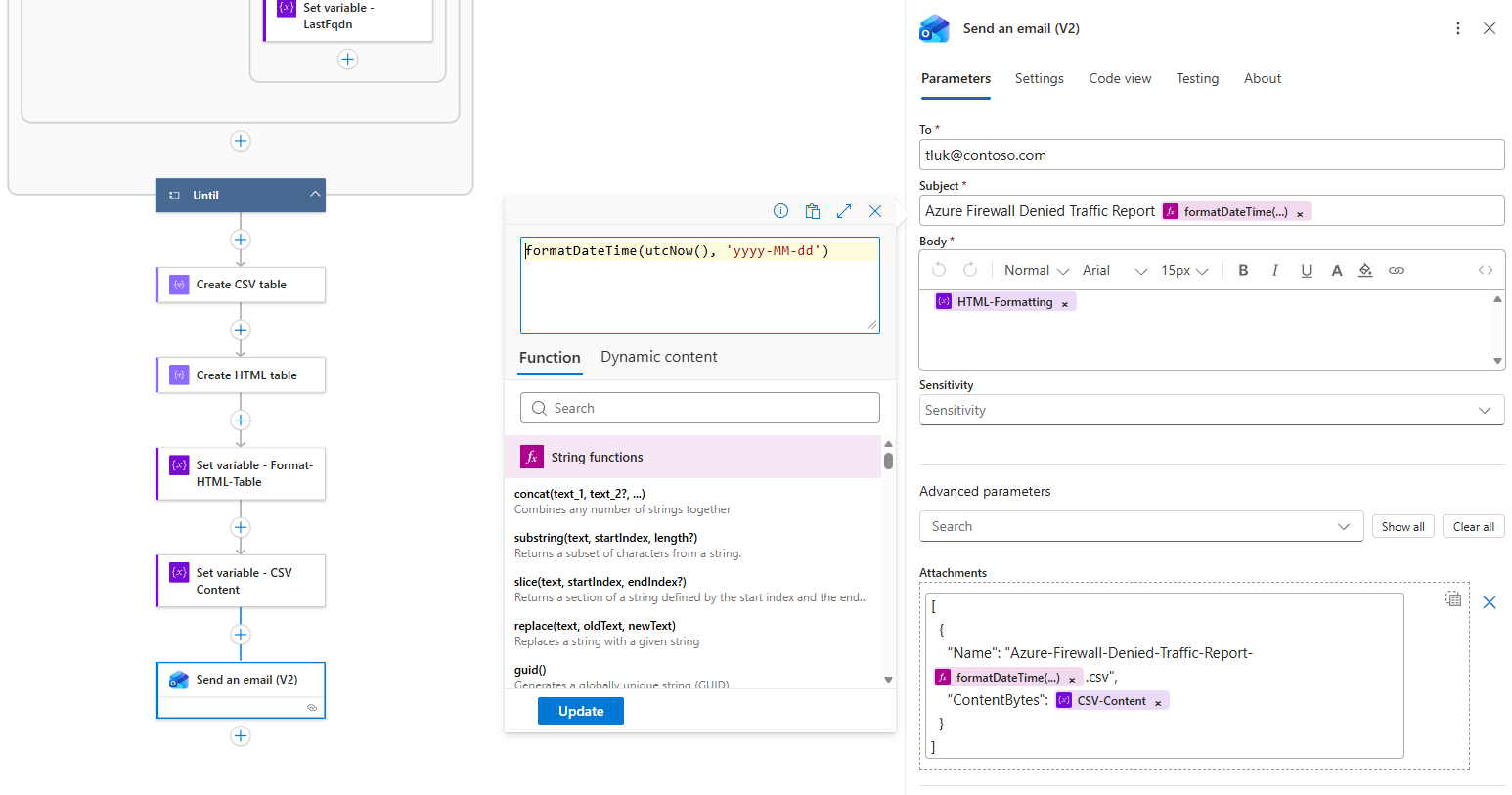
Step 4 — Create CSV attachment, stylize HTML email with Risk-Level
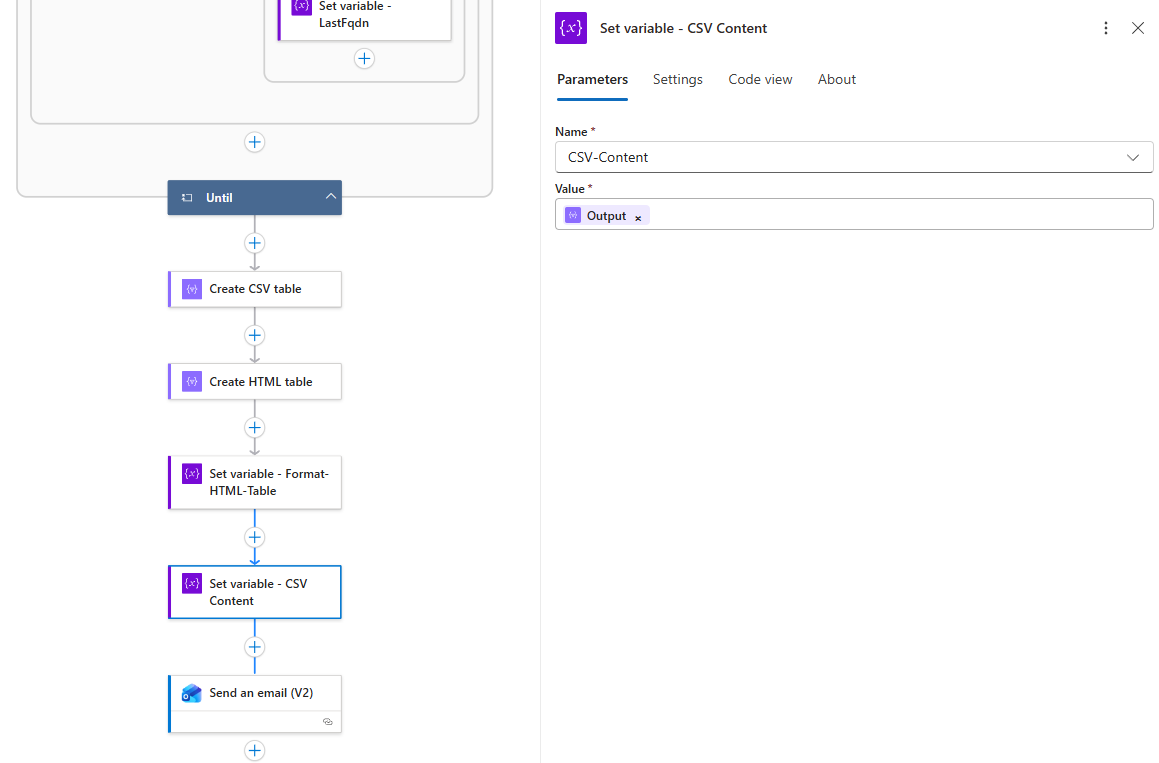
After the Until loop completes, the workflow generates both CSV and HTML outputs.
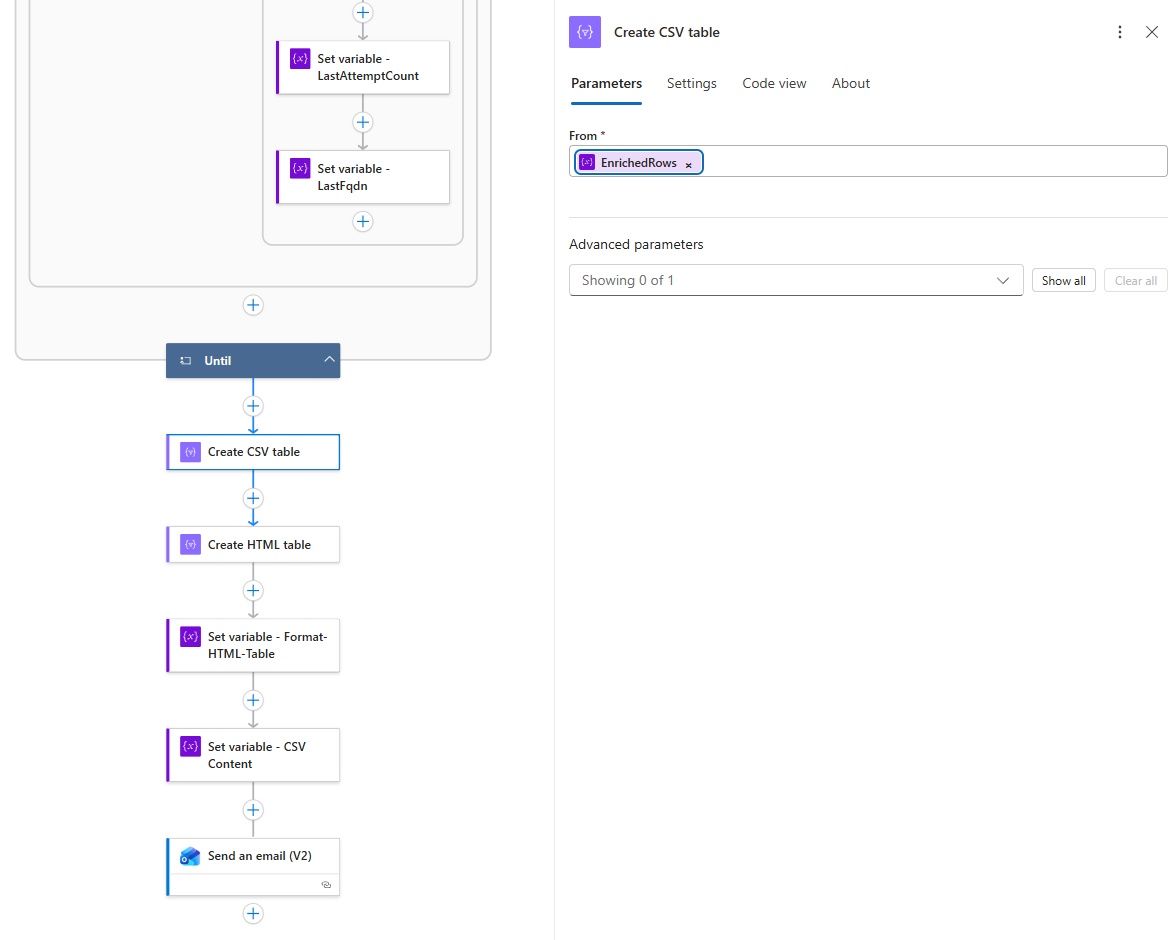
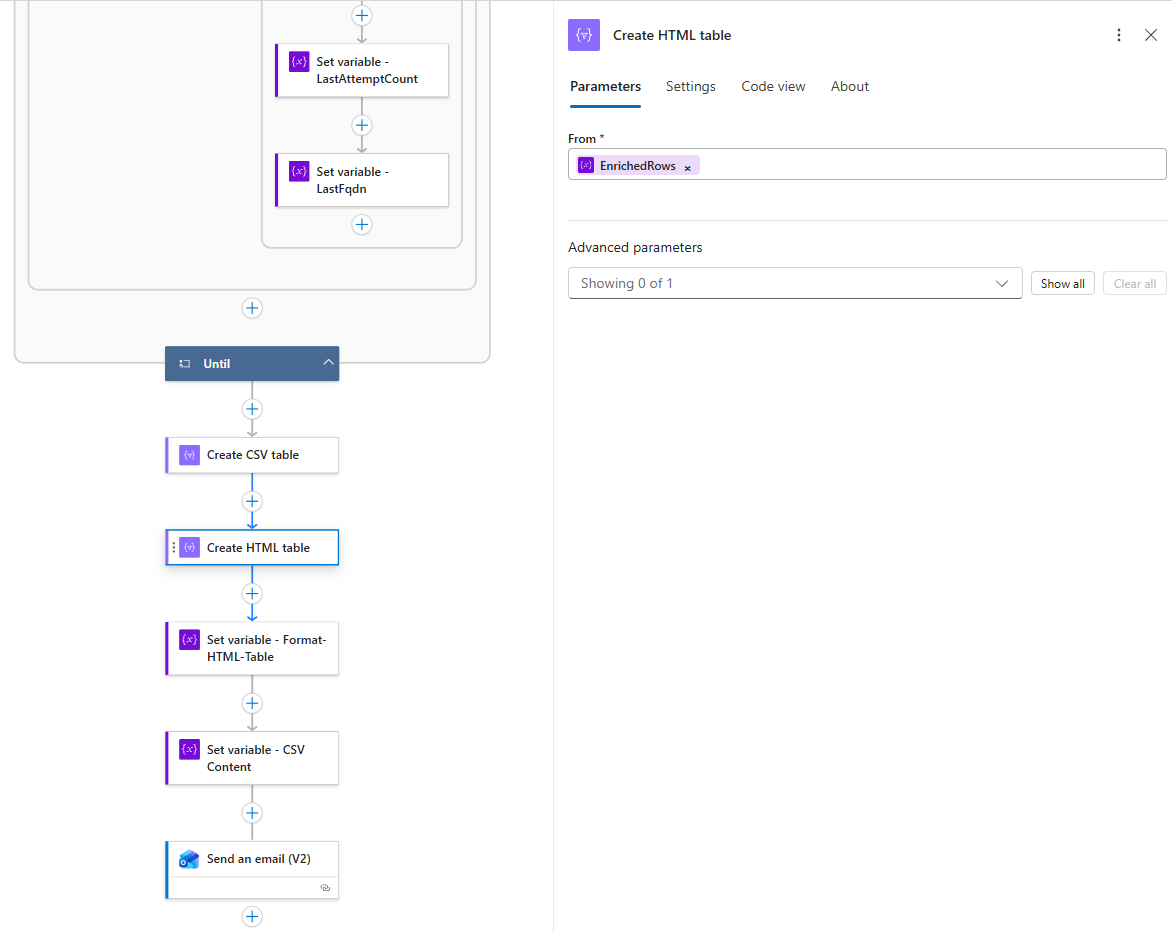
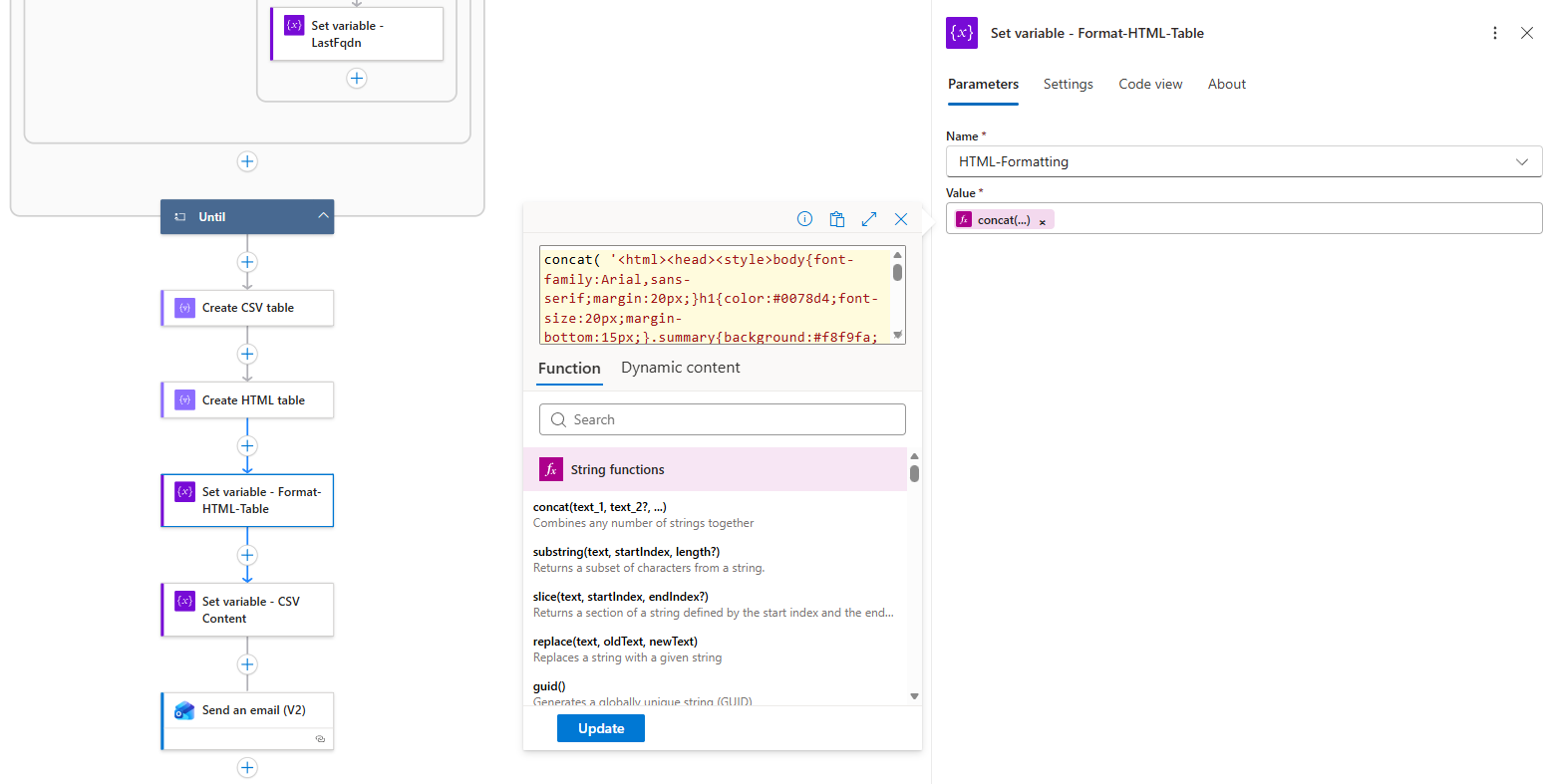
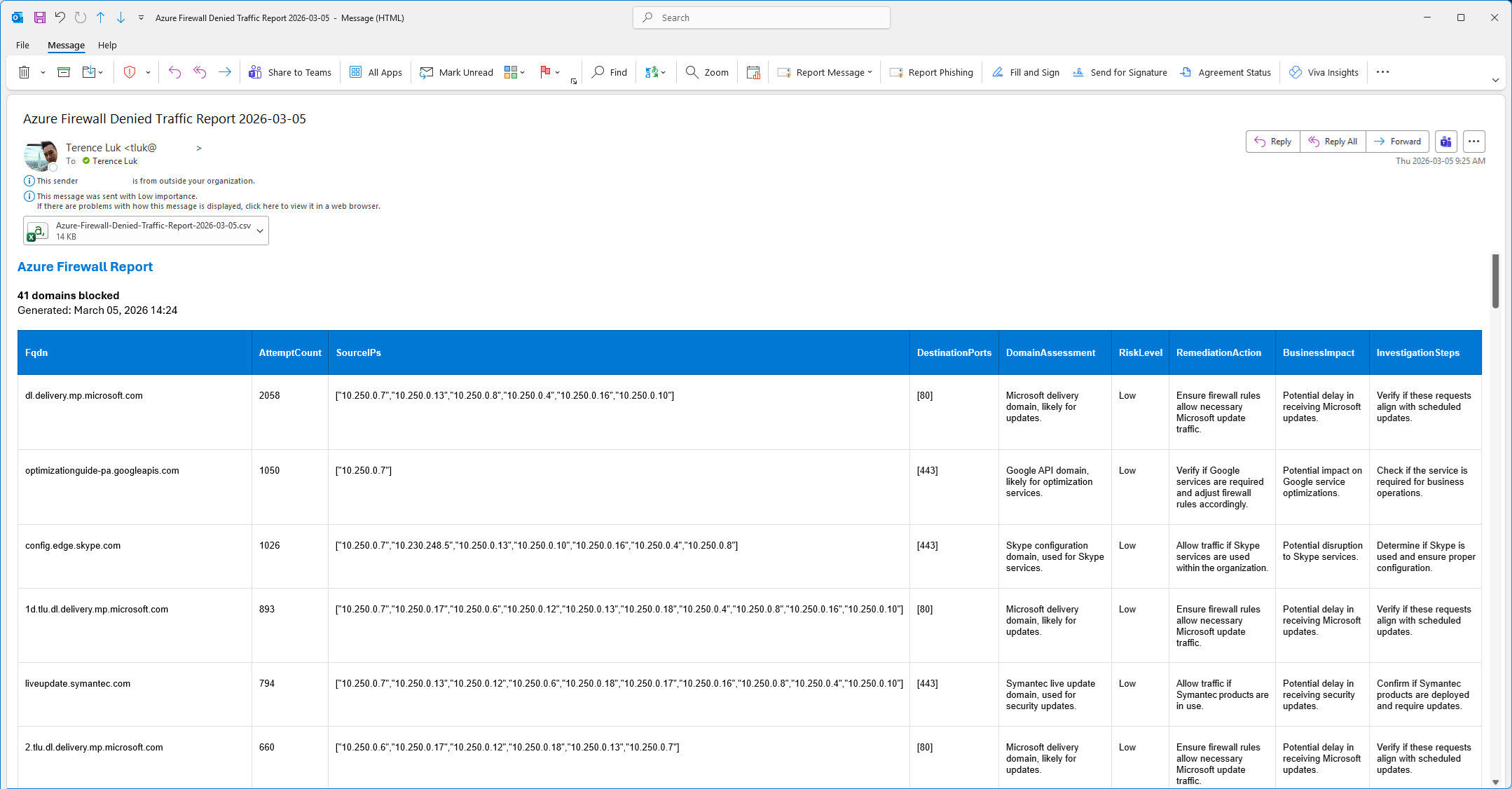
The HTML includes sophisticated styling with color-coded risk levels: https://github.com/terenceluk/Azure/blob/main/Logic%20App/Batch-Processing-Firewall-Logs-with-AI/HTML-Formatting.txt
concat( ‘<html><head><style>body{font-family:Arial,sans-serif;margin:20px;}h1{color:#0078d4;font-size:20px;margin-bottom:15px;}.summary{background:#f8f9fa;padding:12px;margin:15px 0;border-left:4px solid #0078d4;border-radius:0 4px 4px 0;}table{width:100%;border-collapse:collapse;margin:15px 0;font-size:13px;}th{background:#0078d4;color:white;padding:8px 10px;border:1px solid #005a9e;text-align:left;font-weight:600;}td{padding:6px 10px;border:1px solid #e0e0e0;vertical-align:top;}tr:nth-child(even){background:#f9f9f9;}tr:hover{background:#f0f7ff;}.risk-low{background:#d4edda;color:#155724;padding:2px 8px;border-radius:10px;font-size:11px;font-weight:600;display:inline-block;}.risk-medium{background:#fff3cd;color:#856404;padding:2px 8px;border-radius:10px;font-size:11px;font-weight:600;display:inline-block;}.risk-high{background:#f8d7da;color:#721c24;padding:2px 8px;border-radius:10px;font-size:11px;font-weight:600;display:inline-block;}</style></head><body><h1>Azure Firewall Report</h1><div class=“summary”><p><strong>’, length(variables(‘EnrichedRows’)), ‘ domains blocked</strong><br>Generated: ‘, formatDateTime(utcNow(), ‘MMMM dd, yyyy HH:mm’), ‘</p></div>’, replace(replace(replace(body(‘Create_HTML_table’), ‘>Low<‘, ‘><span class=“risk-low”>Low</span><‘), ‘>Medium<‘, ‘><span class=“risk-medium”>Medium</span><‘), ‘>High<‘, ‘><span class=“risk-high”>High</span><‘), ‘</body></html>’ )
The final output for the email should look as such:
Developing this Logic App, although no longer using an agent, has been on my mind since the new year but it has been so busy that I didn’t find the time to get to it so I’m glad I was able to put this together. Hope this helps anyone who may be looking for a demonstration of this or have encountered the same issue I had.

