
One of the issues that I run into every couple of years because I don’t usually perform the operation is importing a newly created App Service Certificate in a Key Vault so it can be retrieved and used by other Azure Resources. So rather than having to search for an answer again in the future, I thought I’d write a quick blog post that I can reference to.
Problem
You’ve gone ahead and created a new App Service Certificate:
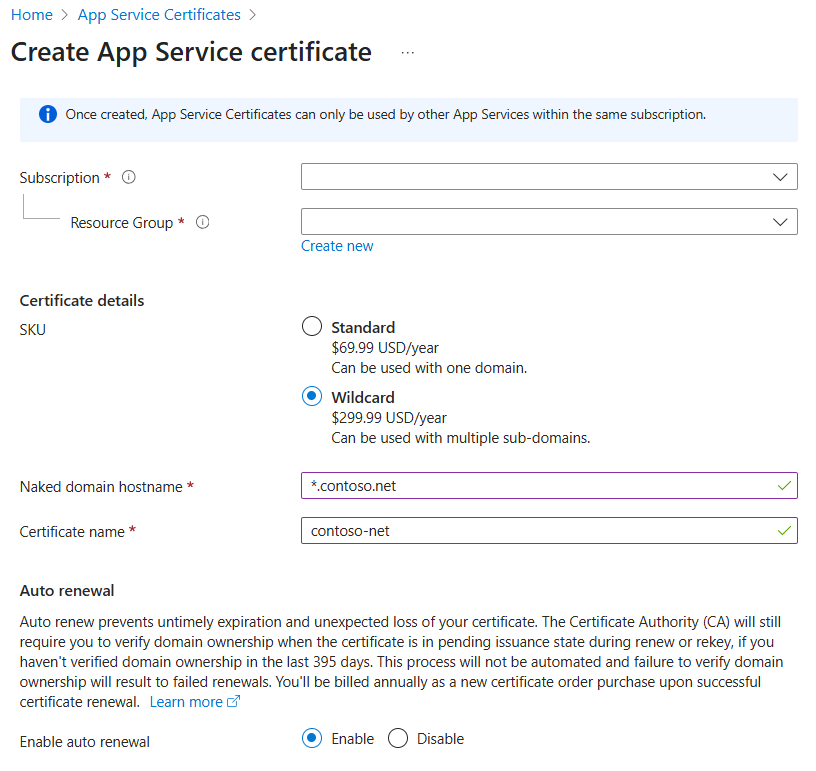
Proceeded to click on Configured required Key Vault store or Certificate Configuration:


Then in the Certificate Status menu, you continue to select: Import certificate into Key Vault for secure administration:

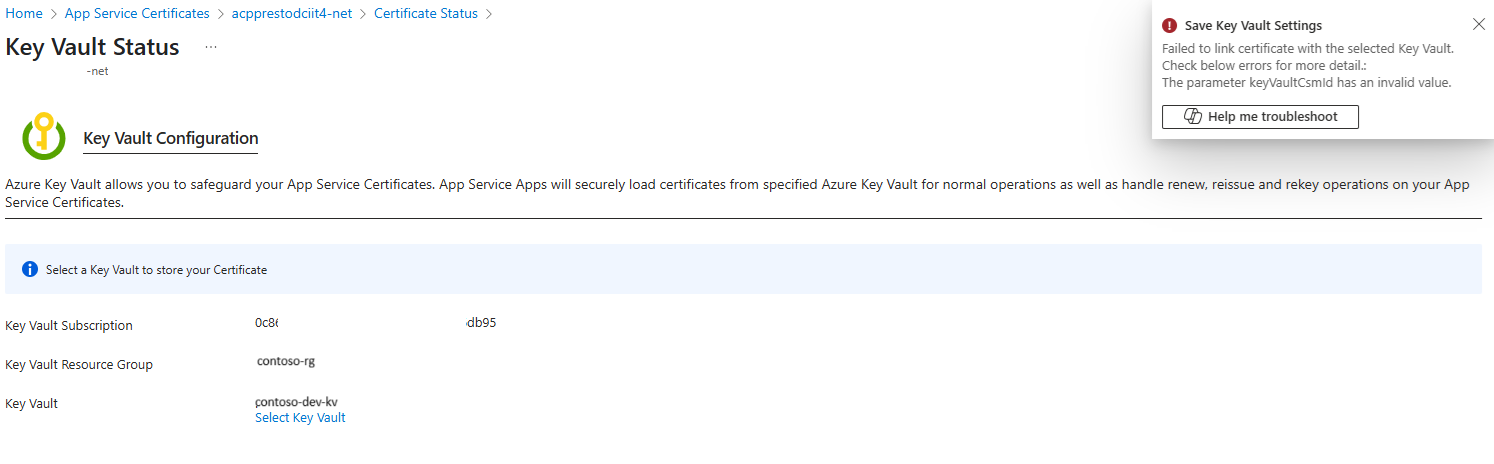
You already have a Key Vault created for storing the certificate so you proceed to select it:


The wizard attempts to import the certificate into the key vault:

… but fails with the error:
Failed to link certificate with the selected Key Vault. Check below errors for more detail.: The parameter keyVaultCsmld has an invalid value.
Solution
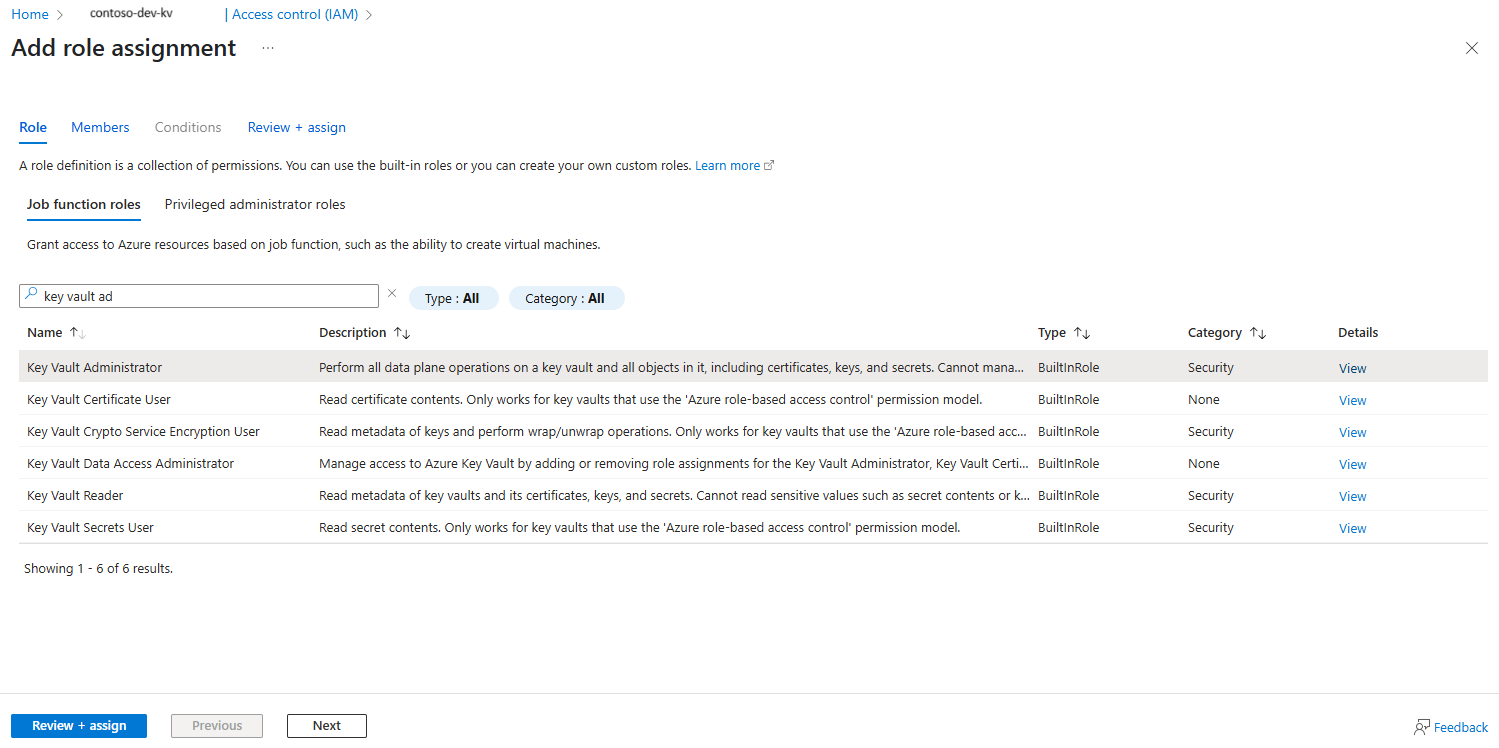
The solution is actually fairly simple and that is to grant the service principal named Microsoft.Azure.CertificateRegistration permissions to the Key Vault as this service principal is what is used to retrieve the App Service Certificate certificate and import into the Key Vault. Proceed to the Access control (IAM) blade of the Key Vault and select Add role assignment for the service principal:

Grant the service principal the Key Vault Administrator RBAC role:
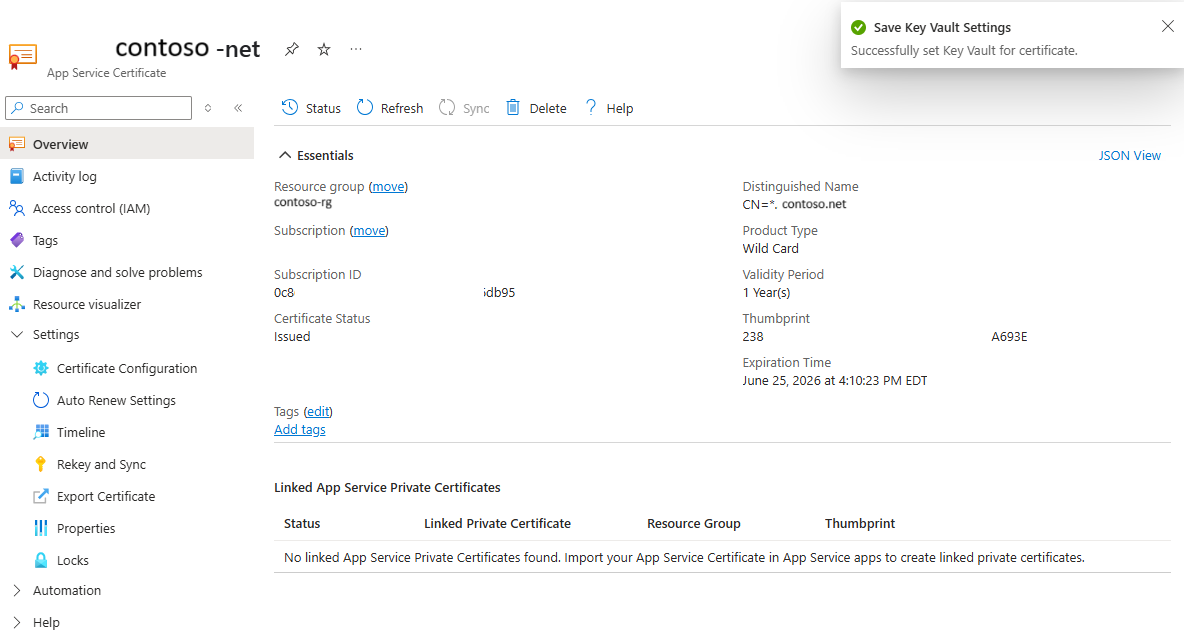
Retry the import and it should complete:
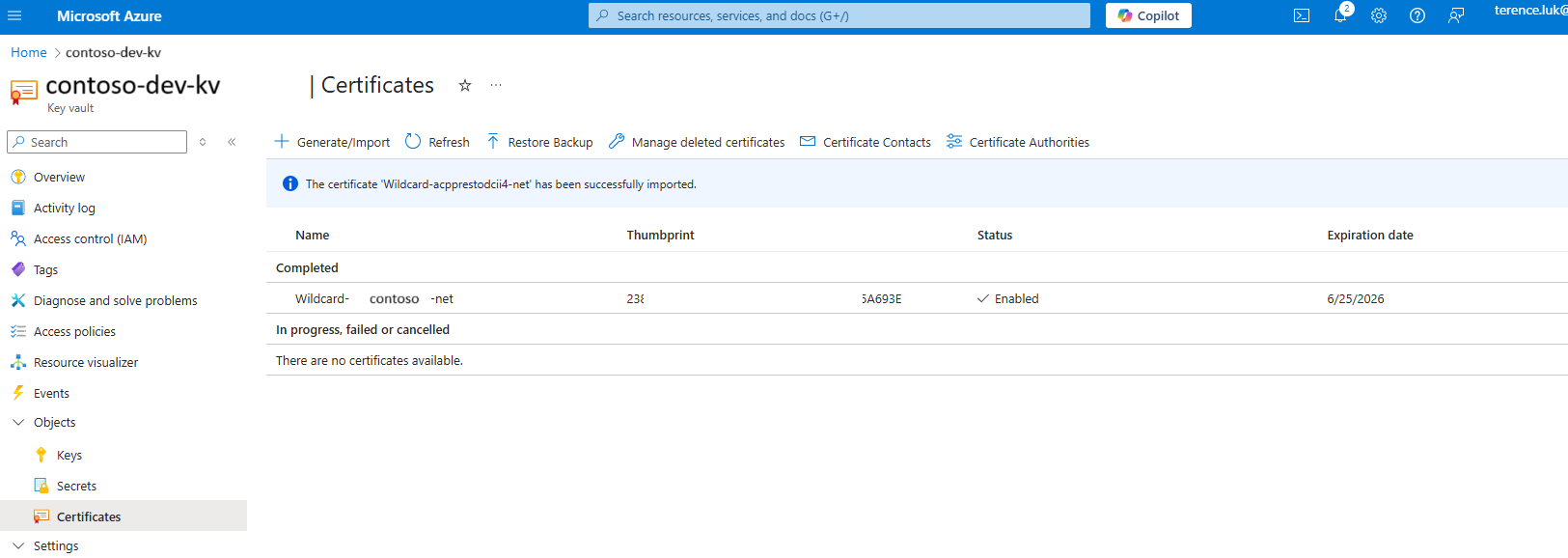
You should now see the certificate in the key vault:
Hope this helps anyone who may run into this issue and is looking for a quick answer.

