
As part of my back log of blog posts to write, I wanted to explain a common issue for Logic Apps trying to access Storage Accounts in the same region. Let’s take the following simple topology as an example:

If the following items are true:
- Logic App is configured with a consumption plan with no VNet integration (consumption plan doesn’t offer the feature)
- Storage Account is configured with the networking setting Enabled from all networks
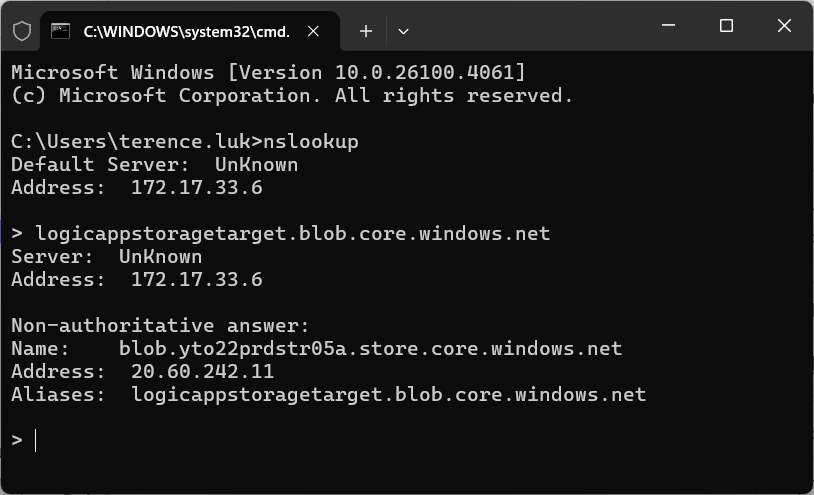
… then one would assume that when the Logic App attempts to write a blob such as file.txt onto the Storage Account, the traffic will go through the public network (internet) and into the public IP address of the storage account:
Name: blob.yto22prdstr05a.store.core.windows.net
Address: 20.60.242.11
Aliases: logicappstoragetarget.blob.core.windows.net
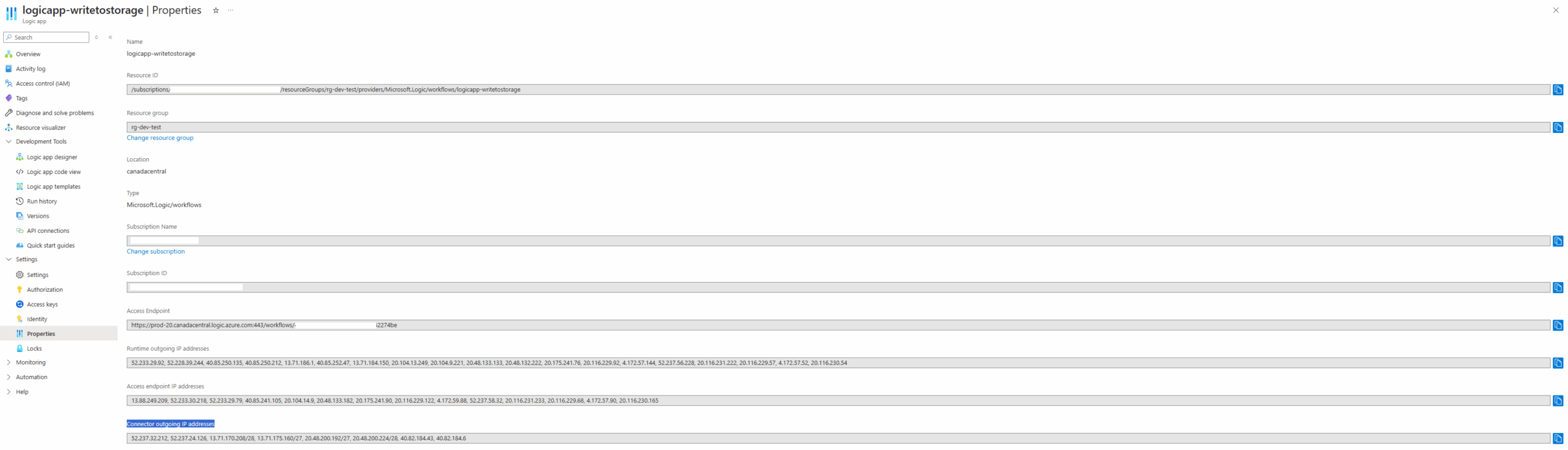
As for the outbound address where the traffic originates from, it would be assumed that the Connector outgoing IP addresses will be the ones the Storage Account will see as incoming:
However, a quick query of the StorageBlobLogs logs in the Log Analytics workspace will show that this assumption is incorrect:
StorageBlobLogs
| where UserAgentHeader == ‘azsdk-net-Storage.Blobs/12.19.1 (.NET Framework 4.8.9294.0; Microsoft Windows 10.0.20348 )’
Note that I used the UserAgentHeader to filter specific events from the Logic App:

As shown in the CallerIpAddress field, the incoming IP address of 10.91.1.227 is a private RFC 1918 range rather than a publicly routable address as specified in the Logic App’s Connector outgoing IP addresses:

Whether the destination IP of the Storage Account that the source Logic App with the IP 10.9.1.227 reaches is public or private (the Storage Account doesn’t have a private endpoint) is unclear but it is obvious that if we were to whitelist the Logic App’s Connector outgoing IP addresses on the Storage Account’s Firewall and virtual networks wouldn’t work since they are no where to be found in the logs:
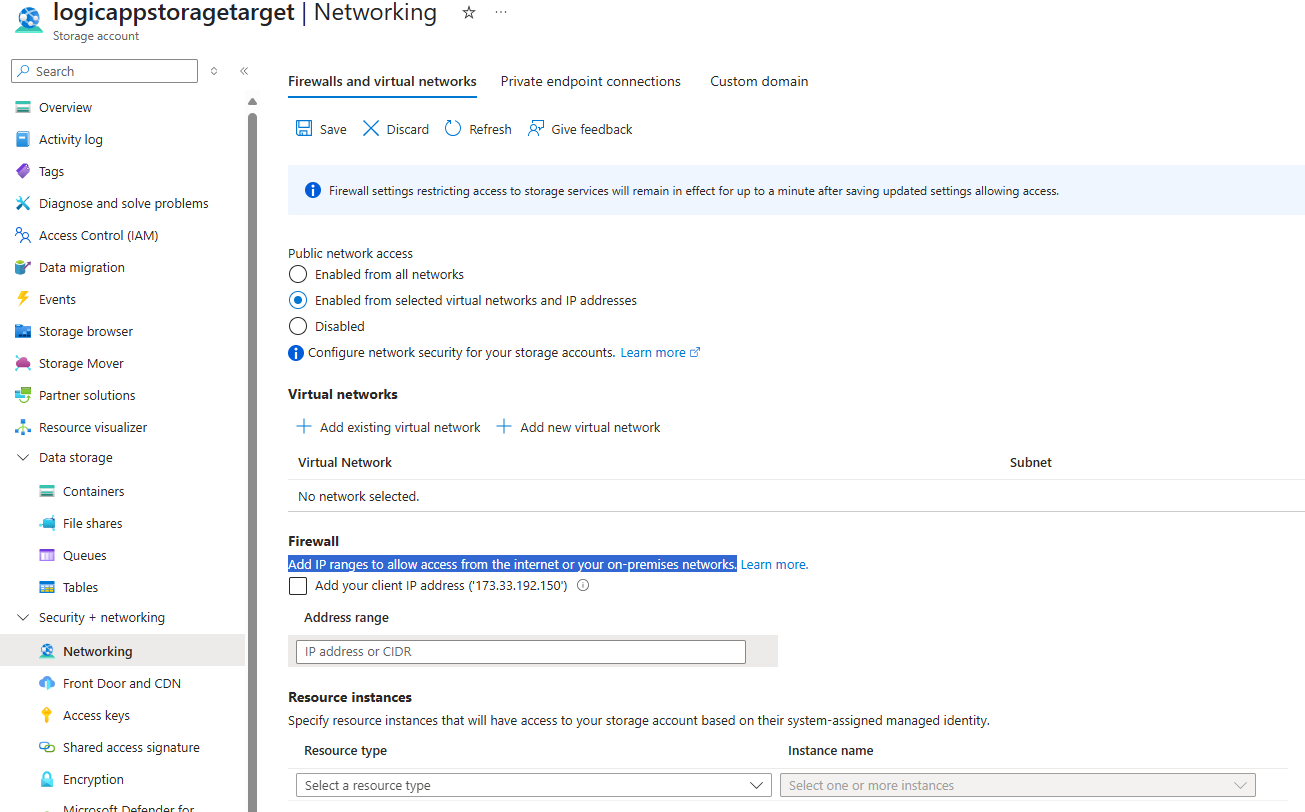
This ends up being a problem as most organizations do not want the storage account to have Enable from all networks enabled as anyone on the internet can knock on the Storage Account’s door and try to authenticate. Attempting to use the Enabled from selected virtual networks and IP addresses wouldn’t work because you can’t whitelist RFC 1918 private IP addresses on the Firewall settings:
IP rules support public IP addresses only.
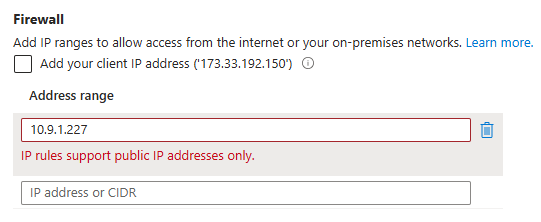
Furthermore, Microsoft doesn’t have document publishing what the range of private IP addresses are and even if they can be configured, we wouldn’t want to whitelist all of class A, B or C ranges.
What I was able to find while digging into every Microsoft documentation I could find is this snippet that describes this local communication in the data center (same region) problem:
You can add network security to an Azure storage account by restricting access with a firewall and firewall rules. However, this setup creates a challenge for Azure and other Microsoft services that need access to the storage account. Local communication in the data center abstracts the internal IP addresses, so just permitting traffic through IP addresses might not be enough to successfully allow communication across the firewall.

If upgrading to a Standard Logic App is not feasible, the recommended methods for consumption types are to:
- For same region access: Use system-managed identities (user-managed identities will not work)
- Use different region access: place the Logic App or Storage Account in another region all together
Let’s look at option #1 first.
Option #1 – System-Managed Identity for same region access
As described in this Microsoft document: https://learn.microsoft.com/en-us/azure/connectors/connectors-create-api-azureblobstorage?tabs=consumption#access-blob-storage-in-same-region-with-system-managed-identities
The recommended method to allow access from the Logic App to the Storage Account where both reside in the same region is to:
- Turn on system-managed identity for the Logic App and configure the connection to the Storage Account with it. This makes sense because if we are to configure #3 below, we wouldn’t want another tenant’s resources knocking on the door of our storage account to authenticate with an Access Key that could be leaked (note that I intentionally used Access Keys the example above to show that it wouldn’t work if we do not use a system-managed identity)
- Configure the Firewall and virtual networks as Enabled from selected virtual networks and IP addresses
- Enable Allow Azure services on the trusted services list to access this storage account.
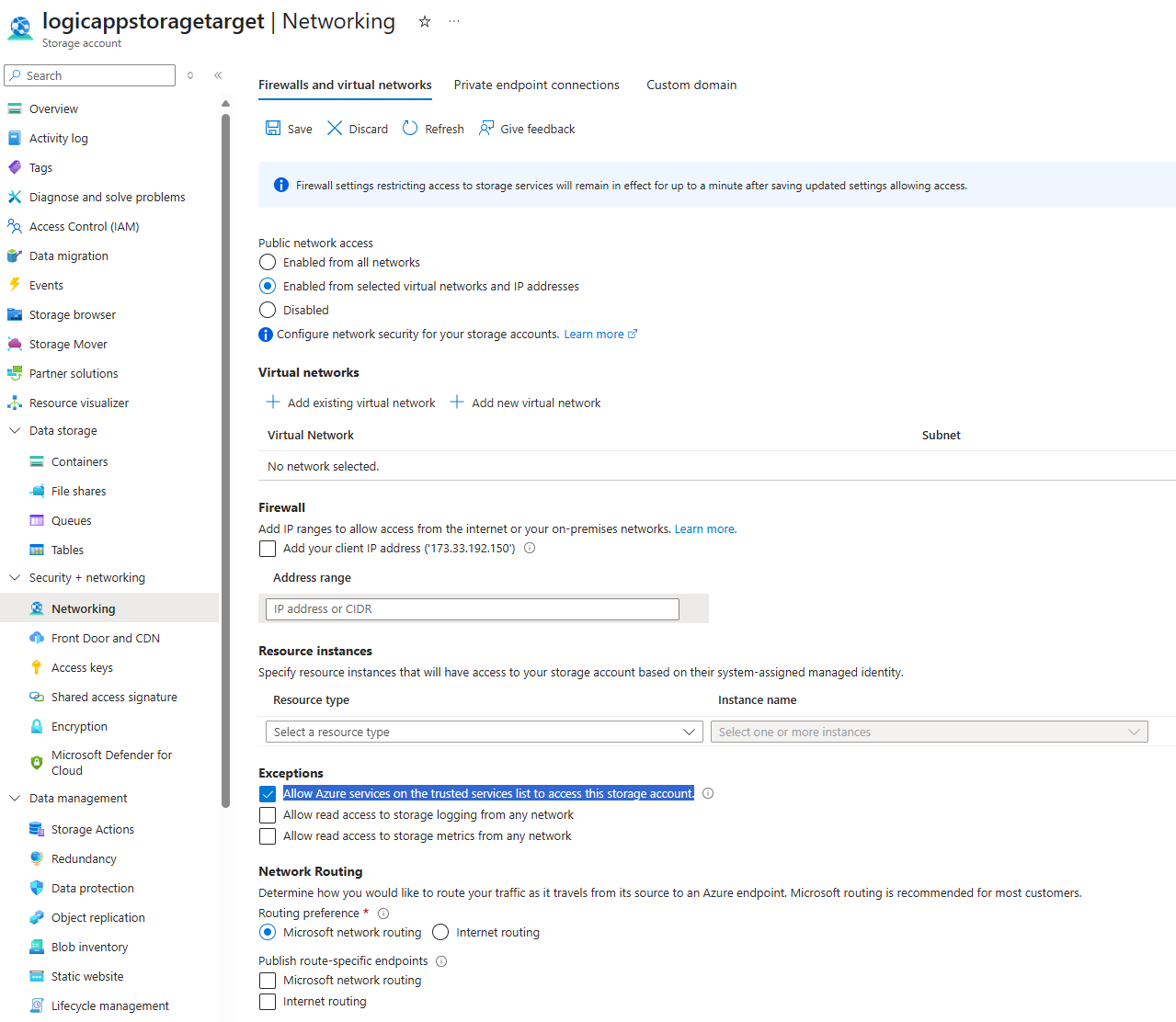
Let me first demonstrate a common error I’ve seen when a system-managed identity is not used:
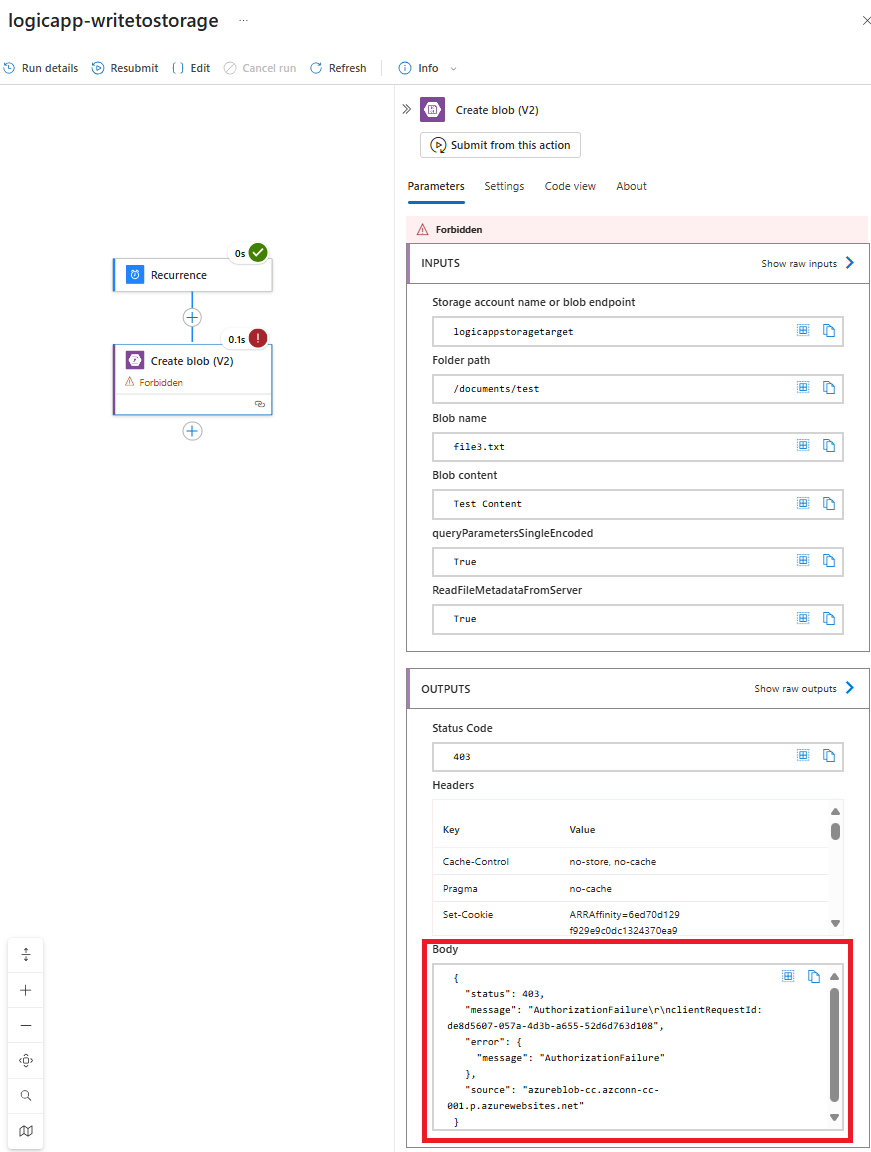
As shown in the screenshot above, the creation of the blob fails with the error:
Forbidden
… and the output in the body is:
{ “status”: 403, “message”: “AuthorizationFailure\r\nclientRequestId: de8d5607-057a-4d3b-a655-52d6d763d108”, “error”: { “message”: “AuthorizationFailure” }, “source”: “azureblob-cc.azconn-cc-001.p.azurewebsites.net” }
This is a direct result of using an Access Key for the Storage Account connection rather than a system-managed identity:
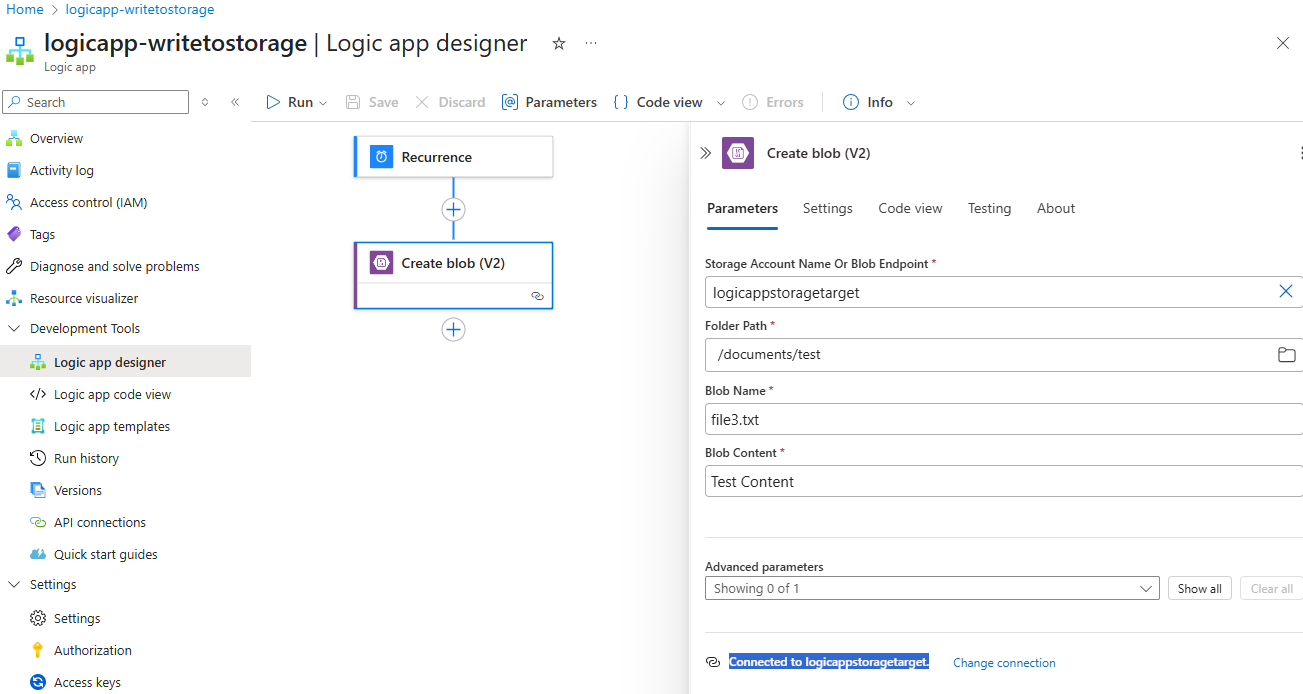
Note the following properties in the Log Analytics workspace logs:
AuthenticationType: AccountKey
StatusCode: 403
StatusText: AuthorizationFailure

Now proceeding to turn on the identity for the Logic App to create a system-managed identity, grant it Storage Blob Data Contributor to the storage account, then update the API connection:

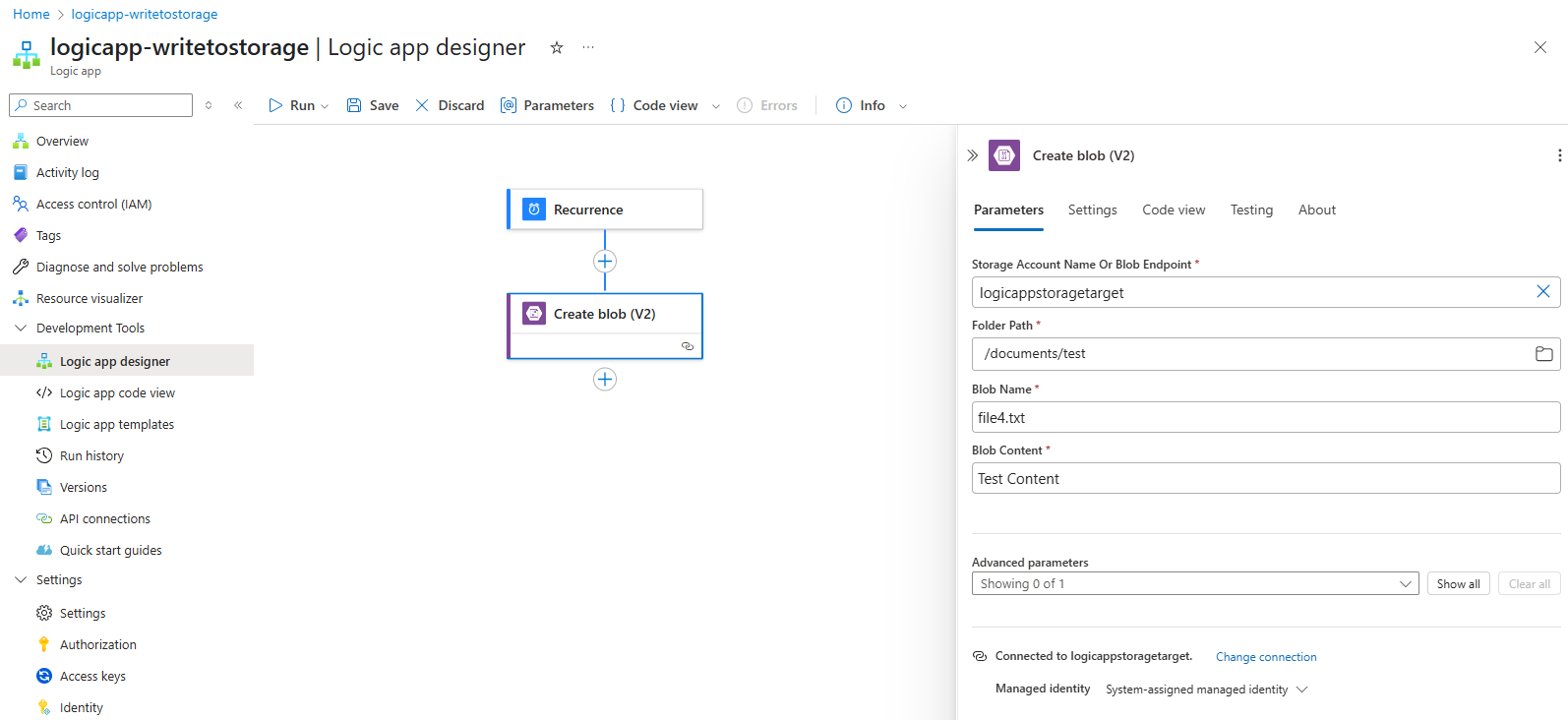
It should now succeed when we run it:
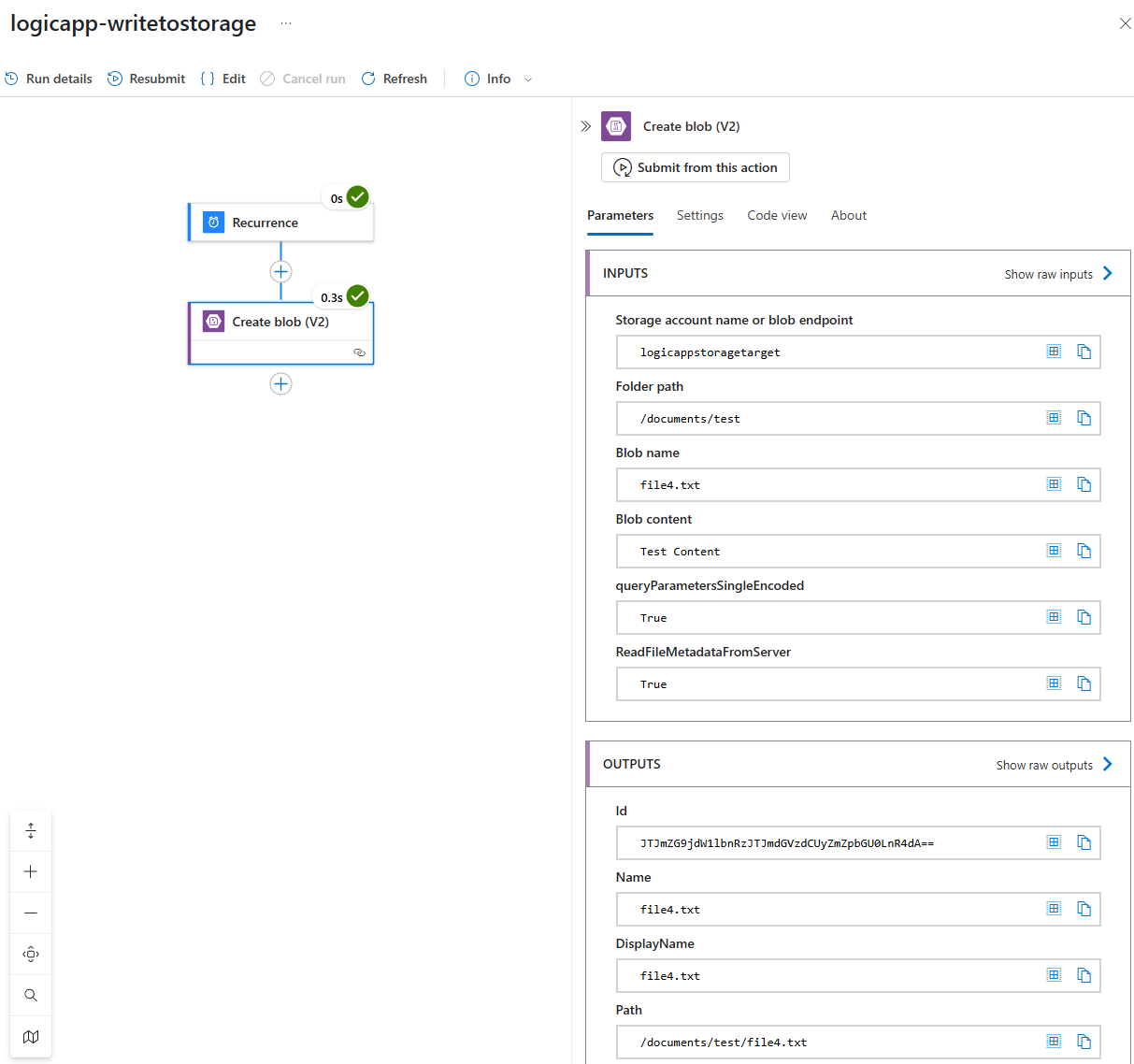
Notice how the logs now indicate the AuthenticationType as OAuth:

Here are the details of the log entry:
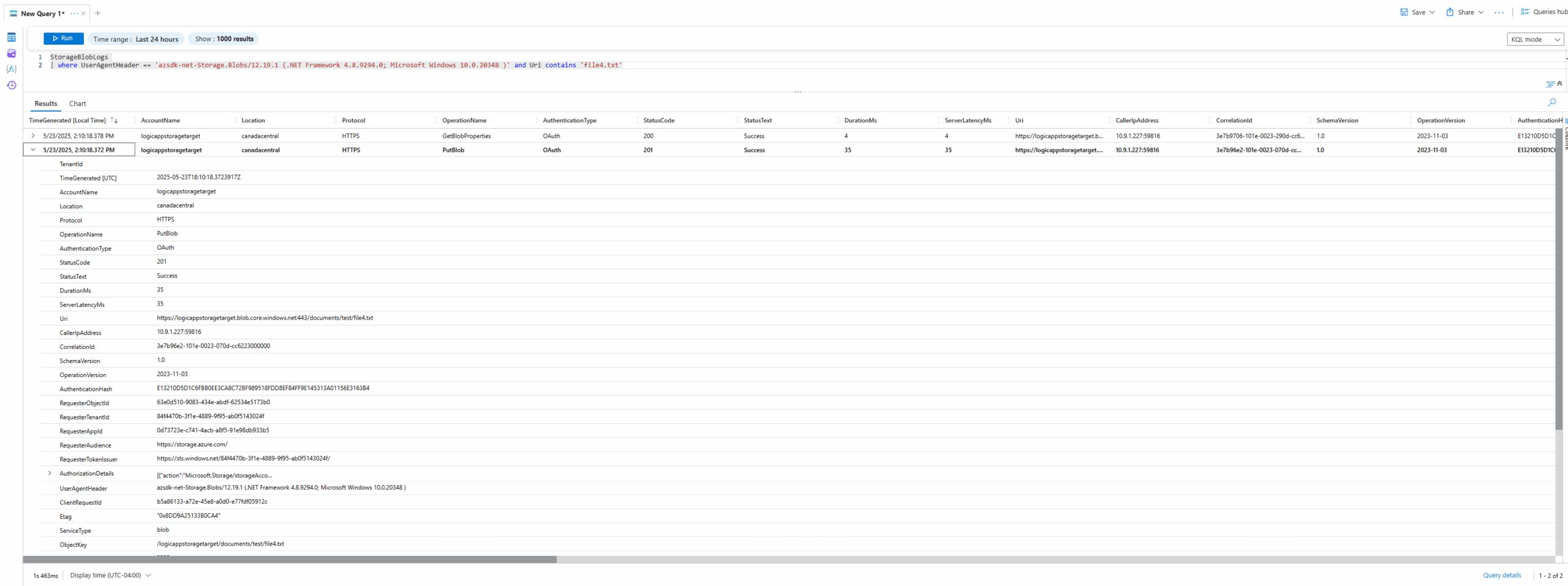
This solution is feasible if there is no requirement to completely disable all access to the storage account other than private endpoints but it would only work if both resources are in the same tenant. There may be scenarios where you may be writing to a partner’s storage account via SFTP from a Logic App, or the other way around. In such a situation, you will find yourself in the same situation as this person in the post: https://stackoverflow.com/questions/77323696/logic-apps-connector-gets-private-ip-instead-of-public-ip
I supposed this will be resolved when cross tenant managed identities is out of preview: https://arsenvlad.medium.com/entra-cross-tenant-trust-using-managed-identity-secret-free-approach-9c5bcad1b0fd
Option #2 – Use different region for the Storage Account or Logic App
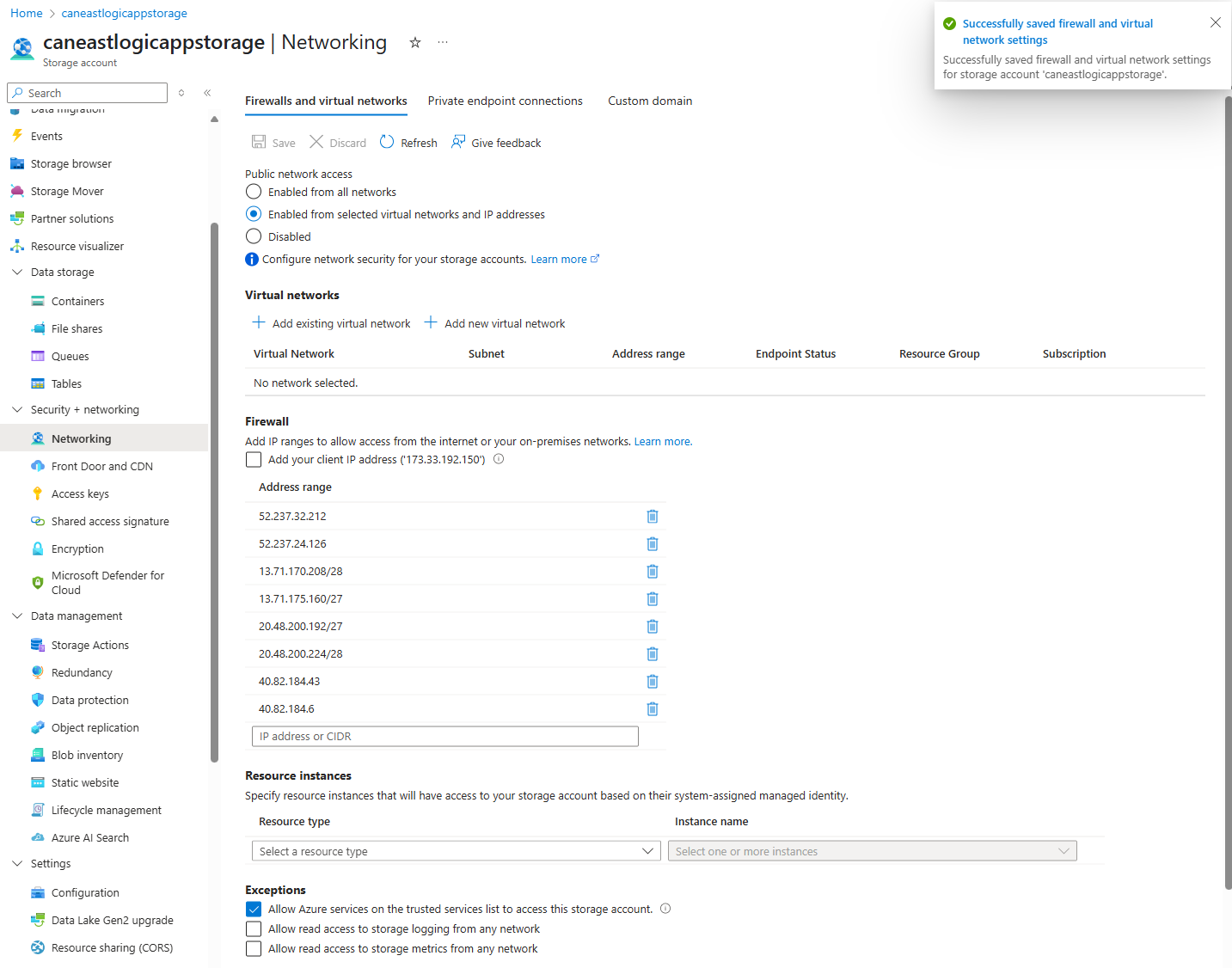
Let’s now look at using a different region for the 2 resources. To demonstrate this, I’ll deploy another Storage Account into Canada East for the Logic App to access. The new storage account will be configured as a connection using Access Key with the Connector outgoing IP addresses of the Logic App added to the firewall:
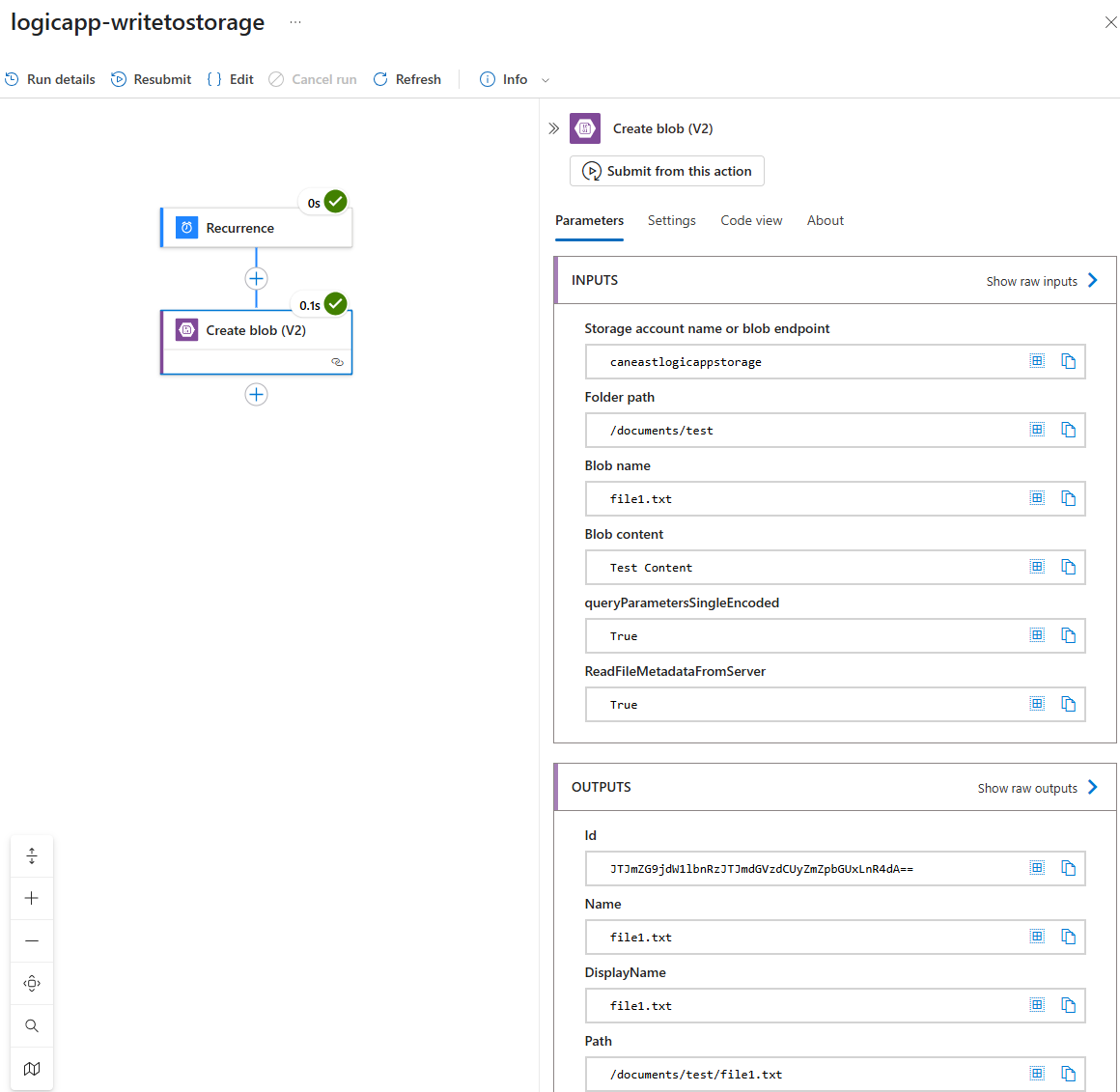
Now when you run the Logic App with these settings, you’ll see a success:
Here are the corresponding logs that display the public IP address of the Logic App:

As per best practices, you should try to use system-managed identities rather than Access Keys and I can confirm that switching the authentication would work as well in this cross region access:

Hope this helps anyone out there who may encounter this issue and wants a thorough walkthrough of the traffic behavior.

