
WAF Managed Rules Exclusions are something my recent project has gotten me to take part in much of the hands on work for, along with Application Gateway WAF policies and working with exclusion rules and as I continue to tweak rules on the WAF, documentation needs to be updated as well. Documentation is usually the least favourite, but critical, component for solutions so I’m always looking for ways to optimize the extraction of data and refrain from copy and pasting parameters and values whenever possible. With that, I’d like to share a few useful KQL queries, PowerShell script, and how I use an Excel spreadsheet to blend information between 2 sources together.
WAF Managed Rules Exclusions
Let’s first look at the requirement to document a Application Gateway WAF policy’s Managed Rules Exclusions:
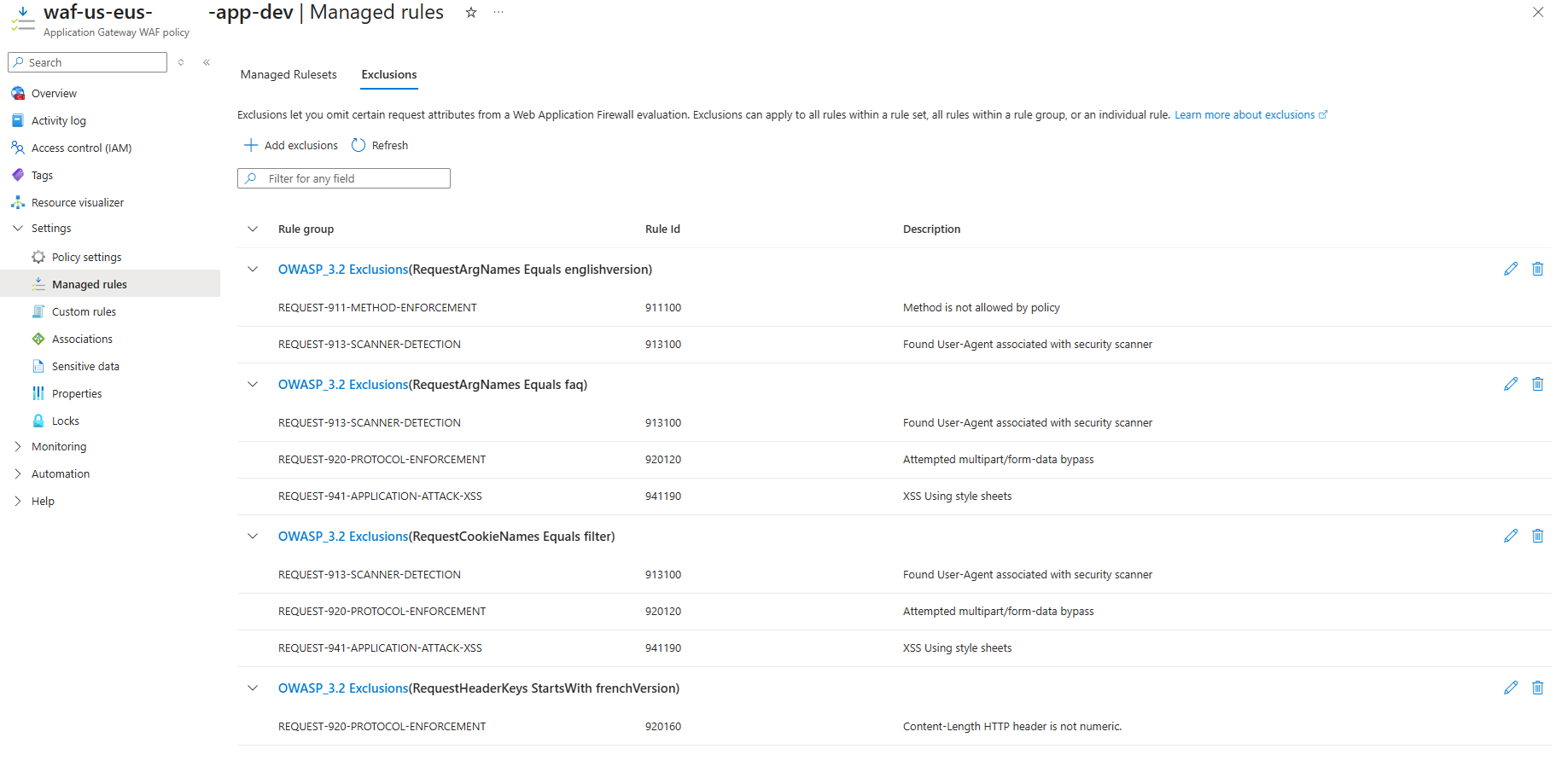
Attempting to copy and paste the above information into a spreadsheet wouldn’t take overly long but as this list grows, it can become overwhelming and error prone. One of the easiest ways to extract this information is to use Azure Resource Graph Explorer to query this information and I’ve created a query in my following GitHub repo: https://github.com/terenceluk/Azure/blob/main/Kusto%20KQL/Azure-WAF-Policy-Managed-Rules-Exclusions.kql
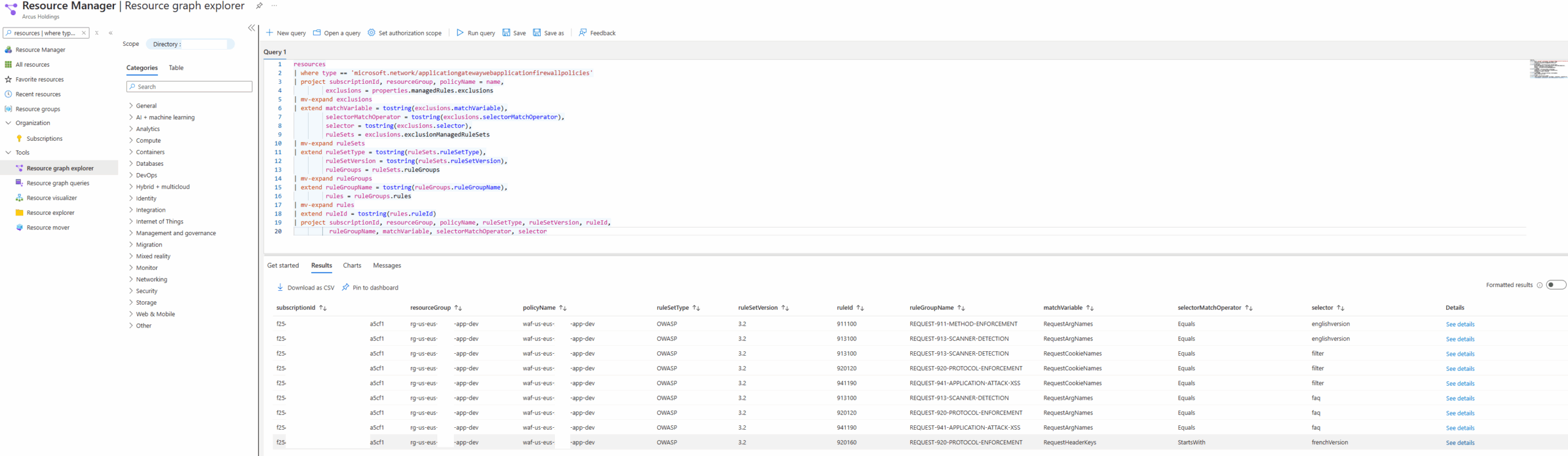
This allows us to query all the Managed Rules Exclusions and export them into a CSV. The small problem I had was that this did not include Description of the particular Rule ID:
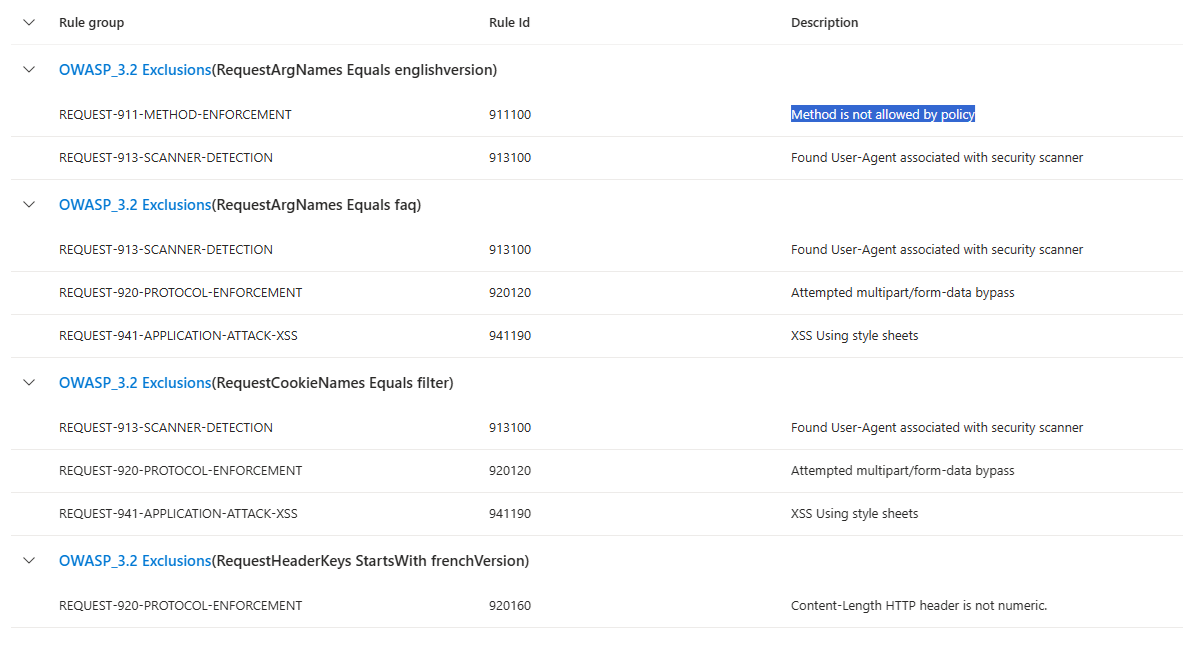
There did not appear to be a location where I can retrieve a consolidated list of all the rules in Microsoft’s documentation as listed here: https://learn.microsoft.com/en-us/azure/web-application-firewall/ag/application-gateway-crs-rulegroups-rules?tabs=drs21%2Cowasp32#drs920-21
So what I did was use a PowerShell script to export such a list and create a CSV file. This script can be found in my GitHub repo here: https://github.com/terenceluk/Azure/blob/main/PowerShell/Export_WAF-Policy-OWASP_3-2-Rules.ps1
This script will create a JSON file with all the OWASP rules, then process the version 3.2 rules and create a CSV file as shown here: https://github.com/terenceluk/Azure/blob/main/PowerShell/OWASP_3_2_rules.csv
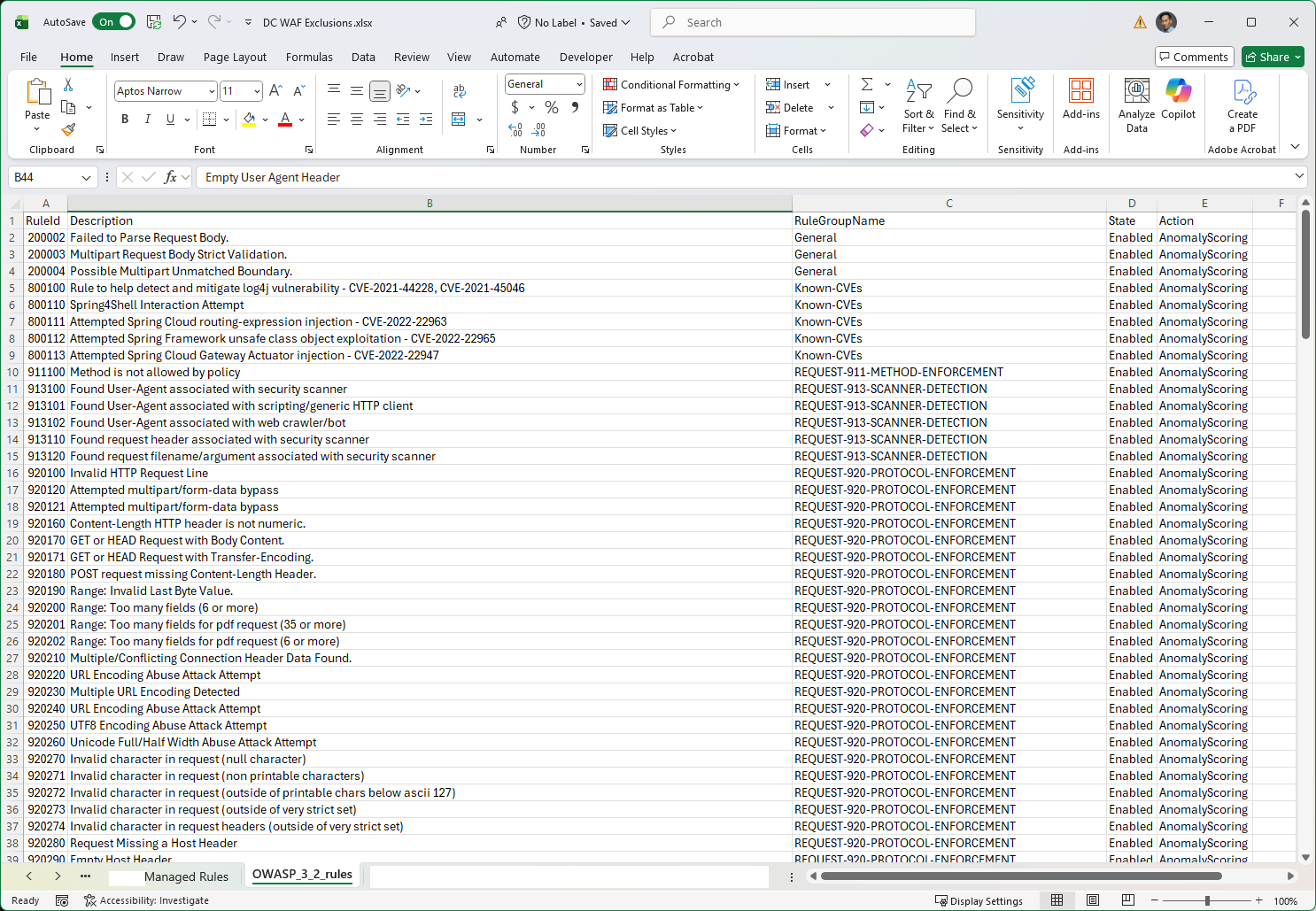
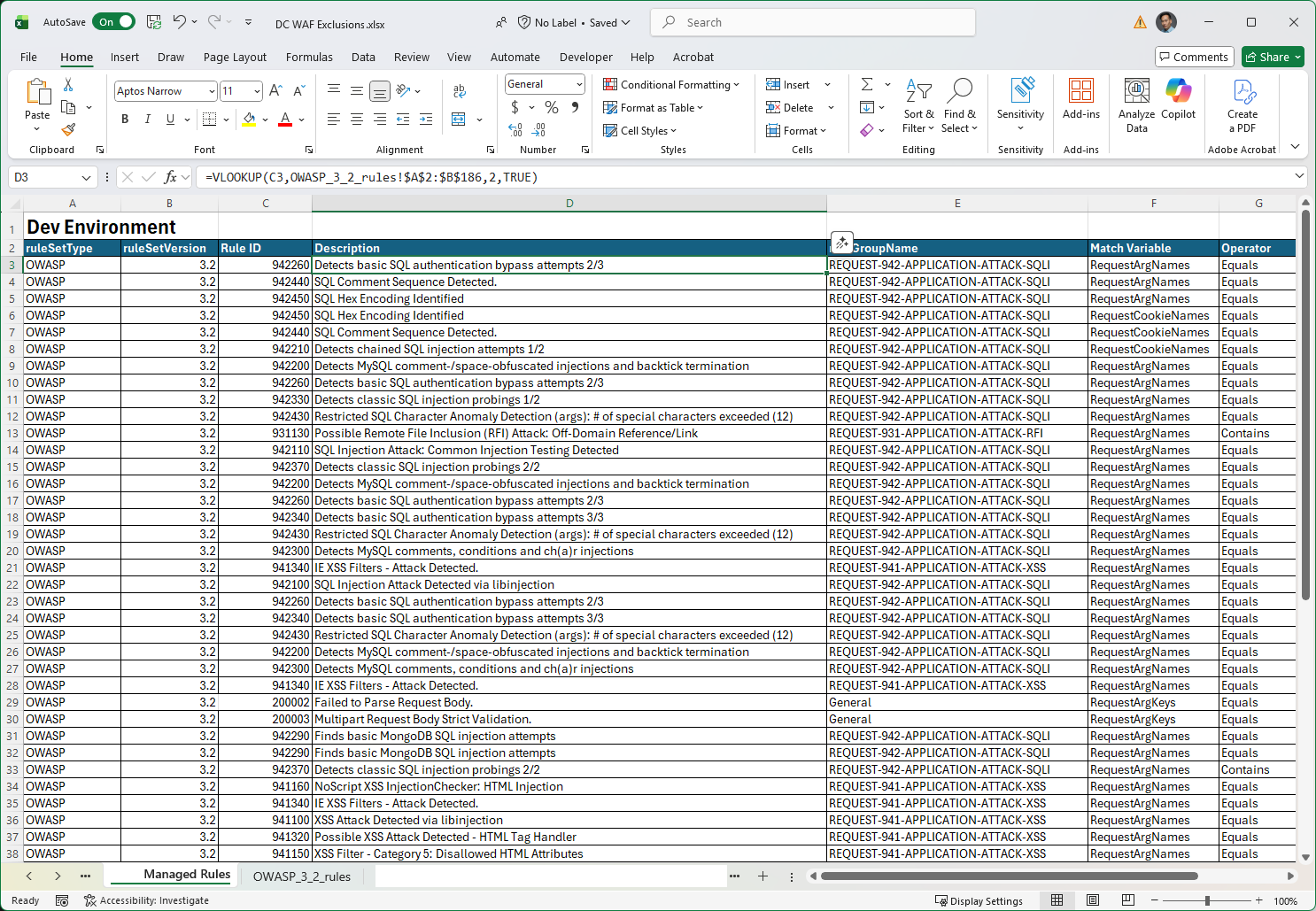
Now that I have the CSV with all the Managed Rules Exclusions and a CSV with the Rule IDs and descriptions, I can use Excel with VLOOKUP to merge the data together as shown here:
Note that I am using the VLOOKUP formula: =VLOOKUP(C3,OWASP_3_2_rules!$A$2:$B$186,2,TRUE)
Custom Rules
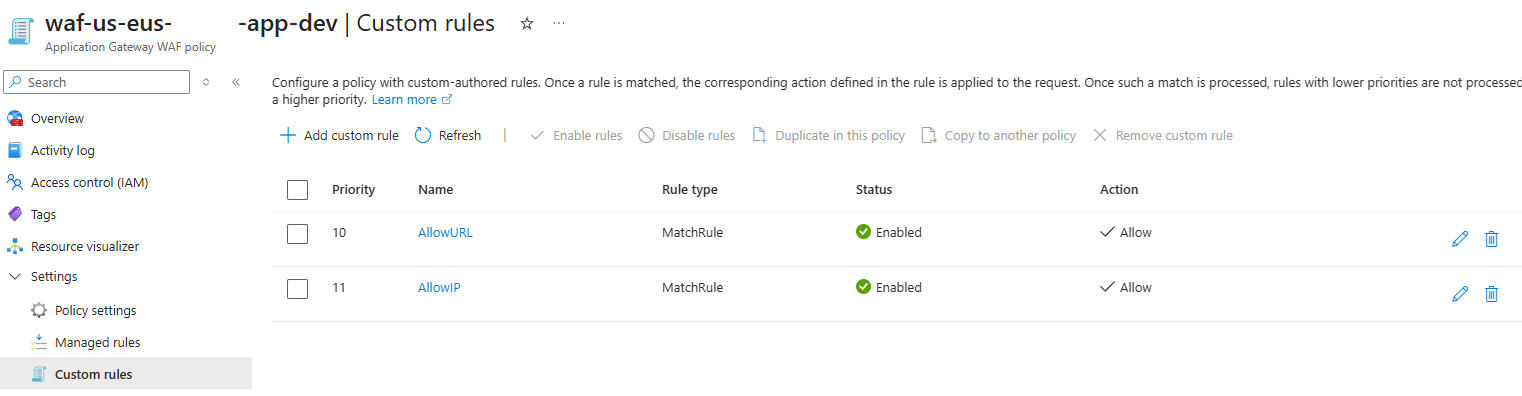
Next, let’s look at these 2 custom rules configure:
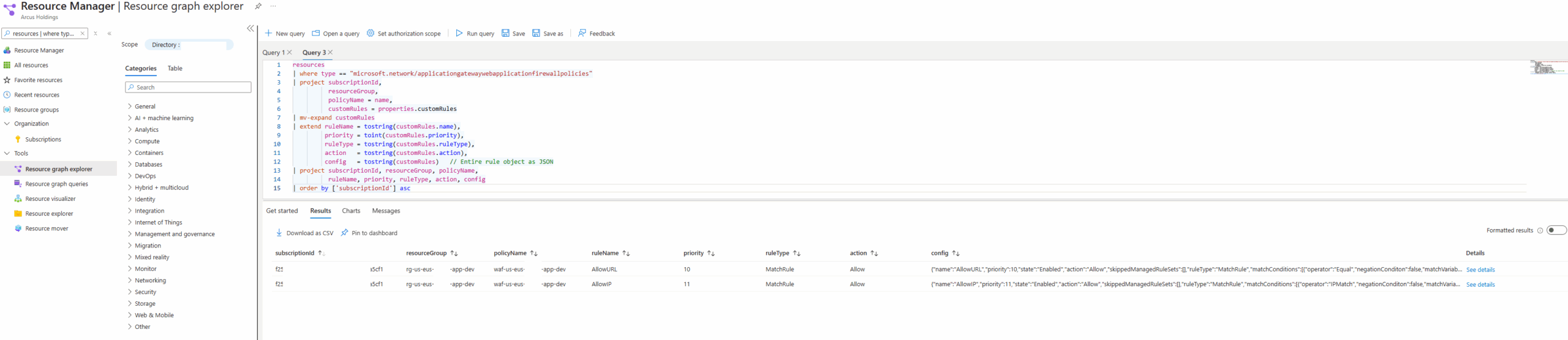
Here is the query that allows us to retrieve the custom rules defined for our WAF and it can be found at my following GitHub repo: https://github.com/terenceluk/Azure/blob/main/Kusto%20KQL/Azure-WAF-Policy-Custom-Rules-Exclusions.kql
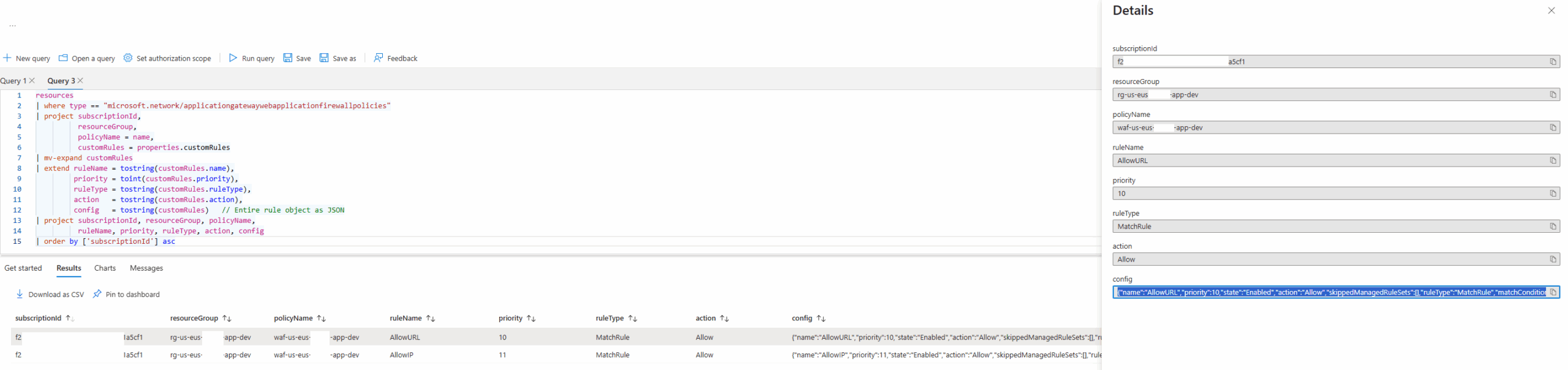
Due to the flexibility and many parameters available for custom rules, we can’t output all the configuration in the query so to view the rule’s configuration, use the See details link:
I hope this WAF Managed Rules Exclusions walkthrough helps anyone who may be looking for a quick way of retrieving this information.

