
For those who have worked in environments where there are 2 separate Azure tenants that have resources across to the corresponding tenant through either an ExpressRoute or VNet peering may have felt challenges where they cannot easily provide consistent DNS resolution for Azure resources (e.g. Web Apps, Azure SQL Database, Key Vaults, etc). Take the following high level topology as an example:
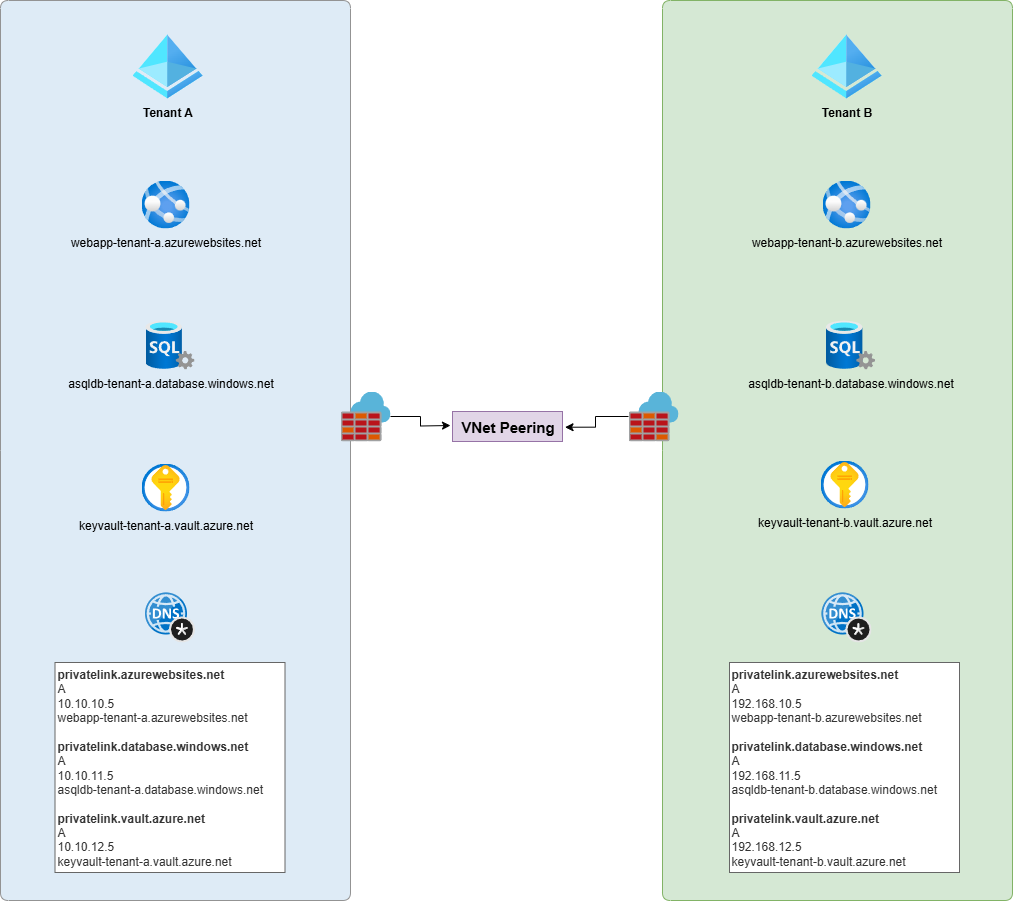
If the resources in either tenant need to resolve the other tenant’s resource private IPs, they would not be able to because each tenant has its own Private DNS Zone for the privatelink zones. If the two tenants belong to the same organization and there are no security concerns in sharing a single Private DNS Zone, then a possibility is to centralize the DNS zones into a single Private DNS Zone hosted in, say, a hub network, then link the Virtual Networks to it for both tenants. This isn’t always feasible if the two tenants belong to different organizations.
For the purpose of this blog post, let’s say the only solution is the more painful approach and that is to ensure the corresponding tenant’s DNS records of private IP addresses are added to the other tenant’s private DNS zones. It’s manual and increases administration effort but I’ve come across such scenarios and the way I’ve tried to make it less painful is use a script to generate a DNS report that highlights the missing DNS records for both private DNS zones.
The script can be found in my following GitHub repo: https://github.com/terenceluk/Azure/tree/main/Private%20DNS%20Zones/Compare%20DNS%20Zones
Use the config.json file to configure the tenant information, service principals that have permissions to the tenants to retrieve the information, and the DNS zones to compare.

Here are sample reports that are created:
HTML Report

CSV Comparison Report
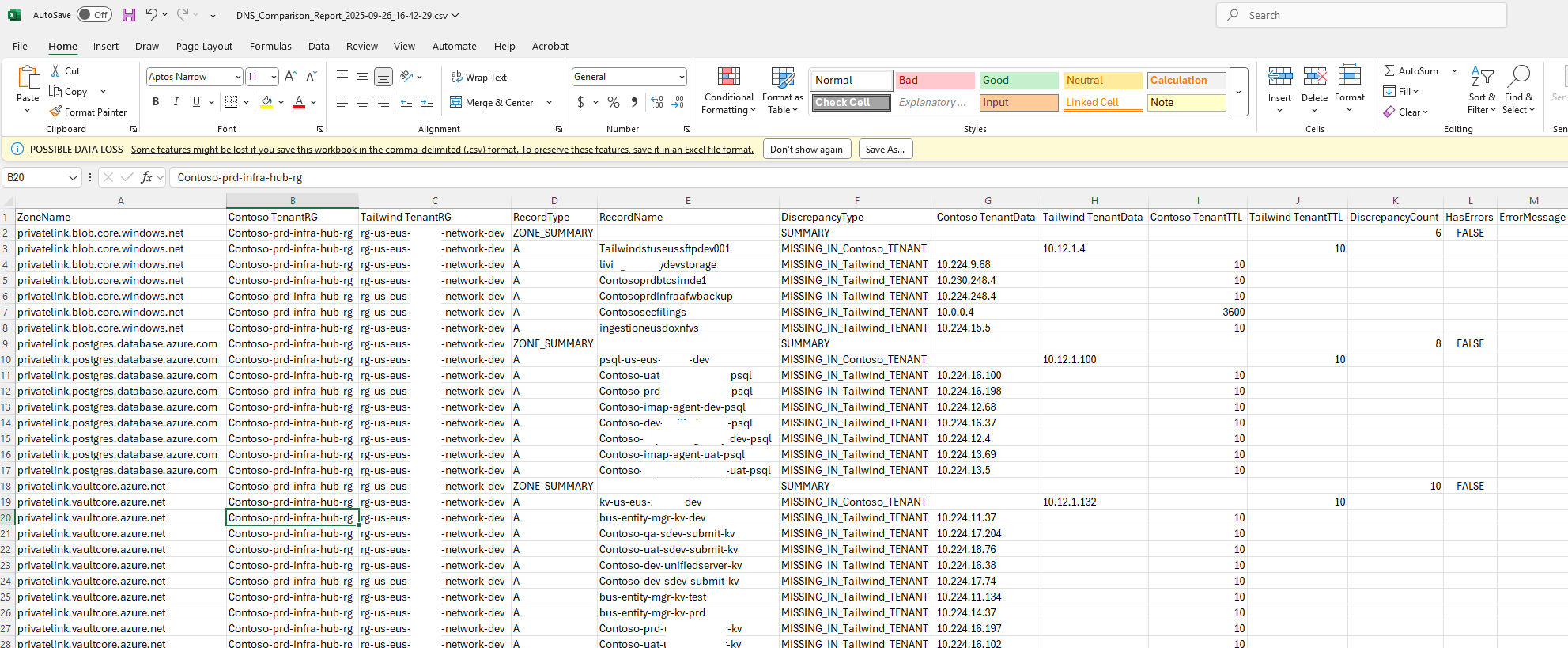
Along with the HTML and CSV files, a JSON and CSV containing all the DNS records from both tenants are created.
The following is a sample run with the commands:
$config = Get-Content -Path “config.json” | ConvertFrom-Json
.\Compare-DnsZones.ps1 -TenantAConfig $config.TenantAConfig -TenantBConfig $config.TenantBConfig -ZoneMappings $config.ZoneMappings

I’ll likely be updating this into a script I can run in a Logic App, Function App, or Automation Account Runbook so it can be automated and will create a separate post in the future. Hope this helps anyone who may be looking for this or something similar.

